

Ultimate Guide to OBD-II Code B2256: Infotainment-Telematics Communication Failure
The Most Comprehensive Resource for What B2256 Means, Why It Triggers, and How to Fix It—Permanently.
- 1. Code B2256 indicates a total communication failure between the infotainment screen and the telematics module, affecting over 8 distinct Subaru models from 2016-2024.
- 2. Never authorize a $2,000+ head unit replacement without verifying the shop first scanned the telematics module for primary fault codes like B2A0C or B2A15.
- 3. Verify your VIN with a Subaru dealer before paying for repairs, as Subaru's Warranty Enhancement Program covers head unit and DCM failures for 8 years or 150,000 miles on many 2019-2023 models.
- 4. Stop DIY diagnostics if a 20-second hard reset fails; resolving B2256 requires a dealer-level scan tool to apply firmware updates per Subaru TSB #18-224-22R.
What Does B2256 Mean?
B2256 is a manufacturer-specific Body Control Module (BCM) code predominantly found on Subaru vehicles. It means the main infotainment computer, the Cockpit Control Module (CCU), has lost communication with the car's telematics module, the Data Communication Module (DCM). The DCM handles STARLINK services, emergency SOS, remote start, and GPS tracking. Two critical dashboard computers are failing to communicate over the CAN bus network, logging this specific diagnostic trouble code in the CCU's memory.
Technical definition: A communication failure exists between the Data Communication Module (DCM) and the Cockpit Control Module (CCU). The B2256 code is stored in the CCU when it stops receiving expected data packets from the DCM over the vehicle's Controller Area Network (CAN bus).
Can I Drive With B2256?
Yes, But With Caution. The vehicle is mechanically safe to drive as the code does not affect the engine, transmission, or braking systems. However, you lose use of your infotainment screen, radio, navigation, and climate controls. This disables the backup camera, violating federal safety standards (FMVSS 111) and creating a significant safety hazard. In models with integrated climate controls, an inability to use the defroster is dangerous in adverse weather. Continued driving causes no further mechanical damage, but the functional loss requires immediate attention.
Common Causes
- Underlying Trouble Code in the Telematics System (Very Common) — A separate fault stored in the telematics module (like B2A0C or B2A15) prevents it from communicating. B2256 is merely a symptom of this primary fault. Subaru explicitly warns technicians never to diagnose B2256 in isolation.
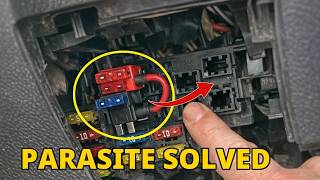
- Parasitic Battery Drain (3G Cellular Sunset Issue) (Very Common) — On 2016-2019 Subaru models, the DCM uses the defunct 3G cellular network. The module gets stuck in an endless loop trying to connect, causing a 150-400mA parasitic battery drain. This low voltage condition triggers communication faults like B2256 during startup.
- Infotainment Software Glitch (Common) — The software running the infotainment system freezes, crashes, or contains bugs causing temporary communication loss. Manufacturers frequently release firmware updates to resolve these specific stability issues.
- Low Vehicle Battery Voltage (Common) — A weak 12V battery causes electronic modules to malfunction during startup. The CCU and DCM fail to initialize properly if battery voltage drops below 9.6V during cranking, setting this code as a secondary symptom.
- Internal Failure of the Data Communication Module (DCM) (Less Common) — The telematics hardware itself fails internally. This is the root cause of the parasitic drain related to the 3G sunset and requires module replacement or a bypass harness.
- Damaged Wiring or Loose Connectors (Rare) — The physical wiring in the CAN bus harness between the infotainment and telematics modules is loose, corroded, or damaged. This typically only occurs after dashboard disassembly or rodent damage. 🎬 Watch this DIY guide for removing the head unit and stereo.
- Faulty DCM Ground Connection (Rare) — A poor ground connection for the DCM creates a floating voltage reference, corrupting communication signals. Subaru service bulletins mandate verifying this ground connection.
- Internal Failure of the Cockpit Control Module (Head Unit) (Very Rare) — The main infotainment computer fails entirely. Subaru Technical Service Bulletins repeatedly warn technicians this is the most common and costly misdiagnosis for this code.
Symptoms
- Black or Frozen Infotainment Screen — The main display goes completely black, gets stuck on the Subaru logo, or ignores touch inputs. This simultaneously disables the radio, navigation, and backup camera.
- Loss of On-Screen Climate Controls — On models with the 11.6-inch vertical screen, you lose the ability to adjust HVAC settings, including the defroster, creating a severe safety hazard in cold or humid weather.
- Telematics Features (STARLINK) Inoperative — Connected services like the red SOS button, concierge service, and remote start/lock functions from the MySubaru app fail to function.
- Erratic Audio Behavior — The radio turns on at maximum volume during startup, or the driver is unable to turn the audio off or adjust the volume.
- EyeSight Disabled Warning — Because safety systems are highly integrated, a CAN bus communication failure disables the EyeSight driver-assist system, triggering instrument cluster warnings.
- DTC B2256 Stored in Cockpit Control Module (scan-tool only — no driver-felt sign) — The code itself is logged in the memory of the infotainment head unit (CCU).
Diagnostic Flowchart
Tap your situation to follow the diagnostic path that matches what you're seeing on this code.
Common Fixes & Costs
- Software Update or Clearing Underlying Codes — Parts: $0, Labor: $150-$350, ~1.5 hr book time (Professional)
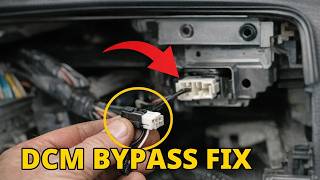
- Installing a DCM Bypass Harness
— Parts: $80-$120, Labor: $150-$300, ~1.5 hr book time
(Professional)
: OEM - Replacing the Data Communication Module (DCM)
— Parts: $400-$800, Labor: $200-$400, ~2 hr book time
(Professional)
: OEM - Replacing the Cockpit Control Unit (Head Unit)
— Parts: $2000-$4000, Labor: $300-$600, ~2.5 hr book time
(Professional)
: OEM - Repairing Damaged Wiring or Connectors — Parts: $10-$50, Labor: $250-$600, ~3 hr book time (Professional)
Used vs. New Parts: Buying Guide
When a used part is worth it: A used Cockpit Control Unit (CCU) from a reputable salvage yard saves $1,500+ for out-of-warranty vehicles where the owner accepts moderate risk.
Donor-vehicle mileage cap: roughly under 60000 miles for the part to have meaningful remaining life.
Donor quality checklist:
- Match the part number EXACTLY. Different trim levels have incompatible hardware.
- Verify the donor vehicle's VIN to ensure the part isn't from a flood-damaged car.
- Ensure the seller offers a 30-90 day warranty.
Decision logic:
- If Vehicle is under the 8yr/150K mile warranty extension for infotainment → Use a new OEM part installed by a dealer for free.
- If Part is the DCM causing a parasitic drain under extended warranty → Use a new OEM part installed by a dealer for free.
- If Vehicle is out of warranty and the head unit (CCU) is confirmed faulty → A used part is a high-reward/moderate-risk option to save money.
- If Part is the DCM and the vehicle is out of warranty → Purchase a new OEM part, as used DCMs carry the same inherent hardware flaws.
Warranty tradeoff: Used parts carry a 30-90 day warranty. New OEM parts installed by a dealer carry a 12-month/12,000-mile warranty.
Worst-case if a used part fails: $500-$800 (Cost of repeat labor and purchasing another used unit)
What Happens If You Wait — Timeline
- Immediate: Code B2256 logs. The infotainment screen goes black. Audio, navigation, backup camera, and on-screen climate controls are disabled. (MPG impact: 0%% · Added cost: $0 (Severe safety and convenience loss))
- 1-4 weeks (if caused by parasitic drain): The 3G DCM issue repeatedly drains the battery overnight, causing no-start conditions and requiring frequent jump starts. (MPG impact: 0%% · Added cost: $50-$100 (Jump start services or portable jumpers))
- 1-3 months (if caused by parasitic drain): Repeated deep cycling causes permanent sulfation, destroying the 12V AGM battery. It will no longer hold a charge. (MPG impact: 0%% · Added cost: $250-$450 (Cost of a new AGM battery))
- 3+ months (if caused by parasitic drain): Constantly recharging a deeply depleted battery overheats and destroys the alternator's voltage regulator. (MPG impact: 0%% · Added cost: $800-$1500 (Cost of new battery plus new alternator and labor))
Cost of Not Fixing It
- Immediate: Loss of infotainment screen, audio, navigation, and backup camera, violating federal safety standards (FMVSS 111). (Added cost: $0 (Potential for traffic ticket or at-fault accident))
- 0-3 months: If caused by the 3G sunset parasitic drain, the battery repeatedly discharges, significantly shortening its lifespan. (Added cost: $200-$400 (Cost of a new AGM battery))
- 3+ months: Continued deep cycling from parasitic drain destroys the vehicle's alternator. (Added cost: $600-$1000 (Alternator replacement cost))
Diagnosis Steps
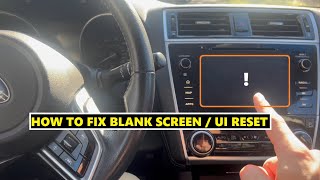
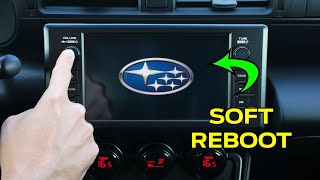
- Attempt a System Reboot (Hard Reset)
Press and hold the radio's power/volume knob for 20 seconds until the system reboots. This clears temporary software glitches but does not fix underlying hardware or firmware issues.
Tools: None (Beginner) - Check for Related Trouble Codes
Use a professional scan tool to perform a FULL system scan. Check the Telematics module for stored DTCs. B2256 is almost always a secondary code; the real problem is stored in the telematics system.
Tools: Dealer-level OBD-II Scan Tool (e.g., Subaru Select Monitor) (Advanced) - Diagnose and Repair Primary Telematics Codes First
If codes like B2A0C or B2A15 are found in the telematics module, diagnose and fix them before addressing B2256. Ignoring this step guarantees misdiagnosis.
Tools: Professional Scan Tool, Service Manual (Advanced) - Check for Software Updates
If no other codes are present, check the infotainment software version against the latest manufacturer release. A dealer must install available updates, which resolves the majority of these faults.
Tools: Dealer Diagnostic Tools (Professional) - Perform Parasitic Draw Test
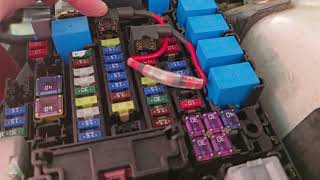
If the battery frequently dies, connect a multimeter in series with the negative battery terminal after the car sleeps for 40 minutes. A draw of 150-400mA confirms the 3G DCM failure. Pull the DCM fuse to verify the draw drops below 50mA.
Tools: Multimeter with 10A mA capability (Professional) - Check Battery and Charging System Health
Use a multimeter to verify the 12V battery reads 12.6V at rest. Perform a load test to ensure cranking voltage does not drop below 9.6V, which triggers module communication errors.
Tools: Digital Multimeter, Battery Load Tester (Advanced) - Inspect Wiring and Connectors
Access the modules behind the dashboard to visually inspect the harness and connectors between the DCM and CCU. Check for loose pins, corrosion, and verify the DCM ground connection.
Tools: Trim removal tools, Multimeter (Professional) - Perform CAN Bus Integrity Test (Resistance)
With the battery disconnected, measure resistance between CAN High (Pin 6) and CAN Low (Pin 14) at the OBD-II port. A reading of 60 Ω confirms the circuit is intact. 120 Ω indicates an open circuit; 0 Ω indicates a short.
Tools: Multimeter, Wiring Diagram (Professional) - Analyze CAN Bus Signal with Oscilloscope (Voltage)
Connect an oscilloscope to the CAN lines. Verify a clean square wave pattern switching between 2.5V and 3.5V (CAN High) and 2.5V to 1.5V (CAN Low). Look for noise or shorts to power/ground.
Tools: Automotive Oscilloscope (Professional) - Diagnose Hardware (DCM or CCU)
If software, wiring, and network checks pass, use process of elimination to determine if the DCM or CCU requires replacement. The DCM is statistically far more likely to fail.
Tools: Professional Scan Tool, Oscilloscope (Professional)
When This Code Triggers (Freeze-Frame Conditions)
- Module Voltage: 11.5V - 14.5V (Indicates voltage supplied to the CCU when the fault logged. Low voltage confirms a battery or parasitic drain issue.)
- Ignition Status: ON (Confirms the ignition was on when communication loss occurred, typically during startup.)
- CAN Bus Status: Error / No Communication (Shows the network status from the CCU's perspective, indicating a loss of expected messages from the DCM.)
- Odometer: XXXXX miles (Logs vehicle mileage when the fault set, tracking the history and frequency of the issue.)
Related Codes
- B2A0C — Primary Code. Stored in the Telematics module, indicating a GPS or cellular antenna fault. Fixing this antenna issue automatically resolves B2256.
- B2A15 — Primary Code. Stored in the Telematics module, indicating a CAN bus fault often caused by aftermarket OBD-II devices (insurance trackers). Removing the device clears both codes.
- B2A01 — Primary Code. Indicates a general DCM processor fault. B2256 is the symptom; B2A01 is the root cause requiring repair.
- B2255 — Symptom Code. Indicates a communication fault between the head unit and the Media/USB Hub, following the same misdiagnosis pattern as B2256.
Climate & Environmental Factors
- Cold Weather: Temperatures below freezing render the infotainment screen's capacitive touch layer unresponsive. Cold also causes circuit boards to contract, creating intermittent open circuits during startup.
- Heat: Direct sunlight and high ambient temperatures overheat the infotainment system, causing screen delamination, 'ghost touching', and system freezes.
- Humidity / Condensation: Rapid temperature changes (e.g., running the defroster on a damp day) form condensation inside electronic components, causing temporary short circuits and erratic behavior.
How to Talk to a Mechanic About This Code
Say this: "I have a black infotainment screen and suspect a B2256 communication code. Please follow Subaru TSB #18-224-22R, which requires checking for Telematics codes and software updates before diagnosing the head unit."
This signals you are an informed customer aware of the specific TSB, preventing a premature and expensive quote to replace the head unit.
Avoid saying:
- 'My radio screen is broken.'
- 'The touchscreen doesn't work, can you fix it?'
- 'My car has a B2256 code, please replace the head unit.'
Questions to ask before authorizing the repair:
- Is my vehicle covered by the Infotainment Warranty Enhancement Program or the DCM warranty extension?
- Can you provide a printout of the full system scan showing codes from the Telematics module?
- Did you check for infotainment software updates as per TSB #18-224-22R?
Where to Take It: Dealer vs Independent vs Chain
- Dealer:
Best and only fit. A Subaru dealer is required for proper diagnosis due to the need for manufacturer-specific scan tools, software updates, and warranty coverage.
Best for: Vehicles under original or extended warranty., Performing required software updates., Complex diagnostics requiring the Subaru Select Monitor tool.
Downsides: Highest labor rates., Long wait times for replacement head units. (Typical cost: +50% vs. baseline) - Independent Shop:
Not Recommended. Independent shops struggle to diagnose this code correctly without proprietary Subaru diagnostic software.
Best for: Out-of-warranty basic repairs on older vehicles.
Downsides: Lacks the Subaru Select Monitor tool needed to scan the Telematics module., Cannot perform warranty work or required software updates., High risk of misdiagnosing and replacing the head unit unnecessarily. (Typical cost: +0% vs. baseline) - Chain Shop:
AVOID. Chain shops lack the tools and expertise to address this code.
Best for: Tire changes, oil changes, and brakes.
Downsides: Completely unequipped to handle complex electronic diagnostics., Highest risk of incorrect diagnosis and causing further damage. (Typical cost: -10% vs. baseline)
When to Walk Away From the Repair
If the out-of-warranty repair cost exceeds 25-30% of the car's private-party value, consider alternatives to a full OEM repair.
- Car worth $25000, fix is $3500: Fix it. The repair cost is well below the vehicle's value, and a non-functional screen makes the car unsellable.
- Car worth $8000, fix is $3500: Borderline. The repair cost is over 40% of the car's value. A full OEM repair is not economical.
- Car worth $4000, fix is $2500: Walk away from OEM repair. The cost is unjustifiable.
What Scan Tool You Need for This Code
Minimum: A scanner that reads manufacturer-specific Body (B-codes) and Telematics (U-codes) for Subaru.
A generic $20 OBD-II reader only checks powertrain codes (P-codes) and shows 'No Codes Found' for B2256. It cannot access the Telematics module.
Budget: N/A (~$0) — No scanner under $100 reliably accesses the Cockpit Control and Telematics modules required to diagnose B2256.
Mid-range: Foxwell NT510 Elite with Subaru Software (~$160) — Performs a full system scan, reads B2256 from the CCU, and reads primary diagnostic codes from the Telematics module.
Professional: Autel MaxiCOM MK808 (~$500) — Provides dealer-level diagnostics, scans all modules, views live data from the CCU and DCM, and performs bi-directional controls.
Rent vs buy: Buy only if you are an advanced DIYer. Otherwise, apply the scanner cost toward a diagnostic fee at a Subaru dealership.
How to Clear the Code After You Fix It
- Fix the primary fault first (e.g., update software, replace faulty DCM).
- Use a professional OBD-II scan tool to access the Cockpit Control module.
- Select 'Clear Memory' to erase code B2256.
- Cycle the ignition OFF, then back ON, and wait for the system to fully boot.
- Perform another full system scan to confirm B2256 has not returned.
Drive cycle (~10 minutes): A specific drive cycle is not required. The fault is re-evaluated by the CCU during each ignition-on boot sequence. A 10-minute drive with a system reboot verifies the fix.
Readiness monitors affected: None
Watch out for:
- Clearing code B2256 without fixing the underlying Telematics fault causes the code to return immediately.
- Basic code readers only clear powertrain (P-codes) and cannot erase a body code (B-code) from the CCU.
- Disconnecting the battery temporarily clears the symptom but fails to erase the stored fault code from module history.
Will This Fail Emissions / State Inspection?
No — by itself this code doesn't fail OBD inspection (but it can keep readiness monitors from setting, which causes a separate fail).
- California: This Body (B-code) will not fail a smog check, which focuses strictly on Powertrain (P-codes).
- New York: Will not fail emissions, but a non-functional backup camera fails the separate safety inspection.
- Texas: Will not fail the OBD emissions portion of the state inspection.
Most Commonly Affected Vehicles
- Subaru Outback (2020-2024) — Extremely common on models with the 11.6-inch screen. The fault disables climate controls, prompting class-action lawsuits.
- Subaru Legacy (2020-2024) — Shares the CP1/CP1.5 infotainment hardware with the Outback and suffers identical communication faults.
- Subaru Ascent (2023-2024) — Explicitly listed in Subaru TSB #18-224-22R as requiring the B2256 diagnostic procedure.
- Subaru WRX (2022-2024) — Uses the same infotainment architecture prone to this communication code.
- Subaru BRZ (2022-2024) — The Harman infotainment system is tightly integrated with the telematics module, making it highly susceptible.
- Toyota GR86 (2022-2024) — Shares identical infotainment and telematics hardware with the BRZ, suffering the same physical failures.
- Subaru Crosstrek (2020-2024) — Models with the larger screen and STARLINK are affected. 2016-2019 models suffer the 3G sunset battery drain.
- Subaru Impreza (2024) — Listed in TSB #18-224-22R for this specific communication fault.
Manufacturer-Specific Notes
- Subaru: Subaru TSB #18-224-22R explicitly warns technicians that B2256 is almost always a symptom of another problem, mandating a telematics system scan to prevent unnecessary head unit replacement.
- Subaru: Subaru initiated a Warranty Enhancement Program extending head unit coverage to 8 years / 150,000 miles for many 2019-2023 models experiencing black screens and reboots.
- Subaru: A separate 8-year / 150,000-mile warranty extension covers the Data Communication Module (DCM) on 2019-2021 models to address the 3G network shutdown parasitic battery drain.
- Subaru: The audio path for front speakers and the hands-free microphone physically routes through the DCM. Pulling the DCM fuse to stop a battery drain kills front audio.
Real Owner Stories
2019 Subaru Outback with recurring dead battery after short periods of non-use.
The battery failed three times in 18 months after sitting for a few days. The dealership initially misdiagnosed it as 'loose battery connections' and charged $200.
Outcome: A different dealership correctly diagnosed a parasitic draw caused by the DCM. Subaru covered the $1,100 DCM replacement under a goodwill warranty extension and reimbursed the misdiagnosis fee.
Lesson: If you suspect the 3G sunset DCM drain issue, demand a parasitic draw test. Escalate to corporate if the dealer refuses to acknowledge known warranty extensions.
2024 Subaru Outback with CarPlay microphone muting during calls.
During Apple CarPlay calls, the microphone consistently muted itself after 9 minutes.
Outcome: A dealer-installed infotainment software update completely and permanently resolved the bug under warranty.
Lesson: Intermittent, highly specific software bugs are almost always fixed with dealer firmware updates, not hardware replacement.
2020 Subaru Outback with no audio after a dealer software update.
After a routine software update at the dealership, the owner lost all audio from every source.
Outcome: The technician discovered the update had failed. Re-flashing the infotainment software correctly restored all audio functions.
Lesson: Failed software updates introduce new communication faults. Always verify core functions (audio, camera) before leaving the dealership lot.
How to Prevent This Code From Triggering
- Keep Infotainment Software Updated (Annually at the dealer) — Firmware updates fix software bugs, memory leaks, and processing errors that cause freezes, crashes, and communication faults like B2256.
- Maintain Optimal Battery Voltage (Weekly) — Low voltage is a primary cause of module communication errors. Drive the car for at least 30 minutes weekly to recharge the battery, clean terminal corrosion, and use a battery tender if the vehicle sits for more than two weeks.
- Unplug Parasitic USB Devices (Daily) — Accessories left plugged into USB or 12V ports draw power when the car is off, contributing to parasitic drain and low-voltage startup errors.
Frequently Asked Questions
Can I fix code B2256 myself?
No, this is not a DIY-friendly repair. Proper diagnosis requires a dealer-level scan tool to read manufacturer-specific codes from the Telematics system. Without this tool, you cannot identify the root cause and will misdiagnose the problem.
My dealer wants to replace the head unit for over $3,000. Is this correct?
Be extremely skeptical and ask if your vehicle is covered under the 8-year/150,000-mile Infotainment Warranty Enhancement Program. Demand a printout of the full system scan, as Subaru TSBs explicitly warn technicians that the head unit is rarely the root cause. If they cannot prove the Telematics module is free of codes, get a second opinion.
What is the '3G Sunset' and how does it cause this problem?
Cellular providers shut down 3G networks, leaving the Data Communication Module (DCM) in 2016-2019 Subarus stuck in an endless loop searching for a signal. This loop creates a 150-400mA parasitic battery drain that kills the battery overnight. The resulting low voltage triggers communication errors like B2256 during startup.
Why did my front speakers and Bluetooth mic stop working when I pulled the DCM fuse?
On many Subaru models, the audio signal from the head unit physically routes through the DCM before reaching the front speakers. Pulling the fuse cuts power to that module, breaking the audio circuit. A proper DCM bypass harness is required to solve the battery drain without losing audio.
Is there a recall for the Subaru infotainment system?
There is no formal safety recall, but Subaru created a Warranty Enhancement Program extending the head unit warranty to 8 years or 150,000 miles for many 2019-2023 vehicles. Always verify coverage with a dealer before paying for repairs.
Will disconnecting the battery fix the black screen?
Disconnecting the battery temporarily restores function by rebooting the system, but it does not fix the underlying software bug or failing hardware. The black screen and the B2256 code will return.
What is the difference between the Head Unit (CCU) and the Telematics Module (DCM)?
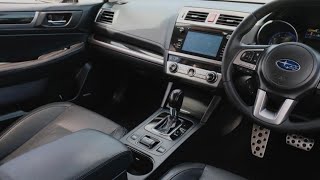
The Head Unit (CCU) runs the screen, radio, navigation, and Apple CarPlay. The Telematics Module (DCM) is a separate computer handling cellular communication for STARLINK SOS and remote start. Code B2256 means these two computers stopped talking to each other.
Key Takeaways
- 1. Code B2256 indicates a total communication failure between the infotainment screen and the telematics module, affecting over 8 distinct Subaru models from 2016-2024.
- 2. Never authorize a $2,000+ head unit replacement without verifying the shop first scanned the telematics module for primary fault codes like B2A0C or B2A15.
- 3. Verify your VIN with a Subaru dealer before paying for repairs, as Subaru's Warranty Enhancement Program covers head unit and DCM failures for 8 years or 150,000 miles on many 2019-2023 models.
- 4. Stop DIY diagnostics if a 20-second hard reset fails; resolving B2256 requires a dealer-level scan tool to apply firmware updates per Subaru TSB #18-224-22R.
Helpful Videos
Shop the Parts Behind B2256
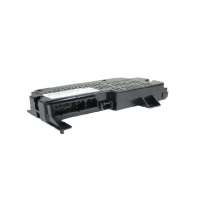
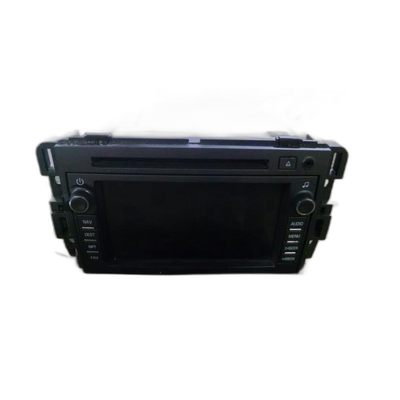
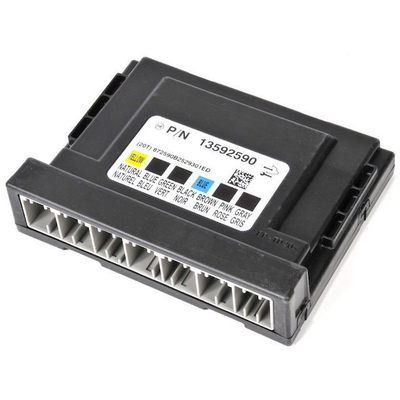
Below are the parts most often responsible for code B2256, ranked by how frequently each one is the actual culprit (per the diagnosis above). Tap any to see what we have for your vehicle.


The information in this article is provided for general reference and educational purposes only. Vehicle specifications, procedures, and part compatibility can vary by production date, trim level, and region. Always consult your vehicle's factory service manual and verify part numbers before purchasing or performing repairs. Safety-critical components such as airbags, seat belts, and braking systems should be installed by a qualified professional.
- 🧭 Diagnostic Flowchart
- 🎬 Helpful Videos
- 🛍️ Shop This Part
- What Does B2256 Mean?
- Can I Drive With B2256?
- Common Causes
- Symptoms
- Common Fixes & Costs
- Used vs. New Parts: Buying Guide
- What Happens If You Wait — Timeline
- Cost of Not Fixing It
- Diagnosis Steps
- When This Code Triggers (Freeze-Frame Conditions)
- Related Codes
- Climate & Environmental Factors
- How to Talk to a Mechanic About This Code
- Where to Take It: Dealer vs Independent vs Chain
- When to Walk Away From the Repair
- What Scan Tool You Need for This Code
- How to Clear the Code After You Fix It
- Will This Fail Emissions / State Inspection?
- Most Commonly Affected Vehicles
- Manufacturer-Specific Notes
- Real Owner Stories
- 2019 Subaru Outback with recurring dead battery after short periods of non-use.
- 2024 Subaru Outback with CarPlay microphone muting during calls.
- 2020 Subaru Outback with no audio after a dealer software update.
- How to Prevent This Code From Triggering
- Frequently Asked Questions
- Can I fix code B2256 myself?
- My dealer wants to replace the head unit for over $3,000. Is this correct?
- What is the '3G Sunset' and how does it cause this problem?
- Why did my front speakers and Bluetooth mic stop working when I pulled the DCM fuse?
- Is there a recall for the Subaru infotainment system?
- Will disconnecting the battery fix the black screen?
- What is the difference between the Head Unit (CCU) and the Telematics Module (DCM)?
- Key Takeaways
- 🎟️ Get 5% Off