

B2605 on 2014-2016 GMC Sierra 1500: Right DRL Circuit Fault Causes and Fixes
On a 2014-2016 Sierra, code B2605 most often indicates a software glitch in the Body Control Module (BCM) that sets a false code with no symptoms. The official fix is a BCM reprogram at a dealership. If the right Daytime Running Light is actually out, suspect a wiring issue, a poor BCM ground (G218), or a failed DRL module within the headlamp assembly. A BCM reset via battery disconnect is required after any physical repair.
- For a 2014-2016 Sierra, B2605 is very often a 'ghost' code with no real problem; a BCM software update is the fix.
- Before replacing any parts, check if the right DRL actually works. If it does, suspect the software glitch.
- If many other electrical codes are present, the BCM ground G218 is the most likely culprit.
- After fixing any wiring or ground issue, you must disconnect the battery for at least 30 seconds to reset the BCM's protective circuit lockout.
What's Unique About the 2014-2016 Gmc SIERRA 1500
For the 2014 model year, in particular, GM issued a Technical Service Bulletin (TSB PIT5219A) acknowledging that B2605 (with symptom byte 04) could be set falsely without any actual lamp failure. This makes it unique, as the primary fix is often a software update rather than a physical parts replacement. Additionally, these K2XX platform trucks can suffer from a poor BCM ground connection (G218) located under the driver's side dash. The dash insulator mat can get trapped under the ground nut, causing high resistance and triggering a host of seemingly unrelated electrical codes, including B2605.
Diagnostic Flowchart
Tap your situation to follow the diagnostic path that matches what you're seeing on this vehicle.
Symptoms You May Notice
- No noticeable symptoms (very common, indicates software issue)
- Right-side Daytime Running Light (DRL) is not working
- Right DRL flickers or is dim
- Other unrelated electrical issues if a bad ground is the cause (e.g., radio/HVAC blanking, stabilitrak messages, power steering faults).
- Check Engine Light is NOT a symptom of B2605.
- Replacing the Body Control Module (BCM) without first attempting a reprogram or checking the G218 ground.
- Replacing the headlamp assembly when the issue is a simple wiring, ground, or software problem.
- Confusing the code's meaning with that from other manufacturers; on some GM vehicles like Corvettes, B2605 can refer to a seat position sensor, which is incorrect for the Sierra.
- Assuming the BCM is bad because the code won't clear with a scan tool. A hard reset (battery disconnect) is mandatory to re-enable the protected circuit driver after a short is fixed.
Most Likely Causes
- Body Control Module (BCM) Software Glitch 🔴 High Probability → Shop Body Control Module A known issue acknowledged by GM in TSB PIT5219A for the 2014 model year, where operating DRLs and fog lamps simultaneously could trigger a false code. This is the most common scenario when no actual DRL failure is observed.
How to confirm: Check if the right DRL and all other lights are functioning correctly. If there are no symptoms and the code is B2605 with symptom byte 04, a software issue is the most likely cause.
Typical fix: Reprogram the Body Control Module (BCM) with the latest software calibrations using the GM TIS2Web service. This is a dealership or specialty shop service.
Est. part cost: $0 - Poor Body Control Module (BCM) Ground (G218) 🟡 Medium Probability → Shop Body Control Module TSB PIT5405C points to the front dash insulator mat interfering with the BCM ground connection at location G218, causing numerous electrical codes. This ground is located on the driver's side, under the dash near the A-pillar speaker.
How to confirm: Check for a wide array of other BCM, steering, and communication codes (like U0073, U0140, C0544, etc.) stored along with B2605. Inspect the G218 ground point, which requires removing dash trim panels. Check for the insulator mat being pinched under the ground nut.
Typical fix: Remove the 10mm ground nut, trim away the interfering dash insulator mat 🎬 Watch: How to fix the G218 ground connection, clean the contact surfaces, and securely retighten the ground connection.
Est. part cost: $1-$5 - DRL Circuit Wiring Issue (Open or Short) ⚪ Low Probability Wiring can become damaged over time from vibration, moisture, or impact. The connector at the back of the headlamp assembly is a common point for corrosion or loose pins.
How to confirm: The right DRL will not be functional. Perform a visual inspection of the wiring harness and connector going to the right headlamp assembly. Use a multimeter to check for continuity and shorts in the circuit.
Typical fix: Repair the damaged section of the wiring harness or replace the pigtail connector if it's corroded. A replacement connector harness is available as a repair part.
Est. part cost: $15-$30
Rare But Worth Checking
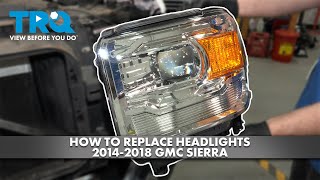
- Failed DRL LED Module/Driver: The LED DRLs on these trucks have a known issue where the internal driver/module fails, causing the DRL to go out. This component is integrated into the headlamp assembly and is not typically sold separately by GM, requiring replacement of the entire headlight. 🎬 See this step-by-step headlight assembly replacement walkthrough
- Failed Body Control Module (BCM): → Shop Body Control Module This is rare and should only be considered after all other possibilities, especially software, grounding, and wiring, have been exhaustively ruled out. Unnecessary BCM replacement is a common misdiagnosis because technicians fail to perform the required battery-disconnect reset after a repair.
Diagnosis Steps
- Verify Symptoms: Check if the right Daytime Running Light is actually working. Turn the fog lights on and off to see if the code sets under the conditions described in TSB PIT5219A.
- Scan for Other Codes: Use a professional-grade OBD-II scanner to read all modules. Note if B2605 appears alone (suggesting software), with B2600 (also suggesting software), or with a large number of other unrelated codes (suggesting the G218 ground fault).
- Address TSBs First (No Symptoms): If no symptoms are present and the code is B2605 Sym 04, the most probable cause is the software glitch. The vehicle needs a BCM reprogram per TSB PIT5219A.
- Check for Bad Ground (Multiple Codes): If many other electrical codes are present, the G218 ground is the primary suspect. Disconnect the battery. Access the ground stud under the driver's side dash, near the A-pillar and speaker. Remove the 10mm nut, trim the insulation mat away from the stud, clean the contacts, and retighten securely.
- Electrical Circuit Diagnosis (DRL Inoperative): If the right DRL is out, inspect the wiring harness and connector at the headlamp assembly for damage, corrosion, or backed-out pins. Use a multimeter to test for power and ground at the DRL circuit. If power and ground are good, the internal DRL module in the headlamp has likely failed.
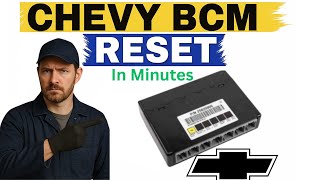
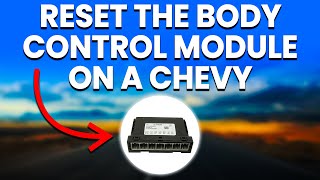
- Perform BCM Reset: After any physical repair (like fixing a wire or ground), you MUST reset the BCM. To do this, turn the ignition off, disconnect the negative battery cable for at least 30 seconds, and then reconnect it. 🎬 Watch: How to perform a manual BCM reset The code will not clear with a scan tool alone if the BCM has entered its self-protection mode.
- Clear Codes and Verify Repair: After the BCM reset, use a scan tool to clear all DTCs and operate the DRLs to confirm the fix.
Parts You'll Likely Need
- Body Control Module Reprogram — This is a software service (GM SPS), not a physical part. It is the specific fix for the common false code issue documented in TSB PIT5219A.
Trusted brands: GM (Dealership Service)
OEM price range: $125-$250
Aftermarket price range: N/A - Headlamp Assembly
(OEM #e.g., 23383372 (Varies by trim/option))— Only needed in the case that the internal DRL LED or circuit board has failed and is not serviceable separately. This is a common failure point on these trucks.
Trusted brands: ACDelco, TYC, Depo
OEM price range: $350-$600
Aftermarket price range: $150-$300 - Headlight Connector Pigtail — If the connector at the back of the headlight is melted, corroded, or damaged, a repair pigtail is needed.
Trusted brands: Carquest Premium (FAA1143)
OEM price range: $20-$40
Aftermarket price range: $15-$25
Related Codes That Often Appear With This One
- B2600 — This code is for the 'Left Daytime Running Lamps Control Circuit'. It often appears with B2605 when the BCM software glitch occurs.
- U0073, U0140, C0544, etc. — A long list of various communication and module codes indicates a shared problem, very likely the poor BCM ground at G218, as documented in TSB PIT5405C.
Technical Service Bulletins (TSBs) & Recalls
- PIT5219A: Notes that DTCs B2600 and B2605 (Sym 04) can set with no symptoms and advises a BCM reprogram with the latest calibrations in Tis2Web.
- PIT5405C / PIT5405B: Lists B2605 among many codes that can be caused by a poor BCM ground at G218.
- 14-08-117-001: Explains that after repairing a short circuit controlled by the BCM, the module may enter a protective mode and the DTC will not clear until a battery disconnect reset is performed.
Platform-Specific Known Issues
- A software issue in the 2014 model year BCM can cause B2605 and B2600 to set falsely when DRLs and fog lamps are operated together; the fix is a dealer-performed software update.
- The BCM ground point G218, under the driver's side dash by the A-pillar, can be obstructed by the dash insulator mat, leading to a poor connection and a multitude of electrical fault codes.
- The BCM will disable a circuit driver if it detects a short, and will not re-enable it until after the fault is fixed AND the module is reset by disconnecting the battery for 30+ seconds.
- Failure of the integrated LED DRL driver inside the headlamp assembly is a common issue, requiring replacement of the entire housing as the driver is not sold separately.
Mechanic-Grade Diagnostic Values
- BCM DRL Circuit Voltage — expected: Approximately 12.6V with engine off, or 13.5-14.5V with engine running, when the DRL is commanded on by a scan tool.. Failure: 0V indicates an open circuit, a BCM driver that is not commanding the light on, or a BCM in self-protect mode. Voltage significantly lower than battery voltage suggests high resistance in the circuit.
Hidden / Shadow Codes Worth Checking
- B2605 04: Right Daytime Running Lamps Control Circuit Open / High Resistance. This is the specific symptom byte associated with the software glitch described in TSB PIT5219A. (see via A professional scan tool like the GM GDS2 that can read manufacturer-specific symptom bytes.)
- B2605 01: Right Daytime Running Lamps Control Circuit Short to Battery (Voltage). (see via A professional scan tool like the GM GDS2.)
- B2605 02: Right Daytime Running Lamps Control Circuit Short to Ground. (see via A professional scan tool like the GM GDS2.)
Scan Tool Commands That Help
- GM GDS2 (Global Diagnostic System 2): Output Control > BCM > Exterior Lighting > Right DRL - Command Active/Inactive — This bidirectional control is used to manually command the right DRL on and off to verify if the BCM, wiring, and lamp are capable of functioning. If the light turns on with the scan tool but not otherwise, it points towards a logic or sensor input issue. If it doesn't turn on, it confirms a fault in the BCM driver, wiring, or the lamp assembly itself.
Wiring & Ground Locations
- G218 — Driver's side, behind the dash/kick panel, near the A-pillar and speaker.. This is the primary ground for the Body Control Module. If this connection is poor, often due to an interfering dash insulator mat, it can cause erratic BCM behavior and set B2605 along with numerous other unrelated codes.
- BCM Connector X5, Pin 9 — On the Body Control Module, which is located behind the driver's side of the dashboard.. This specific pin is for the 'Right DRL Lamp Control'. The wire is typically White/Blue (WH/BU). Testing for voltage at this pin can help determine if the BCM is sending power out to the DRL circuit.
- Headlamp Connector (Right Side) — The main electrical connector on the back of the passenger-side headlamp assembly.. This is the final connection point before power enters the headlamp's internal DRL circuitry. The White/Blue wire at this connector should have battery voltage when the DRL is active. A lack of voltage here points to a wiring issue upstream, while good voltage suggests a failure inside the headlamp assembly.
Real Owner Repair Stories
- Reddit user in r/Silverado (2014 Chevrolet Silverado (K2XX Platform Twin)) — Multiple random electrical errors, including Stabilitrak messages and other system faults.
❌ Tried (didn't work) Replacing the battery, Cleaning the G218 ground, Sanding the frame ground from the negative battery cable
✅ What actually fixed it The negative battery cable itself was internally corroded/faulty, causing significant voltage drops under load. Replacing the entire negative battery cable assembly resolved the widespread electrical issues.
OEM Part Supersession History
13587754, 13594963, 13598179→13506228— Standard part revision and consolidation by the manufacturer.
Heads up: All listed part numbers are for the BCM and should be compatible, but programming is always required after replacement.
Model Year Variations Within This Range
- 2014: The 2014 model year is specifically called out in TSB PIT5219A for the software glitch causing false B2600/B2605 codes. While it may occur on other years, it is most documented for 2014.
- 2014-Early 2015: Per TSB PIT5374B, vehicles built before specific dates in late 2014/early 2015 may have a BCM calibration that provides lower voltage to the headlights. An updated calibration was released to increase voltage and improve headlight performance, which could potentially affect DRL operation as well.
Helpful Videos
We Have This Part in Stock

The information in this article is provided for general reference and educational purposes only. Vehicle specifications, procedures, and part compatibility can vary by production date, trim level, and region. Always consult your vehicle's factory service manual and verify part numbers before purchasing or performing repairs. Safety-critical components such as airbags, seat belts, and braking systems should be installed by a qualified professional.
- Gmc SIERRA 1500:
- 🧭 Diagnostic Flowchart
- 🎬 Helpful Videos
- 🛍️ Shop This Part
- What's Unique About the 2014-2016 Gmc SIERRA 1500
- Symptoms You May Notice
- Most Likely Causes
- Rare But Worth Checking
- Diagnosis Steps
- Parts You'll Likely Need
- Related Codes That Often Appear With This One
- Technical Service Bulletins (TSBs) & Recalls
- Platform-Specific Known Issues
- Mechanic-Grade Diagnostic Values
- Hidden / Shadow Codes Worth Checking
- Scan Tool Commands That Help
- Wiring & Ground Locations
- Real Owner Repair Stories
- OEM Part Supersession History
- Model Year Variations Within This Range
- 🎟️ Get 5% Off