

B2725 on 2015-2016 GMC Canyon: "Service 4WD" Light Causes and Fixes
On a 2015-2016 GMC Canyon, code B2725 almost always means the 4WD Transfer Case Select Switch on the dashboard is faulty or the incorrect part for the vehicle's configuration. This is a known issue documented in GM Technical Service Bulletin #PIP5256B. Replacing the switch is a simple DIY fix, with the correct OEM part costing between $70 and $100.
- Code B2725 on a 2015-2016 Canyon is almost certainly caused by a bad or incorrect 4WD selector switch on the dash.
- The primary symptom is a "Service 4WD" light on the dashboard.
- This is a known issue acknowledged by GM in Technical Service Bulletin #PIP5256B, which notes that the wrong switch may have been installed at the factory.
- Replacing the switch with the correct part (OEM #84252239) is an easy and relatively inexpensive DIY repair that takes less than 30 minutes.
- Do not replace the more expensive Transfer Case Control Module (TCCM) unless the switch and wiring have been definitively ruled out.
What's Unique About the 2015-2016 Gmc CANYON
For the 2015-2016 GMC Canyon and its sibling, the Chevrolet Colorado, this code is extremely common and directly addressed by GM. The manufacturer issued Technical Service Bulletin #PIP5256B, which states that some vehicles were built with an incorrect or faulty Transfer Case Select switch. For example, a 2016 Colorado with a gas engine does not have an 'Auto 4WD' option; if a switch with that position was installed at the factory, the code B2725 is set when 'Auto' is selected because it sends an invalid voltage signal. Conversely, a GMC Canyon that should have the 'Auto' position may have been built with a switch lacking it, which can also cause faults. This known issue makes the switch the primary suspect, often allowing for a confident diagnosis without extensive electrical testing.
Diagnostic Flowchart
Tap your situation to follow the diagnostic path that matches what you're seeing on this vehicle.
Symptoms You May Notice
- "Service 4WD" message displayed on the instrument panel cluster.
- Inability to switch between 2WD, Auto, 4-HI, or 4-LO modes.
- The indicator lights on the 4WD switch may not illuminate or may flash.
- The 4WD system may be stuck in its last selected mode.
- Replacing the Transfer Case Control Module (TCCM) before replacing the switch. The TSB for this platform explicitly identifies the switch as the problem part, making it the first and most logical component to replace.
- Replacing other transfer case components, like the encoder motor or position sensor. These failures typically set different trouble codes (like C0392). 🎬 Watch: How to replace the front differential actuator if needed.
Most Likely Causes
- Faulty or Incorrect Transfer Case Select Switch 🔴 High Probability → Shop Transfer Case Motor GM issued TSB #PIP5256B specifically for this issue, indicating a high rate of vehicles being assembled with either a faulty switch or the incorrect switch for the vehicle's specific 4WD system (e.g., a switch with an 'Auto' setting in a truck without that feature).
How to confirm: Scan the Transfer Case Control Module (TCCM) for code B2725. If present, check the physical switch in the dash. Does it have an 'Auto 4WD' position? Cross-reference your vehicle's VIN or RPO codes to see if it should. For example, 2016 gas-engine Colorados do not have 'Auto 4WD'. If the switch and vehicle options don't match, the switch is incorrect. If they do match, the switch has likely failed internally. A common failure is an 'unclean transition' between switch positions, causing a momentary voltage loss that the TCCM interprets as a fault.
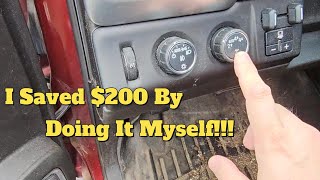
Typical fix: Replace the Transfer Case Select Switch on the dashboard. The process generally involves carefully prying off the dash trim surrounding the switch, disconnecting the electrical connector, releasing the tabs holding the switch in place, and installing the new one. 🎬 Watch: This video shows how to replace the dash switch.
Est. part cost: $70-$100 - Wiring or Connector Issue ⚪ Low Probability
How to confirm: Visually inspect the wiring harness and connector at the back of the 4WD switch and at the TCCM for any signs of damage, corrosion, or looseness. Use a multimeter to check for continuity between the switch connector and the TCCM connector.
Typical fix: Repair the damaged section of wiring or clean/replace the corroded connector.
Est. part cost: $5-$50 - Faulty Transfer Case Control Module (TCCM) ⚪ Low Probability → Shop Transfer Case Motor
How to confirm: This should only be considered after the switch and wiring have been confirmed to be good. A dealership or qualified shop can perform advanced diagnostics to confirm TCCM failure. Given the specific TSB for this code, TCCM failure is highly unlikely.
Typical fix: Replace the TCCM. This may require programming by a dealership.
Est. part cost: $220-$300
Diagnosis Steps
- Scan the Transfer Case Control Module (TCCM) for diagnostic trouble codes. Confirm if B2725 is present, either active or in history.
- If B2725 is present, the most probable cause is a faulty or incorrect Transfer Case Select Switch, as per TSB #PIP5256B.
- Inspect the switch to ensure it's correct for your vehicle's options. Per TSB #PIP5256B, some 2015-2016 models without 'Auto 4WD' (like gas-engine Colorados) were mistakenly equipped with a switch that has the 'Auto' position. Using this invalid position triggers the code. Verify the correct switch configuration for your VIN.
- Replace the Transfer Case Select Switch. This is the recommended fix from GM and resolves the issue in the vast majority of cases. The OEM part number is 84252239.
- If a new, correct switch does not resolve the code, perform a detailed inspection of the wiring harness and connector between the switch and the TCCM for damage, corrosion, or a loose connection.
- If the wiring is confirmed to be good, the final and least likely step would be to diagnose the TCCM itself.
Parts You'll Likely Need
- Transfer Case Select Switch
(OEM #84252239)— This is the component identified by GM in TSB #PIP5256B as the primary cause of code B2725 on this vehicle, due to either an internal fault or being the incorrect part from the factory.
Trusted brands: ACDelco (GM Genuine), Dorman, Standard Motor Products
OEM price range: $85-$100
Aftermarket price range: $70-$90
Related Codes That Often Appear With This One
- B0770 — This code is also mentioned in TSB #PIP5256B and relates to the 4WD switch circuit, specifically the 'Auto 4WD' LED indicator. It often appears alongside B2725 when the wrong switch is installed or the switch has failed.
Technical Service Bulletins (TSBs) & Recalls
- PIP5256B: States that a 'Service 4WD' message with DTC B2725 or B0770 may be caused by an incorrect or faulty Transfer Case Select switch. It details scenarios where a switch with an 'Auto 4WD' position is installed on a vehicle without that option (or vice-versa) and recommends replacing it with the correct part listed in the catalog.
Platform-Specific Known Issues
- A known issue, documented in TSB #PIP5256B, involves these vehicles being assembled with either a faulty or incorrect 4WD select switch. For instance, a switch with an 'Auto 4WD' button might be installed in a truck not equipped with that feature, leading directly to code B2725 when that button is pressed.
Mechanic-Grade Diagnostic Values
- Mode Switch Signal Voltage (No Buttons Pressed) — expected: ~0.5V to 1.0V. Failure: A voltage outside this range, or a voltage that indicates a button is stuck for more than 5 minutes, will set DTC B2725.
- Mode Switch Signal Voltage (General Fault) — expected: Within ~0.38V to 4.86V. Failure: If the TCCM detects a voltage below ~0.38V or above ~4.86V for a sustained period (e.g., 60 seconds), it will log the fault and disable shifting.
- Switch Internal Resistance (No Buttons Pressed) — expected: Approximately 9.1 kOhms. Failure: A reading that is significantly different, open (OL), or shorted (near 0 ohms) indicates a faulty switch. Each button press should result in a specific, stable resistance value.
Scan Tool Commands That Help
- GDS2 / Tech 2 or equivalent: Live Data Monitoring: 'Transfer Case Mode Switch' Parameter — This is the primary diagnostic step after reading the code. While observing the live data stream from the TCCM, press each button on the 4WD selector switch. The scan tool display should immediately and accurately reflect the selected mode (e.g., '2HI', '4HI'). If the data is erratic, does not change, or changes randomly when tapping the switch, the switch assembly is confirmed to be faulty.
Wiring & Ground Locations
- SP-106 (Splice Pack) — On the first-generation Colorado/Canyon, this ground splice pack is located on the passenger side of the engine bay, behind the engine airbox. 🎬 See how to find and clean these common ground points. It serves as a common ground point for multiple components.. This specific ground splice is known to serve the Transfer Case Control Module (TCCM) and the Transfer Case Control Switch. While this location is documented for the prior generation, poor grounds are a common cause of erratic electronic behavior, and its location is a valuable starting point for diagnosing a wiring-related B2725 that isn't fixed by a new switch.
- Harness Chafe Point — Check the wiring harness near the passenger footwell fuse box.. On related models, the harness in this area has been known to rub through and cause short circuits on the CAN bus network. While this may not directly cause B2725 in isolation, it can create widespread communication issues that could potentially involve the TCCM.
Real Owner Repair Stories
- DuramaxDiesels.com user 'Jacy_dzlguy' (Duramax-powered truck (year not specified, but behavior is relevant)) — "Service 4wheel drive" message, code B2725, and no response when pressing the 4x4 buttons.
❌ Tried (didn't work) Clearing the code initially did not resolve the lack of function.
✅ What actually fixed it The user physically inspected the switch and found the '2WD' button was physically jammed inward. After prying the button out, the switch began to work intermittently. The final fix was replacing the faulty dash switch assembly, which resolved the problem. This indicates a mechanical failure inside the switch can cause the electronic fault code.
Model Year Variations Within This Range
- 2015: The Chevrolet Colorado for this model year does NOT have an 'Auto 4WD' option. If a switch with the 'Auto' position is installed, code B2725 will be set when 'Auto' is selected.
- 2016: For the Chevrolet Colorado with any GASOLINE engine, 'Auto 4WD' is NOT an option. For the 2.8L DIESEL engine, 'Auto 4WD' is an available option (RPO NQ6), and the vehicle's build sheet must be checked to confirm if the correct switch is installed.
- 2015-2016: For the GMC Canyon equipped with RPO NQ6 (Autotrac Active Transfer Case), the vehicle SHOULD have a switch with the 'Auto 4WD' position. Installing a switch without this position may set code B0770 (for the LED indicator circuit) but is less likely to set B2725.
Helpful Videos
Used OEM Parts in Stock
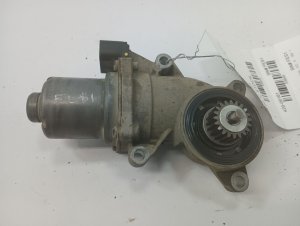
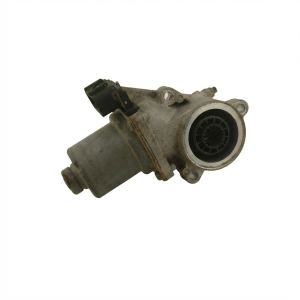
New Aftermarket Parts Available
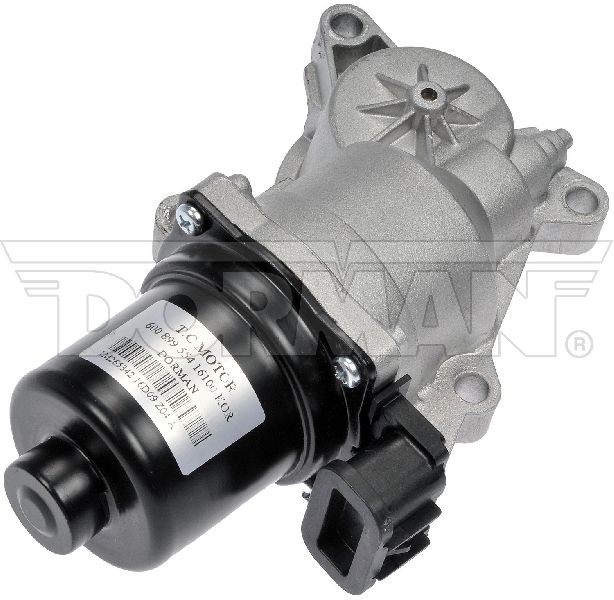

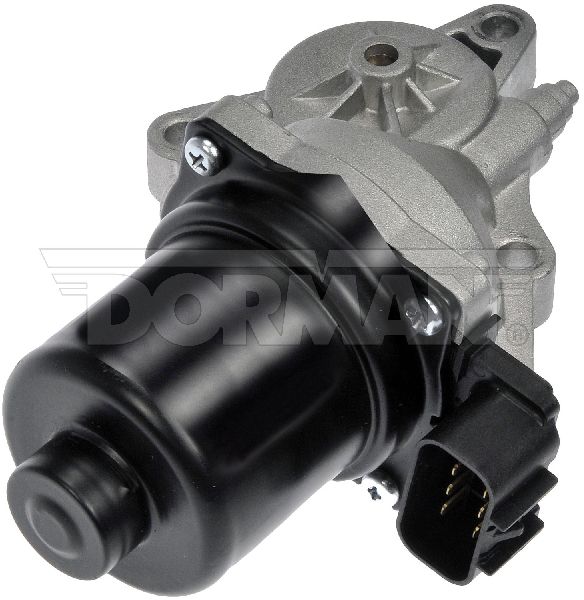


The information in this article is provided for general reference and educational purposes only. Vehicle specifications, procedures, and part compatibility can vary by production date, trim level, and region. Always consult your vehicle's factory service manual and verify part numbers before purchasing or performing repairs. Safety-critical components such as airbags, seat belts, and braking systems should be installed by a qualified professional.
- Gmc CANYON:
- 🧭 Diagnostic Flowchart
- 🎬 Helpful Videos
- 🛍️ Shop This Part
- What's Unique About the 2015-2016 Gmc CANYON
- Symptoms You May Notice
- Most Likely Causes
- Diagnosis Steps
- Parts You'll Likely Need
- Related Codes That Often Appear With This One
- Technical Service Bulletins (TSBs) & Recalls
- Platform-Specific Known Issues
- Mechanic-Grade Diagnostic Values
- Scan Tool Commands That Help
- Wiring & Ground Locations
- Real Owner Repair Stories
- Model Year Variations Within This Range
- 🎟️ Get 5% Off