

B3000 on 2019-2021 Mazda MAZDA3: Understanding This Vague Manufacturer Code
Code B3000 on a 2019-2021 Mazda3 does not have a single, specific meaning. It's a generic manufacturer-reserved code indicating an internal fault, software issue, or communication error in an electronic control module, most often the Body Control Module (BCM). It often appears with a more specific U-series code (like U3000). Diagnosis requires a professional scan tool to identify the source module and any related TSBs for software updates, which can sometimes fix the issue without replacing part
- B3000 is not a specific fault; it's a generic code for an internal module error on your Mazda3, often related to the BCM.
- Do not replace parts based on symptoms alone. Professional diagnosis with an advanced scan tool is required to find the source.
- The most common cause is a failure of the Body Control Module (BCM), but check for software updates (TSBs) first, as one may fix parasitic drain issues without replacing the part.
- Any replacement BCM or other primary control module will require programming by a Mazda dealer or specialist to function.
- A single faulty component on the network, like a damaged headlight, can cause a cascade of system-wide error messages.
What's Unique About the 2019-2021 Mazda MAZDA3
The 4th generation Mazda3 (2019+) and its platform-mate, the CX-30, feature a highly integrated and complex Controller Area Network (CAN bus), where many electronic modules constantly communicate. Even components like headlights are active nodes on this network that can disrupt the entire system if they fail. A failure in one seemingly minor module can disrupt communication across the entire system, leading to a cascade of warning lights and a generic fault code like B3000. This platform is also known to have software-related issues where a BCM update, rather than a hardware replacement, can resolve problems like parasitic battery drain.
Diagnostic Flowchart
Tap your situation to follow the diagnostic path that matches what you're seeing on this vehicle.
Symptoms You May Notice
- Multiple, seemingly unrelated warning lights on the dashboard (e.g., 'Air Bag System Malfunction', 'In-vehicle Network Malfunction').
- Erratic operation of electrical components like wipers, headlights, or power locks.
- Features suddenly becoming disabled, with corresponding messages on the info display (e.g., 'Blind Spot Monitoring Disabled', 'Emergency Lane Keeping Disabled').
- Parasitic battery drain, causing the battery to die after the vehicle sits for a day or two.
- Failure to start or inability to shift out of Park.
- Infotainment screen freezing, rebooting, or displaying error messages.
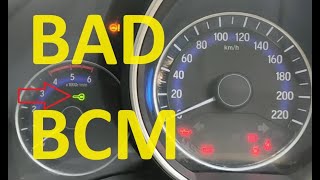
- Key fob not being recognized or keyless entry failing. 🎬 Watch: Common symptoms of a failing Body Control Module.
- Replacing the battery. While a weak battery can cause many electrical issues and is a common problem on this platform, if a B3000 code is stored, the root cause is more likely a module or network fault that may even be the cause of the battery drain. Some parasitic drains can be fixed with a BCM software update per TSB 09-030-22. 🎬 See how to perform a professional parasitic battery drain test.
- Replacing individual components that are malfunctioning (e.g., a wiper motor) without diagnosing the controlling module (BCM) first.
Most Likely Causes
- Internal Body Control Module (BCM) Failure 🔴 High Probability → Shop Body Control Module The BCM is the central hub for many body and electrical functions. Its complexity makes it a common point of failure, leading to widespread electronic issues. For some 2019-2020 models, software logic issues could cause parasitic drain, which may be resolved with an update rather than a full replacement.
How to confirm: A professional scan tool will show a B3000 or a U-code (like U3000:09) originating from the BCM. The technician will then perform pinpoint tests on the BCM's power, ground, and communication lines. Checking for available TSBs related to BCM software is a critical first step.
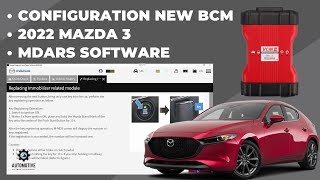
Typical fix: In cases of software corruption, a dealer can perform a BCM software update using the Mazda Diagnostic and Repair Software (MDARS). If the hardware has failed, replacement of the Body Control Module is necessary. This part is not plug-and-play and requires programming ('configuration') by a Mazda dealer or a qualified independent shop to work with the vehicle's specific options and immobilizer system. 🎬 Watch: How to configure a new BCM using MDARS software.
Est. part cost: $400-$700 - Communication Network (CAN Bus) Fault 🟡 Medium Probability The extensive use of the CAN network means a single damaged wire or a fault in another connected module (like a headlight or ABS module) can disrupt the entire network, causing another module to log a fault. A Reddit user with a 2019+ Mazda3 documented how a physically damaged headlight unit caused an 'In-vehicle Network Malfunction' and a cascade of other system failures.
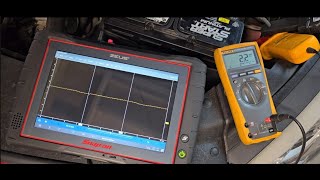
How to confirm: A technician will use a scan tool to check for communication errors with multiple modules. They may also use an oscilloscope to check the CAN bus signal and perform a resistance check of the network. Isolating the faulty module often involves disconnecting modules one by one until communication is restored.
Typical fix: Locating and repairing the damaged wiring harness or replacing the single faulty module that is disrupting the network. For example, a water-damaged or physically broken headlight unit could be the root cause and require replacement.
Est. part cost: $50-$1000+ - Poor Power or Ground to a Control Module ⚪ Low Probability Corrosion on a ground point or a loose power connection can cause a module to reset unexpectedly or behave erratically, logging an internal fault code. While not specific to this platform, it's a fundamental check for any electronic issue.
How to confirm: Performing a voltage drop test on the power and ground circuits of the module that has logged the code. The location of the module must first be identified with a high-level scan tool.
Typical fix: Cleaning corroded ground connections or repairing the faulty power wire.
Est. part cost: $1-$20
Rare But Worth Checking
- BCM Software Corruption During Update:
Diagnosis Steps
- Connect a professional, dealer-level scan tool (e.g., Mazda MDARS) capable of communicating with all modules (BCM, PCM, ABS, etc.). A basic OBD-II reader will likely not see this code or be able to identify its source.
- Identify which specific module has stored the B3000 fault code and check for any accompanying 'U' codes or failure type suffixes (e.g., :09, :49).
- Check for any Technical Service Bulletins (TSBs) related to the identified module or symptoms. Specifically look for TSBs regarding software updates for parasitic drain (09-030-22) or network malfunctions (SA-027-23b).
- Inspect the wiring harness connected to the suspect module for any signs of physical damage, corrosion, or water intrusion. Pay close attention to areas that may have been affected by a previous accident.
- Using a multimeter, verify the module has a stable and correct voltage supply and a clean ground connection.
- If a software update is available and applicable to the symptoms (like parasitic drain), perform the update before considering hardware replacement.
- If all wiring, power/ground connections, and software are good, the fault is likely internal to the module itself.
- Before replacing the module, check the CAN bus network integrity to ensure another failing module isn't causing the communication fault.
Parts You'll Likely Need
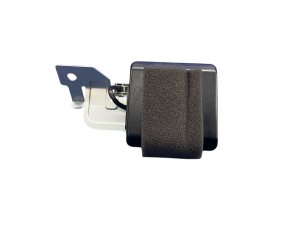
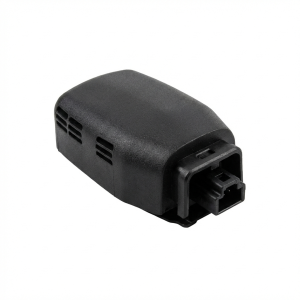
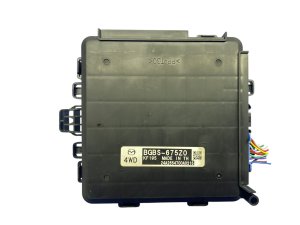
- Body Control Module (BCM)
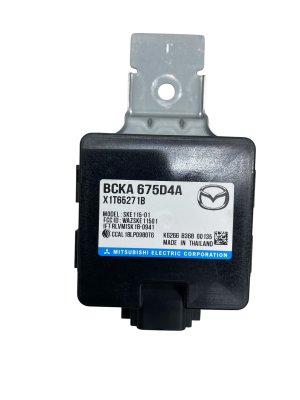
(OEM #BCKA-67-560B, BCKA-67-5U0A (replaces BCKA-67-5U0))— This is the most likely module to fail and set a generic internal fault code, causing widespread, seemingly random electrical problems. Part numbers can be superseded; using the latest version is recommended.
Trusted brands: Mazda (OEM)
OEM price range: $400-$700
Aftermarket price range: Not typically available
Related Codes That Often Appear With This One
- U3000 — U3000 is a more common code for 'Control Module Malfunction'. They both point to a generic internal failure of an electronic module. B3000 may be logged as a secondary code to a primary U3000 fault.
- U0140 — This code means 'Lost Communication With Body Control Module'. It often appears when the BCM itself has failed or there is a major network problem preventing other modules from hearing from it.
- B2002:49 — This specific code for 'Electrical supply unit (ESU) internal malfunction' was the subject of TSB 09-011/21 for 2019-2020 Mazda3s, where a software bug prevented the code from being cleared. This points to known software issues within the BCM/ESU on this platform.
Technical Service Bulletins (TSBs) & Recalls
- TSB 09-030-22: Addresses parasitic battery drain by reprogramming the BCM to enter sleep mode correctly.
- TSB SA-060/20: Notes incorrect BCM configuration instructions in the official workshop manual and provides the correct procedure for technicians using the MDARS tool.
- TSB 09-011/21 (supersedes 09-033/20): Addresses a software issue on 2019-2020 models where DTC B2002:49 (ESU internal malfunction) would not clear without a specific battery reset procedure.
- TSB SA-027-23b: Pertains to the 'In-vehicle network malfunction' error message on 2021-2023 Mazda3 and CX-30 models.
- MSP56 (Mazda Special Program): A service campaign for 2019 Mazda3s that was temporarily halted because the BCM software update process was reportedly causing module failures.
Platform-Specific Known Issues
- Parasitic Battery Drain Solvable by Software
Mechanic-Grade Diagnostic Values
- CAN Bus Network Resistance — expected: Approximately 60 Ohms. Failure: A reading of 120 Ohms indicates a missing termination resistor or a break in one of the CAN wires. A reading significantly lower than 60 Ohms (e.g., 40 Ohms) suggests an extra termination resistor or a short between CAN lines.
- BCM Terminal Voltage (at specific pins) — expected: Varies by pin and condition (e.g., B+ with switch off, <1.0V with switch on).. Failure: Any voltage reading that does not match the expected value in the service manual's Terminal Voltage Table for a given condition points to a wiring or component fault.
Hidden / Shadow Codes Worth Checking
- U3000:04: Control Module Internal Malfunction. On newer Mazdas, this is frequently associated with a software issue in the Telematics Communication Unit (TCU). (see via A professional scan tool like Mazda's MDARS is required to read the two-digit failure type suffix.)
- U3000:09: Component Failure. This indicates an internal malfunction within a module, such as the Blind Spot Monitoring (BSM) control module. (see via Requires a professional scan tool capable of reading manufacturer-specific DTC suffixes.)
- U3000:42: General Memory Failure. This can point to a memory corruption issue within a module like the Connectivity Master Unit (CMU). (see via Requires a professional scan tool capable of reading manufacturer-specific DTC suffixes.)
Scan Tool Commands That Help
- Mazda MDARS: Configuration / BCM Configuration — This function is mandatory after replacing the Body Control Module (BCM). It transfers vehicle-specific data (like immobilizer info and other settings) to the new module. Failure to perform this will result in a non-functional BCM.
- Mazda MDARS: Reflash / Module Reprogramming — Used to update the software/firmware of a control module, such as the TCU or BCM. This is often the fix for issues like the 'In-vehicle Network Malfunction' message or parasitic battery drain, as specified in various TSBs.
- Mazda MDARS: Immobilizer System-Related Parts Programming — This is a specific function that must be run after BCM replacement to program the vehicle's keys to the new module, allowing the car to start.
Wiring & Ground Locations
- Main Body Ground Point — On the passenger side shock tower in the engine bay, and another near the headlight on the passenger side fender brace.. A corroded or loose ground point is a common cause of intermittent and difficult-to-diagnose electrical issues, including network communication faults. The ground point near the passenger headlight is a known culprit for causing a cascade of warning lights when it becomes corroded, as it serves modules like the ABS. Ensuring these points are clean and tight is a critical, low-cost diagnostic step.
- BCM Location — Located in the driver's side footwell, behind the lower dash panel and to the left of the steering column.. Technicians need to access the BCM to perform voltage drop tests on its power and ground circuits, check for corrosion on connectors, and ultimately replace it if it's found to be faulty.
Real Owner Repair Stories
- Reddit user in r/mazda (2021+ Mazda vehicle (issue is common on CX-50, Mazda3)) — 'In-vehicle Network Malfunction' message appeared on the dash, particularly after setting up the MyMazda app on a new phone.
❌ Tried (didn't work) Taking it to a dealership where they insisted on a $180 diagnostic fee to perform a software update.
✅ What actually fixed it As a temporary fix, the owner disconnected the negative battery terminal for one hour. After reconnecting, the error message was gone. This suggests the issue was a software glitch in a module (likely the TCU) that was resolved with a hard reset. Other users note a permanent fix often requires a TCU software update from the dealer. - YouTube video by 'Shop Foreman Garage' (2021 Mazda CX-30 (applies to 2019+ Mazda3)) — Intermittent 'In Vehicle Network Malfunction' message on the instrument cluster, with DTC U3000:04 (TCU internal malfunction) stored.
❌ Tried (didn't work) Clearing codes without addressing the root cause., Disconnecting the battery (provides only a temporary fix).
✅ What actually fixed it The issue was caused by outdated software in the Telematics Communication Unit (TCU), especially after the complimentary 3-year Connected Services contract expires. The permanent fix was to update the TCU software using the Mazda MDARS system, as detailed in a Mazda bulletin.
OEM Part Supersession History
BCKA-67-560B→BCKA-67-560D— Revision and update by the manufacturer. Newer revisions often contain hardware or software fixes for known issues.
Heads up: BCKA-67-560D is listed as a direct replacement for BCKA-67-560B for the 2019 Mazda3.
Model Year Variations Within This Range
- 2019+: Vehicles from 2019 and newer require the Mazda Diagnostic and Repair Software (MDARS) for diagnostics and module programming. The older Integrated Diagnostic System (IDS) is not compatible with these 7th generation platforms.
Helpful Videos
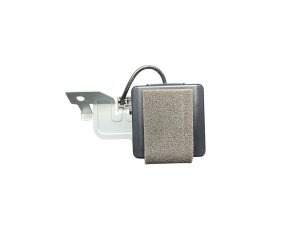
We Have This Part in Stock

The information in this article is provided for general reference and educational purposes only. Vehicle specifications, procedures, and part compatibility can vary by production date, trim level, and region. Always consult your vehicle's factory service manual and verify part numbers before purchasing or performing repairs. Safety-critical components such as airbags, seat belts, and braking systems should be installed by a qualified professional.
- Mazda MAZDA3:
- 🧭 Diagnostic Flowchart
- 🎬 Helpful Videos
- 🛍️ Shop This Part
- What's Unique About the 2019-2021 Mazda MAZDA3
- Symptoms You May Notice
- Most Likely Causes
- Rare But Worth Checking
- Diagnosis Steps
- Parts You'll Likely Need
- Related Codes That Often Appear With This One
- Technical Service Bulletins (TSBs) & Recalls
- Platform-Specific Known Issues
- Mechanic-Grade Diagnostic Values
- Hidden / Shadow Codes Worth Checking
- Scan Tool Commands That Help
- Wiring & Ground Locations
- Real Owner Repair Stories
- OEM Part Supersession History
- Model Year Variations Within This Range
- 🎟️ Get 5% Off