

B3055 on 2024-2025 Buick ENVISION: Key Not Detected, Causes and Fixes
Code B3055 on a 2024-2025 Buick Envision means the vehicle's security system cannot detect the key fob, causing a no-start or stalling condition. The most common causes are a dead key fob battery (CR2450) or radio frequency interference from aftermarket electronics. Before attempting major repairs, try placing the key in the transmitter pocket located inside the front of the center console storage area to start the car.
- B3055 means your Envision doesn't recognize your key, which will prevent it from starting.
- Before panicking, try the simplest fixes: replace the key fob battery and remove any aftermarket phone chargers or USB devices from the car.
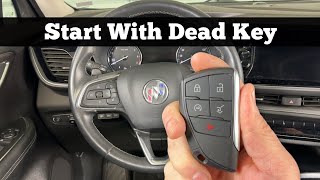
- If the key fob battery is dead, you can still start the car by placing the fob in the designated pocket inside the center console.
- This is a known issue for GM, and a TSB exists that advises technicians to check for radio interference before replacing expensive parts.
- If simple fixes don't work, a trip to the dealer is necessary for diagnosis and potential software updates, as specialized tools are required.
What's Unique About the 2024-2025 Buick ENVISION
For the 2024-2025 Envision, which is built on GM's E2 platform and features the advanced Global B electrical architecture, the keyless system is highly integrated. A GM Technical Service Bulletin (TSB PIC5650M) specifically addresses this code across many modern GM vehicles, indicating it's a recognized issue. The problem is often intermittent and can be caused by external radio frequency interference from common electronic devices like cell phone chargers, dash cams, and even certain LED lights, making it difficult to diagnose without specific awareness of this sensitivity.
Diagnostic Flowchart
Tap your situation to follow the diagnostic path that matches what you're seeing on this vehicle.
Symptoms You May Notice
- Vehicle will not crank or start
- Engine starts and immediately stalls
- Security indicator light is illuminated or flashing on the dashboard
- "No Key Detected" or "No Remote/Fob Detected" message on the driver information center
- Keyless entry functions (door unlock/lock) may be inoperative
- Replacing the main 12V vehicle battery when it is not the cause.
- Replacing the starter motor, assuming it's a mechanical no-start issue, when it is actually the security system disabling the starter relay.
Most Likely Causes
- Radio Frequency Interference (RFI) 🔴 High Probability As noted in GM TSB #PIC5650M, modern vehicle security systems are sensitive to RFI from aftermarket devices like cell phone chargers, USB power banks, dash cams, and even some aftermarket LED lights. These devices can emit frequencies that jam the 125 kHz signal from the key fob.
How to confirm: Remove all aftermarket electronic devices from the vehicle's 12V and USB ports. Also, remove any other keys or RFID cards from the same keychain as the Envision fob. If the vehicle starts, RFI was the likely cause.
Typical fix: Identify and remove the source of the interference. Avoid using low-quality aftermarket chargers or other electronics in the vehicle. GM specifically advises technicians to check for these devices before replacing any parts. 🎬 Watch: A helpful guide for fixing 'No Fob Detected' errors
Est. part cost: $0 - Weak or Dead Key Fob Battery 🔴 High Probability → Shop Vehicle Battery
How to confirm: Try using the vehicle's spare key fob. If the spare key works, the battery in the primary fob is the most likely culprit. You can also try starting the vehicle by placing the problematic fob in the designated transmitter pocket, which is located inside the center console storage area, at the very front. 🎬 Watch: How to start your Envision with a dead fob If the car starts this way, it confirms the fob's transponder is good but the remote signal is weak.
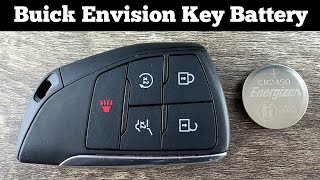
Typical fix: Replace the battery in the key fob. The 2021-2025 Envision key fob uses a CR2450 battery. Note: Some sources suggest a CR2032 battery was used in some model years; it is critical to open the fob and confirm the correct battery number 🎬 See this easy DIY key fob battery replacement walkthrough before purchasing a replacement.
Est. part cost: $5-$15 - Keyless Entry Control Module or BCM Software Issue 🟡 Medium Probability → Shop Keyless Entry Module The existence of TSB #PIC5650M for this specific model year suggests that software anomalies or module communication issues are a known possibility that GM has investigated. The complex Global B architecture can sometimes have software glitches that require updates.
How to confirm: This requires a dealer scan tool to check for software updates for the Body Control Module (BCM) or Keyless Entry Control Module and to perform advanced diagnostics.
Typical fix: A dealer will perform a software update or follow the diagnostic procedures outlined in the TSB. This is not a DIY repair.
Est. part cost: $0-$100 (for diagnostics) - Faulty Key Fob ⚪ Low Probability → Shop Keyless Entry Transmitter
How to confirm: If a new CR2450 battery doesn't fix the issue and the spare key works perfectly, the internal transponder of the primary key fob may have failed.
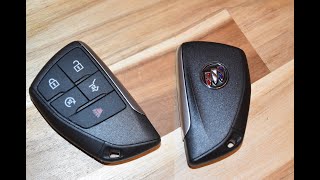
Typical fix: The key fob must be replaced and programmed to the vehicle by a dealership or a qualified automotive locksmith. The OEM part number depends on the options (e.g., 3-button vs 5-button).
Est. part cost: $150-$400
Rare But Worth Checking
- Faulty Body Control Module (BCM): → Shop Body Control Module While rare, a hardware failure within the BCM itself can cause this code. This is typically a last resort after all other possibilities, including wiring and other modules, have been ruled out.
- Damaged Wiring or Antenna: A damaged wire or a loose connection to one of the vehicle's keyless entry antennas can disrupt the signal from the fob, leading to this code. This could be at the BCM connector or the antenna itself.
Diagnosis Steps
- Verify the symptoms: Check for a 'No Key Detected' message and an illuminated security light.
- Attempt to start the vehicle with the spare key fob to rule out a faulty primary key.
- Replace the battery in the non-working key fob with a new CR2450 (or CR2032, confirm by opening fob).
- Attempt to start the vehicle by placing the key fob in the transmitter pocket located inside the front of the center console storage area. If the vehicle starts, it confirms the issue is with the remote signal (battery or RFI) and not the internal transponder.
- Remove all non-essential electronic devices from the vehicle, especially aftermarket phone chargers, dash cams, and USB power adapters, to eliminate potential Radio Frequency Interference (RFI).
- Inspect the key fob for any visible damage, such as cracks or water intrusion.
- If the issue persists, use an OBD-II scanner capable of reading Body Control Module codes to confirm B3055 is the active code and check for any other related DTCs.
- Consult a professional technician to check for available software updates for the BCM and to follow the diagnostic procedure outlined in TSB #PIC5650M.
Parts You'll Likely Need
- Key Fob Battery
(OEM #CR2450)— This is the most common and cheapest fix for a key fob that is not being detected. The 2021-2025 Envision specifically uses a CR2450 battery. Note: Some sources indicate a CR2032 may be used; confirm before purchase.
Trusted brands: Energizer, Duracell, Panasonic
OEM price range: $5-$15
Aftermarket price range: $5-$10 - Key Fob (Transmitter Assembly)
(OEM #13537966 (3-Button) or 13537970 (5-Button))— If the key fob's internal electronics fail, it will need to be replaced and programmed. Part number varies based on vehicle options like remote start and power liftgate.
Trusted brands: ACDelco (OEM)
OEM price range: $150-$300
Aftermarket price range: $70-$150
Related Codes That Often Appear With This One
- B3060 — This code is for 'Unprogrammed Transponder Key' and is often set alongside B3055 as part of the same anti-theft diagnostic event, as listed in TSB #PIC5650M.
- B3935 — Relates to 'Transponder Authentication Error' and is often set in conjunction with B3055, as the BCM may read a signal but fail to authenticate it. This is also mentioned in TSB #PIC5650M.
- C0750, C0755, C0760, C0765, C0775 — These codes are related to the Tire Pressure Monitoring (TPM) system, which also uses radio frequencies. RFI that disrupts the key fob signal can also affect the TPM system, causing these codes to appear simultaneously, as mentioned in TSB #PIC5650M.
Technical Service Bulletins (TSBs) & Recalls
- PIC5650M: Addresses intermittent no crank/no start/stall with security light on, and lists B3055 as a potential DTC. It strongly suggests investigating RFI from aftermarket electronics (phone chargers, dash cams, LED lights) before replacing parts.
Platform-Specific Known Issues
- GM Technical Service Bulletin #PIC5650M directly addresses an intermittent no crank, no start, or start/stall condition on 2024-2025 models. It explicitly lists DTC B3055 and points towards Radio Frequency Interference (RFI) as a primary area of investigation before any parts are replaced.
- The transmitter pocket for emergency starting is located in a specific spot for the 2021+ Envision: a small, flat depression at the front of the main center console storage area.
Mechanic-Grade Diagnostic Values
- Passive Entry Antenna Frequency — expected: 125 kHz. Failure: No signal or a signal heavily interfered with by aftermarket electronics. This can be detected using an RF signal meter or a specialized tool like the J-43241 Keyless Entry Tester.
- Remote Keyless Entry (RKE) & TPM Frequency — expected: 315 MHz or 433 MHz. Failure: A technician may check these frequencies for interference as well, as strong RFI can affect multiple systems.
Hidden / Shadow Codes Worth Checking
- B3055 00: No Sub Type Information. This is the most common symptom byte and indicates the base code description is sufficient for diagnosis. (see via Dealer-level scan tools like GM GDS2 or high-end aftermarket scanners.)
- B3055 5A: Plausibility Failure. This indicates the BCM received a signal, but it was illogical or corrupt. This strongly points towards Radio Frequency Interference (RFI) or an intermittent failure of the key's internal transponder chip. (see via GM GDS2 or other professional-grade scan tools.)
Scan Tool Commands That Help
- GM GDS2 / Techline Connect: Immobilizer Learn / Programming Theft Deterrent System Components — This function is required after replacing the Body Control Module (BCM) or when all keys are lost and need to be relearned to the vehicle. It performs the main security relearn procedure.
- GM GDS2 / Techline Connect: Add/Replace Key Fobs — Used when adding a new key or replacing a single lost or damaged key fob. This function is typically found under the 'Remote Control Door Lock Receiver' module diagnostics.
- GM GDS2: Data Display for Keyless Entry — A technician can view live data to see which of the vehicle's multiple keyless entry antennas are detecting the fob, helping to isolate a faulty antenna or a wiring issue to a specific location on the car.
Wiring & Ground Locations
- Body Control Module (BCM) — On the previous generation (2016-2019) Envision, the BCM is located in the center console, accessible by removing the passenger side lower trim panel. This is a likely location for the 2024-2025 model as well.. The BCM is the central computer for the keyless entry system. All antenna signals are sent here. A technician may need to access it to test wiring, check connectors for corrosion, or replace the module.
- BCM Ground (G103 - Example) — On many GM vehicles, a key BCM ground point is G103, located on the cowl in the engine compartment, often near the brake booster. A loose or corroded ground here can cause a wide range of intermittent electrical issues, including B3055.. A poor ground can prevent the BCM from operating correctly, leading it to fail to recognize a valid key. This should be checked before condemning the BCM itself.
- Keyless Entry Antenna Wiring — The vehicle has multiple antennas (e.g., in door handles, center console, trunk). Wiring for these runs through door jambs and under interior trim.. A wire can become damaged or a connector can corrode, especially in areas exposed to moisture like door handles or the rear of the vehicle. A real-world repair on a similar GM vehicle found that corrosion on a rear antenna connector caused a persistent fault.
Real Owner Repair Stories
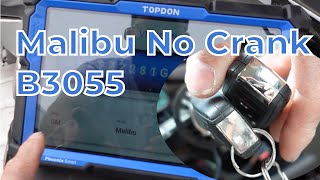
- YouTube Repair Channel (Global Commerce CA) (Chevrolet Malibu (similar GM keyless system)) — All keys lost, unable to program new key, keyless entry antenna error codes (B3123 - antenna 5 error).
❌ Tried (didn't work) Initial key programming attempts failed.
✅ What actually fixed it The technician found heavy contamination and corrosion in the connector for the rear keyless entry antenna located in the center console. After cleaning the connector and pins, the system was able to learn the new key. This highlights that a poor connection at an antenna, not just RFI or a bad key, can be the root cause.
When the Usual Fixes Don't Work
- In a documented repair of a similar GM vehicle, the common fixes for a key detection issue (replacing the key, checking for RFI) failed to resolve the problem. The ultimate cause was found to be corrosion within the connector for one of the vehicle's internal keyless entry antennas, located in the center console. Cleaning the connector resolved the fault and allowed a new key to be programmed. This demonstrates that a physical wiring or connection fault can mimic the symptoms of a bad key or RFI.
Model Year Variations Within This Range
- 2024-2025: These models use GM's new Global B electrical architecture. Unlike older vehicles, replacing and programming modules like the BCM absolutely requires an online connection to GM's systems via the 'Techline Connect' software platform. Independent shops without this specific subscription cannot complete the repair.
Helpful Videos
We Have This Part in Stock

The information in this article is provided for general reference and educational purposes only. Vehicle specifications, procedures, and part compatibility can vary by production date, trim level, and region. Always consult your vehicle's factory service manual and verify part numbers before purchasing or performing repairs. Safety-critical components such as airbags, seat belts, and braking systems should be installed by a qualified professional.
- Buick ENVISION:
- 🧭 Diagnostic Flowchart
- 🎬 Helpful Videos
- 🛍️ Shop This Part
- What's Unique About the 2024-2025 Buick ENVISION
- Symptoms You May Notice
- Most Likely Causes
- Rare But Worth Checking
- Diagnosis Steps
- Parts You'll Likely Need
- Related Codes That Often Appear With This One
- Technical Service Bulletins (TSBs) & Recalls
- Platform-Specific Known Issues
- Mechanic-Grade Diagnostic Values
- Hidden / Shadow Codes Worth Checking
- Scan Tool Commands That Help
- Wiring & Ground Locations
- Real Owner Repair Stories
- When the Usual Fixes Don't Work
- Model Year Variations Within This Range
- 🎟️ Get 5% Off