

B3060 on 2010-2016 Cadillac SRX: Causes and Fixes for 'No Remote Detected'
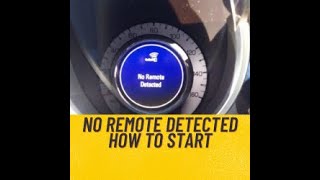
Code B3060 on a 2010-2016 Cadillac SRX means the vehicle's security system received a signal from an unrecognized or unprogrammed key fob. This typically causes a 'No Remote Detected' message and prevents the engine from starting. The most common fixes are replacing the key fob battery (CR2032), reprogramming the key, or addressing radio frequency interference from other devices. Placing the fob in the center console pocket is a reliable temporary bypass.
- B3060 on your SRX means there's a problem with the anti-theft system recognizing your key fob.
- Before panicking, always replace the CR2032 battery in your key fob; this is the most common and cheapest solution.
- If a new battery doesn't work, try starting the car by placing the fob in the special pocket inside the center console.
- Remove other electronic cards and keys from your keyring to eliminate radio frequency interference, a known issue on these vehicles.
- If you are still unable to start the car, professional diagnosis is needed to check for a faulty key fob or a deeper system issue.
What's Unique About the 2010-2016 Cadillac SRX
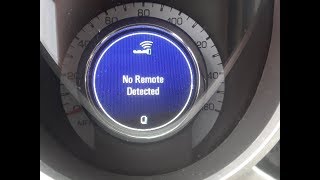
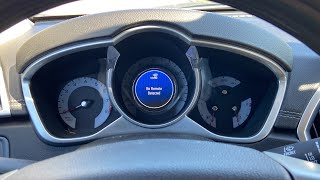
The 2010-2016 SRX, like many GM vehicles of this era, uses a sophisticated keyless entry system that is sensitive to radio frequency (RF) interference. A comprehensive GM Technical Service Bulletin (PIC5650 series) highlights that intermittent no-start conditions associated with code B3060 🎬 Watch: A quick explanation of the B3060 trouble code. can be caused by other electronic devices on the owner's keychain, such as building access cards, toll passes, other vehicle fobs, and even some aftermarket LED lights or phone chargers. Owners often experience a "No Remote Detected" message but can still start the car by placing the fob in a specific transmitter pocket inside the center console. 🎬 See how to start your SRX using the transmitter pocket. This pocket uses a short-range antenna to bypass the interference and directly energize the fob's transponder, allowing the car to start even with a dead fob battery.
Diagnostic Flowchart
Tap your situation to follow the diagnostic path that matches what you're seeing on this vehicle.
Symptoms You May Notice
- "No Remote Detected" message on the Driver Information Center (DIC).
- Engine will not crank or start when the ignition button is pressed.
- Security indicator light is illuminated or flashing on the instrument panel.
- Engine may start but then immediately stall.
- Passive entry (doors unlocking upon approach) may not work.
- Remote lock/unlock functions may be inoperative.
- Poor range from the Remote Keyless Entry (RKE) transmitter.
- Replacing the starter motor. A no-crank condition might lead someone to suspect the starter, but if the security light is on and a 'No Remote Detected' message is displayed, the issue is with the anti-theft system, not the starter.
- Replacing the vehicle's main battery. While a low main battery can cause a host of electrical problems, it will not specifically trigger the B3060 code. The first battery to check is always the one in the key fob.
Most Likely Causes
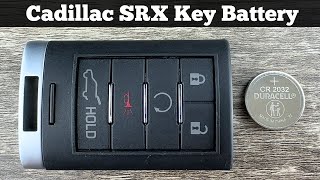
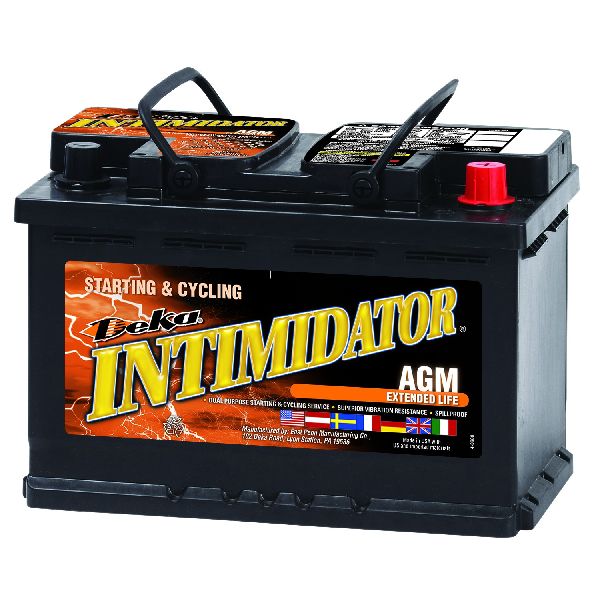
- Weak or Dead Key Fob Battery 🔴 High Probability → Shop Vehicle Battery The CR2032 battery in the key fob has a finite life and is the most frequent point of failure for all keyless entry systems. This is the first and easiest thing to check.
How to confirm: Try starting the vehicle by placing the key fob in the transmitter pocket inside the center console storage area. If the car starts, the fob's battery is almost certainly the issue. A 'Replace Battery in Remote Key' message may also appear on the DIC.
Typical fix: Replace the CR2032 battery inside the key fob. The case can be pried open with a small flathead screwdriver after removing the emergency key.
Est. part cost: $2-$10 - Radio Frequency (RF) Interference 🟡 Medium Probability As noted in GM TSB PIC5650M, the system is sensitive to interference from other RFID devices. This includes toll passes, building access cards, other car keys on the same keyring, aftermarket LED lighting, and even certain cell phone chargers or USB power banks.
How to confirm: Remove all other keys and electronic devices from the keyring, leaving only the SRX fob. If the problem disappears, interference was the cause. Technicians may use an RFI meter to detect stray signals.
Typical fix: Keep the SRX key fob separate from other RFID-emitting devices. Advise customers to check for aftermarket electronics if the problem is intermittent.
Est. part cost: $0 - Faulty Key Fob ⚪ Low Probability → Shop Keyless Entry Transmitter Internal electronics of the key fob can fail from being dropped or from moisture damage. A user on Reddit reported a fob that could start the car (using the transponder) but could not perform remote lock/unlock functions.
How to confirm: After replacing the battery, if the primary key still fails, try using the vehicle's second key fob. If the second fob works perfectly, the first one is faulty.
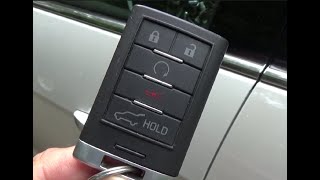
Typical fix: Replace the faulty key fob and have it professionally programmed to the vehicle. The OEM part number is often 20952475, but this should be confirmed with the vehicle's VIN.
Est. part cost: $75-$250 - Key Has Lost Programming ⚪ Low Probability Though uncommon, a key can sometimes lose its synchronization with the vehicle's Body Control Module (BCM), especially after a main vehicle battery failure or replacement.
How to confirm: This is a diagnosis of exclusion. If the battery is good, there is no interference, and the fob seems to be transmitting, but the car won't recognize it, reprogramming is the next logical step.
Typical fix: The key needs to be reprogrammed to the vehicle. For a lost-key scenario, a 30-minute relearn procedure is required, which involves timed key cycles. If you have a working key, adding a new one is a shorter process. Some DIY methods exist for older GM models but may not apply to these push-to-start vehicles.
Est. part cost: $0 if DIY relearn is successful, otherwise labor cost at a locksmith or dealer.
Rare But Worth Checking
- Failing Body Control Module (BCM): → Shop Body Control Module The BCM is the computer that manages the anti-theft system. While rare, a BCM failure can cause this code. This is usually accompanied by other strange electrical issues, such as flickering lights, erratic power windows/locks, or false alarms. A forum user with multiple communication codes traced the issue to a corroded battery terminal, which caused a primary power loss to the modules.
- Faulty Keyless Entry Antenna: → Shop Antenna The vehicle has several antennas to detect the key fob. If one of these fails, detection can become intermittent or fail in certain areas around the vehicle. A GM-specific scan tool can usually identify a faulty antenna. Part numbers like 13580790, 13546098, and 13545326 are listed for various antenna locations in GM vehicles.
- Poor Connection at the Diagnostic Link Connector (DLC): A TSB (PIC5741A) mentions that spread terminals in the OBD-II port itself can cause various communication DTCs when a scan tool is connected, which could potentially be related.
Diagnosis Steps
- Check for a 'Replace Battery in Remote Key' message on the DIC.
- Replace the CR2032 battery in the key fob, as this is the most common and cheapest fix.
- If the issue persists, try the vehicle's spare key fob to rule out a faulty primary key.
- Attempt to start the vehicle by placing the key fob in the designated transmitter pocket located inside the center console storage area. If it starts, this points strongly to a weak fob battery or RF interference.
- Remove all other keys, access cards, phone chargers, and electronic devices from the keyring and vehicle interior and re-test to check for RF interference.
- If the vehicle still won't start, use a professional scan tool to read GM-specific codes from the Body Control Module (BCM) and Theft Deterrent Module (TDM).
- Follow the scan tool's diagnostic procedures, which may involve checking the status of the keyless entry antennas or initiating a key relearn procedure.
- Inspect wiring and connectors for the BCM and keyless entry antennas if a specific component is flagged by the scan tool. Check main battery terminals for corrosion.
Parts You'll Likely Need
- Key Fob Battery
(OEM #CR2032)— This is the most frequent cause of the 'No Remote Detected' message and associated codes.
Trusted brands: Energizer, Duracell, Panasonic
OEM price range: $5-$10
Aftermarket price range: $2-$5 - Keyless Entry Remote Fob
(OEM #20952475 (5-button for SRX, confirm with VIN))— If the fob's internal electronics have failed, it must be replaced and programmed. While 20952475 is a common GM part number, it may be for a different button configuration; VIN confirmation is crucial.
Trusted brands: ACDelco, GM Genuine Parts
OEM price range: $120-$180
Aftermarket price range: $50-$100
Related Codes That Often Appear With This One
- B3055 — This code means 'No Transponder Modulation or No Transponder,' indicating the security module received no signal from the key at all. It often appears with B3060 when the key fob battery is completely dead or the fob is malfunctioning.
- B3935 — This code relates to 'Transponder Authentication Failed.' It can be set alongside B3060 if the system receives a signal but cannot verify it as authentic.
Technical Service Bulletins (TSBs) & Recalls
- PIC5650M / PIC5650L / PIC5650K / PIC5650G / PIC5650C / PIC5650B: Addresses intermittent no crank/no start/stall with security light on and DTCs B3055, B3060, B3935. Suggests investigating Radio Frequency (RF) interference from other devices (toll passes, other fobs, aftermarket LEDs, phone chargers) before replacing parts.
- PIE0232: An engineering information request from 2012 for low-mileage vehicles with no-crank conditions and DTCs B3055, B3060, or B3935, indicating GM was actively investigating the root cause of this issue on new vehicles.
Platform-Specific Known Issues
- The official GM Technical Service Bulletin PIC5650M (and earlier versions B, C, G, K, L) directly addresses an intermittent no-crank or no-start with security light on and DTC B3060, pointing towards RF interference as a likely cause that technicians should investigate before replacing parts.
- A separate issue, but relevant to SRX electrical problems, is the potential for water intrusion into the rear liftgate module or other modules, causing a variety of seemingly unrelated electrical faults. While not a direct cause of B3060, it highlights the sensitivity of the vehicle's electronics.
Mechanic-Grade Diagnostic Values
- Theft Deterrent Module (TDM) Valid Key Parameter — expected: Yes. Failure: Parameter reads 'No' when a known good key is used.
Hidden / Shadow Codes Worth Checking
- B3060 00: The '00' suffix indicates 'No Sub Type Information', meaning the primary code description 'Unprogrammed Transponder Identification Code Received' is the complete fault information available from the module. (see via A professional scan tool capable of reading GM-specific body codes, such as a Tech2 or GDS2.)
Scan Tool Commands That Help
- GDS2/Tech2: View TDM Valid Key Parameter — Use this live data parameter while testing each of the vehicle's keys to quickly determine if the Theft Deterrent Module recognizes them as valid. This helps differentiate a faulty key from a module or antenna problem.
- GDS2/Tech2 or High-End Aftermarket: 10-Minute or 30-Minute Vehicle Key Relearn — This procedure is required after replacing a key, or if a key has lost its programming. The 30-minute procedure is used when no currently recognized keys are available.
Wiring & Ground Locations
- Body Control Module (BCM) — On the lower left side of the dash, accessible from the driver's footwell.. The BCM is the central hub for the keyless entry and anti-theft system. All related signals are processed here. A poor connection or corrosion at the BCM connectors can cause B3060 and other electrical faults.
- G201 — In the left kick panel area.. This is a primary ground point for the BCM and other dash-area components. Water leaks from the windshield or sunroof can collect in this area, causing corrosion and intermittent ground connection, leading to hard-to-diagnose electrical issues including security system faults.
- G301 — Under the left side of the passenger seat or in the left kick panel area, depending on the specific wiring diagram.. This ground serves various body and interior components. A fault here could contribute to a noisy electrical environment, potentially interfering with sensitive modules like the BCM.
- BCM Connector X3, Pins 12 & 24 — On the Body Control Module located on the lower left side of the dash.. A wiring diagram for a 2011 SRX indicates these specific pins on the X3 connector are related to turn signal functions, which are controlled by the BCM. While not directly for the keyless system, it demonstrates the level of detail available for BCM pinouts, which is crucial for advanced wiring diagnostics if antenna or module communication is suspected to be failing.
Real Owner Repair Stories
- ScannerDanner on YouTube (paraphrased for relevance) (Cadillac vehicle with a no-crank condition.) — Engine does not crank, similar to a dead battery or starter.
❌ Tried (didn't work) Testing voltage at the power distribution box using the engine block as a ground point.
✅ What actually fixed it The main engine block ground strap was broken or had a poor connection to the frame. This created high resistance, preventing the starter from getting enough current. The issue was only found by measuring voltage directly between the battery negative terminal and the engine block during a crank attempt (voltage drop test), which revealed a significant voltage reading, indicating a bad ground path.
"I Checked Everything" — The Actual Cause
- A classic electrical equivalent of 'smoke test clean' for a no-crank condition is when the starter and battery test good, but the issue is a faulty engine block ground. A technician may use the engine block as a ground for their multimeter, which will show good voltage at the starter solenoid signal wire, leading to a misdiagnosis of a bad starter. The actual cause, a broken main ground strap, is missed because the diagnostic method inadvertently bypasses the fault. The correct test is a voltage drop test on the ground circuit from the battery negative post to the engine block during a crank attempt.
OEM Part Supersession History
20952475→15913420, 20869056, 22936099— Standard part consolidation and minor revisions by GM.
Heads up: While these part numbers are often interchangeable for the remote functions, the SRX requires a specific 5-button fob. More importantly, the FCC ID must match. The correct FCC ID for the 2010-2016 SRX is typically NBG009768T. Using a visually identical fob from another Cadillac model (like a CTS or ATS) with a different FCC ID will not work, as it cannot be programmed to the vehicle.
Model Year Variations Within This Range
- 2013-2016: The 2013 model year introduced a major refresh, including the Cadillac CUE infotainment system. The keyless entry system and its integration with the BCM were updated. While the B3060 code's meaning remains the same, diagnostic procedures and key programming steps within the vehicle's settings may differ from the 2010-2012 models. For example, enabling/disabling passive locking is done through the CUE screen on later models.
- 2011+: Some sources suggest that while pre-2011 GM vehicles often had DIY-friendly key programming procedures, models from 2011 onwards are more likely to require a professional locksmith or dealer with specialized tools to program new keys, especially in an 'all keys lost' situation.
Helpful Videos
We Have This Part in Stock



The information in this article is provided for general reference and educational purposes only. Vehicle specifications, procedures, and part compatibility can vary by production date, trim level, and region. Always consult your vehicle's factory service manual and verify part numbers before purchasing or performing repairs. Safety-critical components such as airbags, seat belts, and braking systems should be installed by a qualified professional.
- Cadillac SRX:
- 🧭 Diagnostic Flowchart
- 🎬 Helpful Videos
- 🛍️ Shop This Part
- What's Unique About the 2010-2016 Cadillac SRX
- Symptoms You May Notice
- Most Likely Causes
- Rare But Worth Checking
- Diagnosis Steps
- Parts You'll Likely Need
- Related Codes That Often Appear With This One
- Technical Service Bulletins (TSBs) & Recalls
- Platform-Specific Known Issues
- Mechanic-Grade Diagnostic Values
- Hidden / Shadow Codes Worth Checking
- Scan Tool Commands That Help
- Wiring & Ground Locations
- Real Owner Repair Stories
- "I Checked Everything" — The Actual Cause
- OEM Part Supersession History
- Model Year Variations Within This Range
- 🎟️ Get 5% Off