

B3060 on 2020-2025 Cadillac XT6: Unrecognized Key, No-Start Causes and Fixes
On a 2020-2025 Cadillac XT6, code B3060 means the anti-theft system doesn't recognize the key fob, causing a no-start. The most likely cause is radio frequency interference or a weak key fob battery. Try removing other devices from your keychain and using the key pocket in the center console to start the car before replacing parts.
- B3060 on your XT6 means the anti-theft system doesn't recognize your key and is preventing the engine from starting.
- Before any repairs, remove potential sources of Radio Frequency Interference (RFI) like phone chargers and other fobs from your keychain.
- Try starting the car by placing the key fob in the transmitter pocket in the center console; if this works, replace the fob's CR2032 battery.
- If simple fixes fail, the vehicle needs professional service as key and module replacement requires special programming tools.
What's Unique About the 2020-2025 Cadillac XT6
The first-generation Cadillac XT6, like other modern GM vehicles, has a sensitive security system. A key factor for this platform is its high susceptibility to Radio Frequency Interference (RFI) from common aftermarket devices like USB chargers and LED lights, as noted in GM's own service bulletins. Many owners are also unaware of the designated transmitter pocket in the center console, which is the primary bypass method for a weak or interfered key fob signal, making it a crucial first diagnostic step unique to these push-to-start models.
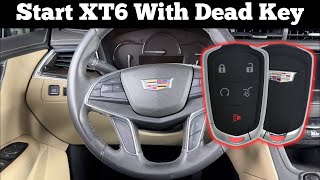
🎬 Watch: How to start your XT6 with a dead fob.Diagnostic Flowchart
Tap your situation to follow the diagnostic path that matches what you're seeing on this vehicle.
Symptoms You May Notice
- Engine will not crank or start
- Engine starts and then immediately stalls
- Security indicator light is illuminated or flashing on the dashboard
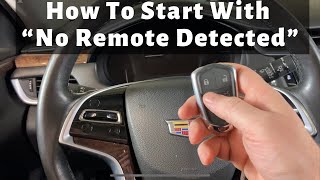
- "No Remote Detected" message on the driver information center
- Replacing the starter motor. A security-related no-start will have dashboard lights but the computer actively prevents cranking; a bad starter usually makes a clicking sound or no sound at all.
- Replacing the main vehicle battery. While a weak battery can be a healthy battery when the true issue is RFI or a key fob problem.
Most Likely Causes
- Radio Frequency Interference (RFI) 🔴 High Probability A known issue acknowledged by GM TSB #PIC5650M. The vehicle's security system is sensitive to interference from aftermarket USB chargers, LED lights, other key fobs, or even RFID-enabled cards on the same keychain.
How to confirm: Remove all other keys, fobs, cards, and unplug any aftermarket chargers from the vehicle. Try starting the engine with the key fob by itself. If it starts, RFI was the cause.
Typical fix: Isolate the key fob from other electronic devices. Remove the source of the interference (e.g., a cheap phone charger).
Est. part cost: $0 - Weak or Dead Key Fob Battery 🟡 Medium Probability → Shop Vehicle Battery The key fob requires sufficient battery power to transmit its security code to the vehicle. This is a common wear item.
How to confirm: Try starting the vehicle by placing the key fob in the designated transmitter pocket, usually located in the center console cupholder area. This allows the car to read the fob even with a very weak battery. If this works, the fob battery is the culprit. A spare key fob working correctly also points to a battery issue in the primary fob.
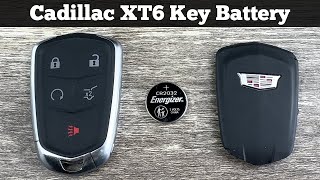
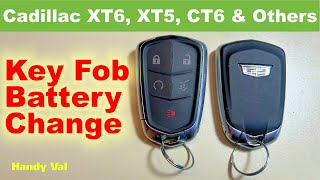
Typical fix: Replace the CR2032 battery inside the key fob.
Est. part cost: $5-$10 - Faulty or Unprogrammed Key Fob 🟡 Medium Probability → Shop Keyless Entry Transmitter This occurs if using a new, aftermarket, or replacement key that has not been properly programmed to the vehicle. The internal transponder chip can also fail over time.
How to confirm: Attempt to start the vehicle with a known-good spare key. If the spare key works without issue, the original key fob is faulty or has lost its programming.
Typical fix: The faulty key fob must be replaced and/or programmed to the vehicle by a dealer or qualified automotive locksmith with GM-specific tools.
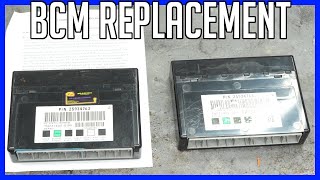
Est. part cost: $150-$400 - Body Control Module (BCM) or Related Control Module Fault ⚪ Low Probability → Shop Body Control Module While less common, the BCM, Remote Control Door Lock Receiver (RCDLR), or Theft Deterrent Module (TDM) can fail, preventing them from recognizing a valid key.
How to confirm: This requires advanced diagnostics with a professional scan tool capable of communicating with the BCM and security modules. A technician will check for communication errors and internal module faults.
Typical fix: Replacement and programming of the faulty control module, which must be done by a dealership or specialized repair shop.
Est. part cost: $400-$800
Rare But Worth Checking
- Poor BCM Ground Connection: GM TSB PIT5405C on other platforms has noted that a poor ground connection for the BCM can cause a variety of electrical issues, including intermittent no-start and security codes. It's a quick check for a technician to perform.
- Weak Vehicle Battery: → Shop Vehicle Battery A low main vehicle battery can cause voltage drops during the startup sequence, leading to communication errors between security modules and setting a B3060 code, even if the key is good.
Diagnosis Steps
- Verify B3060 is the primary code using an OBD-II scanner capable of reading B-codes.
- Remove all other key fobs, access cards, and aftermarket electronics (especially USB chargers) from the vehicle and keychain. Attempt to start the vehicle again to rule out RFI.
- If the no-start condition persists, try using a spare key fob. If the spare works, the issue is with the primary fob.
- If you have no spare, or if the spare also fails, try the emergency start procedure: place the key fob into the designated transmitter pocket located in the center console/cupholder area and attempt to start the engine.
- If the vehicle starts using the pocket, replace the CR2032 battery in the key fob.
- If the vehicle still does not start, check the main 12V vehicle battery to ensure it is fully charged and the terminals are clean and tight.
- If all the above steps fail, the vehicle requires professional diagnosis. A technician will use a GM-specific scan tool to check communication with the BCM and RCDLR, and to determine if a key, antenna, or module has failed. Programming will be required for any new security components.
Parts You'll Likely Need
- Key Fob Battery — This is the most common and inexpensive fix when the key fob's signal becomes too weak for the car to detect reliably.
Trusted brands: Energizer, Duracell
OEM price range: $5-$10
Aftermarket price range: $2-$8 - Keyless Entry Remote Fob — If the transponder chip inside the fob fails, the entire unit must be replaced and programmed to the vehicle.
Trusted brands: ACDelco (GM Genuine)
OEM price range: $150-$300
Aftermarket price range: $70-$150 - Body Control Module (BCM) — In rare cases, the BCM, which manages the theft deterrent system, can fail and will require replacement and programming by a dealer.
Trusted brands: ACDelco (GM Genuine)
OEM price range: $400-$700
Related Codes That Often Appear With This One
- B3055 — This code means 'No Transponder Signal Detected'. It often appears with B3060 because the system either can't detect a key at all (B3055) or detects one it doesn't recognize (B3060). Both are cited together in TSB PIC5650M.
- B3935 — This code means 'Transponder Authentication Failed'. It indicates the security 'handshake' between the key and car failed, which can be caused by the same issues as B3060, such as RFI or a faulty key. It is also mentioned in TSB PIC5650M.
Technical Service Bulletins (TSBs) & Recalls
- PIC5650M: Addresses intermittent no crank, no start, or start stall concerns with the security light on, potentially setting DTCs B3055, B3060, and B3935, and advises checking for Radio Frequency Interference. [⭐]
Platform-Specific Known Issues
- Per TSB #PIC5650M, this platform is known to have intermittent no-crank or start-stall conditions with the security light on, where B3060 is a potential DTC. The bulletin points toward investigating RFI before replacing parts.
Mechanic-Grade Diagnostic Values
- Passive Entry Door Handle Switch Resistance — expected: Infinite resistance (open circuit) with the button released. Should not exceed 15 ohms with the button pressed.. Failure: Resistance that is high (but not infinite) when the button is pressed, or any resistance when the button is released, indicates a faulty switch.
Hidden / Shadow Codes Worth Checking
- B3060 00: The '00' is a GM symptom byte for 'No Sub Type Information'. It indicates the primary code B3060 contains the full description of the fault ('Unprogrammed Transponder Identification Code Received') and no more specific details are available from the code itself. (see via This symptom byte is visible on professional scan tools that can read manufacturer-specific data, such as the GM GDS2 (Global Diagnostic System 2).)
Scan Tool Commands That Help
- GM GDS2: Module Diagnostics > Remote control door lock receiver > Configure and Reset Functions > Add or Replace Key Fobs — This function is required to program new or replacement key fobs to the vehicle's security system after a key has been replaced.
- GM GDS2: Module Diagnostics > BCM > Data Display — Used to monitor live data from the Body Control Module, which can help verify if the BCM is receiving signals from the key and other security-related sensors.
- GM GDS2: Module Diagnostics > K61 Theft Deterrent Module > Data Display > TDM Valid Key — This specific data parameter allows a technician to see in real-time if the Theft Deterrent Module is recognizing the key being used as valid, which is a crucial step in diagnosing B3060.
Wiring & Ground Locations
- Body Control Module (BCM) — On most modern GM SUVs, the BCM is located inside the passenger cabin, behind the lower dashboard panel on the driver's side, often near the interior fuse block.. The BCM is the central computer for the theft deterrent system. All key recognition signals are processed here. A poor connection or a faulty ground at the BCM can cause a B3060 code. GM warns that the negative battery cable must be disconnected before removing a BCM ground to prevent module damage.
- Theft Deterrent Sensor (Inclination Sensor) — Located in the overhead console.. TSB 21-NA-039 indicates that a poor connection of this sensor's three leads can cause a 'Service Theft Deterrent' message and may be related to security system faults. Checking this connection is a specific diagnostic step for 2020-2021 models before replacing major components.
- GM Ground Numbering Scheme — Vehicle-wide. GM grounds are labeled with a 'G' followed by a three-digit number. The first digit indicates the location: G1xx (engine bay/front), G2xx (front passenger cabin), G3xx (rear passenger cabin), G4xx (rear of vehicle). Knowing this helps technicians quickly locate relevant ground points when troubleshooting electrical issues related to the BCM or security system.
Model Year Variations Within This Range
- 2020-2021: Models in this range are specifically mentioned in TSB 21-NA-039, which addresses a 'Service Theft Deterrent' message that can be caused by a poor connection at the theft deterrent sensor in the overhead console or a data mismatch requiring a BCM reprogram.
Helpful Videos

Used OEM Parts in Stock
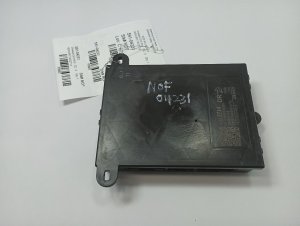
New Aftermarket Parts Available
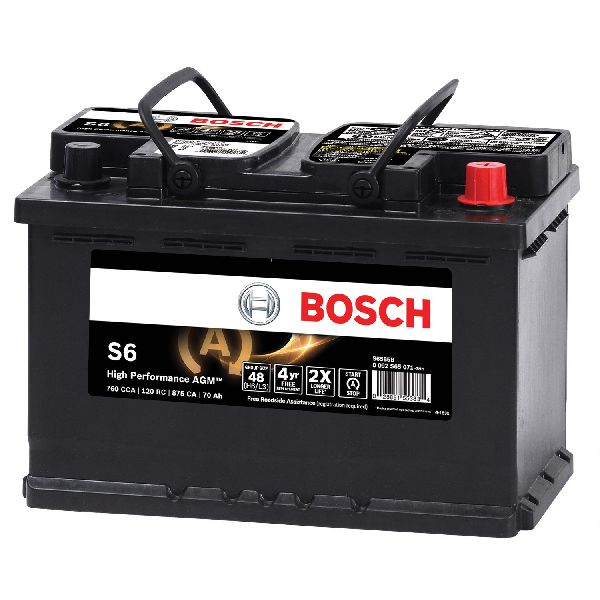

The information in this article is provided for general reference and educational purposes only. Vehicle specifications, procedures, and part compatibility can vary by production date, trim level, and region. Always consult your vehicle's factory service manual and verify part numbers before purchasing or performing repairs. Safety-critical components such as airbags, seat belts, and braking systems should be installed by a qualified professional.
- Cadillac XT6:
- 🧭 Diagnostic Flowchart
- 🎬 Helpful Videos
- 🛍️ Shop This Part
- What's Unique About the 2020-2025 Cadillac XT6
- Symptoms You May Notice
- Most Likely Causes
- Rare But Worth Checking
- Diagnosis Steps
- Parts You'll Likely Need
- Related Codes That Often Appear With This One
- Technical Service Bulletins (TSBs) & Recalls
- Platform-Specific Known Issues
- Mechanic-Grade Diagnostic Values
- Hidden / Shadow Codes Worth Checking
- Scan Tool Commands That Help
- Wiring & Ground Locations
- Model Year Variations Within This Range
- 🎟️ Get 5% Off