

B3060 on 2017-2021 Chevrolet Bolt EV: Security System Fault, Causes and Fixes
On a 2017-2021 Bolt EV, code B3060 means the car's anti-theft system doesn't recognize the key fob, causing a no-start. The most common cause is radio frequency interference (RFI) from aftermarket electronics or other fobs. Try removing all other items from your keychain and placing the fob in the center console transmitter pocket to start the car. Other causes include a faulty key fob or a weak 12V battery.
- B3060 on a Bolt EV means the car's security system doesn't recognize the key fob.
- Before spending any money, the first step is to remove all other keys, fobs, and aftermarket electronics (especially USB chargers) from the car and try again.
- If interference isn't the cause, try your spare key fob to rule out a single bad fob.
- As a temporary workaround, placing the key fob in the designated pocket inside the center console will often allow the car to start.
- If the problem persists, the issue is likely a faulty key fob or, rarely, the Body Control Module, both of which require professional service for programming.
What's Unique About the 2017-2021 Chevrolet BOLT EV
The Chevrolet Bolt EV uses a keyless, push-to-start ignition system that is highly sensitive to radio frequencies. Unlike older GM vehicles with a physical key and ignition cylinder where B3060 often points to a worn-out mechanical part, on the Bolt EV it is almost always an electronic or communication issue. A GM Technical Service Bulletin (TSB) specifically for the Bolt EV and other models highlights that intermittent no-start conditions with this code are frequently caused by radio frequency interference (RFI) from common aftermarket devices like USB chargers, LED lights, or even other key fobs on the same keychain.
Diagnostic Flowchart
Tap your situation to follow the diagnostic path that matches what you're seeing on this vehicle.
Symptoms You May Notice
- Vehicle will not crank or start
- Engine/propulsion system starts and then immediately shuts off
- Security indicator light is illuminated or flashing on the dashboard
- "No Fob Detected" message appears on the driver information center.
- "Replace Battery in Remote Key" message on the driver information center.
- Replacing the main high-voltage battery pack. The B3060 code is unrelated to the health or state of charge of the main EV battery.
- Replacing the starter motor. The Bolt EV does not have a traditional starter motor. The 'no-start' is a result of the security system electronically disabling the propulsion system.
Most Likely Causes
- Radio Frequency Interference (RFI) 🔴 High Probability As highlighted in GM TSB PIC5650M and its subsequent revisions, the Bolt EV's keyless entry and start systems are sensitive to RFI from aftermarket devices. Common culprits include low-quality USB phone chargers, dash cams, aftermarket LED lighting, and even other key fobs or building access cards on the same keychain. Some owners use Faraday pouches to shield their fobs when not in use to prevent accidental unlocking or interference.
How to confirm: Remove all aftermarket electronic devices from the vehicle. Take all other keys, fobs, and access cards off the keychain. If the vehicle starts and runs normally with only the Bolt EV fob present, RFI was the cause.
Typical fix: Identify and remove the source of the interference. Keep other fobs and RFID cards separate from the vehicle key. Use high-quality, shielded electronic accessories if needed.
Est. part cost: $0 - Faulty or Unprogrammed Key Fob 🟡 Medium Probability → Shop Keyless Entry Transmitter The internal electronics of the key fob can fail, or its CR2032 battery can become weak, leading to a signal the car can't recognize. This can also occur if a new or replacement fob has not been correctly programmed to the vehicle.
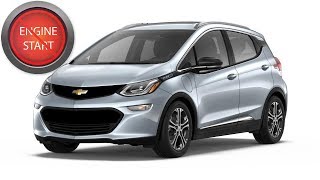
How to confirm: Try using a spare key fob. If the spare fob works consistently, the original fob is faulty. You can also try placing the non-working fob in the designated transmitter pocket, which is located in the front of the center console storage area, beneath the removable tray. 🎬 Watch: How to start your Bolt with a dead fob If the car starts, it confirms the fob signal is weak or the fob battery is low. Note: Some owners report this may not work if the fob battery is completely dead.
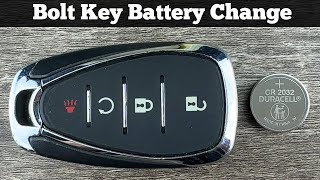
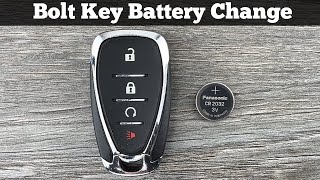
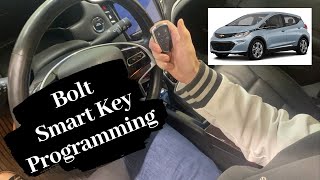
Typical fix: First, replace the CR2032 battery in the key fob. 🎬 See this quick guide to replacing your key fob battery If that fails, replace the faulty key fob. A new fob can be programmed by a dealer or locksmith. For vehicles in the US, a DIY programming procedure exists that takes about 30 minutes and requires all fobs to be present, but this feature is not available in Canada.
Est. part cost: $5-$15 for a battery, $150-$450 for a new fob and programming. - Weak 12V Battery ⚪ Low Probability → Shop Vehicle Battery A weak or failing 12V AGM battery can cause a wide range of unpredictable electronic issues in the Bolt EV, including communication errors between modules that can trigger security faults like B3060. The car's computers require stable voltage to operate correctly, and a failing 12V battery can cause numerous 'gremlin'-like problems.
How to confirm: Test the 12V battery with a multimeter or a battery tester. A healthy, resting AGM battery should be at approximately 12.6-12.8 volts. If it's below 12.2V, it may be too weak to properly power all modules during startup. Many owners report experiencing strange electrical issues as the battery ages, typically around the 3-5 year mark.
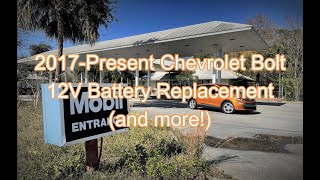
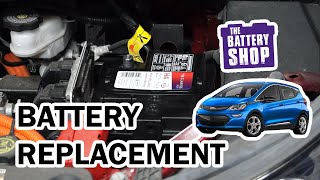
Typical fix: Charge or replace the 12V AGM battery. The Bolt EV requires a specific BCI Group Size LN1 AGM battery. 🎬 Watch: Step-by-step 12V battery replacement for the Bolt EV After replacement, some owners report temporary 'Service Vehicle Soon' lights that clear on their own after a few drive cycles, or the need to reset window auto-up/down functions. There is debate on whether the new battery needs to be 'registered' with the car's computer, but many owners have successfully swapped it without special tools.
Est. part cost: $150-$280
Rare But Worth Checking
- Body Control Module (BCM) or Theft Deterrent Module (TDM) Failure: → Shop Anti-Theft Control Module This is rare, but if all other causes are ruled out, the module responsible for the security system may have failed internally. This is an expensive repair that requires dealer-level programming.
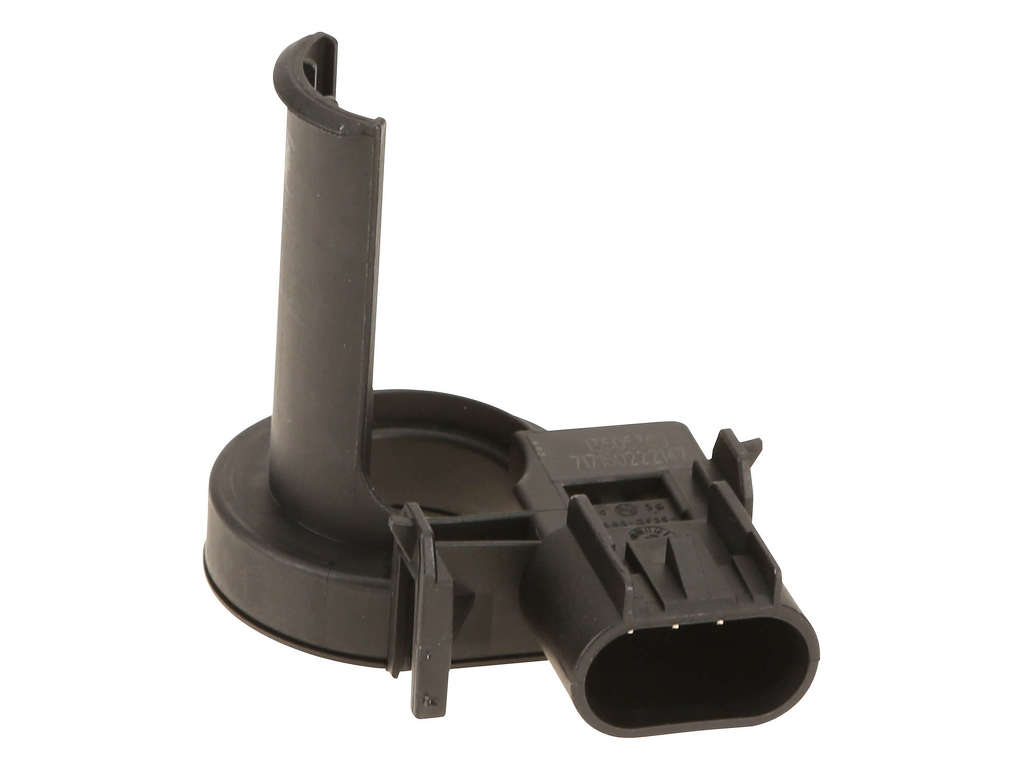
- Damaged Immobilizer Antenna: → Shop Antenna The antenna that receives the signal from the key fob can be damaged, though this is uncommon without physical damage to the console area. It would prevent the car from detecting the fob, even in the backup transmitter pocket.
Diagnosis Steps
- Confirm the symptoms: No-start and security light on.
- Scan for codes with a tool that can read B-codes to confirm B3060 and check for others like B3055 or B3935.
- Perform the RFI check: Unplug all aftermarket accessories (phone chargers, dash cams, etc.). Remove all other keys, fobs, and access cards from the keychain and from inside the vehicle.
- Attempt to start the vehicle with the cleared keychain. If it starts, you've found the issue.
- If it still doesn't start, try the spare key fob. If the spare works, the primary fob is faulty.
- If neither fob works, try placing one in the key fob transmitter pocket. This is located inside the center console storage area, under the small removable tray. Place the fob in the indentation and attempt to start the vehicle. If it starts, this points to a weak fob battery.
- Check the 12V battery voltage to ensure it's healthy (above 12.4V resting) and not causing general electronic issues.
- If a new fob is required, it will need programming. This can be done by a dealer/locksmith or via a 30-minute DIY procedure on US models.
- If none of the above steps work, professional diagnosis is required to check the BCM, TDM, and related wiring.
Parts You'll Likely Need
- Key Fob
(OEM #13585722, 13508767, or 13529664 (FCC ID: HYQ4AA))— The internal transponder can fail, or the fob can be damaged, causing the security system to reject it.
Trusted brands: ACDelco, GM Genuine
OEM price range: $150-$450
Aftermarket price range: $70-$200 - 12V AGM Battery
(OEM #ACDelco LN1AGM (GM P/N: 88866037))— A weak 12V battery can cause a variety of electronic faults on the Bolt EV, including communication errors that can trigger security-related codes.
Trusted brands: ACDelco
OEM price range: $200-$280
Aftermarket price range: $150-$220
Related Codes That Often Appear With This One
- B3055 — Often appears with B3060. It means 'No Transponder Modulation or No Transponder,' indicating a complete failure to communicate with the key chip. Both are listed as potential codes in TSB PIC5650M.
- B3935 — Relates to a 'Transponder Authentication Error' and is part of the key verification process. It is also mentioned alongside B3060 in GM service bulletins.
Technical Service Bulletins (TSBs) & Recalls
- PIC5650M (and subsequent revisions like N, O): This is a Preliminary Information bulletin for dealers addressing intermittent no-start/stall conditions with the security light on. It lists B3060 as a possible code and points to Radio Frequency Interference (RFI) as a primary diagnostic step before parts replacement.
Platform-Specific Known Issues
- GM Technical Service Bulletin PIC5650M (and later revisions) directly addresses an intermittent no-crank, no-start, or start-and-stall condition with the security light on, which can set code B3060. The bulletin strongly advises checking for Radio Frequency Interference (RFI) from aftermarket devices before replacing any parts.
- Owner forums frequently report that a failing 12V battery, typically after 3-5 years, is a common source of various electrical 'gremlins,' including no-start conditions that may be accompanied by code B3060.
Mechanic-Grade Diagnostic Values
- Immobilizer Antenna Coil Resistance — expected: A specific resistance value is not published for the Bolt EV. A generic test involves checking for a resistance reading between the two pins of the antenna coil; an open circuit (infinite resistance) or a short (zero resistance) indicates a failed coil.. Failure: Reading of 'OL' (Open Loop) or 0 ohms on a multimeter.
- Key Fob RF Signal Test — expected: When a button is pressed on the key fob, a specialized tool like the TDB003 Proximity System Tester should detect a 315 MHz signal.. Failure: No signal detected when fob buttons are pressed, indicating a dead battery or failed fob.
Hidden / Shadow Codes Worth Checking
- B3060 with Symptom Byte: GM's GDS2 software may display a 2-digit symptom byte along with the main DTC (e.g., B3060 00). This byte provides more specific detail about the nature of the fault (e.g., signal invalid, component failure). While specific symptom bytes for B3060 on the Bolt are not publicly documented, a technician with GDS2 can use this extra information to narrow down the diagnosis. (see via GM GDS2 (Global Diagnostic System 2) software.)
Scan Tool Commands That Help
- GDS2: Add/Replace Key Fobs — This function is used after installing a new, or to add an additional, key fob. It is found under 'Remote Control Door Lock Receiver' > 'Configuration/Reset Functions'. The tool places the BCM into a learn mode to accept a new fob's ID.
- GDS2: Immobilizer Learn — This procedure is required after replacing a major security system component like the Body Control Module (BCM). It synchronizes the BCM, key fobs, and other vehicle modules to re-establish the security handshake and allow the vehicle to start.
- GDS2: Clear All DTCs — After a repair has been completed, this function is used to erase the stored B3060 code. The security light should extinguish, and the vehicle should start normally. It's important to clear codes after the fix to confirm the issue is resolved.
Wiring & Ground Locations
- K9 Body Control Module (BCM) — Typically located under the dashboard on the driver's side, near the A-pillar or kick panel.. The BCM is the central module for the anti-theft system in the Bolt EV. It receives and interprets the signal from the key fob via the immobilizer antenna. All decisions to enable or disable starting are made here. A failure in the BCM or its wiring/grounding can directly cause a B3060 code.
- BCM Ground (G-Code) — GM uses a standardized naming convention for grounds (e.g., G1xx for engine bay, G2xx for dash area, G3xx for main cabin). A critical ground for the BCM is often located on the A-pillar or a nearby chassis stud. A GM TSB for other models (PIT5562) highlights that poor ground connections can cause numerous electrical faults, including BCM DTCs.. A loose or corroded BCM ground can cause intermittent voltage drops and communication errors, leading the BCM to fail to recognize a valid key, even if the key and fob are perfectly fine. This is an often-overlooked cause of persistent, difficult-to-diagnose electronic issues.
- BCM Connector Pin 21 (X1 Connector) — On the main connector (often labeled X1) of the K9 BCM.. Pinout diagrams for the common GM K9 BCM show that Pin 21 is frequently the 'Security Indicator Control' circuit. A technician could theoretically probe this pin to see if the BCM is commanding the security light ON, confirming the BCM is actively seeing a fault.
OEM Part Supersession History
13585722, 13508767→13529664— Standard part revision and consolidation by the manufacturer.
Heads up: The newer part number (13529664) is the correct service replacement for the entire 2017-2021 model range and is backward compatible, replacing the earlier numbers.
Model Year Variations Within This Range
- 2017-2021: The keyless entry and security system, including the key fob design and part numbers, remained consistent throughout the 2017-2021 model years of the Bolt EV. The vehicle received a significant refresh in 2022 which included different interior controls and electronics, but this does not affect the specified vehicle range.
Helpful Videos
We Have This Part in Stock


The information in this article is provided for general reference and educational purposes only. Vehicle specifications, procedures, and part compatibility can vary by production date, trim level, and region. Always consult your vehicle's factory service manual and verify part numbers before purchasing or performing repairs. Safety-critical components such as airbags, seat belts, and braking systems should be installed by a qualified professional.
- Chevrolet BOLT EV:
- 🧭 Diagnostic Flowchart
- 🎬 Helpful Videos
- 🛍️ Shop This Part
- What's Unique About the 2017-2021 Chevrolet BOLT EV
- Symptoms You May Notice
- Most Likely Causes
- Rare But Worth Checking
- Diagnosis Steps
- Parts You'll Likely Need
- Related Codes That Often Appear With This One
- Technical Service Bulletins (TSBs) & Recalls
- Platform-Specific Known Issues
- Mechanic-Grade Diagnostic Values
- Hidden / Shadow Codes Worth Checking
- Scan Tool Commands That Help
- Wiring & Ground Locations
- OEM Part Supersession History
- Model Year Variations Within This Range
- 🎟️ Get 5% Off