

B3060 on 2007-2011 Chevrolet HHR: Immobilizer Fault Causes and Fixes
Code B3060 on a Chevy HHR means the car's security system doesn't recognize the key, causing a no-start. This is often due to a faulty ignition switch or a key that has lost its programming. A key relearn procedure may fix it, otherwise, expect to replace the ignition switch for $190-$255.
- B3060 means your HHR's security system has locked you out, usually causing a no-start and a security light.
- Before spending any money, try the 30-minute key relearn procedure, as it can often solve the problem for free.
- Remove other fobs, keys, and phone chargers from around the ignition to rule out radio interference.
- The most likely part to have failed is the ignition switch, not necessarily the key or the computer.
- Due to the need for specific relearn procedures, this repair can be risky for DIYers; professional service is recommended if the basic steps don't work.
What's Unique About the 2007-2011 Chevrolet HHR
The Chevrolet HHR uses GM's Passkey III (PK3) immobilizer system. The primary components are the key with an embedded transponder chip, the ignition lock cylinder with a reader coil (exciter), and the Theft Deterrent Module (TDM). A very common point of failure on this platform and its platform-mates (like the Cobalt and G5) is the electrical ignition switch, which is separate from the lock cylinder. This switch provides power to the TDM and its reader coil; wear and tear on its internal contacts can cause intermittent power loss, leading to communication failure with the key and triggering code B3060.
Diagnostic Flowchart
Tap your situation to follow the diagnostic path that matches what you're seeing on this vehicle.
Symptoms You May Notice
- Engine will not crank or start.
- Engine starts briefly and then immediately stalls.
- Security indicator light is on or flashing.
- "Service Theft Deterrent System" message may appear on the driver information center.
- Key cannot be turned in the ignition or gets stuck.
- Replacing the battery. While a low battery can cause various electrical issues and should be fully charged before diagnostics, it's not the direct cause of a B3060 code unless it triggers a loss of key memory.
- Replacing the starter. A no-crank condition might lead one to suspect the starter, but if the security light is on, the issue is almost always with the anti-theft system, which prevents the starter from engaging.
Most Likely Causes
- Faulty Ignition Switch 🔴 High Probability → Shop Ignition Switch The ignition switch contains the electrical contacts that power the theft deterrent system's reader coil. Over time, these contacts can wear out or the internal mechanism can break, causing intermittent power loss and communication failure with the key. This is a widely documented failure on HHRs and related GM Delta platform vehicles.
How to confirm: A mechanic can test for proper voltage at the Theft Deterrent Module (TDM) connector when the key is turned. Loss of voltage indicates a faulty switch. Wiggling the key in the ignition may also reproduce the no-start symptom, pointing to a worn switch.
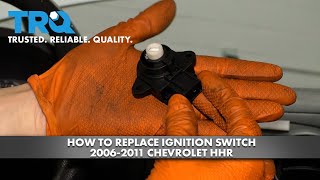
Typical fix: Replace the ignition switch. This part is separate from the lock cylinder where the key is inserted. The replacement involves removing steering column covers and two T15 Torx screws.
Est. part cost: $30-$60 - Key Has Lost Programming 🟡 Medium Probability This can happen after a battery replacement, jump-start, a significant electrical system fault, or if the TDM/BCM loses power intermittently. The key's stored code no longer matches the value in the vehicle's security module, triggering the anti-theft system.
How to confirm: Attempting the 30-minute key relearn procedure. If the procedure is successful and the car starts, the key had lost its programming. Success confirms the rest of the system is likely functional.
Typical fix: Perform the 30-minute key relearn procedure. If that fails, a locksmith or dealer may need to reprogram the key using a specialized scan tool. It is crucial to use a battery charger during this procedure to ensure stable voltage.
Est. part cost: $0 - Radio Frequency Interference (RFI) ⚪ Low Probability As noted in GM Technical Service Bulletin PIC5650M, aftermarket devices like phone chargers, toll passes, or even other keys with transponders on the same keychain can interfere with the 125 kHz signal between the key and the reader coil.
How to confirm: Remove all other keys, fobs, toll passes, and aftermarket electronics (like phone chargers) from the keychain and from inside the vehicle. If the car starts, RFI was the cause.
Typical fix: Keep RFID-emitting devices and aftermarket electronics away from the ignition key when starting the vehicle.
Est. part cost: $0 - Faulty Ignition Key ⚪ Low Probability → Shop Ignition Switch
How to confirm: Try starting the vehicle with a spare key. If the spare key works consistently, the primary key's internal transponder chip is likely damaged. A dealer or locksmith can also test the key's transponder signal.
Typical fix: Replace the faulty key and have the new key programmed to the vehicle. This can be done via the 30-minute relearn procedure or by a professional.
Est. part cost: $25-$75 for a new key, plus programming costs.
Rare But Worth Checking
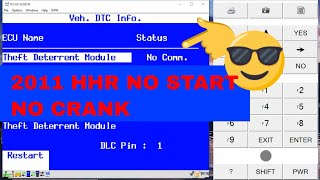
- Faulty Theft Deterrent Module (TDM): → Shop Anti-Theft Control Module This module, located on the steering column, reads the key data and communicates with the ECM. While it can fail (often due to internal electronic faults resulting in no communication), it's less common than the ignition switch. Diagnosis involves checking for power, ground, and data signals at the module connector. A scan tool will often show a 'No Communication' error with the TDM.
- Damaged Wiring: The wires leading from the TDM to the BCM or from the ignition switch can become chafed or damaged, though this is rare. Forum members have noted that wiring harnesses can rub against engine components, wearing through insulation over time. A visual inspection and continuity test with a multimeter would be required to confirm.
- Faulty Body Control Module (BCM): → Shop Body Control Module The BCM is a central computer for many body functions and communicates with the TDM. A BCM failure can cause a wide range of electrical issues, including a no-start and communication codes like U0073. This is typically diagnosed by a professional after all other components in the theft system have been ruled out.
Diagnosis Steps
- Check for other DTCs. Codes like B3055 or B3935 can help pinpoint the issue.
- Inspect the key and keychain. Remove any other keys, fobs, or RFID cards and try starting the vehicle again to rule out Radio Frequency Interference (RFI), as per TSB PIC5650M.
- Try a spare key. If the spare key works, the original key is likely faulty.
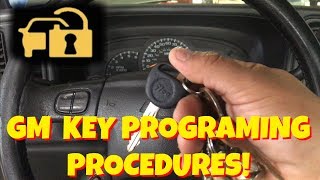
- Attempt the 30-Minute Key Relearn Procedure: Ensure the battery is fully charged and connect a battery charger. Insert the key and turn it to the 'ON' position (do not start). The security light will be on. Wait for approximately 10-11 minutes until the light turns off. Turn the key to 'OFF' for 5-10 seconds. Repeat this cycle two more times for a total of 3 cycles and about 30 minutes. After the third cycle, turn the key off, then try to start the engine. The key should be relearned.
- If the relearn fails, inspect the ignition switch. This involves removing the steering column covers (three 7mm screws) and testing for consistent power at the TDM connector. A video by 1A Auto on YouTube provides a visual guide for this replacement.
- If the ignition switch has power, the next step is to test the TDM and its wiring. This involves checking for power, ground, and communication signals (CAN bus lines at pins 6 and 14 of the OBD-II port should show ~60 ohms of resistance with the battery disconnected). This level of diagnosis may require a professional technician.
Parts You'll Likely Need
- Ignition Switch
(OEM #23215459)— This is the most frequent failure point that causes intermittent power to the theft deterrent system, triggering code B3060. This part number supersedes older numbers like 10392423 and 12450250.
Trusted brands: ACDelco (GM Genuine), Standard Motor Products, Dorman
OEM price range: $50-$60
Aftermarket price range: $25-$45 - Transponder Ignition Key
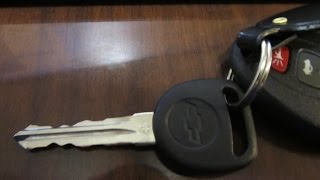
(OEM #GM P/N: B111-PT, marked with 'PK3+')— If the key's internal transponder chip has failed, or if all keys are lost, a new key will be required. The key must be a PK3 or PK3+ compatible transponder key.
Trusted brands: ACDelco, Strattec
OEM price range: $40-$60
Aftermarket price range: $20-$35
Related Codes That Often Appear With This One
- B3055 — This code means 'No Transponder Modulation or No Transponder,' indicating the TDM is not receiving any signal from the key. It often appears with B3060 when there's an issue with the ignition switch, reader coil, or the key itself.
- B3935 — This code, 'Transponder Authentication Error,' can also be set alongside B3060, pointing to a failure in the security handshake process between the key and the vehicle.
Technical Service Bulletins (TSBs) & Recalls
- PIC5650M: Addresses intermittent no-crank, no-start, or start-stall concerns with the security light on, potentially with DTCs B3055, B3060, and B3935. It specifically points to Radio Frequency Interference (RFI) from aftermarket devices as a possible cause.
- PIE0232: An Engineering Information bulletin where GM was investigating the root cause of no-crank/no-start conditions with codes B3055, B3060, or B3935 on newer trucks, indicating this is a persistent issue across GM platforms.
Platform-Specific Known Issues
- Ignition Switch Recall: → Shop Ignition Switch GM issued a major recall (NHTSA Campaign ID: 14V047000) for faulty ignition switches that could unexpectedly turn off the engine while driving. While this recall primarily addressed a safety issue with airbags, the faulty switch is the same component that can cause the B3060 code. Owners can check if their vehicle has had the recall performed; a key with a small hole in it indicates the recall was done, while a larger oval slot means it has not.
- 30-Minute Relearn Nuances: When performing the 30-minute relearn, it is critical that the battery voltage remains stable and above 12 volts. Using a battery charger is highly recommended. If the security light does not turn off after 10-11 minutes during any of the three cycles, it indicates a hard fault in the system (like a bad TDM or wiring) and the relearn will not succeed.
Mechanic-Grade Diagnostic Values
- TDM Connector Pin 1 (RED/WHT wire) — expected: Battery Positive Voltage (B+). Failure: No voltage indicates a problem with the fuse (HVAC/PK3 Fuse 10A) or wiring from the BCM.
- TDM Connector Pin 3 (BLK/WHT wire) — expected: Ground. Failure: High resistance to ground (more than 5 ohms) indicates a bad ground connection, likely at G201.
- TDM Connector Pin 4 (LT GRN wire) — expected: GMLAN Serial Data. Failure: No signal or incorrect voltage indicates a wiring issue between the TDM and BCM or a faulty module.
Scan Tool Commands That Help
- GM Tech 2 / GDS2: Clear All DTCs — After replacing a component like the TDM or ignition switch, this function can be used to clear fault codes from all modules simultaneously, which is more efficient than clearing them one by one.
- GM Tech 2 / GDS2: Theft Deterrent System Relearn — This is the professional alternative to the 30-minute manual relearn. It is required when replacing the BCM or ECM and is much faster for programming new keys after a TDM or ignition switch replacement.
Wiring & Ground Locations
- Theft Deterrent Module (TDM) — On the right side of the steering column, mounted to the ignition switch assembly.. This module reads the key's transponder chip. All power, ground, and data wires for the Passkey system run to this connector.
- Body Control Module (BCM) — Under the center dash, below the radio, on the right side of the center console. It is integrated with the interior fuse panel.. The BCM powers the TDM and communicates with it over the GMLAN serial data bus. A faulty BCM or corroded BCM connector can cause code B3060.
- G201 / G203 — Behind the left end of the dashboard, near the driver's side kick panel.. These are the primary instrument panel ground points. The TDM uses G201 for its ground connection via a black/white wire. A loose or corroded ground here can cause intermittent communication and trigger anti-theft codes.
- HVAC/PK3 Fuse — In the BCM/interior fuse panel, typically a 10A fuse at position 10.. This fuse supplies battery power to the Theft Deterrent Module. If this fuse is blown, the TDM will be inactive, setting communication codes and B3060.
Real Owner Repair Stories
- chevyhhr.net forum user (2006 Chevrolet HHR LS) — Car would not start, but all lights would come on. Security light was on. Happened after getting gas.
❌ Tried (didn't work) The 30-minute relearn procedure was attempted multiple times but failed to resolve the no-start condition.
✅ What actually fixed it The problem was ultimately resolved by replacing the ignition switch. After the new switch was installed, the car started without needing another relearn procedure. - chevyhhr.net forum user (2007 Chevrolet HHR) — Security light remains on, vehicle will not start. The 30-minute relearn procedure fails (security light never turns off).
❌ Tried (didn't work) Attempting the 30-minute relearn multiple times., Disconnecting the battery to reset modules.
✅ What actually fixed it The user had repaired wiring that was cut by an ex-boyfriend. The issue was that the butt splice connectors used to repair the wires to the TDM introduced too much resistance, preventing the Passkey system from functioning correctly. The fix required soldering the wires to ensure a proper, low-resistance connection.
OEM Part Supersession History
10392423, 12450250→23215459— Standard part consolidation and potential design improvements by GM.
Helpful Videos

We Have This Part in Stock


The information in this article is provided for general reference and educational purposes only. Vehicle specifications, procedures, and part compatibility can vary by production date, trim level, and region. Always consult your vehicle's factory service manual and verify part numbers before purchasing or performing repairs. Safety-critical components such as airbags, seat belts, and braking systems should be installed by a qualified professional.
- Chevrolet HHR:
- 🧭 Diagnostic Flowchart
- 🎬 Helpful Videos
- 🛍️ Shop This Part
- What's Unique About the 2007-2011 Chevrolet HHR
- Symptoms You May Notice
- Most Likely Causes
- Rare But Worth Checking
- Diagnosis Steps
- Parts You'll Likely Need
- Related Codes That Often Appear With This One
- Technical Service Bulletins (TSBs) & Recalls
- Platform-Specific Known Issues
- Mechanic-Grade Diagnostic Values
- Scan Tool Commands That Help
- Wiring & Ground Locations
- Real Owner Repair Stories
- OEM Part Supersession History
- 🎟️ Get 5% Off