

Saab 9-3 B3060 Code: No Start, Security Light Causes & Fixes (2007-2011)
Code B3060 on a 2007-2011 Saab 9-3 means the car's security system doesn't recognize the key, causing a no-start or stalling. The most common causes are a faulty Ignition Switch Module (ISM) or Column Integration Module (CIM). Repair often requires a Saab-specific Tech 2 scanner for diagnosis and programming of the CIM, but the ISM is plug-and-play.
- B3060 is a critical security code that will prevent your Saab 9-3 from starting.
- Do not immediately replace the starter or battery; the security light is the key symptom pointing to an immobilizer fault.
- Always try a spare key first to rule out a simple key failure.
- The most likely culprits are the Ignition Switch Module (ISM) or the Column Integration Module (CIM).
- Due to the need for programming with a Saab-specific Tech 2 scanner, this repair should be handled by a qualified independent Saab specialist or a dealer.
What's Unique About the 2007-2011 Saab 9-3
The Saab 9-3 of this generation uses a sophisticated, interconnected security system composed of three key parts: the Ignition Switch Module (ISM), the Column Integration Module (CIM), and the Steering Column Lock (SCL). A failure in any of these components can trigger security-related fault codes and a 'Steering Lock Malfunction' message. The CIM, in particular, is a known weak point and acts as the central brain for the immobilizer, often failing due to internal electronic faults or data corruption. Unlike many cars, a simple key or ignition switch replacement often isn't enough; programming the CIM with a Saab-specific Tech 2 scanner is usually required, making it a complex system for DIY repair.
Diagnostic Flowchart
Tap your situation to follow the diagnostic path that matches what you're seeing on this vehicle.
Symptoms You May Notice
- Engine will not crank or start
- Engine starts and immediately stalls
- Security warning light is illuminated on the instrument cluster
- "Steering Lock Malfunction" message on the Saab Information Display (SID)
- "Key Not Accepted" message on the SID
- Key may be stuck or refuse to turn in the ignition
- Horn and steering wheel buttons may stop working (if CIM is failing)
- Replacing the starter motor. The security system actively prevents the starter from engaging, which can mimic a failed starter. The presence of a security light or 'Steering Lock Malfunction' message is the key indicator that the issue is not the starter itself.
- Replacing the battery. While a weak battery can cause many problems and should be ruled out, a new battery will not fix a B3060 code caused by a failed ISM or CIM.
- Replacing the Crankshaft Position Sensor (CPS). A bad CPS typically causes a 'crank-no-start' condition, where the engine turns over but won't fire. B3060 usually causes a 'no-crank' condition.
Most Likely Causes
- Faulty Ignition Switch Module (ISM) 🔴 High Probability → Shop Ignition Switch The ISM, where the key is inserted, contains electrical contacts and a coil to read the key's transponder. These contacts can become dirty, worn, or damaged from liquid spills, leading to poor communication. It's a very common failure point for starting issues on the 9-3 and often the first part to check.
How to confirm: A technician can test the ISM's output with a multimeter or use a Tech 2 scanner to monitor key position data. Sometimes, simply wiggling the key while trying to start can temporarily restore connection, pointing to a bad ISM. If symptoms disappear after cleaning the ISM contacts, the diagnosis is confirmed.
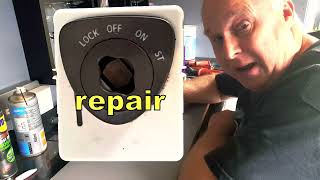
Typical fix: The ISM can often be repaired by carefully disassembling it and cleaning the internal copper contacts with a contact cleaner or a fiberglass pen. If cleaning fails or the unit is damaged, it must be replaced. The ISM is a plug-and-play part and does not require programming with a Tech 2 scanner. 🎬 Watch: How to disassemble and clean your ISM contacts.
Est. part cost: $50-$150 - Faulty Column Integration Module (CIM) 🔴 High Probability → Shop Steering Column Switch Fuse The CIM is the master controller for the immobilizer system and is a known high-failure item. Internal circuit board failures, a faulty clockspring, or memory corruption, sometimes triggered by a weak battery, can prevent it from recognizing a valid key. The constant writing and reading of security data can wear out the internal memory over time.
How to confirm: Diagnosis requires a Saab Tech 2 scanner to communicate with the CIM. If the module is unresponsive, shows persistent security fault codes that cannot be cleared, or other functions controlled by the CIM (like the horn or steering wheel buttons) are also failing, it has likely failed. A hidden code like B1000 36 (Control Module, Internal Fault) is a strong indicator of CIM failure.
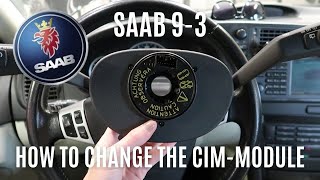
Typical fix: The CIM must be replaced. A used CIM from another vehicle will not work unless it is 'divorced' from the donor car and 'married' to the new one with a Tech 2 and security access. Some specialists offer CIM repair or rebuilding services, 🎬 See this walkthrough on how to replace a faulty CIM. which can be a more affordable option.
Est. part cost: $200-$500 - Faulty or Unprogrammed Key 🟡 Medium Probability The transponder chip in the key fob can fail or lose its programming, especially if the key has been dropped or exposed to moisture. A weak battery in the key fob itself does not affect the transponder for starting the car, but can cause confusion.
How to confirm: The easiest test is to try starting the car with a spare key. If the spare key works perfectly, the original key is the problem. A Tech 2 scanner can also be used to check if the key is transmitting a valid signal.
Typical fix: A new key must be purchased and programmed to the car's CIM using a Tech 2 scanner. It is also possible to swap the internal circuit board from a working key into a new key shell if the original shell is damaged.
Est. part cost: $100-$250 - Failed Steering Column Lock (SCL) ⚪ Low Probability → Shop Steering Column The SCL is a mechanical and electronic module that physically locks the steering wheel. It contains small electric motors and gears that can wear out or jam. A failure here can prevent the startup sequence from completing, as the CIM waits for a successful 'unlock' signal from the SCL.
How to confirm: A Tech 2 scanner can check the status of the SCL. A physical symptom is the "Pull out key, turn steering wheel, Restart" message appearing on the SID. If the lock is failed, it may make no noise when the key is inserted.
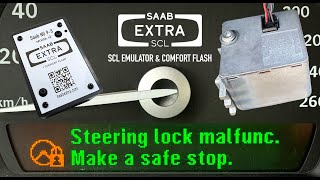
Typical fix: Official Saab procedure requires replacing the entire steering column if the SCL fails in the locked position. However, specialists can often replace just the SCL module or, more commonly, install an SCL emulator to bypass it. These emulators trick the CIM into thinking the SCL is working correctly. Some emulators are self-learning and do not require a Tech 2 for installation. 🎬 Watch: How to install an SCL emulator to bypass locks.
Est. part cost: $150-$400
Rare But Worth Checking
- Low Vehicle Battery Voltage: → Shop Vehicle Battery While a dead battery won't set B3060 directly, attempting to start the car with very low voltage can corrupt the communication between the CIM, ISM, and SCL, leading to a security lockout and setting this code. Many owners report that the first sign of trouble was after the battery was drained or jumped.
- Wiring or Connector Issues: A loose or corroded connector at the ISM or CIM can cause intermittent communication loss, triggering the B3060 code. This is less common than component failure but should be checked during diagnosis, especially the main connector on the ISM which can be dislodged.
- Radio Frequency Interference (RFI): As noted in GM TSB PIC5650M, aftermarket electronics like cell phone chargers, LED lights, or even other keys on the same keychain can interfere with the 125 kHz signal the ISM uses to read the key transponder, leading to intermittent no-start conditions.
Diagnosis Steps
- Verify the symptoms: Confirm the no-crank/start-stall condition and the presence of a security light or 'Steering Lock Malfunction' message.
- Try a spare key: This is the simplest and fastest way to rule out a faulty key.
- Check vehicle battery: Ensure the main vehicle battery is fully charged (above 12.4V) and the terminals are clean. A weak battery is a known cause of electronic module corruption in these cars.
- Scan for codes: Use a scanner capable of reading Saab-specific 'B' (Body) codes to confirm B3060 is present and check for other related codes like B3055 or B1000. A standard OBD-II reader may not see these codes.
- Inspect and Clean the Ignition Switch Module (ISM): Given its high failure rate and ease of access, cleaning the ISM contacts is a common and effective first repair step.
- Check for Radio Frequency Interference (RFI): Remove any aftermarket chargers, other keys, and toll passes from the vehicle and try starting again.
- Advanced Diagnosis (Tech 2 Required): A technician should use a Saab Tech 2 scanner to communicate with the CIM, ISM, and SCL to pinpoint which module is not communicating correctly. This is essential before ordering expensive parts like a CIM.
- Test Module Outputs: Based on Tech 2 data, the technician will test the specific circuits for the faulty module to rule out a wiring problem before condemning the part.
Parts You'll Likely Need
- Ignition Switch Module (ISM)
(OEM #12801010, 32021815 (kit), 12786386)— This is a frequent point of failure due to worn internal contacts and is often the cause of 'Key Not Accepted' or 'Steering Lock Malfunction' messages. It reads the key's transponder.
Trusted brands: Saab Genuine, Proparts - Column Integration Module (CIM)
(OEM #12847563, 32021814, 12760545, 12801015 (part number varies by vehicle options like ESP))— The central computer for the security system and a very common failure point. Required when the ISM and key have been ruled out.
Trusted brands: Saab Genuine, Delphi - Steering Column Lock (SCL) Emulator
(OEM #N/A (aftermarket part))— Used to bypass a failed mechanical SCL. This is a more reliable and cost-effective solution than replacing the entire steering column or a used SCL unit.
Trusted brands: Saab Extra SCL, cartools.lv
Related Codes That Often Appear With This One
- B3055 — This code means 'No Transponder Signal Received'. It often appears with B3060. B3060 means an incorrect signal was received, while B3055 means no signal was received at all. Both point to the same set of failures in the key, ISM, or CIM.
- B3935 — This code for 'Transponder Authentication Failed' is also related to the security system and is mentioned in the same TSB as B3060, indicating a failure in the key verification process.
Technical Service Bulletins (TSBs) & Recalls
- PIC5650M: Addresses intermittent no-crank/no-start conditions with security lights, listing B3060 as a possible code. It advises checking for Radio Frequency Interference (RFI) from aftermarket devices as a primary diagnostic step.
Platform-Specific Known Issues
- Owner Experience: The Temporary Fix of a Battery Reset: → Shop Vehicle Battery Many owners on forums like SaabCentral and Reddit report that disconnecting the battery for several minutes can temporarily resolve the 'Steering Lock Malfunction' and allow the car to start. While this 'reboot' can get you home, it is not a permanent fix. The fault almost always returns, and eventually, the battery reset trick will stop working, indicating a hard failure of the ISM or CIM.
- Owner Experience: Cleaning the ISM Contacts: A very common and successful DIY repair involves removing the center console trim to access the ISM. The module can be unclipped, disassembled, and the internal copper contact paths can be cleaned with contact cleaner or a pencil eraser to remove carbon buildup and grime. Multiple YouTube videos and forum posts show this process in detail, often resolving the 'Key Not Accepted' issue without needing new parts.
- Owner Experience: The SCL Emulator Bypass: For failures of the Steering Column Lock (SCL), rather than undertaking the massive job of replacing the steering column, owners are increasingly turning to SCL emulators. These small electronic modules plug into the car's wiring and mimic the signals of a functioning SCL, bypassing the faulty mechanical lock entirely. Companies like 'Saab Extra' offer self-learning emulators that don't require Tech2 programming, making it a viable DIY solution to a once-catastrophic failure.
Hidden / Shadow Codes Worth Checking
- B1000 36: Control Module, Internal Fault. This is a generic code, but in the context of a no-start and B3060, it strongly points to a hardware failure within the Column Integration Module (CIM) itself. (see via A Saab-specific scanner like the Tech 2 is required. Standard OBD-II readers will not see this code.)
Scan Tool Commands That Help
- Tech 2: Add/Remove -> Control Modules -> CIM — This function is required when replacing the Column Integration Module (CIM). It 'marries' the new module to the car's security system. This process requires obtaining 'Security Access' by connecting the Tech 2 to a computer running TIS2000 software.
- Tech 2: Add/Remove -> Other Components -> SCL — Used to 'marry' a new Steering Column Lock (SCL) to the vehicle after replacement. The old SCL must be 'divorced' from the donor car first if using a secondhand part.
- Tech 2: Add/Remove -> Add Keys — After a new CIM is installed and married, this function is used to program all existing and new keys to the new module. All keys must be present and programmed in a single session.
- Tech 2: Steering Angle Sensor Calibration — This is a mandatory step after replacing the CIM. Failure to calibrate the steering angle sensor will result in ESP/TCS warning lights and disabled stability control.
Wiring & Ground Locations
- SCL Connector — The 6-pin connector on the Steering Column Lock (SCL) module, located on the steering column.. This connector carries power, ground, and communication signals between the SCL, CIM, and ISM. Pin 4 is the communication line to the CIM, Pin 5 signals the 'unlocked' status to the ISM, and Pin 6 is the 'release lock pin' signal from the ISM. A fault here can mimic a failed SCL.
- G2 — On the side of the left-hand structural member in the engine bay, by the connector bracket.. This is a primary chassis ground point for the vehicle. Poor grounding here can cause a multitude of unpredictable electronic issues, including problems with the security modules.
- G4 — On the center tunnel, behind the airbag control module, under the center console.. This ground is in the vicinity of the ISM and other interior electronics. A loose or corroded G4 ground could potentially affect the ISM or related wiring.
Real Owner Repair Stories
- Reddit user bird2473 on r/saab (2005 Saab 9-3) — Key would not turn, 'Steering Lock Malfunction' message on SID after the car sat for 6 weeks.
❌ Tried (didn't work) Replacing the vehicle battery., Removing and cleaning the Ignition Switch Module (ISM) contacts.
✅ What actually fixed it The owner used a Tech II scanner and found code B1000 36 (Control Module, Internal Fault), pointing to the CIM. The final fix was pulling a CIM and matching keys from a junkyard vehicle and using the Tech II to 'add' the replacement CIM to the car.
OEM Part Supersession History
12801010→32021815 (Kit)— The complete Ignition Switch Module (ISM) assembly was replaced by a repair kit. The kit includes a new circuit board and upper housing.
Heads up: The kit requires reusing the black lower housing and internal sliding mechanism from the original ISM. If the original housing is damaged, a complete used ISM must be sourced to salvage the part.Multiple (e.g., 12760545, 12761345, 12805558)→12847563, 32021812 (Repair Kit)— The Column Integration Module (CIM) has undergone numerous revisions and part number changes throughout its life.
Heads up: There are many different CIM part numbers. Compatibility depends on the vehicle's year and whether it has ESP (Electronic Stability Program). It is critical to match the part number or use a confirmed compatible supersession when replacing. Using a part from a pre-2006 car in a post-2006 car, for example, may not work.
Model Year Variations Within This Range
- 2007-2011: The core security system (CIM, ISM, SCL) architecture remained consistent through this period. A major exterior and minor interior facelift occurred for the 2008 model year, but this did not fundamentally change the components related to code B3060. The V6 engine option was discontinued for the 2011 model year.
Helpful Videos
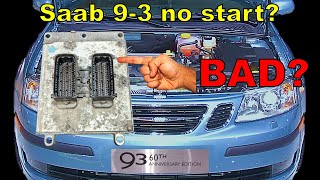
We Have This Part in Stock

The information in this article is provided for general reference and educational purposes only. Vehicle specifications, procedures, and part compatibility can vary by production date, trim level, and region. Always consult your vehicle's factory service manual and verify part numbers before purchasing or performing repairs. Safety-critical components such as airbags, seat belts, and braking systems should be installed by a qualified professional.
- Saab 9-3:
- 🧭 Diagnostic Flowchart
- 🎬 Helpful Videos
- 🛍️ Shop This Part
- What's Unique About the 2007-2011 Saab 9-3
- Symptoms You May Notice
- Most Likely Causes
- Rare But Worth Checking
- Diagnosis Steps
- Parts You'll Likely Need
- Related Codes That Often Appear With This One
- Technical Service Bulletins (TSBs) & Recalls
- Platform-Specific Known Issues
- Hidden / Shadow Codes Worth Checking
- Scan Tool Commands That Help
- Wiring & Ground Locations
- Real Owner Repair Stories
- OEM Part Supersession History
- Model Year Variations Within This Range
- 🎟️ Get 5% Off