

B3924 on 2019-2020 Buick Envision: 'No FOB Detected' Causes and Fixes
On a 2019-2020 Buick Envision, code B3924 almost always indicates a Body Control Module (BCM) memory glitch, not a failed part. This typically happens after a battery replacement or jump-start. The fix is a specific BCM reprogramming procedure outlined in GM TSB #23-NA-163, which must be done at a dealership or qualified shop.
- Code B3924 on a 2019-2020 Envision is a critical fault that will likely prevent the car from starting.
- The problem is almost always a BCM software glitch caused by a recent battery replacement or jump-start, as documented in TSB #23-NA-163.
- Do NOT replace the BCM, key fobs, or antennas. The correct fix is a specific reprogramming procedure performed by a dealer or a properly equipped independent shop.
- Always check for code B389A and other antenna codes (B3925-B3928) to confirm the diagnosis.
- If stranded, you may be able to start the car by placing the key fob into the transmitter pocket located in the center console, but this is unlikely to work if the BCM glitch has occurred.
What's Unique About the 2019-2020 Buick ENVISION
The 2019-2020 Buick Envision, along with many other GM vehicles from this era, uses a specific Body Control Module (BCM) known as the 'GEN3R' type. This particular module is susceptible to memory corruption following a low-voltage event, such as a battery replacement, jump-start, or even a brief battery disconnection. GM acknowledged this widespread issue by releasing Technical Service Bulletin (TSB) #23-NA-163, which details a specific software-based repair procedure, warning technicians not to replace modules before performing the reset. The TSB applies only to GEN3R BCMs, which can be identified by a label on the module or by looking up the Base Model Part Number (BMPN) in the GDS2 scan tool. Affected part numbers include 13518569, 13519619, 13527252, 13533809, and many others listed in the bulletin.
Diagnostic Flowchart
Tap your situation to follow the diagnostic path that matches what you're seeing on this vehicle.
Symptoms You May Notice
- Vehicle will not crank or start.
- Engine starts and then immediately stalls.
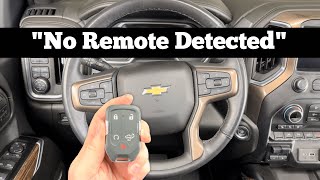
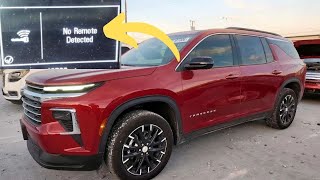
- "No FOB Detected" or "No Remote Detected" message on the Driver Information Center (DIC). 🎬 See what the 'No remote detected' warning looks like in action.
- Key fobs are completely inoperative (cannot lock or unlock doors).
- Vehicle alarm may sound when opening the door with the mechanical key.
- Push-button start does not work, even with the fob in the backup transmitter pocket.
- Replacing the Body Control Module (BCM).
- Replacing the keyless entry antennas.
- Replacing the key fobs.
- Replacing the vehicle's main battery (if it still holds a charge), as the battery event is the *trigger*, not the root failure.
Most Likely Causes
- Body Control Module (BCM) Memory Corruption 🔴 High Probability → Shop Body Control Module As documented in TSB #23-NA-163, the specific 'GEN3R' BCM used in these vehicles is known to be susceptible to memory corruption after a low-voltage event like a battery replacement, jump-start, or battery charging.
How to confirm: Confirm a recent low-voltage event. Use a professional scan tool to check for DTC B389A along with three or more of the following codes: B3924, B3925, B3926, B3927, or B3928. If B389A is not present, the TSB advises disconnecting the battery for at least 30 seconds and rechecking for the code. If these conditions are met, this is almost certainly the cause.
Typical fix: A special BCM data reset and immobilizer relearn procedure must be performed using a GM-specific scan tool and software, as detailed in TSB #23-NA-163. This is not a part replacement. The procedure is specifically named in the GM Service Programming System (SPS).
Est. part cost: $0
Rare But Worth Checking
- Dead Key Fob Battery: → Shop Vehicle Battery While the primary cause is the BCM glitch, always start with the simplest check. A dead fob battery can cause a 'No FOB Detected' message, though it usually doesn't trigger a B3924 code on its own. The vehicle can typically still be started by placing the fob in the designated transmitter pocket, which is not the case 🎬 Watch: How to open and start your Envision with a dead fob. when the BCM glitch occurs.
- Failed Keyless Entry Antenna or Wiring: → Shop Antenna In the rare case that the BCM glitch is not the cause, the code could point to a genuine failure of a keyless entry antenna or its associated wiring. This would require traditional diagnostics to trace the circuit for the specific antenna mentioned by the scan tool (B3924 corresponds to antenna 4, often in the center console).
Diagnosis Steps
- Check the battery in your key fob. Replace the CR2032 battery as a precaution.
- Attempt to start the vehicle using the backup procedure: Place the key fob in the designated transmitter pocket (usually in the center console storage area) and press the start button. If it starts, the issue may be a weak fob battery. If not, the BCM glitch is more likely.
- Connect a professional-grade scan tool capable of reading GM body codes (e.g., GDS2).
- Check for the presence of code B389A. If it is not present, disconnect the vehicle's main battery for at least 30 seconds, reconnect it, and check for the code again.
- Check for the presence of B3924 and at least two other codes from the B3925-B3928 range.
- If B389A and multiple antenna codes are present, do not replace any parts. The vehicle requires the special reprogramming procedure outlined in TSB #23-NA-163.
- If these specific code combinations are not present, proceed with standard diagnostics for the B3924 code, which would involve testing the specific keyless entry antenna (Antenna 4) and its wiring circuit.
Parts You'll Likely Need
- No parts typically required — The most common cause is a software glitch that is resolved by reprogramming, not by replacing hardware. The TSB warranty labor operation is 0.5 hours. Customer-pay labor will be higher.
OEM price range: $0
Aftermarket price range: $0 - Key Fob Battery
(OEM #CR2032)— This is a simple, low-cost first step to rule out a weak or dead key fob as a contributing factor before proceeding to more complex diagnostics.
Trusted brands: Energizer, Duracell, Panasonic
OEM price range: $5-$15
Aftermarket price range: $2-$8
Related Codes That Often Appear With This One
- B389A — This code for 'Environment Identification' is the primary indicator that the BCM has experienced the memory corruption event described in TSB #23-NA-163. Its presence is required to confirm the diagnosis.
- B3925, B3926, B3927, B3928 — These are companion codes to B3924, each pointing to a different keyless entry antenna. The TSB states that B389A will be present with three or more of these codes, indicating a system-wide glitch rather than individual antenna failures.
Technical Service Bulletins (TSBs) & Recalls
- 23-NA-163 (revised multiple times, latest March 2025): No Crank, No Start, Quick Start/Stall, No FOB Detected, Key FOBs Inoperative, B3924 00, B3925 00, B3926 00, B3927 00, B3928 00 Set. This TSB is the primary source for diagnosing and fixing this specific issue.
Platform-Specific Known Issues
- The 2019-2020 Buick Envision is explicitly named in GM Technical Service Bulletin #23-NA-163 for an issue where a low-voltage event can cause memory corruption in the Body Control Module, leading to a no-start condition and setting codes B3924, B3925, B3926, B3927, and/or B3928.
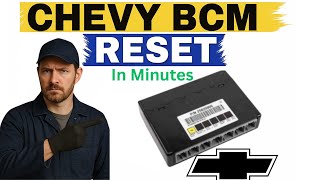
- Owners of vehicles on this platform report other electrical sensitivities after battery changes, such as power windows needing re-initialization, 🎬 Watch: A simple guide to resetting the BCM without professional tools. further highlighting the BCM's sensitivity to power loss.
Hidden / Shadow Codes Worth Checking
- B3924 00: The '00' is a GM symptom byte that specifies a 'General Electrical Failure'. This confirms the BCM has detected a circuit fault with the antenna, rather than a performance or signal-related issue. Its presence alongside B389A strongly points to the TSB-documented software glitch. (see via A professional scan tool capable of reading manufacturer-specific codes and their symptom bytes, such as the dealer-level GDS2 tool.)
Scan Tool Commands That Help
- GM SPS (Service Programming System) via GDS2: K9 Body Control Module - Programming A Per Bulletin 23-NA-163 and 23-NA-165 Only — This is the initial software routine a technician must run to fix the BCM memory corruption as per TSB #23-NA-163.
- GM SPS (Service Programming System) via GDS2: Immobilizer procedure - Body Control Module IMMO Learn with Existing Transponder or Remote Key — This function must be performed immediately after the 'Programming A' routine to relearn the vehicle's existing key fobs to the newly reset BCM.
- GM SPS (Service Programming System) via GDS2: K9 Body Control Module - Special Data Reset B — This is a secondary procedure to be used only if the initial 'Programming A' and 'IMMO Learn' steps fail to resolve the no-start condition, as outlined in TSB #23-NA-163.
- GDS2: Module Diagnostics > [K9] Body Control Module > Identification Information — This is not a repair command, but a crucial diagnostic step to view the BCM's Base Model Part Number (BMPN) to confirm it is a 'GEN3R' type and is covered by TSB #23-NA-163 before attempting any programming.
Wiring & Ground Locations
- K9 BCM X2 Connector, Pin 2 — On the Body Control Module (BCM), which is typically located behind the left side of the instrument panel.. This pin, usually a Black/White wire, is the main ground for the BCM. While the TSB software issue is the primary cause, in very rare cases where reprogramming fails, a poor connection at this ground could cause erratic BCM behavior, including communication faults like B3924.
- Keyless Entry Antenna 4 — Typically located inside the center console.. B3924 specifically refers to a fault in the circuit for Antenna 4. If the TSB software fix does not apply or fails, diagnosis would shift to physically inspecting the wiring and connector for this specific antenna for damage, often caused by liquid spills in the console area.
Real Owner Repair Stories
- Reddit user on r/gmcsierra (2019 GMC Elevation (platform mate)) — Intermittent 'No Fob Detected' message on the console, preventing the vehicle from starting. This happened twice.
❌ Tried (didn't work) Replacing the key fob battery after the first incident did not prevent it from happening again.
✅ What actually fixed it The owner reported that the first time it happened, the issue resolved itself after a very cold night, suggesting a computer reset. The second time, it was resolved by replacing the key fob battery. While not the BCM glitch, this highlights that simple causes like a weak fob battery can produce identical symptoms.
OEM Part Supersession History
Multiple, e.g., 13518569, 13519619, 13527252→N/A - No supersession noted— TSB #23-NA-163 lists over 20 different Base Model Part Numbers (BMPNs) for the GEN3R BCM that are affected by this software issue. The fix is reprogramming, not replacement, so a direct supersession chain is not the primary concern.
Heads up: The critical factor is not supersession but ensuring the BCM is a 'GEN3R' type listed in the TSB. If it is not, the special reprogramming procedure does not apply, and standard diagnostics must be followed.
Helpful Videos

We Have This Part in Stock



The information in this article is provided for general reference and educational purposes only. Vehicle specifications, procedures, and part compatibility can vary by production date, trim level, and region. Always consult your vehicle's factory service manual and verify part numbers before purchasing or performing repairs. Safety-critical components such as airbags, seat belts, and braking systems should be installed by a qualified professional.
- Buick ENVISION:
- 🧭 Diagnostic Flowchart
- 🎬 Helpful Videos
- 🛍️ Shop This Part
- What's Unique About the 2019-2020 Buick ENVISION
- Symptoms You May Notice
- Most Likely Causes
- Rare But Worth Checking
- Diagnosis Steps
- Parts You'll Likely Need
- Related Codes That Often Appear With This One
- Technical Service Bulletins (TSBs) & Recalls
- Platform-Specific Known Issues
- Hidden / Shadow Codes Worth Checking
- Scan Tool Commands That Help
- Wiring & Ground Locations
- Real Owner Repair Stories
- OEM Part Supersession History
- 🎟️ Get 5% Off