

B3925 on 2019-2025 Chevrolet Blazer: No Start & 'No FOB Detected' Causes and Fixes
On a 2019-2025 Chevy Blazer, code B3925 almost always indicates a Body Control Module (BCM) software corruption, usually triggered by a weak battery, jump-start, or battery replacement. The fix is not replacing parts, but a specific BCM reprogramming procedure outlined in TSB #23-NA-163, which must be done by a dealer or qualified shop. This issue is common across many GM C1XX platform vehicles like the Acadia and XT6.
- B3925 on a 2019-2025 Blazer almost always means your vehicle needs a BCM software update, not new parts.
- The problem is almost always triggered by a weak battery, jump-start, or battery replacement.
- Do not let a shop replace the BCM or key fobs before they have correctly performed the procedure in TSB #23-NA-163.
- This is not a DIY repair. It requires expensive, dealer-level tools and software subscriptions.
- The most likely out-of-pocket cost will be for 1-2 hours of shop labor for the reprogramming, plus the cost of a new battery if the old one is weak.
What's Unique About the 2019-2025 Chevrolet BLAZER
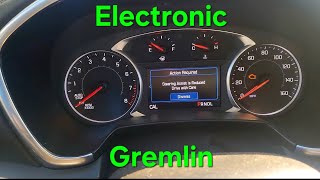
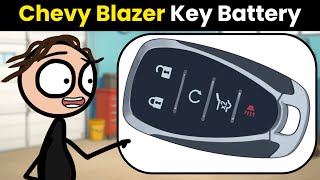
The 2019-2025 Chevrolet Blazer, along with its C1XX platform mates (Cadillac XT5/XT6, GMC Acadia, etc.), is highly sensitive to battery voltage. GM has explicitly acknowledged this sensitivity by issuing Technical Service Bulletin #23-NA-163. Unlike older vehicles where a no-start might point to a starter or alternator, on this platform, the primary suspect for these exact symptoms 🎬 Watch: Identifying common electronic issues on the Blazer 3.6L engine. is a software glitch in the specific 'GEN3R' Body Control Module that requires a special reprogramming sequence, not a hardware replacement.
Diagnostic Flowchart
Tap your situation to follow the diagnostic path that matches what you're seeing on this vehicle.
Symptoms You May Notice
- No Crank, No Start condition
- Engine starts and immediately stalls
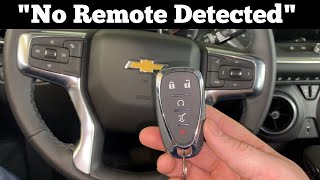
- "No FOB Detected" or similar message on the Driver Information Center
- Key fobs are inoperative (cannot lock/unlock doors)
- Flashing security indicator light on the dashboard
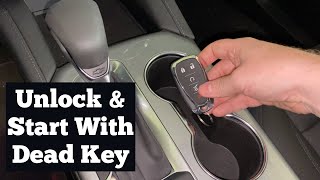
- Key must be placed in the transmitter pocket (backup slot) to attempt a start.
- Replacing the key fob or its battery. While a dead fob battery can cause a 'No Remote Detected' message, code B3925 and its companion codes specifically point to a fault in the vehicle's receiving system (BCM or antenna), not the fob itself.
- Replacing the Body Control Module (BCM) unnecessarily. The primary fix for this issue is software, not hardware. TSB #23-NA-163 explicitly warns technicians *not* to replace modules before attempting the re-flash.
- Replacing the starter. A no-crank condition might lead an inexperienced technician to suspect the starter, but the presence of BCM codes makes this highly unlikely to be the root cause.
Most Likely Causes
- Body Control Module (BCM) Memory Corruption After Low Voltage 🔴 High Probability → Shop Body Control Module As documented in TSB #23-NA-163, the GEN3R BCM used in these vehicles can experience a memory corruption event following a low voltage condition, such as a weak or dying battery, a jump-start, or battery replacement. This is the single most common cause.
How to confirm: A technician must use a GM GDS2 scan tool. The TSB specifies that diagnosis is confirmed when DTC B389A is present along with three or more 'Environment ID' codes from the B3924-B3927 range. The technician must also verify the BCM is an eligible 'GEN3R' model via the GDS2 tool before proceeding.
Typical fix: The BCM must be reprogrammed by a dealer or qualified shop following the specific two-stage procedure in TSB #23-NA-163, which uses special functions like "Programming A Per Bulletin 23-NA-163" or "Programming B Per Bulletin 23-NA-163 Only". This is followed by an immobilizer relearn with the existing keys. No new parts are typically required. The GM labor operation code for this repair is 2889808.
Est. part cost: $0 - Weak or Failing 12V Battery 🟡 Medium Probability → Shop Vehicle Battery This is the root trigger for the BCM memory corruption. Modern vehicles with high electrical demands from systems like Passive Entry Passive Start (PEPS) can expose a weak battery quickly, and the subsequent low voltage state causes the software glitch.
How to confirm: Test the battery with a digital multimeter or a professional battery tester. A resting voltage below 12.4V indicates a weak charge, and a load test will confirm if the battery is failing.
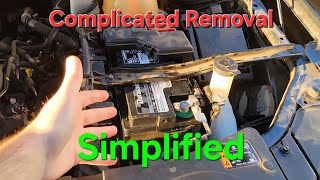
Typical fix: Replace the 12V battery. This must be done *before* the BCM reprogramming, as a stable voltage is required for the procedure to succeed. These vehicles typically use an Absorbent Glass Mat (AGM) battery.
Est. part cost: $180-$350 - Faulty Keyless Entry (PEPS) Antenna ⚪ Low Probability → Shop Antenna While the TSB points to a software issue, it is possible for an individual Passive Entry Passive Start (PEPS) antenna to fail. However, this would typically set only a single B392x code, not the cluster of codes seen with the BCM corruption issue. On similar GM platforms, B3925 has been linked to the rear bumper antenna.
How to confirm: This should only be investigated if the TSB reprogramming procedure fails or if only a single B3925 code is present without B389A. A technician can use a GM GDS2 scan tool to view the live data for each keyless entry antenna to see which one is not responding.
Typical fix: Replace the failed antenna. This may involve removing trim panels or the bumper cover to access the part. An example part number for a similar vehicle is 13546098.
Est. part cost: $25-$75
Rare But Worth Checking
- Damaged Wiring or Connector: If a specific antenna is faulted, inspect its wiring harness for physical damage, corrosion, or a loose connection, especially for antennas located in exposed areas like the bumper.
- Failed Body Control Module (BCM): → Shop Body Control Module In the rare event that the BCM does not respond to the reprogramming procedure from TSB #23-NA-163, the module itself may have an internal hardware failure and require replacement. This is a last resort after all other steps have failed.
Diagnosis Steps
- Verify the battery's state of health. Charge and test the 12V battery to ensure it is providing stable voltage above 12.5V. Replace if necessary. This is the most common root cause.
- Scan for codes with a GM-specific tool (GDS2). Confirm the presence of DTC B389A along with three or more codes from the B3924-B3927 range. If B389A is not present, the TSB advises disconnecting the battery for 30 seconds and re-checking.
- Using GDS2, navigate to Module Diagnostics > [K9] Body Control Module > Identification Information. Confirm the BCM is a 'GEN3R' model by checking its part number against the list in TSB #23-NA-163.
- If conditions are met, follow TSB #23-NA-163 precisely. This is the most critical step. A technician must use the GM Service Programming System (SPS) to perform the specific BCM reprogramming function outlined in the bulletin.
- Perform Immobilizer Relearn. After the BCM reprogramming, an immobilizer relearn procedure must be done with the existing keys to re-synchronize them with the vehicle's security system.
- Confirm the repair. Verify that the vehicle starts and runs, all key fob functions work correctly, and no related DTCs are still present.
- If reprogramming fails or the TSB criteria are not met, proceed with standard diagnostics, such as testing individual PEPS antenna circuits.
Parts You'll Likely Need
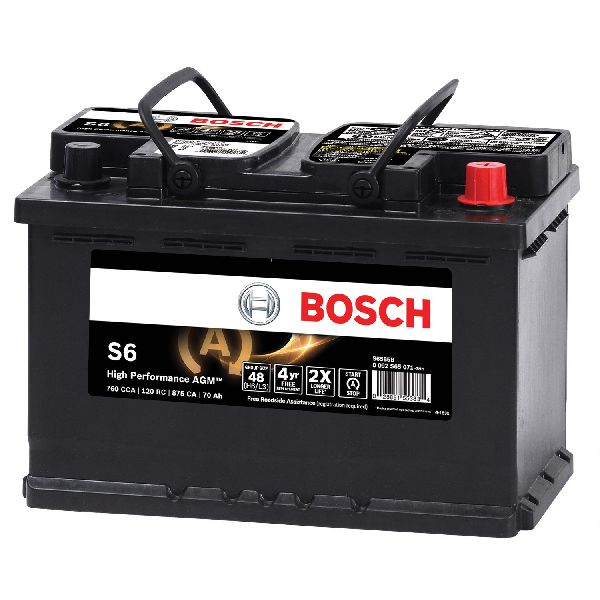
- 12V AGM Battery
(OEM #88864541)— A weak or failing battery is the most common trigger for the BCM software glitch that causes code B3925. A healthy battery is required before the software fix can be applied.
Trusted brands: ACDelco, Bosch, Duralast
OEM price range: $250-$350
Aftermarket price range: $180-$280 - Body Control Module (BCM)
(OEM #13533817, 13533814, 13529493, 13533809, etc.)— Only needed in the rare case that the BCM is physically damaged and does not respond to the reprogramming procedure outlined in TSB #23-NA-163. The TSB lists over 20 eligible part numbers for the GEN3R BCM.
Trusted brands: GM Genuine Parts
OEM price range: $300-$450
Related Codes That Often Appear With This One
- B3924, B3926, B3927, B3928 — These are all 'Incorrect Environmental Identifier' codes. TSB #23-NA-163 states that B3925 will typically appear with three or more of these codes when the BCM memory is corrupted.
- B389A — This code for 'Environment Identification' is a key indicator of the BCM memory corruption issue. The TSB instructs technicians to look for this code specifically; its presence is required to proceed with the special reprogramming procedure.
- P0513 — Incorrect Immobilizer Key. An older TSB (#21-NA-277) also mentions this code can be related to the BCM fault condition on these platforms.
Technical Service Bulletins (TSBs) & Recalls
- Bulletin #23-NA-163: (Revised multiple times, latest March 2025) Provides a specific software reprogramming procedure to correct a no-start condition with DTCs B3924, B3925, B3926, etc., set after a low-voltage event. It requires the presence of DTC B389A and confirmation of a 'GEN3R' BCM. It explicitly instructs technicians *not* to replace modules before attempting the re-flash.
Platform-Specific Known Issues
- The 2019-2025 Blazer is explicitly covered by GM Technical Service Bulletin #23-NA-163, which details the BCM memory corruption issue caused by low voltage events and provides a software-first repair procedure.
Hidden / Shadow Codes Worth Checking
- B3925 00: The '00' is a symptom byte indicating 'No Additional Information'. TSB #23-NA-163 consistently refers to the environmental identifier codes (B3924-B3927) with this specific symptom byte, indicating a general module fault rather than a specific circuit failure. (see via A professional GM-specific scan tool like GDS2 is required to view symptom bytes.)
Scan Tool Commands That Help
- GDS2 / SPS: Programming A Per Bulletin 23-NA-163 and 23-NA-165 Only — This is the primary function used to re-flash the BCM software as the first step of the TSB #23-NA-163 repair procedure.
- GDS2 / SPS: Programming B Per Bulletin 23-NA-163 Only — This is a secondary function to be used only if the initial 'Programming A' and subsequent immobilizer learn fail to resolve the no-start condition.
- GDS2 / SPS: Body Control Module IMMO Learn with Existing Transponder or Remote Key — This immobilizer relearn procedure must be performed immediately after the 'Programming A' function to re-synchronize the existing keys to the newly flashed BCM.
- GDS2 / SPS: Engine Control Module and Body Control Module IMMO Learn — This more comprehensive immobilizer learn is required after performing the 'Programming B' function if the initial repair attempt fails.
- GDS2: Module Diagnostics > [K9] Body Control Module > Identification Information — This specific navigation path is used to view BCM part numbers to confirm it is a 'GEN3R' model, which is a prerequisite for performing the TSB #23-NA-163 procedure.
Wiring & Ground Locations
- K9 Body Control Module (BCM) — On most C1XX platform vehicles like the Blazer, the BCM is located behind the driver's side of the instrument panel, often to the left of the steering column and may require removing the lower dash trim panel for access.. This is the module that stores the fault code and requires reprogramming. Access is needed for diagnosis and, in rare cases, replacement.
- G218 — Located on the left A-pillar, typically behind the kick panel or lower trim on the driver's side.. This is a primary ground point for many instrument panel components, including the BCM. A loose or corroded G218 can cause intermittent BCM power issues, potentially leading to data corruption or mimicking the symptoms of a failed module. A GM service bulletin warns that removing a BCM ground path while the module is powered can cause internal damage.
- PEPS Antennas — These vehicles have multiple low-frequency (125 kHz) antennas. Locations typically include: inside the center console, within the rear bumper cover, and in the door handles.. While B3925 is usually part of a larger BCM software issue, if it appears alone, it could indicate a fault with a specific PEPS antenna or its wiring. The code itself often corresponds to the rear bumper antenna on similar GM platforms.
Real Owner Repair Stories
- White Automotive & Media Services (WAMS) Customer Review (2020 Chevrolet Silverado (Global A Platform, similar electronics)) — Vehicle was dead after a jump start.
❌ Tried (didn't work) Jump starting the vehicle.
✅ What actually fixed it The factory BCM was confirmed to have died during the jump start. Replacing the BCM with a pre-programmed unit from WAMS resolved the issue and brought the truck 'back to life'.
Model Year Variations Within This Range
- 2023-2025: The 2023 model year introduced a mid-cycle refresh for the Blazer, which included revised exterior styling, new wheel designs, and a larger 10.2-inch standard infotainment screen. However, the core powertrain options (2.0L Turbo, 3.6L V6) and the underlying 'GEN3R' BCM and electrical architecture related to code B3925 remained the same. Therefore, the TSB #23-NA-163 procedure applies equally to pre-refresh (2019-2022) and post-refresh (2023-2025) models.
Helpful Videos
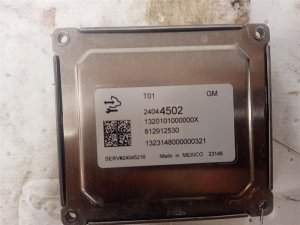
Used OEM Parts in Stock
New Aftermarket Parts Available

The information in this article is provided for general reference and educational purposes only. Vehicle specifications, procedures, and part compatibility can vary by production date, trim level, and region. Always consult your vehicle's factory service manual and verify part numbers before purchasing or performing repairs. Safety-critical components such as airbags, seat belts, and braking systems should be installed by a qualified professional.
- Chevrolet BLAZER:
- 🧭 Diagnostic Flowchart
- 🎬 Helpful Videos
- 🛍️ Shop This Part
- What's Unique About the 2019-2025 Chevrolet BLAZER
- Symptoms You May Notice
- Most Likely Causes
- Rare But Worth Checking
- Diagnosis Steps
- Parts You'll Likely Need
- Related Codes That Often Appear With This One
- Technical Service Bulletins (TSBs) & Recalls
- Platform-Specific Known Issues
- Hidden / Shadow Codes Worth Checking
- Scan Tool Commands That Help
- Wiring & Ground Locations
- Real Owner Repair Stories
- Model Year Variations Within This Range
- 🎟️ Get 5% Off