

B3925 on 2019-2023 GMC Acadia: Causes for 'No Remote Detected' and Fixes
On a 2019-2023 GMC Acadia, code B3925 typically indicates a fault in the keyless entry system, often leading to a 'No Remote Detected' message and a no-start condition. The fix usually involves replacing a specific keyless entry antenna (often in the rear bumper) or addressing a Body Control Module (BCM) memory corruption issue, which may require a special dealer reprogramming procedure per TSB 23-NA-163.
- B3925 on a 2019-2023 Acadia is a serious code that will likely prevent the car from starting.
- Do not immediately assume the key fob is bad; the problem is almost always with the car's receiving system (antenna or BCM).
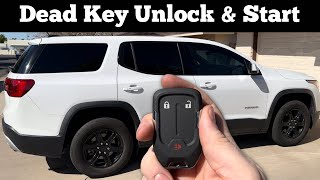
- Before seeking professional help, try the backup starting method by placing the fob in the center console pocket; this may get you running temporarily.
- This is not a DIY-friendly repair. Diagnosis and part replacement (especially the BCM) require specialized tools and security programming.
- Reference TSBs #23-NA-163 and #21-NA-277 when speaking with a service advisor, as they contain the manufacturer's official repair guidance.
What's Unique About the 2019-2023 Gmc ACADIA
For this generation of GMC Acadia and related GM C1XX platforms, the B3925 code is closely tied to a series of Technical Service Bulletins (TSBs) addressing no-start and key-fob-inoperative conditions. Unlike a simple dead fob battery, this code points to a more complex hardware or software issue. TSB 23-NA-163 specifies that a BCM memory corruption event can be triggered by a low voltage condition, jump-start, or battery replacement, leading to this and other related codes. This highlights a specific vulnerability in the system's control modules rather than just the key fobs themselves.
Diagnostic Flowchart
Tap your situation to follow the diagnostic path that matches what you're seeing on this vehicle.
Symptoms You May Notice
- Vehicle will not crank or start.
- "No Remote Detected" or "No FOB Detected" message on the driver information center.
- Key fobs are completely inoperative; buttons do not lock/unlock doors.
- Engine may start and immediately stall.
- Intermittent difficulty starting the vehicle.
- Horn chirps three times when trying to lock doors, indicating a key is detected inside (even if it's not).
- Replacing the key fob. While a dead fob battery can cause a 'No Remote Detected' message, the B3925 code points to a fault in the vehicle's receiving system, not the fob itself. If the backup starting procedure (placing the fob in the console pocket/transmitter pocket) works, the fob is likely okay.
Most Likely Causes
- Faulty Keyless Entry Antenna 🔴 High Probability → Shop Antenna The keyless entry system uses multiple low-frequency antennas to detect the fob. Service data suggests B3925 often corresponds to 'Antenna 5', located inside the rear bumper cover. This location makes it susceptible to moisture and minor impacts, which can cause the antenna or its wiring to fail.
How to confirm: A technician uses a GM-specific scan tool to read the BCM data and confirm the fault is with a specific antenna circuit. They can then access the antenna, typically by removing the rear bumper cover, and test the antenna and its wiring for continuity and proper resistance.
Typical fix: Replacement of the faulty keyless entry antenna. For B3925, this is frequently the antenna inside the rear bumper cover.
Est. part cost: $80-$150 - Body Control Module (BCM) Fault or Data Corruption 🟡 Medium Probability → Shop Body Control Module The BCM is the central computer for the keyless entry system. TSB #23-NA-163 explicitly states that a low voltage event (weak battery, jump-start, battery change) can cause a 'memory corruption event' in specific 'GEN3R' BCMs, triggering B3925 and other codes. This is a software/firmware issue rather than a complete hardware failure.
How to confirm: This is diagnosed after ruling out antennas and wiring. A technician will first check for a history of low voltage. Following TSB 23-NA-163, they will use the GM SPS (Service Programming System) to perform a specific reprogramming sequence. If this fails, the BCM may have a hardware fault.
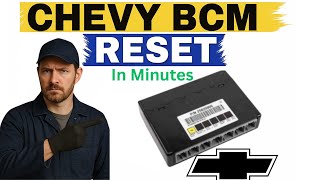
Typical fix: The BCM must be reprogrammed using a specific procedure outlined in TSB 23-NA-163 called 'Programming A Per Bulletin 23-NA-163'. This is not a standard BCM replacement. 🎬 Watch: How to perform a BCM reset without special tools. Only if this procedure fails is the BCM itself replaced and programmed.
Est. part cost: $300-$600 - Wiring Harness or Connector Issue ⚪ Low Probability Wiring to the antennas, particularly in the rear bumper, is exposed to moisture and road debris, which can lead to corrosion, chafing, or loose pins in connectors over time.
How to confirm: Visual inspection of the harness and connectors for the affected antenna. A multimeter is used to check for continuity, shorts to ground, or shorts to power in the antenna circuit.
Typical fix: Repairing the damaged section of the wire or cleaning/replacing the corroded connector. GM recommends using terminated leads or pigtail connectors for reliable repairs.
Est. part cost: $20-$60
Rare But Worth Checking
- Weak Vehicle Battery: → Shop Vehicle Battery While not the root cause of the hardware fault, a low main vehicle battery is the primary trigger for the BCM data corruption described in TSB 23-NA-163. Always ensure the 12V AGM battery is fully charged and healthy before diagnosing complex electrical issues, as a weak battery can cause a host of seemingly unrelated electronic problems.
- Radio Frequency Interference (RFI): Strong radio frequency signals from aftermarket devices (phone chargers, dash cams) or external sources can occasionally interfere with the low-frequency communication between the key fob and the vehicle's antennas, leading to intermittent 'No Remote Detected' messages. This is less likely to set a persistent B3925 code but can cause similar symptoms.
Diagnosis Steps
- Verify the complaint: Confirm the 'No Remote Detected' message and no-start condition.
- Check the key fob battery: As a preliminary step, try a new CR2032 battery in the key fob or use the vehicle's backup starting slot (inside the center console) to rule out 🎬 Watch: How to start your Acadia with a dead fob battery. a simple fob battery issue.
- Scan for codes: Use a professional OBD-II scanner capable of reading GM body codes to confirm B3925 and any other related codes (B3924, B3926, B389A, etc.).
- Consult TSBs: Check for applicable Technical Service Bulletins, specifically #23-NA-163. Note if the vehicle recently had a dead battery, was jump-started, or had the battery replaced, as this points towards the BCM corruption issue.
- Address BCM Corruption First: If TSB #23-NA-163 applies, DO NOT replace parts. The dealer must perform the specific BCM reprogramming procedure using the GM Service Programming System (SPS). This is the first corrective step.
- Diagnose the Antenna Circuit: If the BCM reprogram does not resolve the issue, or if the TSB does not apply, follow the service manual procedure for DTC B3925. This involves testing the specified keyless entry antenna (often the rear bumper antenna) and its wiring harness for opens, shorts, or high resistance.
- Inspect Connectors: Visually inspect the electrical connectors at the antenna and the Body Control Module (BCM) for corrosion, damage, or loose pins.
- Diagnose the BCM: If the antenna and wiring are good, and the TSB reprogramming was ineffective, the BCM itself may have an internal hardware fault and require replacement and programming.
Parts You'll Likely Need
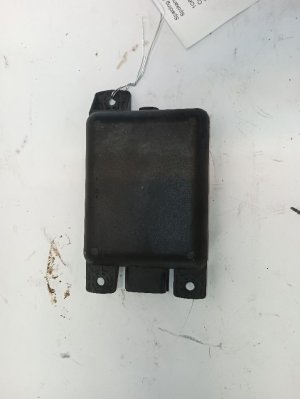
- Keyless Entry Antenna
(OEM #13546098)— This is the most common hardware failure point that triggers code B3925. The code specifically points to a fault in one of these antenna circuits. This part is officially described as 'ANTENNA ASM-LOW FREQ'.
Trusted brands: ACDelco, GM Genuine Parts
OEM price range: $110-$190
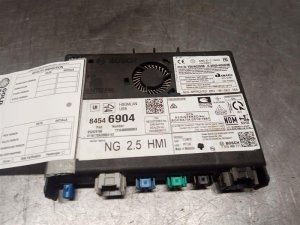
Aftermarket price range: $70-$120 - Body Control Module (BCM)
(OEM #13533817)— If antennas and wiring are confirmed to be good, and the special reprogramming from TSB 23-NA-163 fails, the BCM is the point of failure. It may have internal hardware damage or corrupted software. Note: This is one of several possible BCM part numbers listed in the TSB.
Trusted brands: ACDelco, GM Genuine Parts
OEM price range: $300-$600
Aftermarket price range: $200-$400
Related Codes That Often Appear With This One
- B389A — TSB 23-NA-163 notes that this code for 'Environment Identification' is often set concurrently with the antenna codes when a BCM memory corruption event has occurred.
- B3924 — Relates to a fault with a different keyless entry antenna in the same system.
- B3926 — Relates to a fault with a different keyless entry antenna in the same system.
- B3927 — Relates to a fault with a different keyless entry antenna in the same system.
- B3928 — Relates to a fault with a different keyless entry antenna in the same system.
- P0513 — Incorrect Immobilizer Key. This code can be set when the BCM fails to validate the key fob due to the B3925 fault.
Technical Service Bulletins (TSBs) & Recalls
- 23-NA-163: Provides a specific software-first repair procedure for a no-start or inoperative key fob condition with DTCs B3924, B3925, B3926, etc., set, often after a low-voltage event.
- 21-NA-277: An earlier bulletin also providing repair info for a no-start or inoperative key fob condition with DTC B3925 set, largely superseded by 23-NA-163.
Platform-Specific Known Issues
- GM has issued multiple Technical Service Bulletins (TSBs) for this issue, indicating it's a recognized problem. Bulletin #23-NA-163 is the most critical, as it identifies a BCM memory corruption issue triggered by low-voltage events like a dead battery or jump-start. It instructs technicians to perform a specific reprogramming procedure *before* replacing any hardware
Hidden / Shadow Codes Worth Checking
- B3925 00: The '00' is a symptom byte indicating a 'General Electrical Failure' with no additional specific information. This is the most common variant seen in TSBs for this issue and points to a general circuit fault, which aligns with either a failed antenna or the BCM data corruption issue. (see via A GM-specific scan tool like the GDS2 (Global Diagnostic System 2) is required to view symptom bytes.)
Scan Tool Commands That Help
- GDS2 (GM Global Diagnostic System 2): Module Diagnostics > Body Control Module > Data Display > Keyless Entry Data — Use this function to view the live status of all keyless entry antennas. This allows a technician to see which specific antenna is not detecting the key fob, directly confirming the location of the fault (e.g., Antenna 5 for B3925).
- GDS2 (GM Global Diagnostic System 2): Module Diagnostics > Body Control Module > Control Functions — This menu allows for bidirectional control tests of various BCM outputs. While it may not directly test the antenna input, it can be used to verify that the BCM is otherwise functional by commanding lights, locks, and other systems, which helps isolate the fault to the PEPS-specific circuits.
- GM SPS (Service Programming System): Programming A Per Bulletin 23-NA-163 — This is not a diagnostic command, but a critical repair step. It is a specific BCM reprogramming routine that must be performed when TSB 23-NA-163 symptoms are present (no-start after low voltage event). This must be done before replacing any parts.
Wiring & Ground Locations
- Body Control Module (BCM) — On the GMC Acadia, the BCM is typically located in the instrument panel, often behind the driver's or passenger's side lower dash trim or near the center console.. The BCM is the central processing unit for the Passive Entry Passive Start (PEPS) system. All keyless entry antenna circuits, including the one that sets B3925, terminate at the BCM connectors. It is also the module that suffers data corruption per TSB 23-NA-163.
- G304 (Ground) — On related GM platforms, ground point G304 is located below the floor console. Technicians should verify the exact location for the Acadia, but grounds in this central area are critical for the BCM and other interior modules.. A poor or corroded ground connection for the BCM can cause a wide range of erratic electrical behavior, including communication errors and module malfunctions that could trigger a B3925 code or mimic the symptoms of BCM failure.
- BCM Connectors (X1-X7) — These are the multi-pin connectors that plug into the Body Control Module.. When diagnosing a wiring issue, a technician needs to test for continuity and voltage at the specific pins on these connectors that correspond to the keyless entry antenna circuit. A loose pin or corrosion in one of these connectors can be the root cause of the fault.
OEM Part Supersession History
13592451→13546098— Standard part evolution, likely for improved durability, manufacturing efficiency, or broader vehicle compatibility.
Heads up: The new part number (13546098) is the correct replacement for the original. Using the old part number is not recommended as it may be less reliable.
Model Year Variations Within This Range
- 2020-2023: The 2020 model year GMC Acadia received a significant refresh that included a new 9-speed automatic transmission, a new optional 2.0L turbo engine, and notably, an updated electrical architecture with a new infotainment system and electronic gear shifter. While the B3925 fault is common across the 2019-2023 range, technicians should be aware that wiring diagrams and module communication protocols may differ slightly between 2019 and 2020+ models.
Helpful Videos
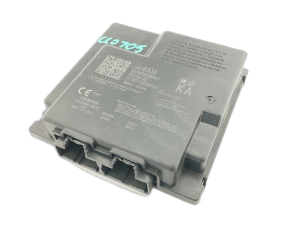
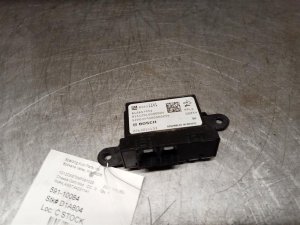
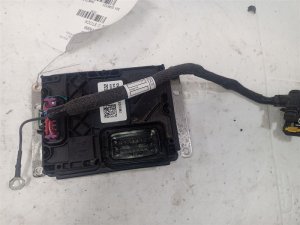
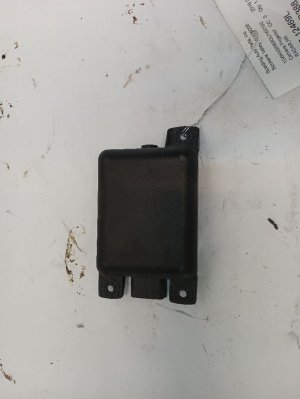
We Have This Part in Stock

The information in this article is provided for general reference and educational purposes only. Vehicle specifications, procedures, and part compatibility can vary by production date, trim level, and region. Always consult your vehicle's factory service manual and verify part numbers before purchasing or performing repairs. Safety-critical components such as airbags, seat belts, and braking systems should be installed by a qualified professional.
- Gmc ACADIA:
- 🧭 Diagnostic Flowchart
- 🎬 Helpful Videos
- 🛍️ Shop This Part
- What's Unique About the 2019-2023 Gmc ACADIA
- Symptoms You May Notice
- Most Likely Causes
- Rare But Worth Checking
- Diagnosis Steps
- Parts You'll Likely Need
- Related Codes That Often Appear With This One
- Technical Service Bulletins (TSBs) & Recalls
- Platform-Specific Known Issues
- Hidden / Shadow Codes Worth Checking
- Scan Tool Commands That Help
- Wiring & Ground Locations
- OEM Part Supersession History
- Model Year Variations Within This Range
- 🎟️ Get 5% Off