

B3926 on 2019-2023 GMC Acadia: Key Fob Not Detected, No Start Causes and Fixes
This code indicates a problem with the keyless entry system, often leading to a 'No Fob Detected' or no-start condition. The issue is frequently related to a software glitch in the Body Control Module (BCM) that requires reprogramming by a dealer, as outlined in GM Technical Service Bulletins. A low voltage event, such as a battery replacement or jump-start, is the most common trigger. A temporary workaround is to place the key fob in the transmitter pocket located inside the center console to s
- B3926 on a 2019-2023 Acadia is a serious code, almost always caused by a BCM software glitch triggered by a low-voltage event like a battery change or jump-start.
- The primary symptom is a no-start condition with a 'No Fob Detected' message.
- Do not replace the BCM, key fob, or battery without first attempting the specific BCM reprogramming procedure outlined in TSB 23-NA-163.
- A temporary workaround to start the car and drive to a shop is to place the key fob in the transmitter pocket inside the center console.
- This is a known issue that also affects many other GM vehicles on the same platform, including the Chevy Traverse, Buick Enclave, and Cadillac XT5.
What's Unique About the 2019-2023 Gmc ACADIA
The second-generation GMC Acadia and its platform mates are known for experiencing this specific electrical fault, as documented by GM in multiple Technical Service Bulletins (TSBs). Unlike a simple dead key fob battery, this issue stems from a software corruption problem within specific 'GEN3R' Body Control Modules (BCM) that can be triggered by low battery voltage events. The fix is platform-specific and usually involves a dealer-level BCM reprogram using special procedures outlined in the TSBs, rather than a simple part replacement. Technicians are specifically warned not to replace the BCM or perform a standard immobilizer learn until the TSB procedure has been followed.
Diagnostic Flowchart
Tap your situation to follow the diagnostic path that matches what you're seeing on this vehicle.
Symptoms You May Notice
- No Crank / No Start condition
- "No Remote Detected" or "Key Fob Not Detected" message on the Driver Information Center (DIC).
- Quick Start/Stall (engine starts then immediately shuts off).
- Key fob is inoperative for both passive entry (unlocking doors) and starting the vehicle.
- Check Engine Light or other warning indicators may be illuminated.
- Unable to shift the transmission out of Park.
- Intermittent operation where the issue appears randomly.
- Replacing the key fob battery. While a dead fob battery can cause a 'No Remote Detected' message, it will not typically set the B3926 code and the vehicle should still start using the transmitter pocket in the console.
- Replacing the key fob. Unless the fob has been physically damaged, it is rarely the cause of this specific group of communication codes.
- Replacing the vehicle's 12V battery without reprogramming the BCM. The new battery fixes the low voltage condition, but the BCM memory remains corrupted until reprogrammed.
- Replacing PEPS antennas without proper diagnosis. The issue is more often the BCM software, so replacing parts without confirming the fault can be a waste of money.
Most Likely Causes
- Body Control Module (BCM) Software Glitch 🔴 High Probability → Shop Body Control Module This is a well-documented issue in GM TSBs #23-NA-163 and #21-NA-277, often occurring after a low voltage event, jump start, or battery replacement which causes memory corruption in the BCM.
How to confirm: A GM dealer or qualified shop must use a GDS2 scan tool to confirm a pattern of DTCs (B3924, B3925, B3926, B3927, etc.) and verify the BCM is a 'GEN3R' model, as described in TSB #23-NA-163.
Typical fix: Reprogramming the Body Control Module (BCM) using a specific multi-step procedure in the GM Service Programming System (SPS). No parts are typically required for this repair.
Est. part cost: $0 - Weak or Dead Vehicle Battery 🟡 Medium Probability → Shop Vehicle Battery Low system voltage is the primary trigger for the BCM software corruption. The fault often appears immediately after the battery has been replaced, jump-started, or deeply discharged, leading owners to mistakenly blame the new battery.
How to confirm: Test the 12V vehicle battery with a multimeter or battery tester. A reading below 12.4 volts with the engine off suggests a weak battery. However, the fault will persist even after the battery is charged or replaced until the BCM is reprogrammed.
Typical fix: Recharge or replace the 12V vehicle battery, then have the BCM reprogrammed per the TSB.
Est. part cost: $150-$350 - Faulty Keyless Entry (PEPS) Antenna ⚪ Low Probability → Shop Antenna While less common than the BCM software issue, the antennas that detect the key fob can fail or their wiring can become damaged. This would typically set a more specific antenna circuit code.
How to confirm: A technician can use a scan tool to monitor the signal from each individual PEPS antenna to identify which one is not responding.
Typical fix: Replace the faulty antenna. These are typically located in the center console, doors, or bumpers.
Est. part cost: $10-$50
Rare But Worth Checking
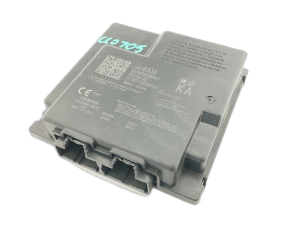
- Faulty Body Control Module (BCM): → Shop Body Control Module In rare cases where reprogramming fails to resolve the issue, the BCM itself may have an internal hardware failure and require replacement. This is an expensive last resort. A replacement BCM must be programmed to the vehicle's VIN.
- Faulty Remote Control Door Lock Receiver (RCDLR): GM TSB 16-NA-396 mentions that a faulty RCDLR can also cause intermittent 'No Remote Detected' messages, though it's less likely to be the cause when the specific B3926 code set is present.
Diagnosis Steps
- Verify the complaint: Confirm the 'No Fob Detected' message, no-start condition, or inoperative keyless functions.
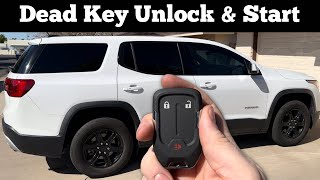
- Attempt Temporary Workaround: Try starting the vehicle by placing the key fob in the transmitter pocket inside the center console. If it starts, this strongly suggests a PEPS communication issue rather than a dead fob.
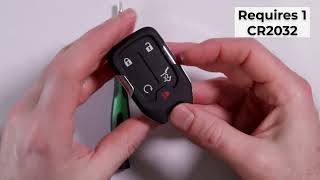
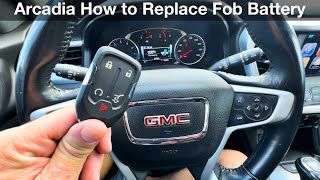
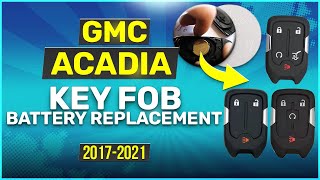
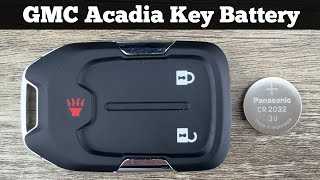
- Check the key fob battery: As a preliminary step, test or replace the CR2032 battery in the key fob to rule out the simplest cause.
- Scan for DTCs: Use a professional scan tool capable of reading BCM codes. Look for B3926 and a group of accompanying codes like B3924, B3925, B3927, and B389A.
- Check the 12V vehicle battery: Test the main vehicle battery to ensure it is fully charged and healthy. A low voltage state is a known trigger for this fault.
- Consult TSB #23-NA-163: If the specific pattern of codes is present, the diagnosis points directly to the BCM software issue. The TSB requires using a GDS2 scan tool to verify the BCM is a 'GEN3R' model before proceeding.
- Perform BCM Reprogramming: If the TSB applies, the vehicle must be taken to a dealer or qualified shop for the prescribed multi-step reprogramming procedure. DO NOT replace the BCM or perform a standard immobilizer learn.
- Inspect Antenna Circuits (if TSBs don't apply): If only an isolated B3926 code is present without the others, inspect the wiring and connectors for the corresponding PEPS antenna (Instrument Panel antenna).
Parts You'll Likely Need
- No parts required — The most common solution is a software update (reprogramming) of the Body Control Module, which does not involve replacing any parts.
OEM price range: $0
Aftermarket price range: $0 - Body Control Module (GEN3R)
(OEM #13533817, 13529493, 13533813 (and others, must verify via VIN))— In the rare case reprogramming fails and the BCM requires replacement. TSB 23-NA-163 lists multiple eligible part numbers. Part must be programmed by a dealer.
Trusted brands: GM Genuine Parts
OEM price range: $300-$600
Aftermarket price range: $150-$350 - Keyless Entry Antenna
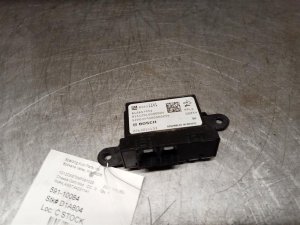
(OEM #13545326)— In the less common event of an actual antenna failure, this part would be needed. It is used in multiple locations to detect the key fob.
Trusted brands: GM Genuine Parts, ACDelco
OEM price range: $10-$20
Aftermarket price range: $5-$15
Related Codes That Often Appear With This One
- B3924 — Part of the same family of 'Incorrect Environmental Identifier' codes related to the PEPS system, as cited in TSBs.
- B3925 — Another common code in the group indicating a communication fault between modules, often set alongside B3926.
- B3927 — Another 'Incorrect Environmental Identifier' code that points to the same root cause within the BCM.
- P0513 — Incorrect Immobilizer Key. This code is often set with the B39xx codes when the BCM fails to authenticate the key fob due to the internal communication error.
- B389A — Environment Identification. TSB 23-NA-163 notes this code may be present along with the B392x codes, pointing to the same BCM memory corruption issue.
Technical Service Bulletins (TSBs) & Recalls
- 23-NA-163: Supersedes 21-NA-277 and provides a detailed BCM reprogramming procedure for a no-start condition after a low-voltage event.
- 21-NA-277: Earlier version of the bulletin addressing the same BCM software corruption issue.
Platform-Specific Known Issues
- TSB #23-NA-163 and #21-NA-277 specifically address a condition where a group of codes including B3926 can be set, causing a no-start or 'No FOB Detected' concern. The fix is a BCM reprogram.
- Owner experiences shared on forums like Reddit confirm that after a battery change or jump start, their Acadia would not start and displayed the 'No Fob Detected' message, with the dealer resolving it via a BCM software update as per the TSB.
Hidden / Shadow Codes Worth Checking
- B389A 00: Environment Identification. This code is the primary indicator that the BCM has experienced memory corruption due to a low voltage event. TSB 23-NA-163 states that if this code is current, it will be accompanied by three or more B392x codes (like B3926). Its presence confirms the TSB repair procedure is necessary. (see via A professional scan tool like the GM GDS2 is required to read current and history codes from the Body Control Module (BCM).)
Scan Tool Commands That Help
- GDS2 (Global Diagnostic System 2): Module Diagnostics > [K9] Body Control Module > Identification Information — This function is used to verify the BCM is a 'GEN3R' model by checking its Base Model Part Number (BMPN). The special reprogramming procedure in TSB 23-NA-163 only applies to GEN3R BCMs.
- SPS (Service Programming System): K9 Body Control Module “Programming A Per Bulletin 23-NA-163 and 23-NA-165 Only.” — This is the initial reprogramming step to fix the BCM memory corruption. It should be performed before any immobilizer learn procedures are attempted.
- SPS (Service Programming System): Immobilizer procedure “Body Control Module IMMO Learn with Existing Transponder or Remote Key.” — This is the second step, performed immediately after 'Programming A'. It relearns the existing key fobs to the newly reprogrammed BCM.
- SPS (Service Programming System): K9 Body Control Module “Programming B Per Bulletin 23-NA-163 Only” — This is a special, secondary reprogramming step used ONLY if a standard immobilizer learn was already performed *before* consulting the TSB, and the issue was not corrected. It helps to recover the module from a failed state.
Wiring & Ground Locations
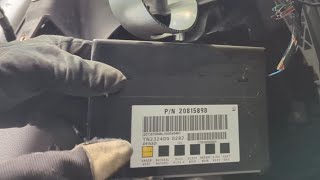
- Body Control Module (BCM) — Located under the driver's side of the instrument panel, to the left of the steering column.. This is the module that stores the B3926 fault code and requires reprogramming. Physical access is needed for inspection of its connectors or for replacement if reprogramming fails.
- PEPS Antennas — Multiple small antennas are located throughout the vehicle, typically inside the center console, in the doors, and in the rear cargo/bumper area.. These antennas detect the key fob's presence for passive entry and starting. While less common for this specific code cluster, a damaged antenna or its wiring could be a cause if the TSB does not apply.
OEM Part Supersession History
Multiple (GEN3R BCMs)→N/A (Software Update)— The issue is resolved by a software update, not a part replacement. TSB 23-NA-163 lists the following BCM part numbers as being susceptible to the memory corruption issue: 13518569, 13518570, 13518602, 13518603, 13519619, 13519620, 13519648, 13527252, 13527260, 13527261, 13527297, 13527298, 13527827, 13529492, 13529493, 13533809, 13533813, 13533814, 13533817, 13533821.
Heads up: If the BCM is not one of the specified GEN3R part numbers, the TSB procedure does not apply, and standard diagnostic procedures should be followed.
Helpful Videos

We Have This Part in Stock

The information in this article is provided for general reference and educational purposes only. Vehicle specifications, procedures, and part compatibility can vary by production date, trim level, and region. Always consult your vehicle's factory service manual and verify part numbers before purchasing or performing repairs. Safety-critical components such as airbags, seat belts, and braking systems should be installed by a qualified professional.
- Gmc ACADIA:
- 🧭 Diagnostic Flowchart
- 🎬 Helpful Videos
- 🛍️ Shop This Part
- What's Unique About the 2019-2023 Gmc ACADIA
- Symptoms You May Notice
- Most Likely Causes
- Rare But Worth Checking
- Diagnosis Steps
- Parts You'll Likely Need
- Related Codes That Often Appear With This One
- Technical Service Bulletins (TSBs) & Recalls
- Platform-Specific Known Issues
- Hidden / Shadow Codes Worth Checking
- Scan Tool Commands That Help
- Wiring & Ground Locations
- OEM Part Supersession History
- 🎟️ Get 5% Off