

B3927 on 2019-2020 Buick Envision: 'No Start' & 'Key Not Detected' Causes and Fixes
On a 2019-2020 Buick Envision, code B3927 almost always indicates a Body Control Module (BCM) software glitch, usually triggered by a weak battery or jump-start. The fix is not parts replacement but a special BCM reprogramming by a dealer, costing between $150-$400. Do not replace the BCM.
- B3927 on a 2019-2020 Envision indicates a BCM software glitch, not a failed part.
- The problem is almost always triggered by a weak battery, jump-start, or battery replacement.
- DO NOT replace the BCM or key fobs. The correct fix is a specific reprogramming procedure (per TSB #23-NA-163) that must be done by a GM dealer or qualified shop.
- As a temporary workaround to start the car, place the key fob in the transmitter pocket located in the center console.
What's Unique About the 2019-2020 Buick ENVISION
The 2019-2020 Envision, along with other GM vehicles from this era built on the C1XX and E2XX platforms, uses a specific Body Control Module ('GEN3R' BCM) that has a known software vulnerability. A low voltage event, like a weak battery, a jump-start, or even a battery replacement, can easily corrupt the BCM's memory, triggering B3927 and a cluster of similar codes. General Motors has issued multiple Technical Service Bulletins (TSBs), most notably #23-NA-163, acknowledging this specific software problem and outlining a non-hardware, software-only fix. The TSBs explicitly warn technicians not to replace the BCM for this condition.
Diagnostic Flowchart
Tap your situation to follow the diagnostic path that matches what you're seeing on this vehicle.
Symptoms You May Notice
- Vehicle will not crank or start ('No Crank, No Start').
- Engine starts and then immediately stalls.
- Message on dash: 'No FOB Detected' or 'Key Not Detected'.
- Key fobs are completely inoperative for passive entry and starting, though the lock/unlock buttons may still work.
- Multiple warning lights on the instrument cluster, including ABS and stability control lights.
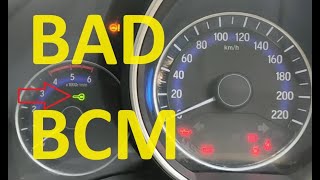
- Car is stuck in Park and cannot be shifted. 🎬 See this video for more common symptoms of a bad BCM.
- Replacing the Body Control Module (BCM). The TSBs explicitly state not to replace the BCM as the issue is software corruption, not hardware failure.
- Replacing the key fobs. The fobs are not the problem; the vehicle is failing to recognize them due to the BCM glitch.
- Replacing Passive Entry (PEPS) antennas. While a single antenna failure can cause similar symptoms, the presence of multiple 'B39xx' codes points to the BCM software issue.
- Replacing the starter or starter relay. The no-start symptom is due to a security lockout commanded by the BCM, not a failure in the starting circuit.
Most Likely Causes
- Body Control Module (BCM) Memory Corruption 🔴 High Probability → Shop Body Control Module This is a well-documented software vulnerability in the specific 'GEN3R' BCM used in this vehicle, triggered by low voltage. TSB #23-NA-163 was created specifically to address this memory corruption event.
How to confirm: A professional scan tool (GDS2) will show B3927 present along with three or more other 'Incorrect Environmental Identifier' codes (e.g., B3924, B3925, B3926). Critically, TSB #23-NA-163 states that DTC B389A ('Environment Identification') must also be present or set after a battery disconnect/reconnect for the special reprogramming procedure to apply.
Typical fix: A GM dealer or qualified independent shop must perform a special BCM reprogramming procedure as detailed in TSB #23-NA-163. This involves using the GM Service Programming System (SPS) to run a specific routine that restores the BCM data, followed by an immobilizer relearn. No parts are replaced.
Est. part cost: $0 - Low Vehicle Battery Voltage 🟡 Medium Probability → Shop Vehicle Battery This is the event that triggers the BCM memory corruption, not the root cause itself. Modern vehicles are extremely sensitive to stable voltage, and the GEN3R BCM is particularly vulnerable to voltage drops or spikes.
How to confirm: Test the 12V battery with a multimeter or battery tester. A reading below 12.4 volts at rest indicates a weak battery. The issue almost always appears immediately after a jump-start, battery replacement, or a deep battery discharge.
Typical fix: Charge or replace the 12V vehicle battery. However, this will not fix the B3927 code once it is set; the BCM will still require reprogramming to clear the corrupted security data.
Est. part cost: $150-$350
Diagnosis Steps
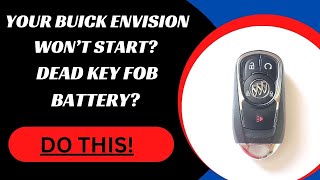
- First, try the emergency start procedure: 🎬 Watch: How to start your Envision with a dead key fob. place the key fob in the designated pocket in the front of the center console (or front cupholder on some models) and attempt to start the engine. This uses a direct RFID handshake and may bypass the fault temporarily.
- Check and confirm the health of the 12V vehicle battery. A weak battery is the most common trigger. Charge or replace it if it is weak or failing (testing below 12.4V at rest).
- Use a professional-grade scan tool (GM GDS2 is required for the fix) to perform a vehicle-wide DTC scan.
- Confirm the presence of B3927 along with three or more other 'Environmental Identifier' codes (B3924, B3925, B3926, etc.).
- Crucially, verify that DTC B389A is also set in the BCM. If it is not, GM advises disconnecting the battery for 30 seconds and re-checking to see if it appears.
- If this specific code cluster (3+ environment codes + B389A) is present, do not replace any parts. The vehicle must be taken to a dealer or qualified shop for BCM reprogramming per TSB #23-NA-163.
- If B3927 appears alone, a less likely cause could be a wiring issue or a fault in the Electronic Brake Control Module itself, requiring further diagnosis per the service manual.
Parts You'll Likely Need
- No parts typically needed — The most common cause is a software glitch that is resolved by reprogramming the existing Body Control Module, not by replacing hardware.
OEM price range: $0
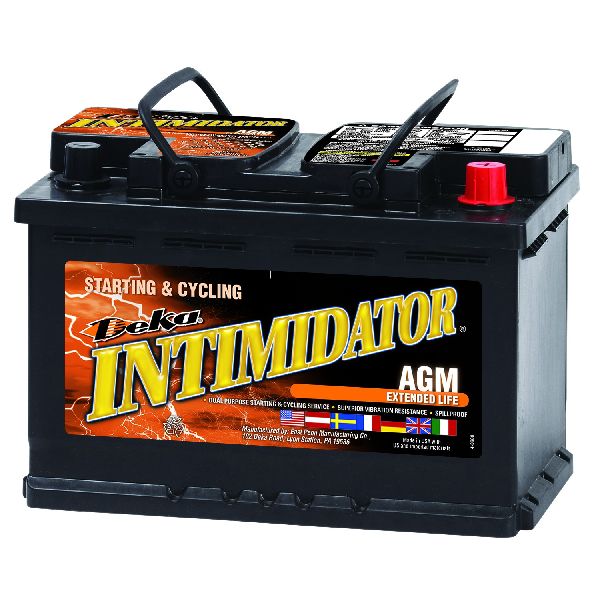
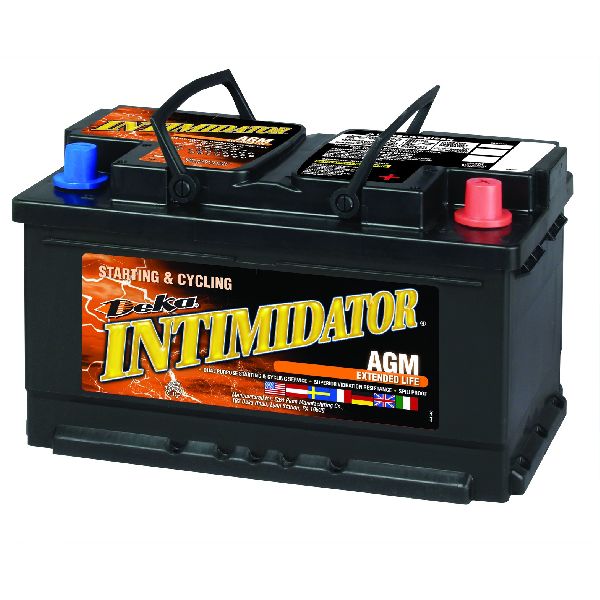
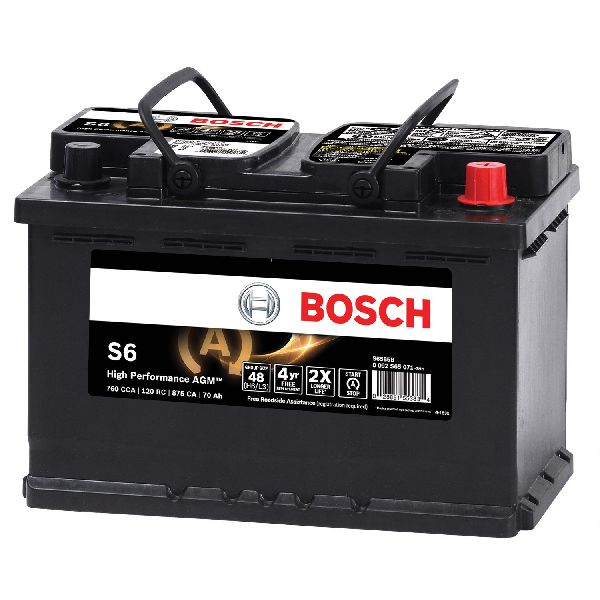
Aftermarket price range: $0 - 12V Vehicle Battery
(OEM #Varies by vehicle options)— A weak or failing battery is the primary trigger for the BCM software corruption. Replacing it is often necessary to prevent a recurrence, but it will not fix the B3927 code once set.
Trusted brands: ACDelco Gold, DieHard Platinum AGM
OEM price range: $200-$350
Aftermarket price range: $150-$250
Related Codes That Often Appear With This One
- B3924, B3925, B3926, B3928 — These are all 'Incorrect Environmental Identifier' codes for different modules (HVAC, Instrument Cluster, etc.). When three or more appear together, it confirms a widespread communication loss caused by the BCM glitch, as specified in TSB #23-NA-163.
- B389A — This code for 'Environment Identification' is a key indicator of the same BCM memory corruption issue. TSB #23-NA-163 states this code must be present for the special repair procedure to be applicable.
- P0513 — This code means 'Incorrect Immobilizer Key'. It is set by the Engine Control Module (ECM) when the BCM fails to provide the correct security authorization to start the engine, which is a direct result of the BCM's corrupted state.
Technical Service Bulletins (TSBs) & Recalls
- 23-NA-163: Details the specific BCM reprogramming procedure for a no-crank/no-start condition with codes B3924 through B3928 and B389A set. It lists eligible GEN3R BCM part numbers and provides the exact programming routine name in the SPS software.
- 21-NA-277: An earlier TSB that also addresses the no-crank/no-start condition due to BCM memory corruption. It provides the diagnostic criteria (three or more DTCs) and repair procedure, and was later updated to include the Envision.
Platform-Specific Known Issues
- A known software vulnerability in the Body Control Module can cause memory corruption after a low-voltage event (e.g., weak battery, jump-start), leading to a no-start condition with multiple communication codes set. This is documented in GM TSBs #23-NA-163 and #21-NA-277.
- The 2019-2020 models are noted as having a higher number of electrical system complaints compared to other years.
Scan Tool Commands That Help
- GM Service Programming System (SPS): K9 Body Control Module “Programming A Per Bulletin 23-NA-163 and 23-NA-165 Only” — This is the primary software fix for the BCM memory corruption. It should be performed first when the specified cluster of DTCs is present.
- GM Service Programming System (SPS): Immobilizer procedure “Body Control Module IMMO Learn with Existing Transponder or Remote Key” — This procedure must be performed immediately after running the 'Programming A' function to relearn the existing key fobs to the newly reset BCM.
- GM Service Programming System (SPS): K9 Body Control Module “Programming B Per Bulletin 23-NA-163 Only” — This is a secondary procedure to be used ONLY if 'Programming A' and the subsequent immobilizer learn do not resolve the no-start condition.
- GM GDS2: Module Diagnostics > [K9] Body Control Module > Identification Information — Used to verify the BCM is a 'GEN3R' type and that its Base Model Part Number (BMPN) is on the list of affected units in TSB #23-NA-163 before attempting any reprogramming.
Wiring & Ground Locations
- Body Control Module (BCM) — Located in the center console, directly behind the lower trim panel on the passenger side of the vehicle.. This is the module that stores the corrupted software and sets code B3927. Physical access is required for replacement, though the common fix is reprogramming.
- Electronic Brake Control Module (EBCM) — Located in the engine compartment, typically attached to the ABS hydraulic unit.. B3927 specifically indicates a loss of the security identifier from the EBCM. While the fault is almost always in the BCM's memory, a total failure or wiring issue related to the EBCM could be a very rare cause.
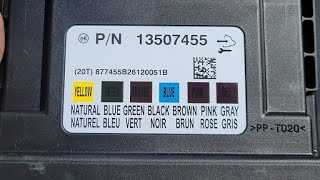
- BCM Connectors — The BCM has up to 7 connectors, each a different color (e.g., Gray, Pink, Brown, Black).. Technicians performing advanced diagnostics for a suspected wiring issue would need to access these connectors for pinout testing. A generic pinout guide suggests connectors are labeled X1 through X7.
- Ground G103 — Located at the left rear of the engine compartment on the cowl, above the brake booster.. This is a shared ground point for multiple critical modules, including the BCM, Instrument Panel Cluster (IPC), and Data Link Connector (DLC). A poor connection at G103 could cause widespread communication issues mimicking the BCM fault.
OEM Part Supersession History
Multiple (see list)→N/A - Software Fix— The issue is resolved via reprogramming, not part replacement. TSB #23-NA-163 lists specific GEN3R BCM part numbers that are susceptible to this software corruption.
Heads up: Eligible BMPNs include: 13518569, 13518570, 13518602, 13519619, 13519648, 13527252, 13527260, 13529492, 13533809, and others listed in the TSB. If the BCM is not one of these GEN3R units, the TSB does not apply.
Helpful Videos

We Have This Part in Stock



The information in this article is provided for general reference and educational purposes only. Vehicle specifications, procedures, and part compatibility can vary by production date, trim level, and region. Always consult your vehicle's factory service manual and verify part numbers before purchasing or performing repairs. Safety-critical components such as airbags, seat belts, and braking systems should be installed by a qualified professional.
- Buick ENVISION:
- 🧭 Diagnostic Flowchart
- 🎬 Helpful Videos
- 🛍️ Shop This Part
- What's Unique About the 2019-2020 Buick ENVISION
- Symptoms You May Notice
- Most Likely Causes
- Diagnosis Steps
- Parts You'll Likely Need
- Related Codes That Often Appear With This One
- Technical Service Bulletins (TSBs) & Recalls
- Platform-Specific Known Issues
- Scan Tool Commands That Help
- Wiring & Ground Locations
- OEM Part Supersession History
- 🎟️ Get 5% Off