

B3927 on 2019-2025 Chevrolet Blazer: 'No Start' & 'Key FOB Not Detected' Fixes
Code B3927 on a 2019-2025 Blazer almost always indicates a Body Control Module (BCM) software glitch, not a failed part. This typically happens after a battery jump-start or replacement, causing a no-start condition. The fix is a dealer-level BCM reprogram as per TSB #23-NA-163; do not replace the BCM.
- B3927 on a 2019-2025 Blazer means a security system lockout due to a BCM software glitch, not a failed part.
- This issue is almost always triggered by a weak battery, jump-start, or battery replacement.
- DO NOT replace the BCM, key fobs, or starter. The correct fix is a special BCM reprogramming procedure performed by a GM dealer.
- Reference TSB #23-NA-163 when speaking with your service advisor. Ensure they check if your vehicle has an affected 'GEN3R' BCM.
- Ensure your 12V battery is in good health to prevent this issue from occurring.
What's Unique About the 2019-2025 Chevrolet BLAZER
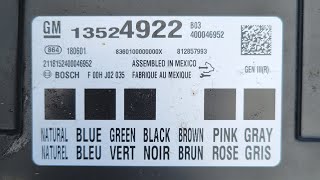
The Chevrolet Blazer from this era, along with many C1XX platform-mates, uses a specific 'GEN3R' Body Control Module (BCM) that is susceptible to memory corruption following a low-voltage event (like a weak battery or jump-start). General Motors is aware of this issue and has issued Technical Service Bulletin #23-NA-163, which outlines a specific software-based repair. This means, unlike many other codes, the solution is not to replace a physical part but to have the existing module's software re-flashed by a dealer using a special procedure within their Service Programming System (SPS).
Diagnostic Flowchart
Tap your situation to follow the diagnostic path that matches what you're seeing on this vehicle.
Symptoms You May Notice
- No Crank, No Start condition
- Engine starts and immediately stalls
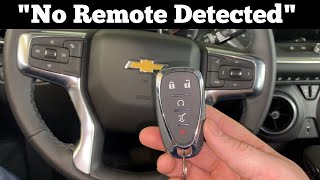
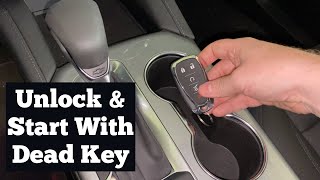
- "Key FOB Not Detected" or "No FOB Detected" message on the driver information center 🎬 Watch: How to start your Blazer when no remote is detected
- Key fobs are inoperative for locking, unlocking, and remote start
- Check Engine Light is on
- Service Vehicle Soon message may appear
- Technician finds DTC B389A 00 stored in the BCM along with the B392x codes.
- Replacing the Body Control Module (BCM). TSB #23-NA-163 specifically warns against this, as the issue is software corruption, not hardware failure.
- Replacing the key fobs. The fobs are not faulty; the BCM has simply lost its ability to recognize them due to the software glitch.
- Replacing the starter motor or relay. The no-start condition is due to the security system disabling the start sequence, not a failure in the starter circuit.
- Replacing the Engine Control Module (ECM).
- Performing a standard immobilizer relearn procedure without first running the special TSB programming. This may not work and can complicate the repair.
Most Likely Causes
- Body Control Module (BCM) Software Corruption 🔴 High Probability → Shop Body Control Module This issue is specific to vehicles with a 'GEN3R' BCM, which can lose its configuration data during a low-voltage event. TSB #23-NA-163 was issued by GM to address this exact problem on a list of specific BCM part numbers.
How to confirm: The problem appeared immediately after a battery replacement, jump-start, or the battery dying. A professional scan reveals DTC B389A 00 plus three or more 'Incorrect Environmental Identifier' codes (B3924, B3925, B3926, B3927, B3928) in the BCM.
Typical fix: A GM dealer or qualified independent shop must perform a special BCM reprogramming procedure as detailed in TSB #23-NA-163. This involves using the GM Service Programming System (SPS) and selecting a special function like "Programming A Per Bulletin 23-NA-163 and 23-NA-165 Only". No parts are replaced for this fix.
Est. part cost: $0 - Low Battery Voltage or Failing Battery 🟡 Medium Probability → Shop Vehicle Battery This is the triggering event, not the root cause of the code itself. Modern vehicles with complex electronics are highly sensitive to voltage drops, which can corrupt module memory.
How to confirm: Test the 12V battery with a digital multimeter or an electronic battery tester. A resting voltage below 12.4V or failure of a load test indicates a weak battery. This is often the event that precedes the no-start condition, as described by owners.
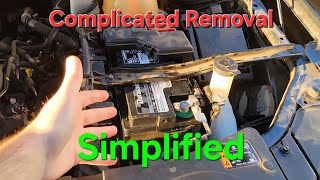
Typical fix: Replace the vehicle's 12V battery. IMPORTANT: Replacing the battery alone will NOT fix 🎬 See this step-by-step guide for replacing the 12V battery the B3927 code once it is set. The BCM will still require reprogramming after the new battery is installed.
Est. part cost: $150-$350
Rare But Worth Checking
- Failed Passive Entry (PEPS) Antenna or Wiring: → Shop Antenna While the BCM software issue is far more common for this platform, if B3927 appears by itself without other 'Environmental ID' codes and without a preceding low-voltage event, it could point to a more traditional hardware failure in the keyless entry antenna circuit. 🎬 Learn more about common signs and symptoms of BCM failure Diagnosis with a professional scan tool would be needed to isolate the specific antenna at fault.
Diagnosis Steps
- Verify the battery's state of health. Charge and test the 12V battery. If it's weak or failing, replace it first, as low voltage is the trigger for this issue.
- Scan the Body Control Module (BCM) for codes with a professional-grade scan tool (like GM GDS2).
- Confirm that DTC B389A 00 is present, along with three or more codes from the B3924-B3928 range.
- Using the scan tool, navigate to Module Diagnostics > [K9] Body Control Module > Identification Information and verify the BCM Base Model Part Number (BMPN) is on the eligible list in TSB #23-NA-163. This confirms you have a 'GEN3R' BCM.
- If all conditions are met, take the vehicle to a GM dealership or a qualified repair shop with GM programming capabilities.
- Request the specific procedure from TSB #23-NA-163. The technician should select 'Programming A Per Bulletin 23-NA-163' in the Service Programming System (SPS).
- After the special programming, the technician should perform the 'Body Control Module IMMO Learn with Existing Transponder or Remote Key' procedure.
- Confirm the vehicle starts normally, the key fobs are functional, and all related DTCs are cleared.
Parts You'll Likely Need
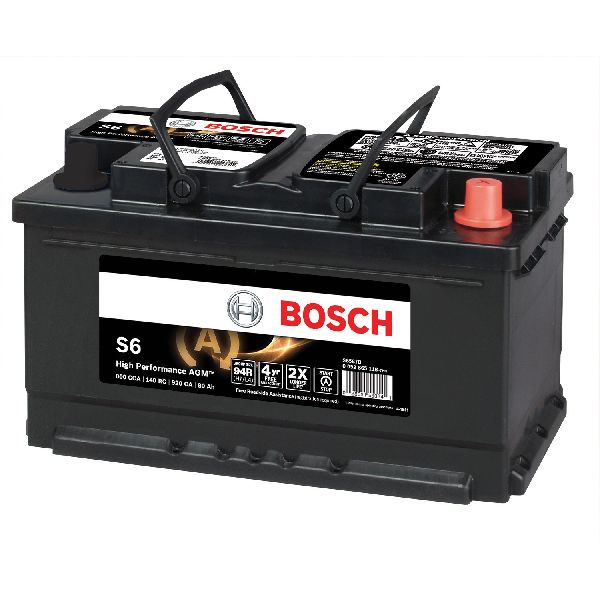
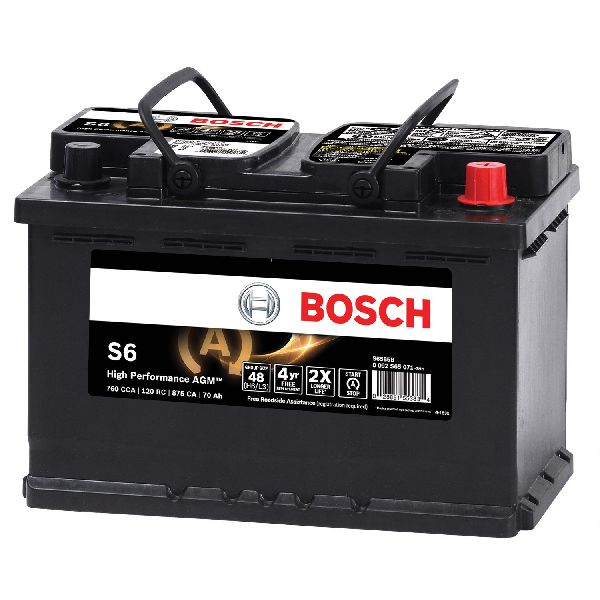
- 12V AGM Battery
(OEM #ACDelco Gold 47SAGM (Group 47))— A failing battery is the most common trigger for the BCM software corruption. While it doesn't directly cause the code, replacing a weak battery is essential to prevent a recurrence. Group size may vary.
Trusted brands: ACDelco, DieHard, Interstate
OEM price range: $250-$350
Aftermarket price range: $150-$250 - Body Control Module (BCM) - For Identification Only
(OEM #13533813, 13533814, 13529492 (Examples from TSB))— This part should NOT be replaced. These part numbers are provided to help technicians identify an affected 'GEN3R' BCM that is eligible for the software fix per TSB #23-NA-163.
Trusted brands: ACDelco (OEM)
OEM price range: $400-$600
Aftermarket price range: $250-$450
Related Codes That Often Appear With This One
- B389A 00 — According to TSB #23-NA-163, this code is often present and current when the environmental ID corruption occurs.
- B3924 — Part of the same 'Incorrect Environmental Identifier' code family, indicating BCM software corruption.
- B3925 — Part of the same 'Incorrect Environmental Identifier' code family, indicating BCM software corruption.
- B3926 — Part of the same 'Incorrect Environmental Identifier' code family, indicating BCM software corruption.
- B3928 — Part of the same 'Incorrect Environmental Identifier' code family, indicating BCM software corruption.
- P0513 — Incorrect Immobilizer Key. This code can also be set when the BCM loses its security configuration, and is addressed by a related TSB (#23-NA-165).
Technical Service Bulletins (TSBs) & Recalls
- 23-NA-163: Information to correct a customer concern of No Crank, No Start, Quick Start/Stall, No FOB Detected, Key FOBs Inoperative, B3924 00, B3925 00, B3926 00, B3927 00, B3928 00 Set. This is the primary document for this repair.
- 21-NA-277: An earlier TSB for the Chevrolet Malibu with a similar BCM corruption issue, which laid the groundwork for the broader 23-NA-163 bulletin.
Platform-Specific Known Issues
- As per GM TSB #23-NA-163, a low voltage event can cause the 'GEN3R' Body Control Module (BCM) to lose its environmental identifier information, leading to a no-crank/no-start condition and setting codes B3924, B3925, B3926, B3927, and B3928.
- Owners on forums like Reddit have documented the prelude to this failure, describing intermittent no-start conditions that occur even after replacing the battery, which points to the underlying BCM software issue that requires dealer intervention.
Hidden / Shadow Codes Worth Checking
- Symptom Byte 00: This two-digit suffix to the main DTC (e.g., B3927 00) is a special case indicating that the primary DTC text string ('Incorrect Environmental Identifier') provides a complete description of the failure. No additional subtype information is needed for diagnosis. (see via A professional scan tool like the GM GDS2 will display the full DTC with its symptom byte.)
Scan Tool Commands That Help
- GM GDS2 (Global Diagnostic System 2): Module Diagnostics > [K9] Body Control Module > Identification Information — Use this path to view the BCM's Base Model Part Number (BMPN) to confirm it is a 'GEN3R' BCM and is on the eligible list within TSB #23-NA-163 before attempting any programming.
- GM SPS (Service Programming System): Programming A Per Bulletin 23-NA-163 and 23-NA-165 Only — This is the primary special function to reprogram the BCM and correct the software memory corruption. This should be the first step in the repair.
- GM SPS (Service Programming System): Body Control Module IMMO Learn with Existing Transponder or Remote Key — This immobilizer learn procedure must be performed immediately after successfully running the 'Programming A' function to re-link the existing keys to the newly programmed BCM.
- GM SPS (Service Programming System): Programming B Per Bulletin 23-NA-163 Only — This is a secondary recovery function. Use this ONLY if an immobilizer learn was attempted *before* this bulletin's procedure was performed and the vehicle still won't start.
- GM SPS (Service Programming System): Engine Control Module and Body Control Module IMMO Learn — This procedure is used after running 'Programming B' to re-establish the security handshake between the ECM and BCM.
Wiring & Ground Locations
- K9 Body Control Module — Located on the driver's side of the instrument panel, typically to the right of the accelerator pedal, behind trim panels and near the center console.. This is the module that requires reprogramming. Physical access is only needed to confirm the part number on the label if it cannot be read with GDS2. A poor connection or ground at this module could cause the initial low-voltage event that triggers the software corruption.
- BCM Power and Ground Pins (Illustrative) — On the various multi-pin connectors of the K9 BCM. Based on generic GM BCM pinouts, look for heavy gauge wires, often Red (RD) for power and Black (BK) for ground.. Verifying stable battery voltage and a clean, tight ground connection at the BCM's main power supply pins is a crucial first step before diagnosing any module. Unstable voltage is the direct trigger for the memory corruption outlined in TSB #23-NA-163.
OEM Part Supersession History
13518593→13532662, 13534192— Standard part evolution and revision updates by the manufacturer.
Heads up: Even if a BCM is replaced with a newer, superseded part number, it will still require programming via SPS to load the vehicle's specific VIN, RPO codes, and security information.13520409→13529041— Standard part evolution and revision updates by the manufacturer.
Heads up: The TSB applies to a list of 'GEN3R' BCMs. When identifying the module, a technician should check if their part number, new or old, is on the TSB's eligibility list.
Model Year Variations Within This Range
- 2019-2025: While the Blazer received a mid-cycle refresh for the 2023 model year, the core issue addressed by TSB #23-NA-163 applies to the entire 2019-2025 range. This indicates the fundamental 'GEN3R' BCM hardware and its susceptibility to low-voltage memory corruption were not changed during the refresh.
Helpful Videos

Used OEM Parts in Stock
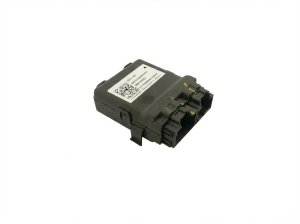
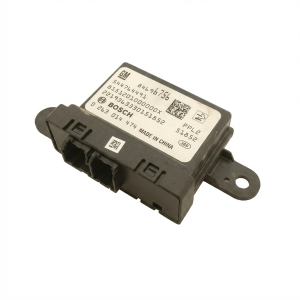
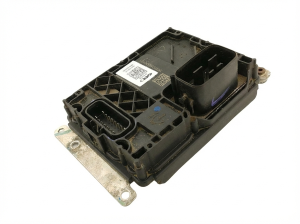
New Aftermarket Parts Available

The information in this article is provided for general reference and educational purposes only. Vehicle specifications, procedures, and part compatibility can vary by production date, trim level, and region. Always consult your vehicle's factory service manual and verify part numbers before purchasing or performing repairs. Safety-critical components such as airbags, seat belts, and braking systems should be installed by a qualified professional.
- Chevrolet BLAZER:
- 🧭 Diagnostic Flowchart
- 🎬 Helpful Videos
- 🛍️ Shop This Part
- What's Unique About the 2019-2025 Chevrolet BLAZER
- Symptoms You May Notice
- Most Likely Causes
- Rare But Worth Checking
- Diagnosis Steps
- Parts You'll Likely Need
- Related Codes That Often Appear With This One
- Technical Service Bulletins (TSBs) & Recalls
- Platform-Specific Known Issues
- Hidden / Shadow Codes Worth Checking
- Scan Tool Commands That Help
- Wiring & Ground Locations
- OEM Part Supersession History
- Model Year Variations Within This Range
- 🎟️ Get 5% Off