

B3928 on 2019-2025 Chevrolet Blazer: 'No FOB Detected' Causes and Fixes
On a 2019-2025 Chevrolet Blazer, code B3928 almost always indicates a Body Control Module (BCM) software glitch, not a failed part. This typically happens after a battery replacement or jump-start. The fix is a specific BCM reprogramming procedure at a GM dealership, costing between $150 and $400, as outlined in TSB #23-NA-163.
- B3928 on your Blazer almost certainly means you need a BCM software update, not new parts.
- The problem was likely triggered by a recent jump-start or battery change.
- Do not let a repair shop replace the BCM or key fob antennas; this is an expensive misdiagnosis.
- This is not a DIY repair. The vehicle must go to a dealer or a shop with GM-specific programming tools.
- Mention TSB #23-NA-163 to your service advisor to ensure the correct, most cost-effective repair is performed.
What's Unique About the 2019-2025 Chevrolet BLAZER
The Chevrolet Blazer, along with other GM vehicles from this era like the Equinox and Acadia, uses a specific 'GEN3R' Body Control Module (BCM) that is sensitive to low-voltage events. A simple battery change or jump-start can corrupt the BCM's memory, causing it to 'forget' the programmed key fobs. This triggers a cascade of antenna-related codes, including B3928, leading to a no-start condition even though no physical parts have failed.
Diagnostic Flowchart
Tap your situation to follow the diagnostic path that matches what you're seeing on this vehicle.
Symptoms You May Notice
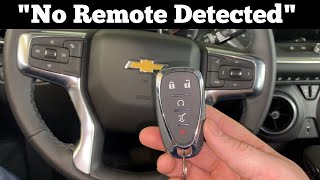
- "No FOB Detected" or "Key Fob Not Detected" message on the driver information center 🎬 Watch: How to start your Blazer when no remote is detected.
- Engine will not crank or start (No-Crank/No-Start)
- Engine starts and immediately stalls
- Key fob is inoperative for locking/unlocking doors
- Push-button start does not respond
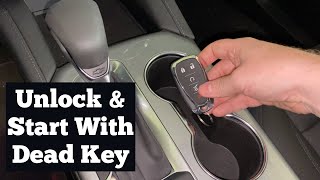
- Passive entry (unlocking doors by touching the handle) does not work. 🎬 Watch this guide to opening and starting with a dead fob.
- Replacing the keyless entry antenna
- Replacing the Body Control Module (BCM)
- Replacing the key fob or its battery
Most Likely Causes
- Body Control Module (BCM) Memory Corruption 🔴 High Probability → Shop Body Control Module As documented in GM TSB #23-NA-163, the specific 'GEN3R' BCM in these vehicles can lose its key fob programming data following a low-voltage event (e.g., weak battery, battery replacement, or jump-start). This is a known software vulnerability. Owners on forums have reported sudden, total electrical failure after a battery change, which is the precursor to this fault state.
How to confirm: Scan for other codes. If B3928 is present with B389A and at least three codes from the B3924-B3927 series, the BCM memory corruption is almost certain. The TSB notes that if B389A is not present, disconnecting and reconnecting the battery for 30 seconds may cause it to set. A technician must also use a GDS2 scan tool to confirm the BCM is an affected 'GEN3R' model by checking its part number.
Typical fix: Perform a specific BCM reprogramming procedure as outlined in TSB #23-NA-163. This is a software fix, not a hardware replacement. The technician will use the GM SPS software and select either 'Programming A' or 'Programming B' depending on the vehicle's history.
Est. part cost: $0
Rare But Worth Checking
- Faulty Keyless Entry Antenna: → Shop Antenna While this is what the code technically points to, it is a very uncommon cause for this specific platform. This should only be considered if the BCM reprogram does not work or if B3928 is the only code present.
- Wiring Harness or Connector Issue: Damage to the wiring leading to the specific keyless entry antenna could cause an isolated B3928 code. This is rare compared to the BCM issue.
Diagnosis Steps
- Verify the battery state of health and charge. Ensure battery terminals are clean and tight. A low-voltage event is the trigger for this fault.
- Scan the Body Control Module (BCM) for all Diagnostic Trouble Codes (DTCs) using a GM-compatible tool like GDS2.
- Confirm the presence of DTC B389A. If it is not present, disconnect the battery for 30 seconds, reconnect, and scan again.
- Check for three or more of the following codes: B3924, B3925, B3926, B3927, B3928.
- Using GDS2, navigate to Module Diagnostics > K9 Body Control Module > Identification Information to verify the BCM is a 'GEN3R' model. TSB #23-NA-163 lists eligible part numbers (e.g., 13518569, 13519619, 13533809, etc.). If it is not a GEN3R BCM, the TSB does not apply.
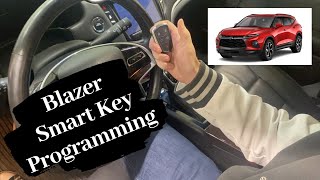
- If the codes and BCM type match the TSB, DO NOT replace any parts or perform a standard immobilizer learn procedure first. 🎬 See how to program a new smart key remote fob.
- Take the vehicle to a GM dealer or qualified shop with GM programming capabilities. Inform the service advisor about TSB #23-NA-163 to ensure the correct reprogramming procedure ('Programming A' or 'Programming B') is followed.
Parts You'll Likely Need
- Body Control Module (BCM)
Related Codes That Often Appear With This One
- B3924, B3925, B3926, B3927 — These are sibling codes for the other passive entry antennas. When they all appear together, it strongly indicates a system-wide BCM glitch rather than multiple simultaneous hardware failures.
- B389A — This code for 'Environment Identification' is a primary indicator that points directly to the BCM memory corruption issue when seen with the antenna codes. The TSB specifically instructs technicians to look for this code.
Technical Service Bulletins (TSBs) & Recalls
- 23-NA-163: Addresses a No Crank/No Start condition with codes B3924-B3928 and B389A set, caused by 'GEN3R' BCM memory corruption after a low-voltage event. The fix is a specific reprogramming procedure ('Programming A' or 'Programming B') using GM's SPS software.
Platform-Specific Known Issues
- A known issue, documented in TSB #23-NA-163, involves memory corruption in the 'GEN3R' BCM after a low-voltage event, causing a no-start condition and setting codes B3924 through B3928. The official fix is a software reprogram, not hardware replacement.
- Owners have experienced related electrical issues immediately after a battery replacement, such as a completely dead vehicle, which can be a precursor to this specific BCM fault.
Hidden / Shadow Codes Worth Checking
- Symptom Byte '00': When codes like B3928 appear as B3928 00, the '00' is a GM-specific symptom byte. It indicates the fault is 'current' or 'present' and not an intermittent or historical issue. Seeing this byte confirms the fault is active. (see via A GM-compatible scan tool like the GDS2 will display the full DTC including the two-digit symptom byte.)
Scan Tool Commands That Help
- GDS2 (GM Diagnostic Software): Module Diagnostics > K9 Body Control Module > Identification Information — This is a critical first diagnostic step. Use this data lookup path to view the BCM's Base Model Part Number (BMPN) and verify it is a 'GEN3R' module listed in TSB #23-NA-163. If the BCM is not a GEN3R model, the TSB does not apply.
- SPS (Service Programming System): K9 Body Control Module “Programming A Per Bulletin 23-NA-163 and 23-NA-165 Only.” — This is the primary reprogramming path to fix the BCM memory corruption. It should be followed by the 'Body Control Module IMMO Learn with Existing Transponder or Remote Key' procedure.
- SPS (Service Programming System): K9 Body Control Module “Programming B Per Bulletin 23-NA-163 Only” — Use this alternate reprogramming path ONLY if a standard immobilizer learn procedure was already attempted before consulting the TSB and the issue was not corrected. This is a recovery step for a failed initial repair attempt.
Wiring & Ground Locations
- K9 Body Control Module (BCM) — Inside the passenger cabin, under the driver's side of the dashboard, typically mounted near the steering column and the interior fuse block.. This is the module that requires reprogramming. A technician must access its connectors to verify it is secure, but the primary reason to locate it is to read the part number from the label to confirm it is an affected 'GEN3R' BCM if the GDS2 lookup is not performed.
- BCM Ground Points (e.g., G200/G201) — While not specifically mapped for the 2019+ Blazer, GM typically locates critical BCM grounds inside the cabin on the metal support structure behind the dashboard, often near the A-pillar or where the main harness passes through the firewall.. Although the known cause is a software glitch, a poor ground can cause low-voltage conditions or erratic module behavior. Verifying the BCM grounds are clean and tight is a fundamental step to rule out a wiring issue before proceeding with a software-based repair.
- PEPS Backup Antenna Pocket — Located in the front cupholder.. This is not a diagnostic point, but a critical functional location. If stranded by the 'No FOB Detected' message, placing the key fob in this pocket allows the vehicle to start via a low-power, direct transponder reading, bypassing the main PEPS antenna system.
Real Owner Repair Stories
- Synthesized from TSB #23-NA-163 and common owner reports (2020 Chevrolet Blazer, various trims) — Vehicle was completely dead or would not start after replacing the 12V battery. Displayed 'No FOB Detected' message. Key fob buttons would not lock/unlock doors. Multiple electrical system codes were stored.
❌ Tried (didn't work) Replacing the key fob battery., Attempting a standard key fob relearn procedure without dealer tools., Letting the vehicle sit overnight.
✅ What actually fixed it The vehicle was taken to a GM dealership. The technician referenced TSB #23-NA-163, confirmed the presence of codes B389A and multiple B392x codes, and verified the GEN3R BCM. The BCM was reprogrammed using the 'Programming A' procedure in the GM Service Programming System (SPS). No parts were replaced. The vehicle started and functioned normally afterward.
Model Year Variations Within This Range
- 2019-2025: The Chevrolet Blazer received a mid-cycle refresh for the 2023 model year, which included updated exterior styling and infotainment screen changes. However, this refresh did not alter the underlying electrical architecture, including the 'GEN3R' Body Control Module and PEPS system. Therefore, TSB #23-NA-163 and its associated diagnosis and repair for code B3928 apply equally to both pre-refresh (2019-2022) and post-refresh (2023-2025) models.
Helpful Videos

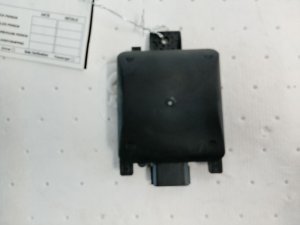
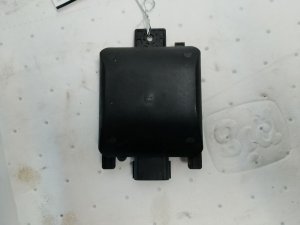
We Have This Part in Stock

The information in this article is provided for general reference and educational purposes only. Vehicle specifications, procedures, and part compatibility can vary by production date, trim level, and region. Always consult your vehicle's factory service manual and verify part numbers before purchasing or performing repairs. Safety-critical components such as airbags, seat belts, and braking systems should be installed by a qualified professional.
- Chevrolet BLAZER:
- 🧭 Diagnostic Flowchart
- 🎬 Helpful Videos
- 🛍️ Shop This Part
- What's Unique About the 2019-2025 Chevrolet BLAZER
- Symptoms You May Notice
- Most Likely Causes
- Rare But Worth Checking
- Diagnosis Steps
- Parts You'll Likely Need
- Related Codes That Often Appear With This One
- Technical Service Bulletins (TSBs) & Recalls
- Platform-Specific Known Issues
- Hidden / Shadow Codes Worth Checking
- Scan Tool Commands That Help
- Wiring & Ground Locations
- Real Owner Repair Stories
- Model Year Variations Within This Range
- 🎟️ Get 5% Off