

B3935 on 2005-2012 Chevrolet Corvette: No Start Causes and Fixes
Code B3935 on a C6 Corvette means the car's security system is preventing it from starting. The most common cause is radio frequency interference or a weak key fob battery. Before replacing parts, try placing the key fob in the dedicated slot inside the glove box to start the car, as this is the primary diagnostic step.
- B3935 means your Corvette's anti-theft system is preventing a start due to a key authentication failure.
- ALWAYS try the glove box slot first. If the car starts, your problem is likely just a weak fob battery or radio interference.
- Do not immediately replace expensive parts. A $5 key fob battery (CR2032) or removing a phone charger from the car often solves the problem.
- If a new fob battery doesn't help and the car only starts via the glove box slot, the Remote Control Door Lock Receiver (RCDLR) is the next most likely cause.
- Any replacement of security modules like the RCDLR or BCM will require programming by a dealer or a shop with specialized GM tools.
What's Unique About the 2005-2012 Chevrolet CORVETTE
The C6 Corvette relies on a fully keyless ignition system that is known to be sensitive to radio frequency (RF) interference. GM was aware of this potential issue and included a specific diagnostic and backup feature: a dedicated slot inside the glove box. This slot allows the car to communicate with the key fob directly via an inductor, bypassing any RF interference or a weak fob battery. This feature is the single most important thing to know when troubleshooting a B3935 code on this vehicle, as it can immediately distinguish between a simple interference/battery issue and a more serious module failure. If the car starts with the fob in the slot, the problem is almost certainly the fob battery or RFI.
Diagnostic Flowchart
Tap your situation to follow the diagnostic path that matches what you're seeing on this vehicle.
Symptoms You May Notice
- Engine will not crank or start. [Bulletin #PIC5650M, 8]
- Security indicator light is illuminated or flashing on the instrument cluster. [Bulletin #PIC5650L, 8, 13]
- Message on the Driver Information Center (DIC) such as 'No Fob Detected' or 'Service Theft Deterrent System'.
- Remote functions like door lock/unlock may still work, but the car will not authorize the ignition.
- A single, audible 'click' from the dash area (specifically the RCDLR) when the start button is pressed, instead of a series of clicks.
- Replacing the starter motor. A B3935 code is an electronic security issue, not a mechanical starter failure. The BCM is actively preventing the starter from engaging.
- Replacing the car battery without proper diagnosis. While a low car battery can cause many electronic issues, a healthy battery will still not overcome the security lockout from an active B3935 code.
- Reprogramming the key fobs. If the car starts with the fob in the glove box slot, the fobs are already correctly paired with the car. Reprogramming will not fix an RFI, weak battery, or failing RCDLR issue.
Most Likely Causes
- Radio Frequency Interference (RFI) 🔴 High Probability The vehicle's keyless system operates at a frequency (125 kHz) that can be disrupted by other electronic devices. TSB #PIC5650L specifically calls out this issue. [Bulletin #PIC5650L] Owners on CorvetteForum report issues from cell phone chargers, dash cams, garage door openers, and even having another vehicle's key fob in the same pocket.
How to confirm: Remove all other electronic devices, chargers, and keys from the car. If it starts, RFI was the cause. If it still doesn't start, place the key fob in the glove box slot. If the car starts with the fob in the slot, this strongly points to an RFI or weak fob battery issue.
Typical fix: Identify and remove the source of the interference. Keep other electronic devices away from the key fob and ignition button. No parts needed.
Est. part cost: $0 - Weak or Incorrect Key Fob Battery 🟡 Medium Probability → Shop Vehicle Battery
How to confirm: Try starting the car with your spare key fob. If the spare fob works, the battery in the primary fob is the likely culprit. You can also test by placing the suspect fob in the glove box slot; if the car starts, the battery is almost certainly weak. A fresh CR2032 battery should measure above 3.2 volts; performance can degrade even at 3.0V.
Typical fix: Replace the CR2032 battery in the key fob. Owners suggest being very careful when prying the case open to avoid breaking the plastic tabs. The positive (+) side should face down in 2005-2007 fobs and up in 2008+ fobs.
Est. part cost: $2-$10 - Faulty Remote Control Door Lock Receiver (RCDLR) 🟡 Medium Probability → Shop Keyless Entry Receiver This module, located above the center radio/AC vents, receives the signal from the key fob and also handles TPMS data. It is a known failure point, often due to internal transistor failure or cold solder joints.
How to confirm: If the car will *only* start when the fob is in the glove box slot, and you have confirmed the fob battery is new (testing over 3.2V) and ruled out RFI, the RCDLR is the primary suspect. A key symptom is hearing only a single 'click' from the module when trying to start, instead of a series of clicks. Professional diagnosis with a GM scan tool is needed for definitive confirmation.
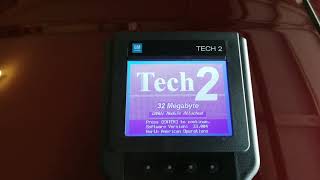
Typical fix: Replace the RCDLR module. This part requires programming by a dealer or a qualified shop with a GM Tech 2 tool to match it to the car's VIN and program the fobs.
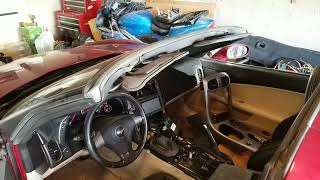
Est. part cost: $75-$200 for the part, though availability can be an issue. 🎬 See this walkthrough on how to replace the RCDLR module.
- Body Control Module (BCM) Software Glitch or Failure ⚪ Low Probability → Shop Body Control Module
How to confirm: This is a diagnosis of exclusion. If all other causes are ruled out, the BCM must be professionally diagnosed. A GM TSB for other models (PI1180A) indicates that a BCM software update can sometimes resolve B3935 when it appears with code B2955. This requires a dealer-level scan tool.
Typical fix: Reprogram the BCM with the latest software available from GM. In rare cases, the BCM itself may need to be replaced and programmed.
Est. part cost: $100-$250 for reprogramming; $400-$800 for BCM replacement.
Rare But Worth Checking
- Faulty Key Fob: → Shop Keyless Entry Transmitter While less common than a dead battery, the internal electronics of the key fob can fail, preventing it from authenticating with the car. If a new battery doesn't help and the spare fob works fine, the original fob is likely bad.
- Wiring or Connector Issues: Corrosion or loose connections at the RCDLR module or the BCM can cause intermittent failures. Owners on forums have reported success after cleaning the BCM connectors in the passenger footwell, which can be kicked loose, or checking the ground points for the RCDLR and BCM.
Diagnosis Steps
- Check for obvious sources of Radio Frequency Interference (RFI). Unplug all aftermarket devices (phone chargers, dash cams, radar detectors) and remove other keys/fobs from the vehicle. Try again.
- If the car doesn't start, place the key fob firmly into the dedicated slot inside the glove box. The buttons should face the passenger side of the car. Try to start the engine.
- If the car starts using the glove box slot, the issue is very likely RFI or a weak key fob battery. Replace the CR2032 battery in the fob as the first and cheapest step. Ensure the new battery has a voltage of at least 3.2V.
- If the car still won't start with the fob in the slot, the problem is more severe. Try your second key fob in the slot to rule out a completely dead primary fob.
- Check the vehicle's main battery to ensure it is fully charged (above 12.5V) and the terminals are clean and tight. Low system voltage can cause various electronic gremlins.
- Listen carefully when pressing the start button. A series of soft clicks from above the radio is normal. A single click points towards a failing RCDLR module.
- Scan for other DTCs. Codes like B3055, B3060, or B2955 can provide more specific clues about the failure. [Bulletin #PIC5650M, 8]
- If the glove box slot is the only way to start the car after trying new fob batteries, the Remote Control Door Lock Receiver (RCDLR) is the most likely failed component. This requires professional diagnosis and replacement. 🎬 Watch: Confirming the car runs after a successful RCDLR replacement.
- If all else fails, or if the car won't start even with the fob in the slot, the issue may be with the Body Control Module (BCM), its wiring, or connectors, requiring advanced diagnostics.
Parts You'll Likely Need
- Key Fob Battery
(OEM #CR2032)— This is the most common and cheapest fix when the fob signal is too weak for the car to read outside of the glove box slot.
Trusted brands: Energizer, Duracell, Panasonic
OEM price range: $5-$10
Aftermarket price range: $2-$5 - Remote Control Door Lock Receiver (RCDLR)
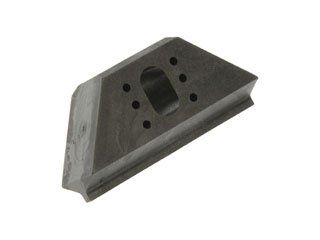
(OEM #25938511, 15853335, 25882862, 10372535, 15266677 (Verify with VIN))— This module reads the key fob signal. Its failure is a common cause for this code when simple fixes don't work. Part numbers have been superseded and vary by year; VIN verification is essential.
Trusted brands: ACDelco, GM Genuine Parts
OEM price range: $75-$200
Aftermarket price range: $50-$150 (Used)
Related Codes That Often Appear With This One
- B3055 — Relates to a problem with the key transponder itself. Often set alongside B3935 as part of the same security event. [Bulletin #PIC5650M, 8]
- B3060 — Indicates an issue with the transponder system's antenna or exciter circuit. It's part of the same immobilizer system. [Bulletin #PIC5650L, 8]
- B2955 — This code relates to the security sensor data circuit. A GM TSB for other models notes that B3935 and B2955 appearing together can often be fixed with a BCM software update.
Technical Service Bulletins (TSBs) & Recalls
- PIC5650M: Mentions B3935 in relation to intermittent no crank, no start, or start stall with the security light on.
- PIC5650L: Similar to the above, but specifically advises checking for Radio Frequency Identification interference before replacing any parts.
- PI1180A: While for 2014-15 GM trucks, this bulletin shows a precedent for B3935 and B2955 being resolved with a BCM software update.
Platform-Specific Known Issues
- TSB #PIC5650M and #PIC5650L directly address intermittent no-crank/no-start conditions with code B3935 on these Corvettes. [8, Bulletin #PIC5650M, Bulletin #PIC5650L]
- TSB #PIC5650L specifically warns against replacing parts and advises checking for Radio Frequency Identification devices near the key, highlighting how common RFI is as a cause. [Bulletin #PIC5650L, 44]
- The RCDLR module also controls the Tire Pressure Monitoring System (TPMS). A failing RCDLR can sometimes cause simultaneous issues with both the keyless start and the TPMS.
Hidden / Shadow Codes Worth Checking
- B3935 57: Indicates a Transponder Authentication Error where the transponder's calculation to the challenge from the Theft Deterrent Module (TDM) does not match the TDM's calculation. This confirms the key was detected but the security handshake failed. (see via A professional GM scan tool like a Tech 2 or GDS2 is required to view these 2-digit symptom codes.)
- B3948 02 / 05: While not B3935, this code for the turn signal circuit can be useful. If other electrical issues are present, checking for related body codes can help diagnose a faulty BCM. Symptom 02 means a short to ground, and 05 means an open circuit. (see via A professional GM scan tool is typically needed to read body codes and their specific symptoms.)
Scan Tool Commands That Help
- Tech 2 / Tech2Win / GDS2: Replace and Reprogram ECU — This function is required when installing a new RCDLR. It uses the TIS-2-WEB service to download the correct software and marry the new module to the vehicle's BCM.
- Tech 2 / Tech2Win / GDS2: VTD Vehicle Theft Deterrent Learn — After installing and programming a new RCDLR, this function is used to program the existing key fobs to the new module. It involves a 10-minute security wait period.
- Tech 2 / Tech2Win / GDS2: Invalidate All Fobs — This command erases all currently programmed key fobs from the RCDLR's memory. It is a necessary first step before programming fobs to a used or reprogrammed module to ensure no unwanted fobs remain active.
- Tech 2 / Tech2Win: Brake Pedal Position Sensor (BPS) Relearn — If a no-crank condition persists and is not related to the key fob system, the BCM may not be receiving the brake pedal input required to allow starting. A Tech 2 can view the BCM data to see if the brake pedal is recognized and perform a relearn if necessary.
Wiring & Ground Locations
- RCDLR Module — Located in the dashboard, above the center radio and A/C vents.. This is the central module for the keyless entry and immobilizer system. Its failure or a loose connector is a primary cause of B3935.
- BCM (Body Control Module) — Located in the passenger footwell, behind a kick panel.. The BCM works with the RCDLR to authenticate the key. Loose connectors (which can be kicked by a passenger) or corrosion from a water leak can cause a wide range of electrical issues, including this code.
- G302 Ground — Located behind the passenger B-pillar trim panel, near the door frame.. This is a major body ground point. While not directly tied to the RCDLR in schematics, poor grounds can cause unpredictable behavior in sensitive electronic modules like the BCM and RCDLR.
- Under-Battery Grounds — On the frame rail directly underneath the battery tray in the engine compartment.. This is a critical chassis ground point. Corrosion from battery acid leaks is common here and can cause a host of electrical gremlins, including no-start conditions and communication errors between modules.
- BCM Connectors (X1, X2, X3, etc.) — Multiple large connectors plugging into the BCM in the passenger footwell.. Specific communication and power lines for the security system run through these connectors. For example, the CAN bus wires run through specific pins. A loose pin or corroded connector can interrupt the signal between the RCDLR and BCM.
Real Owner Repair Stories
- CorvetteForum user Dads2kconvertible (2006 C6 Corvette) — Intermittent no-crank, no-start. Also experienced issues where the car would shut down while driving, with the dash going black. A code reader could not connect to the computer.
❌ Tried (didn't work) Checking all grounds., Checking all connections in both fuse panels., Jumping the crank relay (starter would run, but engine wouldn't start).
✅ What actually fixed it Replacing the Engine Control Module (ECM). The key diagnostic clue was the complete inability for a scan tool to communicate with the ECM, indicating the ECM itself was the point of failure, not the security modules. - CorvetteForum user (2005 C6 Corvette) — 'No Fob Detected' message, requiring a tap on the dashboard near the RCDLR to start the car.
❌ Tried (didn't work) Re-pinning the RCDLR connector plugs.
✅ What actually fixed it The user was in the process of replacing the RCDLR module. This story highlights a classic symptom of a failing RCDLR with a bad internal solder joint or component, where physical shock (tapping the dash) temporarily restores the connection. - CorvetteForum user (2013 C6 Corvette, 61k miles) — Crank but no start. Car died on the side of the road. Fuel level confirmed at 57%.
❌ Tried (didn't work) Starter and solenoid were already replaced for a previous no-crank issue., Cleaning all fuse box connectors and pins.
✅ What actually fixed it The final fix was not posted, but a contributing user shared their identical symptoms were caused by a bad terminal connection in one of the large connectors under the under-hood fuse box, which was damaged during a prior recall service.
OEM Part Supersession History
10372535, 15266677, 15815693, 25786622→25940664 (for 2005-2007 models)— GM periodically updates electronic modules to improve reliability or change component suppliers.
Heads up: While many RCDLR modules for the C6 are physically interchangeable, programming may fail if the replacement module is not a valid supersession for the original part number. Some forum members report success with any C6 module, while others, including dealers, insist the part number must match or be a direct replacement. VIN verification with a dealer is the safest method.25882862, 25821056→25938511 (for 2008-2009 models)— Module update for mid-generation C6 models.
Heads up: Part number 25938511 is specifically listed for 2008-2009 models. Using an early model RCDLR on a later model car, or vice-versa, may result in programming failures.
Model Year Variations Within This Range
- 2005 only: The 2005 model year was the only C6 equipped with an electronic steering column lock. This system was a frequent source of no-start issues and was eliminated in 2006. While it can cause a no-start, it is a separate system from the RCDLR and typically sets different codes related to the column lock itself.
- 2005-2009 vs 2010-2013: The software required for programming modules changed. TIS2000 software is used for model years up to 2009. For 2010 and newer, GM's online-based TDS (Techline Data System) is required. This is important for DIY programmers using a Tech 2 clone, as a cracked version of TIS2000 is widely available, but TDS requires a subscription.
- 2006-2012: A known software glitch exists in the Tech2win software (a PC-based Tech 2 emulator). To access certain BCM and special functions for these model years, the technician must select '2013' as the vehicle year in the software, otherwise the necessary menus may not appear.
Helpful Videos

We Have This Part in Stock


The information in this article is provided for general reference and educational purposes only. Vehicle specifications, procedures, and part compatibility can vary by production date, trim level, and region. Always consult your vehicle's factory service manual and verify part numbers before purchasing or performing repairs. Safety-critical components such as airbags, seat belts, and braking systems should be installed by a qualified professional.
- Chevrolet CORVETTE:
- 🧭 Diagnostic Flowchart
- 🎬 Helpful Videos
- 🛍️ Shop This Part
- What's Unique About the 2005-2012 Chevrolet CORVETTE
- Symptoms You May Notice
- Most Likely Causes
- Rare But Worth Checking
- Diagnosis Steps
- Parts You'll Likely Need
- Related Codes That Often Appear With This One
- Technical Service Bulletins (TSBs) & Recalls
- Platform-Specific Known Issues
- Hidden / Shadow Codes Worth Checking
- Scan Tool Commands That Help
- Wiring & Ground Locations
- Real Owner Repair Stories
- OEM Part Supersession History
- Model Year Variations Within This Range
- 🎟️ Get 5% Off