

B3980 on 2017-2019 GMC Sierra 1500: Causes and Fixes for Communication Errors
B3980 on a 2017-2019 Sierra 1500 indicates a communication failure between the Body Control Module (BCM) and the Instrument Cluster. The most common cause is a software glitch, often triggered by a weak battery or jump-start. The fix is typically reprogramming the Serial Data Gateway Module (SDGM), not replacing parts.
- B3980 is a network communication error, not a failed part. Do not rush to replace the instrument cluster or BCM.
- The most common trigger is a weak battery, jump-start, or recent battery replacement.
- The most likely fix is a software reprogram of the Serial Data Gateway Module (SDGM), which must be done by a shop with GM-specific tools.
- Before paying for reprogramming, check the connectors at the SDGM (above the gas pedal) and inspect ground G218 (under the driver's dash) for simple connection issues.
What's Unique About the 2017-2019 Gmc SIERRA 1500
On this generation of GMC Sierra (K2XX platform), many electronic modules are interconnected through a central router called the Serial Data Gateway Module (SDGM). A low battery or voltage spike can cause this module to 'lock up,' leading to a cascade of communication failures that set code B3980 and cause widespread, seemingly unrelated electrical issues. GM has issued technical service bulletins acknowledging that this is often a software or connection issue rather than a hardware failure.
Diagnostic Flowchart
Tap your situation to follow the diagnostic path that matches what you're seeing on this vehicle.
Symptoms You May Notice
- HVAC controls are inoperative.
- No audible 'click' from the turn signals.
- Vehicle will not crank, or starts and immediately stalls.
- Instrument panel gauges are dead or fluctuate.
- Radio or infotainment display is blank.
- Multiple service messages appear on the driver information center (e.g., 'Service Airbag').
- Theft deterrent system failure message or security light is on.
- Steering wheel control buttons are not illuminated or working.
- Replacing the Instrument Panel Cluster. The code is reported BY the BCM ABOUT the cluster, but the cluster is rarely the actual cause.
- Replacing the Body Control Module (BCM) without proper diagnosis. The issue is often software or a connection, not a failed BCM.
- Replacing the battery. While a weak battery is a common trigger, simply replacing it often won't fix the resulting module logic lock-up.
Most Likely Causes
- Serial Data Gateway Module (SDGM) Software Glitch / Logic Lock-Up 🔴 High Probability → Shop Telematics Interface Module These modules are sensitive to low voltage events (weak battery, jump-starts, or battery replacement), which can corrupt their operating logic. TSB 20-NA-212 and 21-NA-277 directly address this.
How to confirm: A professional scan tool will show multiple 'U' (network) codes alongside B3980. The first diagnostic step recommended by GM in TSB PIT5586G is to perform a module reset by pulling the SDGM fuse (F26DL 🎬 Watch: How to reset your modules after a battery change. in the left-hand dash fuse block for trucks) for one minute.
Typical fix: Reprogram the SDGM and/or BCM with the latest GM software via SPS2. In some cases, a 'hard reset' by disconnecting the battery for 30 minutes can temporarily resolve the lock-up. TSB 20-NA-212 is the primary document for the reprogramming fix.
Est. part cost: $0 - Loose or Damaged Terminals at SDGM Connectors 🟡 Medium Probability The SDGM is located in the driver's footwell above the accelerator pedal, and its connectors can have pins that are not fully seated. TSBs PIT5586G and 20-NA-212 specifically mention checking these connections.
How to confirm: Visually inspect the X1 (Gray) and X2 (Black) connectors at the SDGM for any bent, loose, or backed-out terminal pins. A forum user on MHH Auto noted visible corrosion on a power pin at the SDGM connector causing similar issues.
Typical fix: Reseat the connector and repair any damaged terminals using the correct terminal removal tools. Applying dielectric grease can help ensure a good connection. TSB PIT5586G provides a part number for replacement terminated leads (p/n 84619127).
Est. part cost: $0-$25 - Poor Ground Connection (G218) ⚪ Low Probability Ground G218, located under the driver's side A-pillar trim near the floor, is a common ground point for several interior modules, including the BCM. TSB PIT5405C notes that the dash insulator mat can get trapped under the ground eyelet from the factory, causing a poor connection.
How to confirm: Locate ground G218 by removing the driver's side A-pillar and sill plate trim. Remove the nut (typically 10mm) and inspect for corrosion or for the foam insulator mat being pinched under the terminal.
Typical fix: Clean the ground stud, wire terminals, and contact surfaces with a wire brush or sandpaper until they are bright metal. If the insulator is trapped, trim it away. Reassemble securely. 🎬 Watch: Step-by-step guide to cleaning and fixing the G218 ground. Multiple YouTube videos from owners demonstrate this exact fix.
Est. part cost: $0-$5
Rare But Worth Checking
- Chafed or Broken Wiring Harness: In some cases, a wiring harness can rub against the frame, particularly the harness that runs above the spare tire, causing a short that brings down a segment of the CAN bus network.
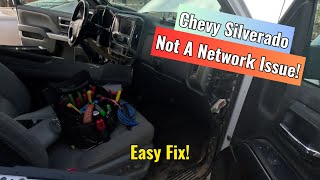
- Missing Main Fuse for Interior Fuse Block: A YouTube video by 'Advanced Level Diagnostics' on a 2018 Silverado with identical symptoms (no communication with radio/airbag, multiple U-codes) traced the fault to a missing 60-amp main fuse (F10) on the battery-mounted fuse block. 🎬 See how a missing 60-amp fuse can cause total communication loss. This single fuse powered the entire right-side instrument panel fuse block.
Diagnosis Steps
- Check battery voltage and perform a load test. Ensure the battery is healthy (above 12.4V) and connections are clean and tight before proceeding. Charge or replace if necessary.
- Scan all vehicle modules with a professional-grade scan tool capable of reading manufacturer-specific codes. Document all B, C, and U codes. Expect to see a large number of communication codes.
- Perform a targeted SDGM reset by removing fuse F26DL (for trucks) from the left-hand instrument panel fuse block for 60 seconds, then reinstall. This is the first step recommended in TSB PIT5586G.
- If codes return, perform a full hard reset by disconnecting the negative battery terminal for at least 30 minutes to clear any module logic lock-ups.
- If codes persist, locate the Serial Data Gateway Module (SDGM) above the accelerator pedal. Disconnect the X1 (Gray) and X2 (Black) connectors and carefully inspect for any bent, corroded, or backed-out pins. Reseat securely.
- Locate and inspect ground G218 under the driver's side dash near the A-pillar. Ensure it is clean, tight, and free of corrosion. Check if the dash insulator mat is trapped underneath the terminal eyelet as described in TSB PIT5405C.
- If connections are good, the next step is to have a qualified technician attempt to reprogram the SDGM and/or BCM using GM's SPS2 software, as per TSB 20-NA-212.
- If reprogramming fails, further network diagnostics are needed to check for a failed module or a break in the wiring harness.
Parts You'll Likely Need
- Serial Data Gateway Module (SDGM) Reprogramming — This is not a physical part replacement, but a software fix that resolves the logic lock-up that is the most common cause of B3980, as recommended by TSB 20-NA-212.
Trusted brands: GM (dealership service)
OEM price range: $150-$300
Aftermarket price range: N/A - Serial Data Gateway Module (SDGM)
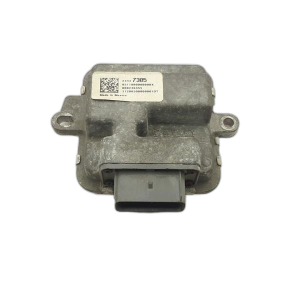
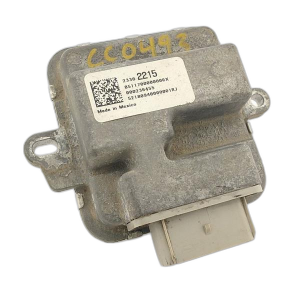
(OEM #84527678 (Number can vary, verify with VIN))— If reprogramming fails and the module is determined to be internally faulty, it will require replacement. This part must be programmed to the vehicle upon installation.
Trusted brands: ACDelco
OEM price range: $50-$150
Aftermarket price range: N/A - Body Control Module (BCM)
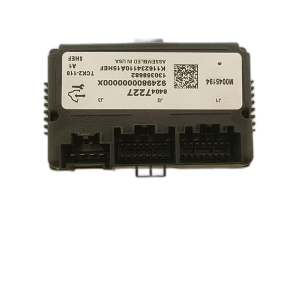
(OEM #84309694 (Number can vary, verify with VIN))— In rare cases where reprogramming fails and wiring is confirmed to be good, the BCM itself may have failed. This part requires programming to the vehicle.
Trusted brands: ACDelco
OEM price range: $350-$500
Aftermarket price range: $250-$400
Related Codes That Often Appear With This One
- U0140 — Lost Communication With Body Control Module. This code is frequently seen with B3980 as the BCM is the module that sets the code and is central to the fault.
- U0155 — Lost Communication With Instrument Panel Cluster (IPC) Control Module. This directly relates to the B3980 fault, indicating a communication breakdown with the cluster.
- U0184 — Lost Communication With Radio. The radio going blank is a very common symptom of the network failure that causes B3980.
- B1370 — Device Ignition 1 Circuit. This code, mentioned in TSB PIT5586G, points to the widespread electrical issues that accompany the network fault.
- B3978, B3979, B3981 — These are companion 'Incorrect Environmental Identifier' codes for other modules like the Airbag, HVAC, and Brake modules. They often appear as a group with B3980, indicating a widespread security handshake failure.
Technical Service Bulletins (TSBs) & Recalls
- PIT5586G: Mentions B3980 in a list of DTCs related to various electrical failures. Recommends resetting the SDGM by pulling its fuse as a first step and checking connector terminals before replacing parts. [⭐ MANUFACTURER TSB — highest authority]
- 21-NA-277: Discusses multiple 'Environment ID' DTCs (including B3980) appearing after a low voltage event, jump start, or battery replacement. It warns against premature module replacement and outlines a special procedure involving GM's Technical Assistance Center (TAC) to resolve the condition. [⭐ MANUFACTURER TSB — highest authority]
- 20-NA-212: Addresses the root cause of these symptoms, pointing to either a software error in the SDGM or loose connector terminals. The primary recommended fix is to reprogram the SDGM. [⭐ MANUFACTURER TSB — highest authority]
- PIT5405C: While not mentioning B3980 directly, it addresses many of the same symptoms (blank IPC/radio, stalls) and points to a poor BCM ground at G218, specifically noting the dash insulator mat can be the cause. [⭐ MANUFACTURER TSB — highest authority]
Platform-Specific Known Issues
- A widespread issue documented in GM TSBs #PIT5586G, #20-NA-212, and #21-NA-277 involves multiple communication DTCs, including B3980, appearing after a low voltage event. The bulletins guide technicians to check connections and reprogram modules before replacing them.
- The G218 ground point is a known weak spot. TSB PIT5405C specifically mentions the dash insulator mat getting trapped under the ground terminal during assembly, preventing a secure connection and causing various electrical faults.
Mechanic-Grade Diagnostic Values
- High-Speed GMLAN Bus Resistance (across DLC pins 6 & 14) — expected: 60 Ohms (± 5 Ohms) with battery disconnected.. Failure: A reading of ~120 Ohms indicates an open circuit or a missing terminating resistor. A reading significantly less than 60 Ohms indicates the high and low circuits are shorted together.
- High-Speed GMLAN Bus Voltage (Key-On, Engine-Off) — expected: Both CAN High (Pin 6) and CAN Low (Pin 14) should show a bias voltage of approximately 2.5V in the idle state. During communication, CAN High should toggle between 2.5V and 3.5V, while CAN Low mirrors it by toggling between 2.5V and 1.5V.. Failure: Voltages stuck high, low, or at 0V indicate a short to power, ground, or an open circuit.
Hidden / Shadow Codes Worth Checking
- B3980 00: The '00' is a symptom byte meaning 'General Electrical Failure'. When seen with other environmental ID codes (like B3978 00, B3979 00), it strongly points to BCM software corruption from a low voltage event, as noted in TSB 21-NA-277. (see via GM GDS2 (Global Diagnostic System 2) factory scan tool software.)
- B3980 71: The '71' symptom byte means 'Invalid Serial Data Received'. This indicates the message content itself is corrupt, rather than a total loss of communication, pointing more directly at a software or module logic issue. (see via GM GDS2 (Global Diagnostic System 2) factory scan tool software.)
Scan Tool Commands That Help
- GDS2: Module Reset for Logic Lock — As described in TSB PIT5586G, a specific labor operation (5480868) exists for performing a software reset of the SDGM to clear a logic lock condition without replacing parts. This is a first step before physical inspection if reprogramming is not immediately performed.
- GDS2 with SPS2 (Service Programming System): K56 Serial Data Gateway Module: Programming and Setup — This is the formal reprogramming procedure outlined in TSB 20-NA-212 to fix software errors in the SDGM that cause the widespread communication failure.
- GDS2: Configuration/Reset Functions — After replacing a module like the BCM or SDGM, this function is used to configure the new module to the vehicle's specific options and VIN.
Wiring & Ground Locations
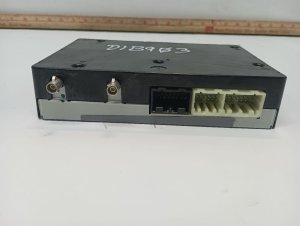
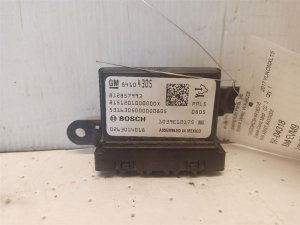
- SDGM (Serial Data Gateway Module) — A small black box mounted to a bracket above the accelerator pedal in the driver's footwell.. This is the central router for the vehicle's communication networks. A software lock-up or poor connection at this module is the most common root cause of the network failure that sets B3980.
- SDGM Connectors X1 (Gray) and X2 (Black) — Plugged directly into the SDGM above the accelerator pedal.. TSB PIT5586G and TSB 20-NA-212 specifically instruct technicians to inspect these two connectors for bent, backed-out, or loose terminals as a primary diagnostic step.
- G218 Ground — Located under the driver's side A-pillar trim, near the floor. It is a stud with a 10mm nut.. This is a major grounding point for interior electronics. TSB PIT5405C confirms that sound-deadening insulation can get trapped under the ground terminal from the factory, causing intermittent and widespread electrical faults, including those related to B3980.
Real Owner Repair Stories
- YouTube video by 'Peter L' (2018 Chevy Silverado) — No crank, no start condition with power to accessories.
❌ Tried (didn't work) Initial checks of battery and relays did not immediately reveal the problem.
✅ What actually fixed it The root cause was several 40-amp fuses in the under-hood fuse block that were not fully seated. After physically pushing all the large fuses in until they clicked, the truck started and ran normally. - YouTube video by 'HouseCallAutoRepair' (2018 Chevy Silverado with 30,000 miles) — Intermittent no crank, no start. The starter had already been replaced twice under warranty.
❌ Tried (didn't work) Replacing the starter (twice by the dealer).
✅ What actually fixed it The signal wire connector at the starter solenoid had a broken locking tab, causing a poor connection. Wiggling the wire would allow the truck to start. The fix was to repair or replace the pigtail connector for the starter signal wire. - Reddit user in r/Silverado (2018 Chevy Silverado) — Intermittent no crank, just a quiet click. All dash lights worked normally.
❌ Tried (didn't work) Hitting the starter with a hammer did not work., The old starter, once removed, tested as 'good' at an auto parts store, causing confusion.
✅ What actually fixed it Replacing the starter motor resolved the problem permanently, despite the old one testing fine off the vehicle.
Model Year Variations Within This Range
- 2019: For the 2019 model year, GM sold two different Sierra 1500s. The 'Sierra 1500 Limited' was a carryover of the 2014-2018 K2XX platform and this guide applies to it. The all-new 'Sierra 1500' is on the T1XX platform with a different electrical architecture, and this guide's specifics (like G218 and SDGM issues) may not apply.
- 2018-2019: TSB PIT5586G originally covered 2017-2020 models, but was later revised. TSB 20-NA-212 was released to specifically cover 2018 and newer models for the SDGM reprogramming fix, superseding the older bulletin for these years.
Helpful Videos

We Have This Part in Stock

The information in this article is provided for general reference and educational purposes only. Vehicle specifications, procedures, and part compatibility can vary by production date, trim level, and region. Always consult your vehicle's factory service manual and verify part numbers before purchasing or performing repairs. Safety-critical components such as airbags, seat belts, and braking systems should be installed by a qualified professional.
- Gmc SIERRA 1500:
- 🧭 Diagnostic Flowchart
- 🎬 Helpful Videos
- 🛍️ Shop This Part
- What's Unique About the 2017-2019 Gmc SIERRA 1500
- Symptoms You May Notice
- Most Likely Causes
- Rare But Worth Checking
- Diagnosis Steps
- Parts You'll Likely Need
- Related Codes That Often Appear With This One
- Technical Service Bulletins (TSBs) & Recalls
- Platform-Specific Known Issues
- Mechanic-Grade Diagnostic Values
- Hidden / Shadow Codes Worth Checking
- Scan Tool Commands That Help
- Wiring & Ground Locations
- Real Owner Repair Stories
- Model Year Variations Within This Range
- 🎟️ Get 5% Off