

B3980 on 2017-2019 GMC Sierra 3500: No-Start, HVAC & Electrical Fixes
B3980 means the Body Control Module (BCM) has a communication error with the Instrument Cluster, almost always caused by a low voltage event (dead battery, jump-start). The fix is not parts replacement, but a BCM/SDGM software reprogram by a dealer or qualified shop, costing around $200-$500.
- B3980 is a software and communication code, not a failed part code. Do NOT replace the Instrument Cluster or BCM as a first step.
- The most likely trigger is a recent jump-start, dead battery, or battery replacement.
- The correct fix is almost always a software reprogram of the Body Control Module (BCM) or Serial Data Gateway Module (SDGM).
- This repair is not DIY-friendly and requires a trip to a dealer or a well-equipped independent shop with GM diagnostic and programming software.
- If reprogramming doesn't work, the next step is a physical inspection of the wiring connectors at the Serial Data Gateway Module under the driver's dash.
What's Unique About the 2017-2019 Gmc SIERRA 3500
The 2017-2019 Sierra HD is built on GM's K2XX platform, which uses a complex and security-focused electrical architecture. Many electronic modules are cryptographically linked and communicate through a central hub called the Serial Data Gateway Module (SDGM), which is located under the driver's side of the dashboard. This system is highly sensitive to voltage fluctuations. A simple event like a battery replacement or jump-start can corrupt the configuration data in the BCM or SDGM, triggering B3980 and a cascade of other seemingly unrelated electrical faults. Consequently, the fix is rarely a new part, but rather a dealer-level software procedure to re-establish the 'handshake' between modules, as outlined in multiple GM Technical Service Bulletins.
Diagnostic Flowchart
Tap your situation to follow the diagnostic path that matches what you're seeing on this vehicle.
Symptoms You May Notice
- No-start or starts and immediately stalls.
- Theft deterrent system warning on dash.
- Instrument panel cluster gauges are inoperative or fluctuate wildly.
- Radio/infotainment display is blank or frozen.
- HVAC controls are inoperative.
- No audible feedback (chime) from turn signals.
- Service Airbag / SIR message illuminated.
- Steering wheel control buttons are not illuminated or working.
- PRNDL gear indicator is missing or incorrect.
- Replacing the Instrument Panel Cluster. The cluster is usually the victim of the communication error, not the cause. Replacing it will not solve the problem without proper programming and will be a waste of money.
- Replacing the Battery. While a weak battery can be the trigger, simply installing a new battery will not fix the corrupted software in the control modules. The reprogramming must still be performed.
- Performing an Immobilizer Relearn. TSB 21-NA-277 specifically warns technicians NOT to perform an immobilizer learn procedure, as it will not resolve the environmental ID mismatch and will fail.
Most Likely Causes
- Low Voltage Event (Battery Replacement, Jump-Start, or Disconnect) 🔴 High Probability The K2XX platform's BCM and SDGM are highly sensitive to voltage drops, which can corrupt their software configuration and environment identifiers, as documented in GM TSB 21-NA-277. This is the most common trigger for this specific fault.
How to confirm: Review the vehicle's recent history. If the problem appeared immediately after a battery was replaced, went dead, or was jump-started, this is the most likely cause. A professional scan tool will show B3980 alongside other 'Incorrect Environmental Identifier' codes (B3978, B3979, B3981) and potentially B389A.
Typical fix: Reprogramming the Body Control Module (BCM) using the GM Service Programming System (SPS). This is a dealer or specialty shop repair that requires following the specific procedure in TSB 21-NA-277, which involves contacting the GM Technical Assistance Center (TAC) for a special two-part VCI number to restore the module's configuration.
Est. part cost: $0 - Loose or Damaged Terminals at Serial Data Gateway Module (SDGM) 🟡 Medium Probability → Shop Telematics Interface Module GM TSBs PIT5586 and the superseding 20-NA-212 specifically call out loose pins, poor terminal tension, or backed-out terminals in the SDGM's X1 (gray) and X2 (black) connectors as a primary cause for these widespread communication failures. The SDGM is located under the driver's side dash, near the BCM.
How to confirm: A technician will physically access the SDGM, disconnect the X1 and X2 connectors, and inspect each terminal for looseness, corrosion, or damage. This requires care to avoid damaging the connector.
Typical fix: Repairing or replacing the affected wire terminal(s). If a terminal is loose, it is replaced with a new terminated lead (GM Part No. 84619127 for 2017 models). If the connector housing is damaged, it will also be replaced.
Est. part cost: $10-$50
Rare But Worth Checking
- Chafed Wiring Harness: In some cases, the main wiring harness can rub through on a metal post or bracket behind the dashboard, shorting out communication lines and causing multiple network codes, including B3980. Bulletin PIE0489 also notes potential for chafing at the steering column on related platforms.
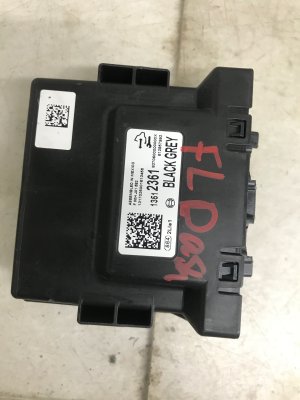
- Faulty Body Control Module (BCM): → Shop Body Control Module While software corruption is far more common, an internal hardware failure of the BCM can also cause this code. This should only be considered after all software, programming, and wiring issues have been ruled out completely.
- SDGM Microcontroller Logic Lock-up: TSB 20-NA-212 describes a condition where the SDGM microcontroller can enter an error state and stop communicating. A temporary fix can be to perform a hard reset by pulling the SDGM fuse (F26DL for trucks in the left-hand instrument panel fuse block), waiting one minute, and reinstalling it. If this works, a permanent fix requires reprogramming the SDGM with updated software.
- Poor Ground at G218: Ground G218, located behind the driver's side kick panel, is a known weak point. TSB PIT5405C notes that the dash insulator mat can get trapped between the ground eyelet and the body, causing a poor connection and a wide range of electrical faults.
Diagnosis Steps
- Connect a professional scan tool capable of reading GM-specific codes (like a GM MDI 2 with GDS2 software).
- Document all codes present in all modules. Note the presence of B3980 and a cluster of accompanying 'Incorrect Environmental Identifier' codes (B3978, B3979, B3981) and U-codes. Check for symptom bytes like ':00' or ':71' for further clues.
- Question the driver about recent battery service, jump-starts, or low voltage events.
- If a low voltage event is confirmed and three or more environment ID codes are present, proceed with the BCM recovery and reprogramming procedure outlined in TSB 21-NA-277. This is a professional-level task requiring contact with GM TAC.
- If no low voltage event is known, or if reprogramming the BCM fails, proceed to inspect physical connections.
- With the battery disconnected, measure the resistance between the CAN High and CAN Low pins at the OBD-II port. The reading should be approximately 60 Ohms. A reading of 120 Ohms indicates an open circuit or a missing termination resistor.
- Inspect ground G218, located behind the driver's side kick panel. Ensure the dash insulation is not trapped under the connector and that the nut is tight and free of corrosion. 🎬 See how a bad ground causes these electrical failures
- Following TSB 20-NA-212, locate the SDGM under the driver's side dash. Disconnect the X1 (gray) and X2 (black) connectors and inspect each terminal for looseness, corrosion, bent pins, or backed-out wires.
- If a terminal issue is found, repair or replace the specific terminal using the appropriate terminated lead.
- Inspect known problem areas for wiring harness chafing, such as behind the dashboard and near the steering column.
- As a last resort, diagnose the BCM for internal hardware failure, but only after all software and wiring paths have been exhausted.
Parts You'll Likely Need
- No parts typically needed — The most common fix is a software reprogram, not a hardware replacement.
OEM price range: $0
Aftermarket price range: $0 - Terminated Lead (for SDGM connector repair)
(OEM #84619127)— Used to replace a single damaged or loose terminal in the SDGM X1 or X2 connector, as per TSB 20-NA-212. Part number is for 2017 models.
Trusted brands: ACDelco (GM Genuine)
OEM price range: $15-$30
Aftermarket price range: $10-$20 - Body Control Module (BCM) — Replaced only in the rare event of an internal hardware failure after all other diagnostic steps have been exhausted. Must be programmed by a dealer.
Trusted brands: ACDelco
OEM price range: $300-$450
Aftermarket price range: $200-$350
Related Codes That Often Appear With This One
- B3978 — Incorrect Environmental Identifier from the Airbag Module (SDM).
- B3979 — Incorrect Environmental Identifier from the HVAC Control Module.
- B3981 — Incorrect Environmental Identifier from the Electronic Brake Control Module (EBCM).
- B389A — Environment Identification. This code is often set in the BCM along with the other specific module codes when the configuration is lost.
- U0140 — Lost Communication With Body Control Module.
- U0155 — Lost Communication With Instrument Panel Cluster (IPC) Control Module.
- U-codes (various) — A host of lost communication codes (U0073, U0100, U0101, U0164, etc.) are often present, indicating a widespread network disruption as documented in TSBs PIT5586 and 20-NA-212.
Technical Service Bulletins (TSBs) & Recalls
- PIT5586B: Diagnostic tip for various electrical issues, listing B3980 as a possible code.
- PIT5586C: An updated version of the same diagnostic tip.
- 20-NA-212: Supersedes earlier PIT bulletins, providing a clear two-pronged diagnostic path: reprogram the SDGM for software issues or inspect SDGM connectors for physical faults.
- 21-NA-277: The key bulletin for this issue when triggered by low voltage, explaining the cause is software corruption and the fix is a specific BCM reprogramming procedure requiring TAC involvement.
Platform-Specific Known Issues
- TSB 21-NA-277: This is the primary bulletin for this issue when caused by a low voltage event. It describes a no-start condition with three or more 'Environment ID' DTCs (like B3978, B3979, B3980). It explicitly warns *not* to replace modules and details a special BCM recovery procedure that requires contact with the GM Technical Assistance Center (TAC).
- TSB 20-NA-212 / PIT5586: These bulletins address widespread electrical failures (gauges, no-start, HVAC) and point to either a software 'logic lock' in the Serial Data Gateway Module (SDGM) or loose/damaged terminals in the SDGM's X1 and X2 connectors.
- TSB PIT5405C: This bulletin specifically addresses issues caused by a poor connection at ground G218, located behind the driver's side kick panel. It instructs technicians to check for and remove any dash insulation matting caught between the ground terminal and the body.
Mechanic-Grade Diagnostic Values
- CAN Bus Network Resistance — expected: 60 Ohms (± 10%). Failure: A reading of 120 Ohms indicates an open in the bus or a missing termination resistor. A reading of ~40 Ohms or less indicates an extra termination resistor or a shorted wire.
Hidden / Shadow Codes Worth Checking
- B3980:00: Indicates 'No Additional Information' or 'General Electrical Failure'. This symptom byte is commonly seen when the code is triggered by BCM software corruption from a low voltage event, as described in TSB 21-NA-277. (see via GM GDS2 (Global Diagnostic System 2) or equivalent professional scan tool.)
- B3980:71: Indicates 'Invalid Serial Data Received'. This points more specifically to a data integrity problem where the BCM is receiving data, but it's corrupt or fails the security check, rather than a total loss of communication. (see via GM GDS2 (Global Diagnostic System 2) or equivalent professional scan tool.)
Scan Tool Commands That Help
- GM GDS2 / SPS2 (Techline Connect): BCM - Programming and Setup — This is the primary repair procedure for a B3980 code caused by a low-voltage event, as per TSB 21-NA-277. It re-flashes the BCM's software and restores the correct, VIN-specific environmental identifiers. May require a special VCI number from GM TAC.
- GM GDS2: Module Diagnostics > BCM > Control Functions — Used to perform bidirectional tests (e.g., command headlights on/off). This helps verify if the BCM hardware is functional and capable of commanding outputs, which can rule out a failed BCM before attempting reprogramming for a communication fault.
- GM GDS2 / SPS2 (Techline Connect): SDGM - Programming — Used to update the Serial Data Gateway Module's software to fix logic lock-up issues that can cause widespread communication loss and set codes like B3980, as described in TSB 20-NA-212.
Wiring & Ground Locations
- G218 — Behind the driver's side kick panel, on the A-pillar/firewall area.. This is a major instrument panel ground. TSB PIT5405C notes that the sound-deadening dash insulator mat can get trapped between the ground ring terminal and the body stud, causing a poor connection and numerous, seemingly random electrical faults, including communication codes.
- SDGM Connectors X1 (Gray) & X2 (Black) — On the Serial Data Gateway Module, located under the driver's side of the dashboard, often near the steering column.. These are the main data hub connectors. TSBs PIT5586 and 20-NA-212 identify loose terminals or poor pin tension in these specific connectors as a primary cause of network-wide communication loss that triggers B3980.
- BCM Fuses — In the fuse box on the driver's side of the dashboard, accessible when the door is open.. Power supply to the BCM is critical. On these trucks, fuses F7, F8, F28, F45, and F46 are all related to the BCM and should be checked before condemning the module.
Real Owner Repair Stories
- MHH Auto forum user, summarized in Go-Parts article (2019 Chevy Silverado (K2XX platform)) — Theft deterrent system fail message, immobilizer light on, engine starts for 2 seconds then stalls. Codes B3978:00, B3979:00, B3980:00 were present in the BCM.
❌ Tried (didn't work) Replaced and reprogrammed the BCM., Replaced and reprogrammed the ABS module., Replaced and reprogrammed the Instrument Cluster.
✅ What actually fixed it The issue was reportedly triggered by a failed attempt to correct the mileage by reprogramming the instrument cluster. The ultimate resolution was a proper BCM reprogramming procedure following the correct sequence, which restored the environmental ID handshake. This highlights that incorrect programming attempts can be the cause, and the fix is to perform the correct programming procedure.
"I Checked Everything" — The Actual Cause
- For code B3980, the electrical equivalent of a 'smoke test clean' scenario is when all physical checks (wiring, grounds like G218, connector terminals at the SDGM) show no faults. In this case, the root cause is almost certainly internal software corruption within the Body Control Module (BCM), triggered by a low-voltage event. No amount of physical inspection with a multimeter will find this fault; the only solution is the dealer-level software recovery procedure detailed in TSB 21-NA-277.
Model Year Variations Within This Range
- 2019: The 2019 model year was a transition period. The 'GMC Sierra 3500 Limited' is a continuation of the 3rd generation K2XX platform, to which the common TSBs for B3980 apply. However, the all-new 4th generation T1XX platform also launched as a '2019' model. Technicians must verify which platform they are working on, as module locations, wiring, and ground points (e.g., G110/G114 on T1XX) can differ significantly.
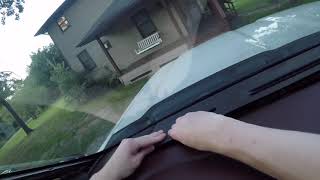
Helpful Videos

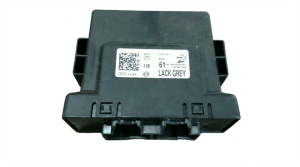
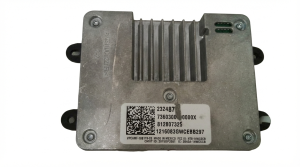
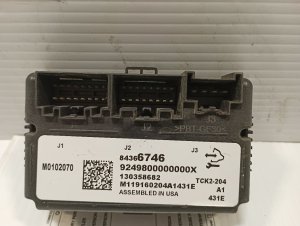
We Have This Part in Stock

The information in this article is provided for general reference and educational purposes only. Vehicle specifications, procedures, and part compatibility can vary by production date, trim level, and region. Always consult your vehicle's factory service manual and verify part numbers before purchasing or performing repairs. Safety-critical components such as airbags, seat belts, and braking systems should be installed by a qualified professional.
- Gmc SIERRA 3500:
- 🧭 Diagnostic Flowchart
- 🎬 Helpful Videos
- 🛍️ Shop This Part
- What's Unique About the 2017-2019 Gmc SIERRA 3500
- Symptoms You May Notice
- Most Likely Causes
- Rare But Worth Checking
- Diagnosis Steps
- Parts You'll Likely Need
- Related Codes That Often Appear With This One
- Technical Service Bulletins (TSBs) & Recalls
- Platform-Specific Known Issues
- Mechanic-Grade Diagnostic Values
- Hidden / Shadow Codes Worth Checking
- Scan Tool Commands That Help
- Wiring & Ground Locations
- Real Owner Repair Stories
- "I Checked Everything" — The Actual Cause
- Model Year Variations Within This Range
- 🎟️ Get 5% Off