

C0024 on 2019-2020 Chevy Silverado 1500: Brake Assist Failure Causes and Fixes
On a 2019-2020 Silverado, code C0024 almost always indicates a software glitch in the electronic brake system. The fix is a dealer-performed software update for the Brake System Control Module (BSCM) as outlined in TSB #20-NA-073, not a hardware replacement. This issue also affects its platform-mate, the GMC Sierra, and other GM T1 platform vehicles. Expect to pay for 1-2 hours of labor ($200-$450) if not covered by warranty.
- Code C0024 on a 2019-2020 Silverado is a critical safety fault indicating a loss of power brake assist.
- Do not immediately assume an expensive hardware failure. The most probable cause is a known software glitch documented in TSB #20-NA-073.
- The correct first step for repair is to have a GM dealer or qualified shop reprogram the Brake System Control Module (BSCM).
- The vehicle is not safe to drive with this code active. Have it towed to a service center.
- This issue is different from the 'Brake System Failure' warning that can appear after a DIY brake pad change, which typically sets other codes like C05B0.
What's Unique About the 2019-2020 Chevrolet SILVERADO 1500
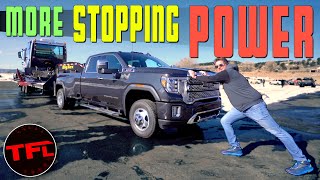
The 2019+ Silverado 1500, built on the GM T1 platform, introduced a sophisticated electronic brake booster ('eBoost') that replaced traditional vacuum boosters. 🎬 Watch: See how this eBoost system improves stopping power and safety. This system is highly dependent on software. A known software anomaly can cause the Brake System Control Module (BSCM) to incorrectly calculate the solenoid's temperature, leading to a discrepancy with the motor position sensors. This calculation error, not a physical part failure, triggers fault code C0024. This specific issue is well-documented by General Motors in Technical Service Bulletin #20-NA-073.
Diagnostic Flowchart
Tap your situation to follow the diagnostic path that matches what you're seeing on this vehicle.
Symptoms You May Notice
- Brake warning light illuminated on the dashboard
- "Service Brake System" or "Service ESC" message in the Driver Information Center (DIC)
- Loss of power brake assist, resulting in a very hard or stiff brake pedal
- Brake pedal feels different, possibly with longer or softer travel before engaging
- Longer than normal stopping distances
- In some cases, a "62 MPH Top Speed" limiter message may appear.
- Replacing the entire electronic brake booster / master cylinder assembly. This is a very expensive part (often quoted over $3,000 at a dealer) that is rarely the cause of this specific software-related fault code.
- Confusing the issue with brake service errors. Pushing caliper pistons back during a brake job without using 'Brake Service Mode' or disconnecting the battery can trigger different codes (like C05B0 or C2A17) and similar warnings, but the root cause and fix are different.
Most Likely Causes
- Brake System Control Module (BSCM) Software Anomaly 🔴 High Probability → Shop ABS Control Module As documented in TSB #20-NA-073, the software incorrectly calculates solenoid temperature, which then doesn't correlate with motor position sensor data, especially during high Pulse Width Modulation (PWM) commands. This false discrepancy triggers the C0024 fault.
How to confirm: A GM dealer or qualified shop must use a diagnostic scan tool to check for code C0024 and verify if TSB #20-NA-073 applies to the vehicle's VIN. The TSB is the primary diagnostic path for this specific code.
Typical fix: Reprogram the eBoost Brake System Control Module (BSCM) with the latest software calibration using GM's Service Programming System (SPS). This is a software flash, not a hardware replacement.
Est. part cost: $0
Rare But Worth Checking
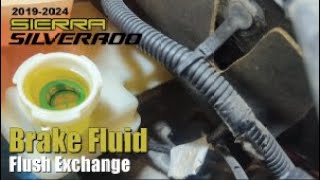
- Faulty Brake System Control Module (BSCM) / eBoost Assembly: → Shop ABS Control Module If the software reprogram specified in TSB #20-NA-073 does not resolve the issue, the module itself may have an internal hardware failure. This is very uncommon for this specific code. The entire eBoost assembly (master cylinder, module, and motor) is typically replaced as a single unit. The ACDelco part number for this assembly is 85592726. 🎬 See this walkthrough for a complete brake fluid exchange and flush.
- Wiring Harness or Connector Issue: While less common for this specific code, damage to the wiring or connectors leading to the electronic brake booster assembly could cause a fault. This is more likely if the vehicle has been in an accident or has had other under-hood work performed.
Diagnosis Steps
- Confirm the presence of code C0024 using an OBD-II scanner capable of reading Chassis (C) codes.
- Check for any other accompanying fault codes in the BSCM and ECM modules.
- Consult GM's service information system or a dealer to confirm that TSB #20-NA-073 is applicable to your vehicle's VIN and production date (on or after July 7, 2018).
- Have a dealer or qualified independent shop with GM programming tools perform the BSCM software update as instructed in TSB #20-NA-073.
- Ensure the technician uses a stable power supply (GM Authorized Programming Support Tool) during reprogramming to prevent module damage. A simple battery charger is not sufficient.
- After reprogramming, clear all DTCs and perform a test drive to ensure the fault does not return.
- If the code returns after the software update, further diagnosis of the BSCM hardware and related wiring is required, though this is unlikely.
Parts You'll Likely Need
- Brake System Control Module (BSCM) Reprogram — This is the official GM fix for the most common cause of C0024, which is a software anomaly. It is a service, not a physical part.
Trusted brands: GM Service Programming System (SPS)
OEM price range: $200-$450 (Labor cost for 1-2 hours if not under warranty).
Aftermarket price range: N/A - Brake Booster Assembly (eBoost)
(OEM #85592726 (ACDelco))— This part is only needed in the rare event that the software update does not fix the issue and the module is diagnosed with an internal hardware failure. It includes the master cylinder, electronic motor, and control module as one unit.
Trusted brands: ACDelco
OEM price range: $900-$1200
Aftermarket price range: $700-$900
Related Codes That Often Appear With This One
- P0606 — Control Module Processor Performance fault, often set alongside C0024 per TSB #20-NA-073. [NHTSA TSB #20NA073]
- C0021 — Control Module Processor Performance fault, often set alongside C0024 per TSB #20-NA-073. [NHTSA TSB #20NA073]
- C05D2 — Brake Master Cylinder Piston Excessive Travel Detected, often set alongside C0024 per TSB #20-NA-073. [NHTSA TSB #20NA073]
- C0595 — Brake System Control Module Internal Driver Performance fault, often set alongside C0024 per TSB #20-NA-073. [NHTSA TSB #20NA073]
- P25A2 — Indicates the Brake System Control Module (BSCM) has set DTCs. TSB #20-NA-155 notes this can also be caused by a separate BSCM software anomaly that requires a reprogram to fix erroneous communication codes (U-codes).
Technical Service Bulletins (TSBs) & Recalls
- 20-NA-073: Loss of Brake Assist, Various Messages Displayed in DIC, Brake Pedal Travel and Apply May Feel Different, DTC C0024 Set. This is the primary document identifying the software cause (temperature calculation and sensor correlation error) and reprogramming fix.
- 20-NA-155: Service Engine Soon Message at Start Up, DTC P25A2 Set. This TSB addresses a related software anomaly in the BSCM that causes it to set numerous communication U-codes, triggering the P25A2 fault in the ECM. The fix is also a BSCM reprogram.
Platform-Specific Known Issues
- TSB #20-NA-073 documents a known software issue causing loss of brake assist and setting code C0024. The prescribed fix is a software update to the Brake System Control Module (BSCM). This TSB was revised in April 2020 to add the Silverado and Sierra models.
Hidden / Shadow Codes Worth Checking
- C0024 5A: The symptom byte '5A' means 'Not Plausible'. This directly corresponds to the TSB's description of the fault, where the module's software-calculated values for solenoid temperature and motor position do not match physical reality, causing the system to flag the data as implausible. (see via This requires a dealer-level scan tool like the GM GDS2 (Global Diagnostic System 2) or an equivalent high-end professional tool capable of reading manufacturer-specific symptom bytes.)
Scan Tool Commands That Help
- GM GDS2 (or other J2534 device): Module Programming > K160 Brake System Control Module — This is the specific function used within the GM Service Programming System (SPS) to flash the updated software calibration that corrects the C0024 fault, as per TSB #20-NA-073. It is the primary repair step for this code.
Wiring & Ground Locations
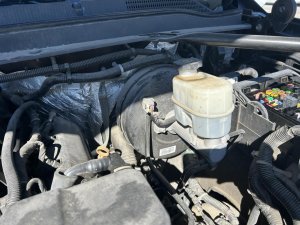
- K17 Electronic Brake Control Module (EBCM/BSCM) — The EBCM (also called the BSCM in TSBs) is part of the eBoost assembly, which is the master cylinder unit located on the driver's side of the engine bay, on the firewall.. This is the module that stores code C0024 and requires the software update. Physical inspection of its connectors for corrosion or damage is a secondary step if the software update fails.
- ECM Connectors (X1 / X2) — The Engine Control Module (ECM) is located in the driver's side of the engine bay, next to the battery. It has two large multi-pin connectors, often labeled X1 and X2.. While C0024 is a brake module code, the ECM communicates with the EBCM. In cases of complex network issues or multiple codes, checking the integrity of these main control unit connectors can be a diagnostic step.
Real Owner Repair Stories
- Reddit user SwimUnlikely4792 (2019 Chevrolet Silverado RST, 75,000 miles) — Warning message "62 MPH Top Speed". Brakes began activating hard on their own while driving, causing the truck to barely climb a hill. Brakes were hot after pulling over.
❌ Tried (didn't work) The dealer performed the TSB reprogram for $428. However, the warning message returned shortly after.
✅ What actually fixed it The initial fix was the dealer reprogram. The story highlights that even the correct TSB procedure may not be a permanent solution in all cases, as the issue returned. The user was planning to return to the dealer, implying a deeper hardware issue might be present that was initially missed.
When the Usual Fixes Don't Work
- While TSB #20-NA-073 is the definitive fix for C0024, there are owner reports of the issue recurring even after the dealer reprogram. One owner of a 2019 Silverado with 75k miles paid $428 for the software update, only to have the '62 MPH Top Speed' warning return. This suggests that in a minority of cases, there may be an underlying intermittent hardware failure in the eBoost unit that the software update temporarily masks or fails to correct, leading to a repeat visit.
Model Year Variations Within This Range
- 2019: The initial TSB for this issue did not include the Silverado and Sierra. The bulletin was revised on April 15, 2020, to add the 2019-2020 Silverado and Sierra models, indicating the problem was identified on other platforms like the Cadillac CT6 first.
- 2019: A separate but related recall (19V889000) for the Electronic Brake Control Module (EBCM) software affected many 2019 Silverados. A botched fix for this recall was found to cause brake failures after using the OnStar remote start, leading to a recall on the recall fix itself.
Helpful Videos
We Have This Part in Stock

The information in this article is provided for general reference and educational purposes only. Vehicle specifications, procedures, and part compatibility can vary by production date, trim level, and region. Always consult your vehicle's factory service manual and verify part numbers before purchasing or performing repairs. Safety-critical components such as airbags, seat belts, and braking systems should be installed by a qualified professional.
- Chevrolet SILVERADO 1500:
- 🧭 Diagnostic Flowchart
- 🎬 Helpful Videos
- 🛍️ Shop This Part
- What's Unique About the 2019-2020 Chevrolet SILVERADO 1500
- Symptoms You May Notice
- Most Likely Causes
- Rare But Worth Checking
- Diagnosis Steps
- Parts You'll Likely Need
- Related Codes That Often Appear With This One
- Technical Service Bulletins (TSBs) & Recalls
- Platform-Specific Known Issues
- Hidden / Shadow Codes Worth Checking
- Scan Tool Commands That Help
- Wiring & Ground Locations
- Real Owner Repair Stories
- When the Usual Fixes Don't Work
- Model Year Variations Within This Range
- 🎟️ Get 5% Off