

C0035 on 2008-2016 Audi A4: Front Wheel Speed Sensor Fault Causes and Fixes
Code C0035 on a 2008-2016 Audi A4 indicates a fault in a front wheel speed sensor circuit. This is most often a failed sensor, which is a simple DIY fix with a part costing $25-$75. This fault will disable your ABS and traction control systems, often triggering a cascade of other warning lights like the parking brake malfunction.
- C0035 means a front wheel speed sensor circuit is faulty, which disables your ABS and stability control.
- The most likely cause is a bad sensor, which is inexpensive and relatively easy to replace.
- A generic scanner won't tell you if the problem is the left or right wheel; use a scanner's live data function to watch wheel speeds while driving to identify the faulty corner before buying parts.
- Expect to see ABS, traction control, and parking brake malfunction lights all at once; this is normal for this fault on an A4.
- Always check the wiring and clean the sensor mounting area before condemning a sensor.
What's Unique About the 2008-2016 Audi A4
On the B8 platform Audi A4 (2008-2016), the ABS, Electronic Stability Control (ESC), and electronic parking brake systems are all tightly integrated. A single wheel speed sensor failure will cause a cascade of warning lights, including ABS, ESC (or ESP), and the parking brake malfunction light, which can be alarming to an owner. This 'Christmas tree' effect on the dashboard is a hallmark of this specific failure on this platform. While the code itself is generic, diagnosing it accurately on an Audi often requires a VAG-specific scanner (like VCDS or Carista) to pinpoint which wheel is at fault, as the generic C0035 code does not reliably distinguish between the left and right sides.
Symptoms You May Notice
- ABS warning light is on
- Traction Control (ESC/ESP/ASR) warning light is on
- Brake warning light may be on
- Parking brake malfunction warning on the driver information screen
- TPMS (Tire Pressure Monitoring System) light may come on
- ABS and traction control are non-functional
- Brake pedal may feel different or pulsate during normal braking
- Cruise control may be disabled
- Replacing the ABS module when the actual fault is a simple wiring break or a cheap sensor.
- Replacing the wrong wheel speed sensor due to the ambiguity of the generic C0035 code. Always confirm the faulty corner with live data before replacing parts.
- Not cleaning the hub surface before installing a new sensor, causing the new sensor to fail or read incorrectly.
Most Likely Causes
- Failed Front Wheel Speed Sensor 🔴 High Probability → Shop ABS Wheel Speed Sensor The sensor is exposed to harsh conditions (water, salt, debris, heat) under the vehicle, leading to internal failure over time. It is a very common failure item on the B8 platform.
How to confirm: Using a scanner with live data (like VCDS), observe the speed of all four wheels while driving. The faulty sensor will read 0 MPH or show an erratic signal compared to the others. Swapping the left and right front sensors is another method; if the code follows the sensor, the sensor is bad. The sensor is held in by a single 5mm hex bolt.
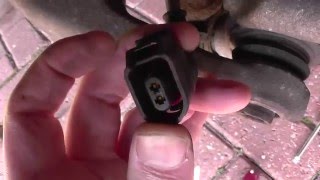
Typical fix: Replace the faulty wheel speed sensor. 🎬 Watch: A complete walkthrough of the sensor replacement and diagnosis. It is held in by a single 5mm Allen (hex) bolt and has an electrical connector in the wheel well. 🎬 See how to safely unclip the sensor connector without damage.
Est. part cost: $25-$100 - Damaged Wiring or Connector 🟡 Medium Probability The sensor wiring harness runs along the suspension and is secured by several clips. It can be damaged by road debris, improper servicing, chafing against suspension components, or corrosion in the connector plug.
How to confirm: Visually inspect the entire length of the wire from the sensor to the chassis connection point in the wheel well. Look for breaks, chafing, or green/white corrosion in the connector pins. Perform a continuity test on the wires with a multimeter.
Typical fix: Repair the broken section of wire or replace the pigtail connector. In severe cases, the entire sensor harness may need replacement.
Est. part cost: $15-$50 - Debris or Rust Buildup on Sensor/Hub 🟡 Medium Probability
How to confirm: Remove the wheel speed sensor and inspect its magnetic tip for metallic debris or heavy rust. Also inspect the reluctor ring (tone ring) on the wheel hub/bearing for rust buildup or damage.
Typical fix: Clean the sensor tip and the mounting surface in the wheel hub. Use a wire brush or brake cleaner to remove all rust and debris, ensuring the sensor can sit flush and at the correct distance from the reluctor ring. This is a crucial step even when installing a new sensor. - Faulty ABS Control Module ⚪ Low Probability → Shop ABS Control Module Though less common for this specific code, the ABS control module (Bosch 5.3 and later) can fail internally, causing communication issues with the sensors. This is a known issue on some Audi models.
How to confirm: This is typically diagnosed by exclusion. If the sensor, wiring, and fuses are all confirmed to be good, but the fault persists, the module is the likely culprit. A professional scan tool may show specific internal module fault codes, such as 01316 (No Communication with ABS Module).
Typical fix: Send the ABS control module to a specialist for repair and rebuilding. This is more cost-effective than replacement, which requires coding to the vehicle's VIN.
Est. part cost: $200-$500 (rebuilt), $1000+ (new)
Rare But Worth Checking
- Failed Wheel Hub Bearing: The reluctor ring that the ABS sensor reads is integrated into the wheel hub bearing assembly. A failing bearing can create excessive movement (play) or damage the ring, leading to an incorrect sensor reading. This is usually accompanied by a grinding or humming noise that changes with vehicle speed.
- Blown Fuse: The ABS system is protected by one or more fuses. While not a common failure point, it's a quick and easy check. Fuse locations for the B8 A4 can be in the dashboard ends and in the plenum chamber (under the windshield).
Diagnosis Steps
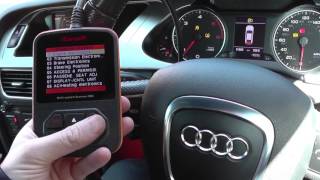
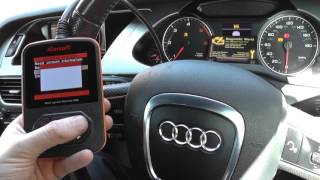
- Scan for Codes: Use an ABS-capable OBD-II scanner. Note all codes. If possible, use a VAG-specific tool (like VCDS, OBDeleven, or Carista) to get more precise fault location information (e.g., 00283 vs 00285).
- Check Live Data: With the scanner connected, monitor the live data stream for all four wheel speed sensors while driving slowly (above 5 mph). Compare the readings. The sensor showing 0 MPH or an erratic reading is the faulty one.
- Visual Inspection: Raise the vehicle and remove the wheel corresponding to the faulty sensor. Visually inspect the sensor, its connector, and the wiring harness for any signs of physical damage, corrosion, or chafing. Follow the wire from the hub into the wheel well where it connects.
- Clean the Sensor and Hub: Remove the single 5mm hex bolt holding the sensor. Carefully wiggle and pull the sensor out. It may be seized; use penetrating oil if necessary. Clean its magnetic tip. Thoroughly clean the mounting hole of any rust or debris with a wire brush to ensure the new or existing sensor seats correctly.
- Test the Circuit (Optional): If the sensor and wiring appear fine, you can test the sensor's resistance with a multimeter (should typically be between 1.0-1.3 kΩ for this type) or check for a voltage signal at the connector while spinning the wheel. This helps differentiate a sensor failure from a wiring failure.
- Replace the Sensor: If the sensor is determined to be faulty, replace it with a new part. Ensure the new sensor is fully seated in the clean mounting hole before tightening the bolt.
- Clear Codes and Test Drive: After reassembly, clear the fault codes with the scanner 🎬 Watch: How to reset the ABS and traction control lights. and perform a test drive. The ABS and ESC lights should turn off after driving a short distance (usually above 10-15 mph).
Parts You'll Likely Need
- Front ABS Wheel Speed Sensor
(OEM #WHT003857 (Left), WHT003856 (Right))— This is the most common failure point for code C0035. The left and right sensors have different part numbers. Always verify by VIN, but these are the most common for the B8 A4.
Trusted brands: Bosch, ATE, Delphi, NTK
OEM price range: $80-$150
Aftermarket price range: $25-$90
Related Codes That Often Appear With This One
- 00285 — This is a VAG-specific code for 'ABS Wheel Speed Sensor Front Right (G45)'. A VCDS or similar scanner might show this alongside or instead of C0035, providing the specific location.
- 00283 — This is a VAG-specific code for 'ABS Wheel Speed Sensor Front Left (G47)'. A VCDS or similar scanner might show this, clarifying the generic C0035.
- 01316 — This VAG code indicates 'ABS Control Module - No Communication'. It can appear if the wheel speed sensor fault is severe enough to cause the entire module to stop communicating on the CAN bus, or it can indicate a failing module.
Platform-Specific Known Issues
- The cascade of warning lights (ABS, ESC, Parking Brake) for a single sensor failure is a well-documented characteristic of the B8 platform, as discussed in many owner forums.
- Sensors can become seized in the steering knuckle due to corrosion. Gentle prying and penetrating oil are often necessary for removal. In worst-case scenarios, the old sensor must be drilled out.
- The wiring harness is routed through several plastic clips along the suspension. If these clips break, the wire can rub against the axle or suspension arms, causing a short.
Mechanic-Grade Diagnostic Values
- Passive Wheel Speed Sensor Resistance — expected: 1000-2500 Ohms (1.0-2.5 kΩ). A common range is 800-1700 Ohms.. Failure: A reading of 'OL' (Open Loop/Infinite resistance) or near 0 Ohms indicates a failed sensor.
- Passive Wheel Speed Sensor AC Voltage Output — expected: At least 200mV (0.2V) AC when spinning the wheel at approximately one revolution per two seconds.. Failure: Voltage significantly below 200mV or no voltage generated while spinning the wheel indicates a faulty sensor or a problem with the reluctor ring.
Hidden / Shadow Codes Worth Checking
- 01044: Control Module Incorrectly Coded. This fault will set in the ABS module if a used or new module is installed but not correctly coded to the car's specific equipment (like TPMS) and VIN. (see via VAG-specific scanners like VCDS or ODIS.)
- 00473: Electronic Parking Brake Control Module (J540) - No Communication / Faulty. This code often appears as a secondary fault triggered by the primary wheel speed sensor failure, causing the parking brake malfunction light. (see via VAG-specific scanners like VCDS or iCarsoft.)
- 01435: Brake Pressure Sensor 1 (G201) - Implausible Signal. While not directly related to the wheel speed sensor, a failure in the ABS module can sometimes manifest with this code, leading to a misdiagnosis if only this code is addressed. (see via VAG-specific scanners like VCDS.)
Scan Tool Commands That Help
- VCDS (VAG-COM): Basic Settings - Group 001 (or 010 on some modules) — To initiate the ABS pump bleed sequence after replacing the ABS hydraulic unit or control module. This is critical for removing all air from the system.
- VCDS (VAG-COM): Output Tests — To sequentially test the electrical outputs of the ABS module, including the solenoids and pump motor. This can help verify module functionality but should be done with caution as it can disable brakes and lock wheels.
- VCDS (VAG-COM) or ODIS: Coding — Required when replacing the ABS control module. The new or used module must be coded with the vehicle's specific configuration (e.g., FWD/Quattro, engine type, TPMS enabled/disabled). A used module may also require online coding (GEKO access) to adapt the VIN.
Real Owner Repair Stories
- Reddit user on r/MechanicAdvice (Audi (model not specified, but common B8 issue)) — ABS sensor broke off inside the wheel carrier during removal attempt.
❌ Tried (didn't work) Drilling out most of the sensor material.
✅ What actually fixed it The user had to remove the axle to gain access from the inside, then used a punch and hammer to knock the remaining seized piece of the sensor out of the knuckle. - Audizine Forum User (2009 Audi A4 Quattro) — Christmas tree of lights (ABS, ESP, Parking Brake Malfunction) and code 01435 for Brake Pressure Sensor G201.
❌ Tried (didn't work) Replacing the brake light switch., Checking all ABS sensors., Replacing the parking brake module.
✅ What actually fixed it The user's ultimate question was about replacing the ABS module itself, as the G201 sensor is internal to the module on this model. The final fix was replacing the ABS control module and having it coded to the vehicle.
OEM Part Supersession History
7H0927804→WHT003856— Part number rationalization and potential minor revisions by VW/Audi.7H0927803→WHT003857— Part number rationalization and potential minor revisions by VW/Audi.WHT003857A / WHT003857B→WHT003857C— Iterative revisions of the sensor. The latest revision is generally backwards compatible.
Heads up: While generally compatible, it is always best practice to use the same revision on a single axle if possible.
Diagnostic Flowchart
Other Known Issues on This Vehicle
Issues unrelated to this code that are worth knowing about as an owner of this generation:
- Excessive Oil Consumption (2.0T) 🔴 High — Very common on early 2.0T TFSI engines (CAEB code), typically 2009-2011 models. Can start as early as 30k miles. (Ref: A class-action lawsuit and multiple TSBs (e.g., 101103) were issued. The fix involves stages, starting with a new PCV valve and software, and potentially ending with new piston rings.)
- Timing Chain Tensioner Failure (2.0T) 🔴 High — Common on pre-2013 2.0T engines with the original tensioner design. Failure can occur without warning, often between 60k-100k miles, leading to catastrophic engine damage. (Ref: An updated tensioner part was released by VW/Audi. No recall, but it's a widely recognized preventative repair.)
- Water Pump Failure (2.0T) 🟠 Medium — The plastic water pump housing is prone to cracking and leaking coolant, typically between 50k-90k miles.
- Carbon Buildup on Intake Valves 🟠 Medium — Inevitable on all direct-injection (FSI/TFSI) engines. Causes misfires, rough idle, and power loss. Typically requires cleaning every 50k-80k miles.
- Cracked PCV Valve / Oil Separator 🟡 Low — The PCV diaphragm can tear, causing high crankcase pressure, oil leaks, and a whistling noise. A common failure item, often replaced every 60k-80k miles. (Ref: An updated part was released as part of the oil consumption TSBs.)
- Worn Control Arm Bushings 🟠 Medium — The front multi-link suspension has numerous rubber bushings that wear out, causing clunking noises, poor alignment, and uneven tire wear. Typically requires attention after 80k miles.
Used vs. New Parts: Buying Guide for This Vehicle
When a used part is the smart pick: A used ABS Control Module can be a cost-effective option, but ONLY if you have access to VCDS or ODIS for recoding, or a specialist who can do it. A used sensor is generally not recommended due to its low cost new and high exposure to wear.
Donor-vehicle mileage cap: roughly under 75000 miles for the part to have meaningful remaining life.
What to inspect on the donor part:
- For ABS Modules, obtain the exact part number from the donor car, ensuring it matches yours.
- Verify the donor vehicle was not in a major front-end collision.
- Ask for the VIN of the donor car if possible to cross-reference its original equipment.
OEM-only on this vehicle (don't cheap out):
- ABS Control Module (if buying new, as aftermarket options are rare and problematic). For used, an identical OEM part is required.
Aftermarket brands forum-validated for this vehicle:
- Bosch (often the original OEM supplier without the Audi logo)
- ATE
- Delphi
- NTK / NGK
- Hella
Brands owners have reported issues with on this vehicle:
- Unnamed, 'white box' sensors from online marketplaces with no brand reputation. While cheap, they have a high failure and incorrect reading rate.
Real Owner Stories
Aggregated from forums and TSBs cited above. Mileages and costs reflect what owners reported in those sources.
2014 Audi A4 B8
Symptoms: ABS warning light, Traction Control (ESC/ESP/ASR) light, and Brake warning light all illuminated. ABS and traction control became non-functional.
What fixed it: Replacement of the front wheel speed sensor.
Source hint: YouTube: ABS Wheel Speed Sensor Replacement On My Audi A4 B8
2009 Audi A4 B8
Symptoms: The dashboard displayed a 'trifecta' of warning lights including ABS, ESP, and Parking Brake malfunction.
What fixed it: Replacing the Front Left ABS Wheel Speed Sensor after scanning with VCDS.
Source hint: Audizine: B8 A4 - ABS/ESP/Parking Brake Light On
2011 Audi A4 B8
Symptoms: ABS, BRAKE, and ESP lights appeared on the dash simultaneously.
What fixed it: Replacement of the faulty wheel speed sensor, which is a common failure item on this platform.
Source hint: AudiWorld: B8 A4 - ABS, BRAKE, ESP lights on dash
Related OBD-II Codes
Frequently Asked Questions
Why did my 2010 Audi A4 display ABS, ESC, and Parking Brake malfunction lights all at once?
Can I confirm which sensor is bad on my B8 A4 without buying a new one first?
Is it true that the wheel speed sensor can get stuck in the steering knuckle?
What size tool do I need to remove the front wheel speed sensor on my Audi A4?
Does my 2009 Audi A4 have a known issue with oil consumption related to these systems?
If I replace the ABS control module, do I need to do anything special?
Helpful Videos

The information in this article is provided for general reference and educational purposes only. Vehicle specifications, procedures, and part compatibility can vary by production date, trim level, and region. Always consult your vehicle's factory service manual and verify part numbers before purchasing or performing repairs. Safety-critical components such as airbags, seat belts, and braking systems should be installed by a qualified professional.
- Audi A4:
- 🧭 Diagnostic Flowchart
- 🎬 Helpful Videos
- What's Unique About the 2008-2016 Audi A4
- Symptoms You May Notice
- Most Likely Causes
- Rare But Worth Checking
- Diagnosis Steps
- Parts You'll Likely Need
- Related Codes That Often Appear With This One
- Platform-Specific Known Issues
- Mechanic-Grade Diagnostic Values
- Hidden / Shadow Codes Worth Checking
- Scan Tool Commands That Help
- Real Owner Repair Stories
- OEM Part Supersession History
- Other Known Issues on This Vehicle
- Used vs. New Parts: Buying Guide for This Vehicle
- Real Owner Stories
- 2014 Audi A4 B8
- 2009 Audi A4 B8
- 2011 Audi A4 B8
- Related OBD-II Codes
- Frequently Asked Questions
- 🎟️ Get 5% Off