

C0035 on 2011-2015 Chevrolet Camaro: Causes and Fixes for the Left Front Wheel Speed Sensor Circuit
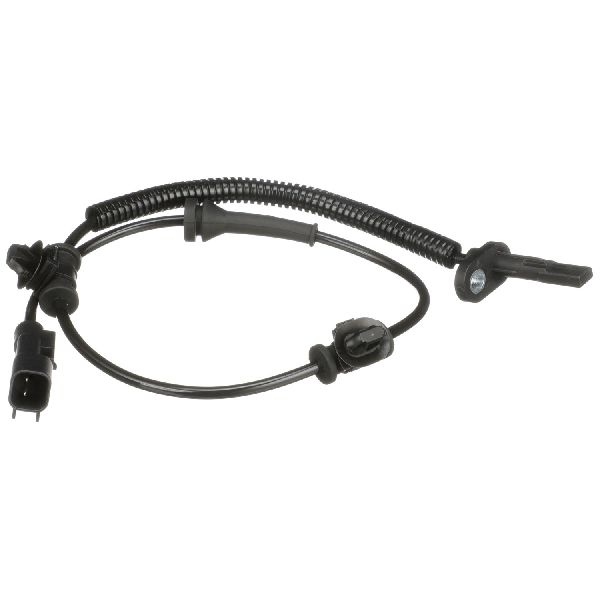
This code points to a problem with the left front wheel speed sensor circuit. On this generation of Camaro, the sensor is integrated into the wheel hub assembly. The most common fix is replacing the entire left front wheel hub (GM Part No. 13542187). Before replacement, inspect the wiring harness for damage and consider cleaning the magnetic encoder ring as suggested by GM service bulletins.
- C0035 on a 2011-2015 Camaro means there's a fault with the left front wheel speed sensor circuit.
- Your ABS and StabiliTrak systems will be disabled until this is fixed, compromising safety in emergency maneuvers.
- The most common cause is a failed sensor, which is integrated into the left front wheel hub assembly (GM Part No. 13542187).
- The standard repair is to replace the entire left front wheel hub and bearing assembly.
- Before replacing the hub, inspect the wiring harness for damage and consider cleaning the magnetic ring on the hub as per GM TSB 17-NA-047.
What's Unique About the 2011-2015 Chevrolet CAMARO
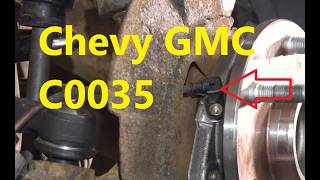
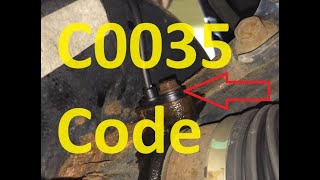
For the fifth-generation Camaro (2010-2015), the wheel speed sensor is not a separate, individually replaceable part. Instead, it is integrated with a magnetic encoder ring into the sealed wheel hub and bearing assembly. This design means that if the internal sensor or its magnetic ring fails—the most common cause for a C0035 code 🎬 Watch: A deep dive into the C0035 sensor circuit.—the entire hub assembly must be replaced. This is a key difference from many older vehicles where the sensor could be unbolted and replaced independently.
Diagnostic Flowchart
Tap your situation to follow the diagnostic path that matches what you're seeing on this vehicle.
Symptoms You May Notice
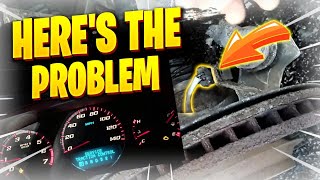
- "Service StabiliTrak" message on the Driver Information Center (DIC).
- ABS warning light illuminated.
- Traction Control System (TCS) warning light illuminated.
- ABS pump may make clicking or grinding noises at low speeds (e.g., under 40 mph), which stops as the warning lights illuminate.
- Brake pedal may feel different or pulsate unexpectedly during normal, low-speed braking as the ABS incorrectly activates.
- When the fault is active, the ABS system is disabled, and wheels may lock up during a hard stop.
- Replacing only the external wheel speed sensor pigtail without testing the hub assembly. While the wiring can be the issue, the integrated sensor inside the hub is a more frequent point of failure on this platform.
- Replacing the EBCM when the issue is a single faulty hub. A single wheel code rarely points to a module failure.
Most Likely Causes
- Failed Left Front Wheel Hub and Bearing Assembly 🔴 High Probability → Shop Hub Assembly The wheel speed sensor is integrated into the hub assembly. The internal sensor can fail, or the magnetic encoder ring (reluctor) can become damaged, cracked, or contaminated with ferrous debris over time from heat, moisture, and wear. Forum users on Camaro5.com frequently report this as the definitive fix.
How to confirm: Use a diagnostic scan tool to monitor live data from all four wheel speed sensors while driving. If the left front reading is erratic, zero, or does not match the other wheels, the hub assembly is the primary suspect. A visual inspection after removal may show a physically damaged or cracked encoder ring. A user on Camaro5.com shared live data graphs clearly showing the faulty sensor's erratic signal compared to the good sensor.
Typical fix: Replace the entire left front wheel hub and bearing assembly. The genuine GM part is 13542187.
Est. part cost: $120-$250 - Damaged Wiring or Connector 🟡 Medium Probability The wiring harness leading to the wheel hub is exposed to road debris, moisture, and constant movement from steering and suspension. This can lead to chafed or broken wires, or corrosion in the connector pins, disrupting the signal.
How to confirm: Visually inspect the wiring harness from the back of the hub up into the engine bay for any signs of damage, melting, or corrosion. Unplug the connector and check for bent or corroded pins. Use a multimeter to check for continuity on the signal wires and for proper voltage (typically a 5V reference) and ground at the connector.
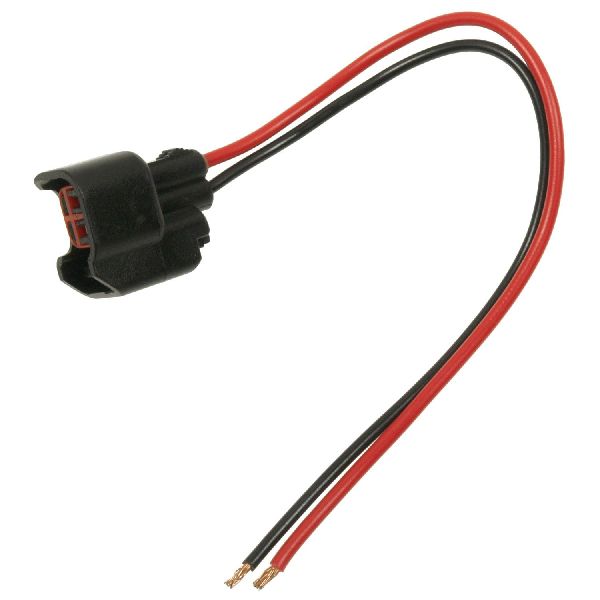
Typical fix: Repair the damaged section of wiring or replace the pigtail connector. The GM pigtail connector part number is 13584095.
Est. part cost: $20-$50 - Debris on Magnetic Encoder Ring ⚪ Low Probability Because the encoder ring is magnetic, it can attract metallic debris (ferrous particles) from the road or previous repairs. This debris disrupts the magnetic field, leading to an implausible signal from the sensor.
How to confirm: This is difficult to confirm without some disassembly. TSB PIC5428G and its successor 17-NA-047 specifically call out this possibility. The procedure involves removing the wheel and brake components to access the back of the hub and visually inspect the encoder ring for debris. A user on Camaro5.com attempted to clean the ring through the sensor hole with a toothbrush and brake cleaner, but it was not successful in their case, ultimately requiring hub replacement.
Typical fix: As per GM TSBs, gently clean the debris from the magnetic ring using a soft, dry nylon bristle brush. If debris remains, it can be washed with a mild soap detergent and wiped dry. If this resolves the code, no parts are needed.
Est. part cost: $0
Rare But Worth Checking
- Faulty Electronic Brake Control Module (EBCM): → Shop ABS Control Module This is very rare. An EBCM failure will typically be accompanied by multiple other wheel speed sensor codes (e.g., C0040, C0045, C0050), communication codes (U-codes), or a complete failure to communicate with the scan tool, not just an isolated C0035.
Diagnosis Steps
- Connect a professional-grade OBD-II scanner capable of reading ABS/chassis codes. Confirm C0035 is present and note any other codes or symptom bytes (e.g., 18, 5A, 0F).
- Use the scanner to view live data. Monitor the speed of all four wheels while driving. The left front wheel speed should read erratically, show 0 mph, or be significantly different from the others.
- Raise and safely support the front of the vehicle. Spin the left front wheel by hand and check for any roughness, noise, or excessive play in the wheel bearing, which would indicate mechanical failure of the hub.
- Visually inspect the wheel speed sensor wiring harness. Follow it from the hub to its connection point in the wheel well, looking for any chafing, cuts, melting, or corrosion on the connector pins.
- If wiring appears intact, consider the cleaning procedure from TSB 17-NA-047. Remove the wheel and brake rotor to access the back of the hub and inspect the magnetic encoder ring for metallic debris. Clean with a soft brush if debris is present.
- For advanced diagnosis, you can use an oscilloscope or a multimeter with a graphing function to check the sensor's signal. According to TSB 17-NA-047, the sensor produces a digital square wave signal that switches between 7mA and 14mA. A missing or erratic waveform points to a bad hub/sensor assembly.
- If wiring and connections are good, and cleaning the encoder ring does not resolve the issue, the definitive fix is to replace the left front wheel hub and bearing assembly.
Parts You'll Likely Need
- Left Front Wheel Hub and Bearing Assembly
(OEM #13542187)— This is the most common failure for code C0035, as the wheel speed sensor is integrated into this assembly and cannot be replaced separately.
Trusted brands: ACDelco (GM Genuine), Timken, Moog, SKF
OEM price range: $180-$250
Aftermarket price range: $120-$180 - Wheel Speed Sensor Pigtail Connector
(OEM #13584095)— Needed if a visual inspection reveals corrosion or damage to the harness-side connector.
Trusted brands: ACDelco, Dorman, Standard Motor Products
OEM price range: $35-$50
Aftermarket price range: $15-$30
Related Codes That Often Appear With This One
- C0040 — C0040 is for the Right Front Wheel Speed Sensor. Seeing both may indicate a systemic issue like a problem with the EBCM, a common wiring harness fault, or similar wear/failure on both front hubs.
- U0121 — This code indicates 'Lost Communication With Electronic Brake Control Module'. An erratic signal from a failing wheel speed sensor can sometimes flood the CAN bus with faulty data, causing other modules to temporarily lose communication with the EBCM and set U-codes. Resolving the root C0035 code often clears the U-code.
- C0035 5A — The '5A' is a symptom byte that means 'Not Plausible'. This is a more specific fault reported by the EBCM, indicating the signal from the sensor is present but doesn't make sense (e.g., erratic or doesn't correlate with other vehicle sensors). This is commonly seen in forum posts where the hub assembly was the cause.
Technical Service Bulletins (TSBs) & Recalls
- PIC5428G / 17-NA-047: Addresses Service Brakes, Service Stabilitrak lights with DTCs C0035-C0050 (symptom bytes 18, 5A, 0F) due to potential debris on the magnetic encoder ring.
Platform-Specific Known Issues
- Technical Service Bulletin PIC5428G, later superseded by 17-NA-047, addresses the Service StabiliTrak light with DTCs C0035-C0050. It specifically notes that the cause may be ferrous metallic debris on the magnetic encoder ring and provides a procedure for inspection and cleaning before recommending part replacement. This confirms the direct link between this code and the hub assembly.
- The steel hub assembly can seize into the aluminum steering knuckle due to galvanic corrosion, making removal difficult. Repair videos often show technicians using a hammer and a socket against the bolt heads to break the hub free.
Mechanic-Grade Diagnostic Values
- Wheel Speed Sensor Signal (Dynamic Test) — expected: A digital square wave signal that alternates between approximately 7 mA and 14 mA when the wheel is spun.. Failure: A signal that is missing, erratic, does not switch, or has low amplitude (which may set symptom byte 18).
- Wheel Speed Sensor Supply Voltage (at connector) — expected: 4.5–5.5 V (DC) reference voltage from the EBCM with the key on.. Failure: Voltage below 4.5V or no voltage, indicating a wiring or EBCM issue.
Hidden / Shadow Codes Worth Checking
- C0035 18: Symptom byte 18 indicates 'Signal Amplitude Less Than Minimum'. This means the EBCM is receiving a signal from the sensor, but its strength is too weak to be considered reliable. This often points to internal sensor failure within the hub or excessive air gap. (see via A professional-grade scan tool like the GM GDS2/Tech2 or equivalent that can read manufacturer-specific symptom bytes.)
- C0035 0F: Symptom byte 0F indicates 'Erratic Signal'. The EBCM is seeing a signal that is irregular, choppy, or drops out intermittently, which is inconsistent with smooth wheel rotation. This is often caused by a damaged magnetic encoder ring or debris. (see via A professional-grade scan tool capable of reading GM-specific symptom bytes.)
Scan Tool Commands That Help
- GM GDS2 / Tech2: Live Data Display for Wheel Speed Sensors — This is the primary diagnostic step. The tool can graph all four wheel speeds simultaneously, making it easy to spot an erratic or non-reporting sensor while driving.
Wiring & Ground Locations
- EBCM Connector (X1) — The Electronic Brake Control Module (EBCM) is located on the ABS pump assembly in the engine compartment, on the driver's side.. The left front wheel speed sensor wires terminate here. Pin 21 is the 12V reference circuit, and Pin 11 is the signal circuit for the left front sensor. Testing at these pins can isolate a wiring fault from a hub fault.
- G103 / G104 — G103 is on the cowl in the left rear of the engine bay, above the brake booster. G104 is on the radiator support behind the left headlamp.. These are major chassis ground points in the front left of the vehicle. The EBCM relies on a solid ground connection (though its primary ground is a dedicated wire in the harness). A poor chassis ground can introduce electrical noise that may affect sensitive sensor readings.
Real Owner Repair Stories
- Camaro5 Forums (2011 Chevrolet Camaro LT2 Manual) — ABS and TC lights on the dashboard, code C0045 5A (Left Rear, but same diagnostic principle as C0035).
❌ Tried (didn't work) Replacing the wheel speed sensor (on platforms where it's separate, not applicable here but shows the thought process)., Attempting a dynamic sensor test with a multimeter which failed to get a reading.
✅ What actually fixed it The user was performing advanced diagnostics based on the 7mA/14mA switching signal, confirming the complexity of the issue. While the thread ends during diagnosis, the universal fix reported in dozens of other threads for this symptom and code on this platform is the replacement of the entire wheel hub assembly.
OEM Part Supersession History
13542187→84169866 (This number refers to the entire knuckle assembly which includes the hub)— GM often bundles parts into larger assemblies for service replacement. The hub itself (13542187) is still widely available from GM/ACDelco and aftermarket suppliers.
Heads up: The core hub/bearing is the same for all 2010-2015 models (SS, V6 Manual, V6 Auto). However, some forum users note differences in rear hubs for V6 automatic models due to different axle shaft diameters, but the front hubs are interchangeable.
Model Year Variations Within This Range
- 2010-2015: While the C0035 code and front hub replacement are consistent, there are differences in the rear hubs. The V6 automatic transmission models use a different rear hub/bearing than the SS and V6 manual transmission cars due to a different axle spline/diameter. The front hubs are the same across these models.
Helpful Videos


We Have This Part in Stock


The information in this article is provided for general reference and educational purposes only. Vehicle specifications, procedures, and part compatibility can vary by production date, trim level, and region. Always consult your vehicle's factory service manual and verify part numbers before purchasing or performing repairs. Safety-critical components such as airbags, seat belts, and braking systems should be installed by a qualified professional.
- Chevrolet CAMARO:
- 🧭 Diagnostic Flowchart
- 🎬 Helpful Videos
- 🛍️ Shop This Part
- What's Unique About the 2011-2015 Chevrolet CAMARO
- Symptoms You May Notice
- Most Likely Causes
- Rare But Worth Checking
- Diagnosis Steps
- Parts You'll Likely Need
- Related Codes That Often Appear With This One
- Technical Service Bulletins (TSBs) & Recalls
- Platform-Specific Known Issues
- Mechanic-Grade Diagnostic Values
- Hidden / Shadow Codes Worth Checking
- Scan Tool Commands That Help
- Wiring & Ground Locations
- Real Owner Repair Stories
- OEM Part Supersession History
- Model Year Variations Within This Range
- 🎟️ Get 5% Off