

C0040 on 2012-2014 Buick Regal: Right Front Wheel Speed Sensor Circuit Faults and Fixes
Code C0040 on a 2012-2014 Buick Regal indicates a fault in the right front wheel speed sensor circuit. This is most often caused by a failed sensor, damaged wiring, or debris on the magnetic encoder ring on the wheel hub. Expect to pay $20-$50 for a new sensor and $120-$250 for a complete wheel hub assembly.
- C0040 means your Buick's computer has lost the signal from the right front wheel speed sensor, disabling ABS and stability control.
- Before buying any parts, inspect and thoroughly clean the magnetic ring on the wheel hub; debris is a very common cause.
- If cleaning doesn't work, the most likely culprits are a bad wheel speed sensor or a damaged wire in the harness.
- A scan tool that can read ABS codes and show live data is essential for an accurate diagnosis.
- Do not ignore this code, as the loss of ABS can significantly impact braking performance in an emergency.
What's Unique About the 2012-2014 Buick REGAL
For this generation of Buick Regal and other Epsilon II platform mates, two issues are particularly common. First, the wiring harness for the wheel speed sensor can be susceptible to internal breaks or chafing where it flexes with the suspension and steering. Second, as noted in multiple versions of GM TSB PIC5428, the wheel bearing hub uses a magnetized nitrile rubber encoder ring instead of a traditional toothed reluctor wheel. This magnetic ring can accumulate metallic debris, which disrupts the sensor's reading and can trigger a C0040 code (often with symptom bytes 18, 5A, or 0F) without the sensor or bearing actually having failed.
Diagnostic Flowchart
Tap your situation to follow the diagnostic path that matches what you're seeing on this vehicle.
Symptoms You May Notice
- ABS warning light is on
- Traction Control or "Service Stability" light is on
- "Service Brake Assist" message may appear on the driver information center (TSB #PIC5720B)
- Cruise control may be disabled
- Brake pedal may pulse or feel unusual at low speeds
- A grinding, ratchet, or ABS pump motor noise from the wheels at low speeds, even without a DTC being set.
- Replacing the wheel hub bearing when only the magnetic encoder ring needed to be cleaned.
- Replacing the wheel speed sensor when the actual problem is a broken wire in the harness.
Most Likely Causes
- Damaged or Debris-Covered Magnetic Encoder Ring 🔴 High Probability GM issued a technical service bulletin (PIC5428) noting that ferrous metallic debris can stick to the magnetic encoder ring on the wheel hub, causing erratic signals. This is a very common issue on this platform, often setting the code with symptom bytes 18 (low signal amplitude), 5A (implausible signal), or 0F (erratic signal).
How to confirm: Remove the wheel and the wheel speed sensor. Visually inspect the brown, rubberized magnetic ring on the inboard side of the hub assembly for rust, dirt, or metallic shavings stuck to its surface.
Typical fix: Carefully clean the debris from the magnetic ring using a cloth or soft brush. TSBs specifically warn *not* to use a magnet or compressed air, as this can damage the encoder. In most cases, this resolves the issue without replacing parts.
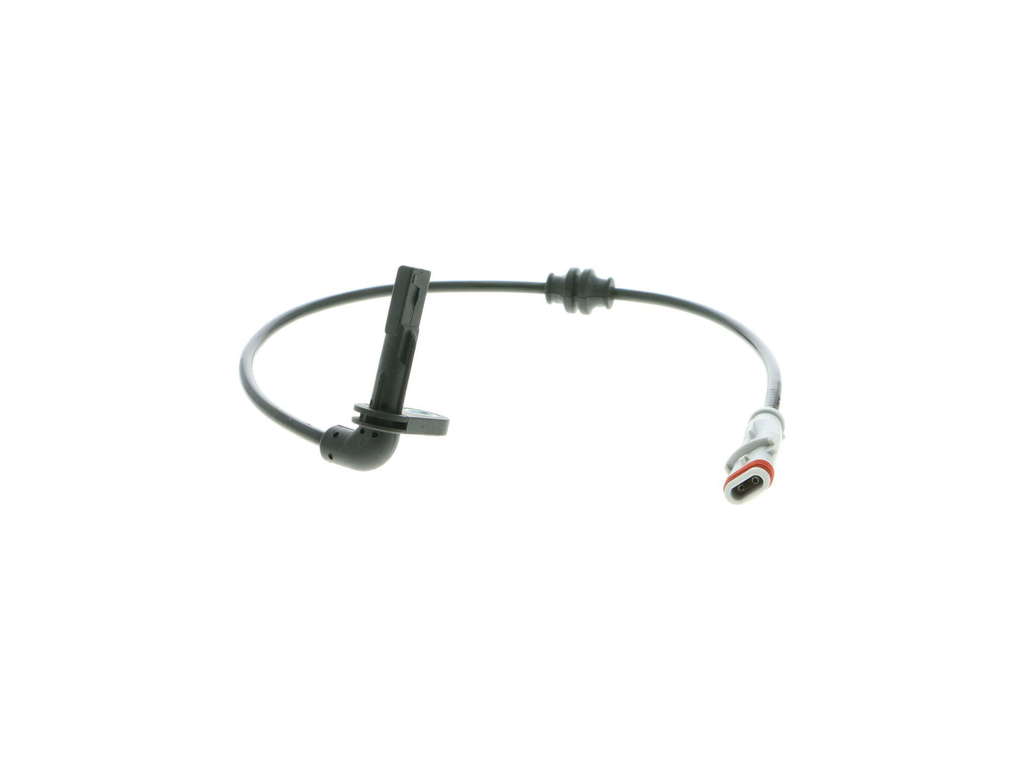
Est. part cost: $0 - Failed Right Front Wheel Speed Sensor 🔴 High Probability → Shop ABS Wheel Speed Sensor The sensor is exposed to harsh conditions (water, heat, debris) at the wheel, leading to eventual failure.
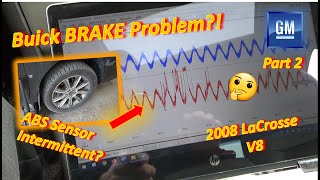
How to confirm: Use a scan tool to monitor live data from all four wheel speed sensors while driving at low speed. The right front sensor reading should show erratic dropouts, spikes, be zero, or be different from the others. You can also test the sensor's internal resistance with a multimeter (a good sensor may read around 1 kOhm), but live data is more definitive. 🎬 Watch: Diagnosing a C0040 ABS sensor circuit fault in action.
Typical fix: Replace the right front wheel speed sensor. It is typically held in by a single bolt.
Est. part cost: $20-$60 - Damaged Wiring Harness or Connector 🟡 Medium Probability TSB #PIC5720B specifically mentions the harness contacting engine pulleys. Additionally, the section of the harness near the wheel constantly flexes and can break internally over time, even if the outer insulation looks fine.
How to confirm: Visually inspect the harness from the sensor to the EBCM for chafing or melting. Pay special attention to the flexible portion near the wheel. Wiggle and gently stretch this section of the harness while watching live sensor data on a scan tool; dropouts indicate an internal break. A wire that feels like a 'rubber band' when pulled is a strong sign of an internal break.
Typical fix: Repair the damaged section of wire with a new connector pigtail or by soldering and heat-shrinking the broken wire.
Est. part cost: $15-$30 - Failed Wheel Hub Bearing Assembly ⚪ Low Probability → Shop Hub Assembly The magnetic encoder ring is integrated into the hub assembly. If the ring itself is cracked or damaged, or if the bearing has excessive play (wobble), the entire hub must be replaced.
How to confirm: After cleaning the ring and confirming the sensor/wiring are good, check for physical damage to the ring or excessive play (wobble) in the wheel bearing by rocking the tire at the 12 and 6 o'clock positions.
Typical fix: Replace the right front wheel hub bearing assembly. This requires specific torque procedures for the axle nut.
Est. part cost: $120-$250
Rare But Worth Checking
- Faulty Electronic Brake Control Module (EBCM): → Shop ABS Control Module This is rare and should only be considered after all other possibilities (sensor, wiring, hub) have been definitively ruled out. An EBCM failure will often trigger multiple wheel speed sensor codes, not just one.
Diagnosis Steps
- Connect an OBD-II scanner capable of reading ABS codes to confirm C0040 is present. Note any symptom bytes (e.g., 0F, 18, 5A) if your scanner displays them.
- Use the scanner's live data function to view the wheel speed of all four wheels while driving slowly. Confirm that the right front sensor reads differently, intermittently (with spikes or dropouts), or not at all compared to the others.
- Raise and secure the front of the vehicle. Remove the right front wheel.
- Visually inspect the wheel speed sensor and its wiring harness for obvious damage, chafing, or corrosion. Pay close attention to the area where the harness flexes and where it runs near engine pulleys (TSB #PIC5720B).
- Perform a 'wiggle and stretch test' on the harness near the sensor while an assistant monitors live data for signal dropouts, which indicates an internal wire break.
- Remove the wheel speed sensor (usually one bolt). Inspect the brown, magnetic encoder ring on the wheel hub for caked-on brake dust or metallic debris. Clean it thoroughly with a rag or soft brush (do NOT use magnets).
- If the code returns after cleaning, and the wiring is confirmed good, the sensor itself is the most likely culprit. Replace it.
- If a new sensor and good wiring do not fix the issue, inspect the wheel bearing for excessive play and the tone ring for cracks. If found, replace the wheel hub assembly. Note the axle nut torque sequence: tighten to 111 ft-lbs (145Nm), loosen 45 degrees, then re-tighten to 185 ft-lbs (250Nm).
- If all other steps fail, the EBCM may be at fault, which typically requires professional diagnosis.
Parts You'll Likely Need
- Right Front Wheel Speed Sensor
(OEM #23460591 (replaces 20899215, 23136762), 13470635)— This is the most frequently replaced component for a C0040 circuit fault after cleaning the hub proves ineffective.
Trusted brands: ACDelco, Delphi, Bosch
OEM price range: $40-$70
Aftermarket price range: $20-$50 - Right Front Wheel Hub Bearing Assembly
(OEM #13589507)— Required if the integrated magnetic encoder ring is damaged or if the bearing itself has failed, causing the erratic signal. Aftermarket cross-reference is often 513288.
Trusted brands: ACDelco, Timken, MOOG
OEM price range: $200-$300
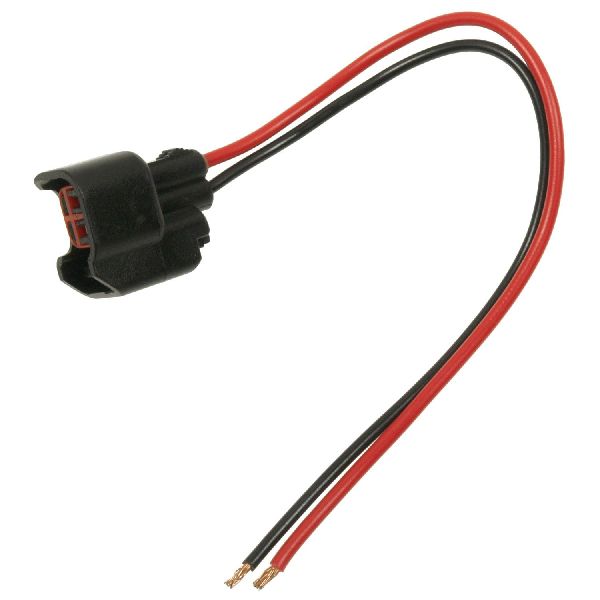
Aftermarket price range: $120-$250 - Wheel Speed Sensor Connector Pigtail — Needed to repair the harness if the connector itself is corroded or if wires are broken close to the connector, a common failure point from flexing.
Trusted brands: ACDelco, Dorman
OEM price range: $25-$40
Aftermarket price range: $15-$30
Related Codes That Often Appear With This One
- C0035, C0045, C0050 — These are the codes for the other three wheel speed sensors. If seen together, it points towards a systemic issue like a faulty EBCM rather than an individual sensor.
- C0800 sym 07 — As mentioned in TSB #PIC5837, this code can appear with wheel speed sensor faults. The TSB advises diagnosing the C0040 code first.
- U0415 — A GM service bulletin (PIC5428 series) notes this Power Steering Control Module code can set as a normal default action when a wheel speed sensor signal is lost, sometimes causing a 'Service Steering' message and increased steering effort at low speeds.
Technical Service Bulletins (TSBs) & Recalls
- PIC5428 (A, B, C, D, E, F, G): Addresses debris on the magnetic encoder ring causing wheel speed sensor codes.
- PIC5720B: Points to wiring harness chafing on engine pulleys.
- PIC5837: Mentions C0800 setting alongside wheel speed sensor codes.
Platform-Specific Known Issues
- A known issue involves the wiring harness under the hood making contact with the crank pulley or A/C compressor pulley, causing a short and triggering code C0040. (TSB #PIC5720B)
- Debris accumulation on the magnetic encoder ring on the wheel bearing is a very common cause for this code on Epsilon II platform vehicles. Cleaning is often the only repair needed. (TSB #PIC5428 series)
- Internal wire breaks in the flexible part of the sensor harness near the wheel are common due to repeated suspension and steering movement. The wire may be broken inside intact insulation.
Mechanic-Grade Diagnostic Values
- Active Wheel Speed Sensor Signal (Current) — expected: The sensor is a two-wire sensor that generates a digital square wave by switching between 7mA (Low) and 14mA (High) DC current.. Failure: A signal that does not switch cleanly, is stuck at one value, or is outside the 7-14mA range indicates a fault in the sensor or wiring.
- Wheel Speed Sensor Circuit Resistance (End-to-End) — expected: Less than 2.0 ohms between the sensor pigtail connector pin and the corresponding EBCM connector pin.. Failure: A reading greater than 2.0 ohms indicates high resistance, corrosion, or an open in the wiring harness.
Hidden / Shadow Codes Worth Checking
- C0040 0F: Indicates the EBCM has detected an erratic signal from the right front wheel speed sensor. This is commonly caused by debris on the magnetic encoder ring. (see via A professional-grade scan tool capable of reading GM-specific chassis codes and symptom bytes.)
- C0040 18: Indicates the signal amplitude from the right front wheel speed sensor is below the minimum threshold. This can be caused by an increased air gap (loose bearing) or debris on the sensor/encoder. (see via A professional-grade scan tool capable of reading GM-specific chassis codes and symptom bytes.)
- C0040 5A: Indicates the signal from the right front wheel speed sensor is implausible when compared to other vehicle sensors. This is often set due to debris on the magnetic encoder causing an incorrect reading. (see via A professional-grade scan tool capable of reading GM-specific chassis codes and symptom bytes.)
- C0040 02: Indicates the EBCM has detected a short to ground in the right front wheel speed sensor circuit. (see via A professional-grade scan tool capable of reading GM-specific chassis codes and symptom bytes.)
- C0040 05: Indicates the EBCM has detected a short to power or an open circuit in the right front wheel speed sensor circuit. (see via A professional-grade scan tool capable of reading GM-specific chassis codes and symptom bytes.)
Scan Tool Commands That Help
- GM Techline Connect (GDS2/SPS2): Replace and Reprogram EBCM — This function is mandatory if diagnosis leads to a faulty Electronic Brake Control Module (EBCM). A new or used module must be programmed to the vehicle's VIN and specific configuration. It is not a plug-and-play part.
Wiring & Ground Locations
- EBCM (Electronic Brake Control Module) — Typically located in the engine bay, attached to the hydraulic ABS block where the brake lines connect. On the Regal, it is often found low down on the driver's side near the firewall.. This is the control unit that receives the signal from the right front wheel speed sensor. The two wires from the sensor circuit terminate at the EBCM's main connector, making it a key testing point for continuity and shorts.
OEM Part Supersession History
20899215, 23136762→23460591— Part consolidation and potential design revision by the manufacturer.
Heads up: The newest part number (23460591) is the correct service replacement for the earlier numbers on this vehicle.
Model Year Variations Within This Range
- 2012: A recall (NHTSA 11V404000, GM Campaign #11222) was issued for some 2012 Buick Regal models due to an incorrect software calibration in the StabiliTrak system. The fix was for dealers to reprogram the EBCM. While not a direct cause of C0040, a known software issue exists for this model year that affects the stability system.
Helpful Videos
We Have This Part in Stock


The information in this article is provided for general reference and educational purposes only. Vehicle specifications, procedures, and part compatibility can vary by production date, trim level, and region. Always consult your vehicle's factory service manual and verify part numbers before purchasing or performing repairs. Safety-critical components such as airbags, seat belts, and braking systems should be installed by a qualified professional.
- Buick REGAL:
- 🧭 Diagnostic Flowchart
- 🎬 Helpful Videos
- 🛍️ Shop This Part
- What's Unique About the 2012-2014 Buick REGAL
- Symptoms You May Notice
- Most Likely Causes
- Rare But Worth Checking
- Diagnosis Steps
- Parts You'll Likely Need
- Related Codes That Often Appear With This One
- Technical Service Bulletins (TSBs) & Recalls
- Platform-Specific Known Issues
- Mechanic-Grade Diagnostic Values
- Hidden / Shadow Codes Worth Checking
- Scan Tool Commands That Help
- Wiring & Ground Locations
- OEM Part Supersession History
- Model Year Variations Within This Range
- 🎟️ Get 5% Off