

C0050 on 2008-2015 Buick Enclave: Right Rear Wheel Speed Sensor Fault Causes and Fixes
Code C0050 on a 2008-2015 Buick Enclave indicates a fault with the right rear wheel speed sensor circuit. The most common cause is ferrous debris on the magnetic encoder ring of the wheel hub, a known issue addressed by GM TSB PIC5428G. This can often be fixed by cleaning the ring. If the ring is cracked or the sensor has failed, the wheel hub assembly (which includes the sensor ring) will need replacement.
- Code C0050 on your Enclave means there's a problem with the right rear wheel speed signal, disabling your ABS and StabiliTrak.
- Before buying any parts, inspect and clean the magnetic ring on the right rear wheel hub; debris is the most common cause per GM TSBs.
- If cleaning doesn't work or the magnetic ring is visibly cracked, you must replace the entire wheel hub bearing assembly.
- While less common, a failed sensor or damaged wiring can also cause this code.
What's Unique About the 2008-2015 Buick ENCLAVE
The Buick Enclave and its GM Lambda platform siblings (Chevy Traverse, GMC Acadia, Saturn Outlook) are highly susceptible to this specific code due to a design characteristic. Ferrous metal debris can accumulate on the magnetic encoder ring that is integrated into the wheel hub assembly. As documented in multiple revisions of GM Technical Service Bulletin PIC5428 (up to version G), this debris disrupts the sensor's reading, causing signal dropouts. Often, the fix is simply to clean this ring with a dry nylon brush, rather than immediately replacing expensive parts.
Diagnostic Flowchart
Tap your situation to follow the diagnostic path that matches what you're seeing on this vehicle.
Symptoms You May Notice
- ABS warning light is on
- Traction Control warning light is on
- "Service StabiliTrak" message displayed in the driver information center
- "Service Brake Assist" message may appear
- A brief, intermittent grinding, clicking, or ABS pump motor noise at low speeds (under 10 mph) as the system misinterprets the faulty signal.
- A "Service Steering" message and heavier steering feel at low speeds may occur on some models.
- Replacing the wheel speed sensor without first inspecting and cleaning the magnetic encoder ring on the hub. Many owners and shops replace the sensor only to have the code return because the root cause was debris on the hub.
- Replacing the wheel hub assembly without first attempting to clean the encoder ring, leading to unnecessary expense.
Most Likely Causes
- Debris on Right Rear Wheel Hub Magnetic Encoder Ring 🔴 High Probability This is a well-documented issue covered by multiple GM Technical Service Bulletins (TSBs). The design of the hub's magnetic encoder makes it susceptible to collecting metallic debris, which disrupts the wheel speed signal.
How to confirm: Remove the right rear wheel speed sensor and visually inspect the brown magnetic ring on the inboard side of the hub assembly for metallic filings or rust buildup. A borescope can also be used to inspect the ring without full disassembly.
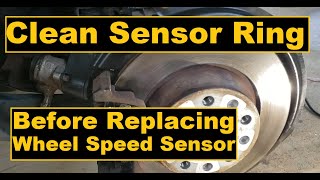
Typical fix: Gently clean the encoder ring with a dry, soft nylon bristle brush as specified in TSB PIC5428G. Do not use a magnet or harsh chemicals. 🎬 See how to properly clean the magnetic encoder ring. In many cases, this resolves the fault without parts replacement.
Est. part cost: $0 - Failed Right Rear Wheel Hub Bearing Assembly 🟡 Medium Probability → Shop Hub Assembly The magnetic encoder ring is integrated into the hub assembly. Over time, this ring can become brittle, crack, or have sections flake off, causing a permanent loss of signal. Normal bearing wear can also introduce excessive play, altering the sensor's air gap and causing an erratic signal.
How to confirm: After cleaning the hub (if debris was present) and the code returns, inspect the magnetic ring for visible cracks or missing pieces. Also, check the wheel for excessive play by trying to rock it at the 12 and 6 o'clock positions.
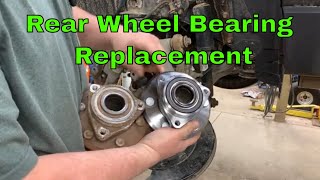
Typical fix: Replace the entire right rear wheel hub bearing assembly. This part includes a new magnetic encoder ring. It's critical to verify the correct part for FWD vs. AWD models. 🎬 Watch: Step-by-step guide to replacing the rear wheel hub assembly.
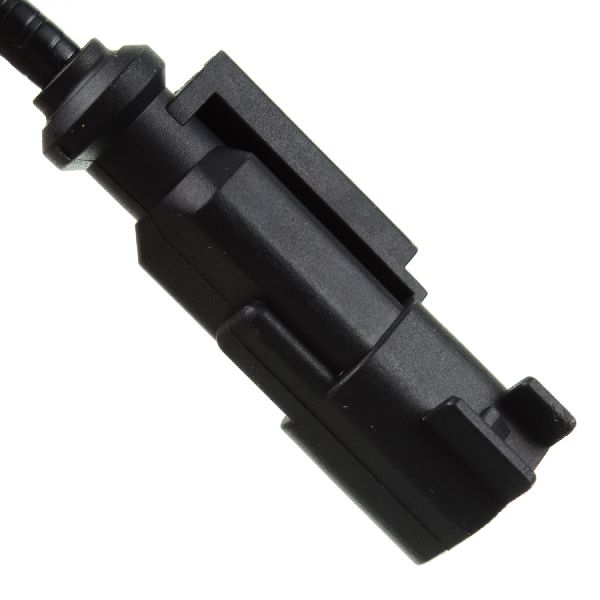
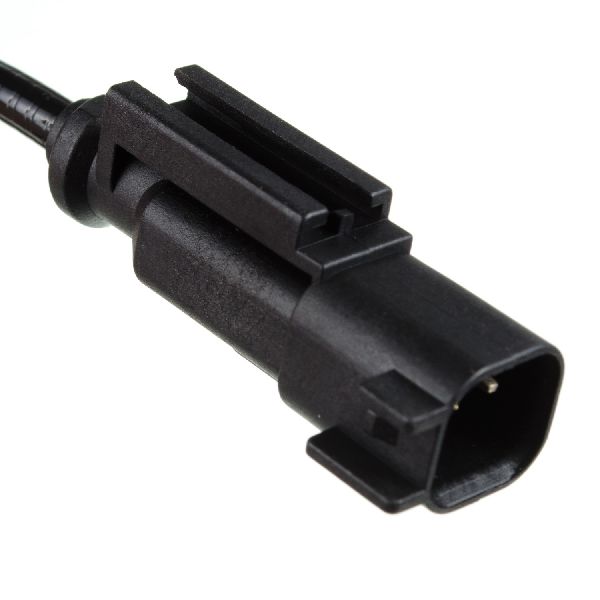
Est. part cost: $80-$250 - Failed Right Rear Wheel Speed Sensor 🟡 Medium Probability → Shop ABS Wheel Speed Sensor The sensor is exposed to harsh conditions (water, salt, debris) behind the wheel, which can lead to internal failure or corrosion of the connector pins over time. The sensor can be difficult to remove without breaking it due to corrosion.
How to confirm: After confirming the hub's magnetic ring is clean and intact, test the sensor's circuit for proper voltage and resistance according to the service manual, or swap it with the sensor from the left side to see if the code follows.
Typical fix: Replace the right rear wheel speed sensor. The sensor and its wiring harness are often sold as a single unit. 🎬 Watch: How to remove a stuck rear ABS speed sensor.
Est. part cost: $35-$75 - Damaged Wiring or Connector ⚪ Low Probability The wiring harness leading to the wheel can be damaged by road debris, improper servicing, or corrosion, causing an open or short in the circuit. The connector pins at the sensor or the EBCM can also corrode.
How to confirm: Visually inspect the entire length of the wiring from the sensor to its main connection point on the vehicle's frame for any cuts, abrasions, or corrosion. Perform a continuity test with a multimeter from the sensor connector to the EBCM connector.
Typical fix: Repair the damaged section of wire or replace the sensor pigtail/harness.
Est. part cost: $20-$50
Rare But Worth Checking
- Failed Electronic Brake Control Module (EBCM): → Shop ABS Control Module This is the least likely cause. The EBCM should only be suspected after all other possibilities (hub, sensor, wiring) have been thoroughly tested and ruled out. An EBCM failure usually triggers multiple wheel speed sensor codes or communication codes, not just one.
Diagnosis Steps
- Connect a scan tool capable of reading ABS codes and confirm C0050 is the active code. Note any symptom bytes (e.g., 18, 5A, 0F) as this provides critical clues.
- Use the scan tool's live data function to monitor all four wheel speeds while driving in a straight line. Confirm that the Right Rear (RR) wheel speed reads erratically, drops to zero, or does not match the other sensors.
- Raise and safely support the rear of the vehicle. Remove the right rear wheel.
- Visually inspect the wheel speed sensor wiring harness for any signs of physical damage, melting, or corrosion from the sensor up to the frame connector.
- Unbolt and remove the 10mm or T30 Torx bolt holding the wheel speed sensor in the steering knuckle.
- Carefully attempt to remove the sensor, which may be seized. Gently twisting with pliers may be necessary. Inspect the magnetic encoder ring (the brown, metallic-looking ring on the hub) for caked-on debris, rust, or physical damage like cracks.
- If debris is present, use a dry, soft nylon bristle brush as recommended by GM to thoroughly clean the surface of the encoder ring. If debris remains, a mild soap and water solution can be used, followed by drying.
- Reinstall the sensor, clear the codes with the scan tool, and perform a test drive, exceeding 10-15 mph to allow the system to self-test. If the code does not return, the problem is solved.
- If the code returns, or if the encoder ring was found to be physically damaged, the wheel hub bearing assembly must be replaced.
- If the encoder ring is clean and undamaged, the sensor itself or its wiring is the likely fault. Test the circuit or replace the wheel speed sensor.
Parts You'll Likely Need
- Rear Wheel Hub and Bearing Assembly
(OEM #GM 25902924 (AWD), ACDelco FW405 (AWD), MOOG 513277)— This is the most common repair if cleaning the magnetic ring doesn't work, as the ring itself is part of the hub. A worn bearing or damaged ring requires full replacement. Part numbers can differ for AWD vs FWD models, so VIN verification is crucial.
Trusted brands: ACDelco, Timken, MOOG, SKF
OEM price range: $180-$250
Aftermarket price range: $80-$150 - Rear ABS Wheel Speed Sensor
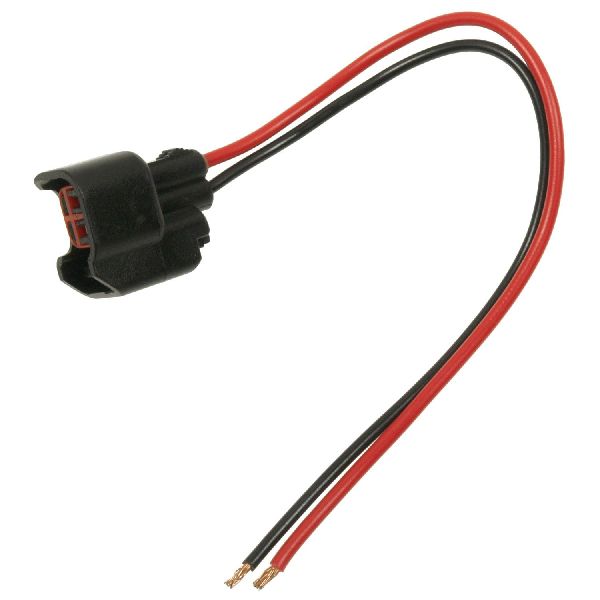
(OEM #GM 22951116, ACDelco 23498355)— If the hub and encoder ring are in good condition, the sensor itself may have failed. It's often replaced as a precaution when replacing the hub, as it can be difficult to remove without damage.
Trusted brands: ACDelco, NGK/NTK, Delphi, Standard Motor Products (SMP)
OEM price range: $60-$90
Aftermarket price range: $35-$75
Related Codes That Often Appear With This One
- U0415 — As noted in TSBs, a loss of a wheel speed sensor signal can cause the Power Steering Control Module to set a U0415 'Invalid Data Received From EBCM' code, sometimes resulting in heavier steering feel at low speeds.
Technical Service Bulletins (TSBs) & Recalls
- PIC5428G: States that ABS, Traction Control, and/or Stabilitrak lights may be on with DTCs C0035-C0050 and symptom bytes 18, 5A, or 0F. Caused by debris on the wheel bearing encoder ring. Recommends inspection and cleaning.
- 17-NA-047: A later bulletin that supersedes PIC5428G, carrying forward the same diagnostic advice for an expanded list of GM vehicles, confirming the persistence of this issue.
Platform-Specific Known Issues
- GM Technical Service Bulletin PIC5428G: This TSB (and its many predecessors like PIC5428A-F) is the primary document for this issue. It directly addresses DTCs C0035-C0050 with symptom bytes 18, 5A, or 0F on the 2008-2015 Enclave and its platform mates. It identifies the primary cause as ferrous debris on the wheel bearing's magnetic encoder and explicitly recommends cleaning with a dry nylon brush as the first step before any parts replacement.
Mechanic-Grade Diagnostic Values
- Wheel Speed Sensor Signal Circuit Test — expected: The digital signal should switch between 7mA (Low) and 14mA (High) DC current.. Failure: A signal that does not switch or is outside this range indicates a fault.
- Sensor Circuit Continuity Test at EBCM Connector — expected: Less than 2 ohms of resistance between the terminals for the 12V reference circuit and the signal circuit.. Failure: Resistance greater than 2 ohms indicates an open or high resistance in the wiring.
- Sensor Circuit Short to Ground Test at EBCM Connector — expected: Infinite resistance between the 12V reference terminal and ground, and between the signal terminal and ground.. Failure: Any resistance reading less than infinite indicates a short to ground in the respective circuit.
- Voltage Supply at Sensor Connector (Key On) — expected: Approximately 12 Volts on the supply pin and 1.0 Volt bias on the control side.. Failure: Absence of these voltages points towards a problem with the EBCM or the wiring from it.
Hidden / Shadow Codes Worth Checking
- C0050 5A: Signal Not Plausible. The EBCM has determined the signal from the sensor is erratic or inconsistent with the other wheel speed sensors. (see via Requires a scan tool capable of reading GM-specific ABS chassis codes and symptom bytes.)
- C0050 18: Low Signal Amplitude. The signal from the sensor is too weak, often caused by debris, an excessive air gap, or a failing sensor. (see via Requires a scan tool capable of reading GM-specific ABS chassis codes and symptom bytes.)
- C0050 0F: Too Few Pulses. The EBCM is not receiving the expected number of pulses from the sensor for a given vehicle speed, often indicating a missing or damaged section of the encoder ring. (see via Requires a scan tool capable of reading GM-specific ABS chassis codes and symptom bytes.)
Scan Tool Commands That Help
- GDS2 / Tech2 / Professional Scan Tool: Live Data - Wheel Speed Sensor Graph — This is the primary diagnostic step. While driving, graph all four wheel speeds simultaneously. The faulty sensor's reading will typically drop to zero, become erratic, or fail to match the other three, pinpointing the problematic corner.
- GDS2 / Tech2 / Professional Scan Tool: Clear All DTCs — After performing a repair (such as cleaning the hub or replacing a part), all codes in the EBCM must be cleared. The system will then perform a self-test on the next drive cycle to confirm the fix.
Wiring & Ground Locations
- EBCM Ground — For a 2008 Enclave, the EBCM is grounded at G102, located on the right side of the engine compartment.. A poor or corroded ground connection for the EBCM can cause a variety of erratic electronic faults, including false wheel speed sensor codes. Cleaning this ground point is a valid, low-cost troubleshooting step if circuit tests are inconclusive.
- EBCM Connector (Right Rear WSS) — On the main connector at the Electronic Brake Control Module (EBCM). On similar GM platforms, the two wires for the right rear wheel speed sensor are at pins 3 and 4.. This is the location to perform circuit integrity tests (for opens, shorts to ground, or high resistance) without having to access the entire length of the wiring harness. It allows a technician to isolate the problem between the EBCM and the sensor.
- G303 — Located near the base of the left 'B' pillar.. This is a major interior ground distribution point. While not the primary ground for the EBCM, a fault here could potentially cause communication issues or other electrical problems that could indirectly affect the ABS system.
Real Owner Repair Stories
- YouTube channel 'Carl's Garage' (Buick Enclave (year not specified, but within platform generation)) — ABS light on, 'Service Traction Control' message. Scan tool showed a code for the left rear wheel speed sensor with no signal.
❌ Tried (didn't work) Initially suspected the wheel speed sensor itself was bad.
✅ What actually fixed it Upon visual inspection before replacing the sensor, the mechanic discovered the magnetic pickup ring on the hub assembly was completely broken off and missing. The fix was to replace the entire wheel hub assembly, which includes a new ring. - YouTube channel 'DIY with Michael Borders' (Chevy/GMC/Buick vehicle with C0045/C0050) — ABS and StabiliTrak lights on.
❌ Tried (didn't work) Replacing the sensor without inspecting the hub.
✅ What actually fixed it The video shows a side-by-side comparison of a failed hub and a new one. The magnetic ring on the old hub was brittle, cracked, and had a piece flaked away. This gap in the ring disrupts the signal for the sensor. The confirmed fix is replacing the entire hub and bearing assembly.
OEM Part Supersession History
10391044, 22739728, 25860219→22951116— Part consolidation and potential design/material improvements.
Heads up: The new part number (22951116) is the correct service replacement for the older numbers on this vehicle platform.
Model Year Variations Within This Range
- 2008-2015: On models equipped with Electric Power Steering (RPO code NJ2), the loss of a wheel speed sensor signal from a C0050 fault can also cause the Power Steering Control Module to set a U0415 code. This results in a 'Service Steering' message and a noticeable increase in steering effort at low speeds.
Helpful Videos
We Have This Part in Stock


The information in this article is provided for general reference and educational purposes only. Vehicle specifications, procedures, and part compatibility can vary by production date, trim level, and region. Always consult your vehicle's factory service manual and verify part numbers before purchasing or performing repairs. Safety-critical components such as airbags, seat belts, and braking systems should be installed by a qualified professional.
- Buick ENCLAVE:
- 🧭 Diagnostic Flowchart
- 🎬 Helpful Videos
- 🛍️ Shop This Part
- What's Unique About the 2008-2015 Buick ENCLAVE
- Symptoms You May Notice
- Most Likely Causes
- Rare But Worth Checking
- Diagnosis Steps
- Parts You'll Likely Need
- Related Codes That Often Appear With This One
- Technical Service Bulletins (TSBs) & Recalls
- Platform-Specific Known Issues
- Mechanic-Grade Diagnostic Values
- Hidden / Shadow Codes Worth Checking
- Scan Tool Commands That Help
- Wiring & Ground Locations
- Real Owner Repair Stories
- OEM Part Supersession History
- Model Year Variations Within This Range
- 🎟️ Get 5% Off