

C0050 on 2015-2017 GMC Acadia: Right Rear Wheel Speed Sensor Fault Causes and Fixes
Code C0050 on a 2015-2017 GMC Acadia indicates a fault with the right rear wheel speed sensor circuit. The most common cause is metallic debris on the wheel bearing's magnetic encoder ring, which can often be cleaned. If cleaning doesn't work, the wheel hub assembly or the sensor itself may need replacement. This is a well-documented issue covered by GM TSB PIC5428G.
- Code C0050 on a 2015-2017 Acadia means the right rear wheel speed sensor signal is faulty, disabling ABS and StabiliTrak.
- Before buying any parts, inspect and clean the magnetic ring on the back of the right rear wheel hub; this is a free fix and the most common cause per GM TSB PIC5428G.
- If the magnetic ring is physically cracked or broken, the entire wheel hub assembly needs to be replaced.
- If the ring is clean and intact, the wheel speed sensor is the next most likely part to have failed.
- This issue is most prevalent on the first-generation platform (2015-2016 models and the 2017 Acadia Limited).
What's Unique About the 2015-2017 Gmc ACADIA
The first-generation Acadia (which includes 2015-2016 models and the 2017 'Limited' model) uses an external magnetic encoder ring on the inboard side of the wheel bearing. This design is highly susceptible to attracting ferrous metallic debris from the road and brakes. This debris, which looks like a paste of metallic shavings, disrupts the signal between the encoder and the wheel speed sensor, triggering code C0050. GM issued a Technical Service Bulletin (PIC5428G) acknowledging that in many cases, simply cleaning this debris resolves the issue without replacing any parts. The bulletin explicitly states that a magnet should not be used for cleaning as it can damage the encoder ring.
Diagnostic Flowchart
Tap your situation to follow the diagnostic path that matches what you're seeing on this vehicle.
Generation note: The 2015-2017 year range covers two generations. The 2015 and 2016 models are the first generation. In 2017, GMC sold both the redesigned second-generation Acadia and the first-generation model, branded as the 'Acadia Limited'. The common issue of debris on the magnetic encoder ring is primarily documented for the first generation and the Acadia Limited, which share the same GM Lambda platform and underlying components.
Symptoms You May Notice
- ABS warning light is on
- "Service StabiliTrak" message on the driver information center
- "Traction Control Off" light is on
- Brake pedal may pulse or feel like ABS is activating at low speeds.
- Grinding or clicking noises from the wheel area at low speeds.
- In some cases, a "Service Steering" message may appear and steering may feel heavier, accompanied by code U0415 in the Power Steering Control Module.
- Replacing the wheel speed sensor without first inspecting and cleaning the magnetic encoder ring. Many owners replace the sensor only to find the code returns because the underlying issue was debris on the hub.
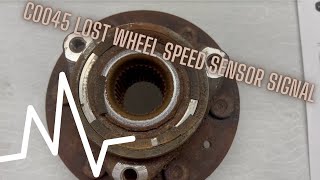
- Replacing the wheel hub assembly when only the sensor has failed. Proper diagnosis with a scan tool monitoring live data can differentiate between a bad sensor and a bad hub ring. 🎬 See how to diagnose a dropping wheel speed signal.
Most Likely Causes
- Debris on Wheel Bearing Magnetic Encoder Ring 🔴 High Probability The design of the wheel bearing uses an exposed magnetic ring that acts as a magnet for metallic road and brake debris. This is a widely documented issue covered by GM TSB #PIC5428G. The bulletin confirms this is the most frequent cause and cleaning is often the only repair needed.
How to confirm: Remove the right rear wheel and the wheel speed sensor. Visually inspect the brown, rubber-like ring on the inboard side of the wheel hub assembly for a buildup of metallic shavings or rust paste.
Typical fix: Thoroughly clean the magnetic encoder ring using a dry, soft nylon brush and/or brake cleaner. If debris remains, a mild soap detergent can be used. Do not use magnetic tools for cleaning. Reinstall the sensor, clear codes, and test drive.
Est. part cost: $0-$15 - Failed Wheel Hub and Bearing Assembly 🟡 Medium Probability → Shop Hub Assembly The magnetic encoder ring is integrated into the hub assembly. Over time, the ring can become brittle, crack, and break apart, causing a permanent loss of signal. This is the next most likely cause if cleaning the ring does not resolve the issue.
How to confirm: During inspection, if the magnetic ring is found to be physically damaged, cracked, or has missing pieces, the entire hub must be replaced.
Typical fix: Replace the right rear wheel hub and bearing assembly. The wheel speed sensor is often replaced at the same time as a precaution. The OEM part number for the hub assembly is shared across the front and rear on many models.
Est. part cost: $100-$250 - Failed Wheel Speed Sensor 🟡 Medium Probability → Shop ABS Wheel Speed Sensor
How to confirm: Use a scan tool to monitor live data from the right rear wheel speed sensor while driving. If the reading is zero or erratic compared to the other wheels, and the encoder ring is clean and intact, the sensor is likely faulty. An intermittent failure can sometimes be induced by heating the sensor with a heat gun. A multimeter can also be used to check for resistance across the sensor's pins.
Typical fix: Replace the right rear wheel speed sensor. The sensor is typically held in by a single 10mm or T30 Torx bolt. 🎬 Watch: How to quickly swap out the wheel speed sensor.
Est. part cost: $30-$80 - Damaged Wiring or Connector ⚪ Low Probability
How to confirm: Visually inspect the wiring harness leading to the right rear wheel speed sensor for any signs of chafing, breaks, or corrosion, especially near the connector and where the harness is secured to the chassis. Check for continuity and voltage at the sensor connector using a multimeter.
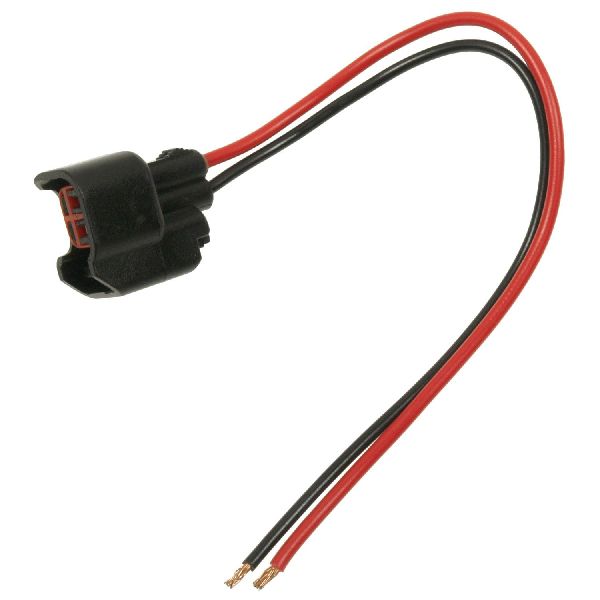
Typical fix: Repair the damaged section of the wire or replace the pigtail connector.
Est. part cost: $15-$50
Rare But Worth Checking
- Faulty Electronic Brake Control Module (EBCM): → Shop ABS Control Module This is rare. Before condemning the EBCM, all other possibilities (sensor, hub, wiring) must be exhaustively ruled out. A diagnostic check showing no voltage being sent to the sensor from the module could indicate an internal EBCM fault. This usually triggers multiple wheel speed sensor codes, not just one.
Diagnosis Steps
- Connect an ABS-capable OBD-II scanner and confirm the presence of code C0050. Note any symptom bytes (e.g., 18, 5A, 0F) as mentioned in TSB PIC5428G.
- Use the scanner's live data function to monitor all four wheel speed sensors while driving in a straight line. Observe if the right rear sensor reads 0 mph or shows erratic values compared to the other three.
- Raise and secure the vehicle. Remove the right rear wheel.
- Locate and unplug the wheel speed sensor. Inspect the connector and wiring harness for corrosion, damage, or loose pins.
- Remove the single bolt (typically 10mm or T30 Torx) holding the wheel speed sensor and carefully pull the sensor out of the hub. It may be seized with rust and require gentle prying.
- Thoroughly inspect the magnetic encoder ring on the inboard side of the hub assembly. Use a bright light. Look for a buildup of metallic debris, rust, or any physical damage like cracks or missing chunks.
- If debris is present, clean the ring with a soft nylon brush and brake cleaner. Do NOT use a magnet. Reinstall the sensor and clear the codes. Perform a road test to see if the code returns.
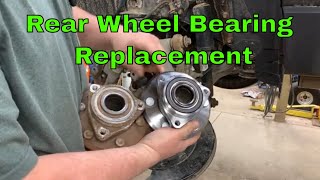
- If the ring is clean and intact, or if it is physically damaged, the next step is to test or replace the suspect part. If the ring is damaged, the entire wheel hub assembly must be replaced. 🎬 Watch: Step-by-step guide to replacing the rear wheel hub assembly.
- If the ring is okay, the sensor itself is the next likely culprit. It can be tested for resistance or signal output with a multimeter or oscilloscope, but replacement is often the most straightforward diagnostic step at this point.
- If a new sensor and a clean/new hub do not resolve the code, perform a continuity and voltage check on the wiring harness between the sensor connector and the EBCM to rule out a wiring fault.
Parts You'll Likely Need
- Wheel Hub and Bearing Assembly
(OEM #GM 84607377 (replaces 20945052))— The integrated magnetic encoder ring is a common failure point. If it cracks or gets damaged, the entire hub must be replaced to restore the wheel speed signal. Aftermarket part number examples include MOOG 513277 and Timken SP580310.
Trusted brands: ACDelco, Timken, MOOG, SKP
OEM price range: $180-$250
Aftermarket price range: $100-$180 - ABS Wheel Speed Sensor
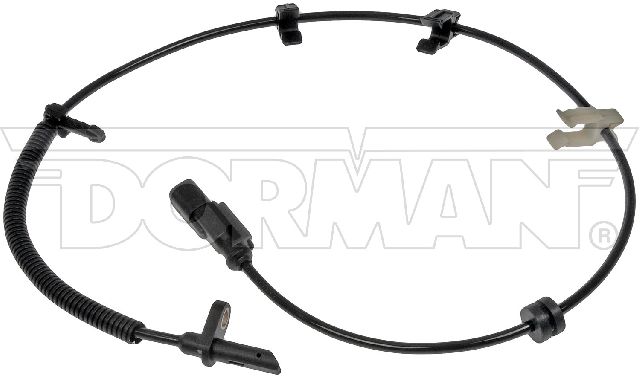
(OEM #GM 22951116 (replaces 10391044, 22739728, 25860219))— The sensor itself can fail electronically, especially intermittently when hot. It's the second most likely part to fail after issues with the hub's encoder ring are ruled out.
Trusted brands: ACDelco, Delphi, NGK/NTK, Dorman
OEM price range: $45-$85
Aftermarket price range: $30-$50
Related Codes That Often Appear With This One
- C0035 — This code is for the Left Front Wheel Speed Sensor Circuit. It's common to see codes for other wheels if the conditions (e.g., driving on roads with a lot of metallic debris) are causing similar issues on multiple hubs.
- C0040 — This code is for the Right Front Wheel Speed Sensor Circuit, often set for the same reasons as C0050.
- C0045 — This code is for the Left Rear Wheel Speed Sensor Circuit, often set for the same reasons as C0050.
- U0415 — Invalid Data Received From Electronic Brake Control Module. This code may set in the Power Steering Control Module because it relies on wheel speed data from the EBCM. Loss of a wheel speed signal is a normal cause for this code, as noted in TSB PIC5428G.
Technical Service Bulletins (TSBs) & Recalls
- PIC5428G: This is the primary technical service bulletin from GM that addresses codes C0035, C0040, C0045, and C0050. It was updated several times and eventually replaced by 17-NA-047. It details the issue of debris on the magnetic encoder ring and provides the cleaning procedure as the primary fix. It covers a wide range of GM vehicles, including the 2007-2016 Acadia and 2017 Acadia Limited.
Platform-Specific Known Issues
- Owner Experience: Cleaning the Ring Solves the Problem: Multiple owners on forums like acadiaforum.net and traverseforum.com report that the C0050 code, along with the associated ABS and StabiliTrak lights, was resolved by simply removing the sensor and cleaning the metallic paste off the magnetic ring. Many express frustration at mechanics who immediately quote a full hub replacement without attempting the cleaning procedure outlined in TSB PIC5428G first.
- DIY Repair Story: Sensor Seized in Hub: A common challenge reported by DIYers is that the wheel speed sensor becomes seized in the steering knuckle due to rust and corrosion. It often breaks during removal, requiring the pieces to be carefully extracted. Applying penetrating oil beforehand and using gentle, consistent prying is recommended.
- Real-World Tip: Avoid Cheap Amazon Sensors: In a YouTube repair video for a 2013-2016 Acadia, the owner documents buying cheap sensors from Amazon for around $20 which did not work and caused the ABS lights to come on immediately. The problem was only solved after purchasing higher-quality sensors for $55 each. This highlights a potential pitfall of using low-quality aftermarket electronic parts.
Mechanic-Grade Diagnostic Values
- ABS Wheel Speed Sensor Resistance (Passive Sensor) — expected: 800 - 2,500 Ohms. Failure: A reading of OL (Open Loop/infinite resistance), zero resistance (short), or a value outside the expected range indicates a faulty sensor.
- ABS Wheel Speed Sensor AC Voltage Output (Passive Sensor) — expected: At least 100-200 millivolts (0.1-0.2 VAC) when spinning the wheel by hand.. Failure: No AC voltage generated while the wheel is spinning indicates a dead sensor or a problem with the tone ring.
- Sensor Power Supply Voltage at Connector (Active Sensor) — expected: Approximately 12 Volts (battery voltage) with key on, engine off.. Failure: Less than 12V or no voltage indicates a problem with the wiring or the EBCM, not the sensor itself.
Hidden / Shadow Codes Worth Checking
- C0050 0F: Signal Erratic. The EBCM detects a change in wheel speed that is not plausible, such as a change exceeding 20 km/h (12 mph) in 10 milliseconds. (see via A professional scan tool capable of reading GM-specific symptom bytes, such as a Tech2 or GDS2.)
- C0050 18: Low Signal Amplitude. The signal from the sensor is weak or erratic, often caused by debris on the sensor/encoder or an excessive air gap. (see via A professional scan tool capable of reading GM-specific symptom bytes, such as a Tech2 or GDS2.)
- C0050 5A: Signal Not Plausible. The signal from this wheel speed sensor is inconsistent with the signals from the other wheel speed sensors. (see via A professional scan tool capable of reading GM-specific symptom bytes, such as a Tech2 or GDS2.)
Wiring & Ground Locations
- EBCM Connector Pins (Right Rear WSS) — At the Electronic Brake Control Module (EBCM), which is part of the ABS pump assembly in the engine bay.. For a 2017 GM truck, the Right Rear WSS wires are at Pin 3 (12V supply, Green/Yellow) and Pin 4 (Signal, Violet) of the EBCM connector. This allows for continuity and voltage testing of the harness directly from the module.
- G101 — Left side of the engine compartment, on the left frame rail.. This is a major engine compartment ground. While not directly for the WSS, a poor ground here can cause a variety of module communication and power issues that could potentially affect the EBCM.
- G102 — Right side of the engine compartment, on the right inner fender panel.. This is another primary engine compartment ground point. Verifying it is clean and tight is a good practice when diagnosing any electrical fault, including EBCM-related codes.
Real Owner Repair Stories
- Camaro5 Forum user (2011 Chevrolet Camaro (Similar GM platform)) — Stabilitrac Service message, ABS light, traction control light, engine light.
❌ Tried (didn't work) Initial dealer visit replaced a sensor, but the problem returned a year later.
✅ What actually fixed it The dealer scanned the car and found code C0050 5A. The technician removed the hub assembly and sensor, cleaned all debris from the sensor and the magnetic encoder wheel, reinstalled the parts, and the problem was resolved. - Reddit r/Silverado user (Chevrolet Silverado (year not specified, but GM truck)) — Stabilitrak, Traction control, and ABS lights all on.
✅ What actually fixed it The user reported code C0050 and asked for advice. Another user confirmed that on their truck, simply swapping the single failed wheel speed sensor fixed all three warning lights. - YouTube - 'DIY with Michael Borders' (Chevrolet Malibu (Similar GM platform)) — ABS and Stabilitrak lights on, codes C0045 and C0050.
❌ Tried (didn't work) Inspecting only the sensor.
✅ What actually fixed it The magnetic encoder ring on the wheel hub assembly had become brittle and pieces had flaked off, creating a gap. This caused an interference in the reading for the sensor. Replacing the entire wheel hub assembly, which included a new, intact magnetic ring, resolved the codes.
OEM Part Supersession History
10391044, 22739728, 25860219→22951116— Standard part evolution and consolidation by the manufacturer.
Heads up: The part is listed as fitting both left and right rear positions for the Acadia across the 2007-2017 model years, indicating broad compatibility.
Helpful Videos

We Have This Part in Stock


The information in this article is provided for general reference and educational purposes only. Vehicle specifications, procedures, and part compatibility can vary by production date, trim level, and region. Always consult your vehicle's factory service manual and verify part numbers before purchasing or performing repairs. Safety-critical components such as airbags, seat belts, and braking systems should be installed by a qualified professional.
- Gmc ACADIA:
- 🧭 Diagnostic Flowchart
- 🎬 Helpful Videos
- 🛍️ Shop This Part
- What's Unique About the 2015-2017 Gmc ACADIA
- Symptoms You May Notice
- Most Likely Causes
- Rare But Worth Checking
- Diagnosis Steps
- Parts You'll Likely Need
- Related Codes That Often Appear With This One
- Technical Service Bulletins (TSBs) & Recalls
- Platform-Specific Known Issues
- Mechanic-Grade Diagnostic Values
- Hidden / Shadow Codes Worth Checking
- Wiring & Ground Locations
- Real Owner Repair Stories
- OEM Part Supersession History
- 🎟️ Get 5% Off