

C0050 on 2015-2019 GMC Canyon: Right Rear Wheel Speed Sensor Circuit Fault Causes & Fixes
Code C0050 on a 2015-2019 GMC Canyon most often points to water intrusion and corrosion in the Electronic Brake Control Module (EBCM) connector, a known issue covered by TSB #PIT5499B. Before replacing the sensor, always inspect this connector, located on the driver's side frame rail, for moisture and green or white corrosion. If the connector is clean, the right rear wheel speed sensor or its wiring harness are the next likely causes.
- For a 2015-2019 GMC Canyon with code C0050, your first and most important check is the Electronic Brake Control Module (EBCM) connector for water damage, as per TSB #PIT5499B.
- Symptoms include ABS and StabiliTrak lights, and possibly a 'Service Trailer Brake' message.
- If the EBCM connector is clean, the next most likely cause is a failed right rear wheel speed sensor.
- Driving is possible, but key safety systems (ABS, traction control) are disabled, so exercise caution.
What's Unique About the 2015-2019 Gmc CANYON
For the 2015-2019 GMC Canyon and its sibling, the Chevy Colorado, code C0050 is frequently not caused by a failed sensor itself. A well-documented issue, outlined in GM Technical Service Bulletin #PIT5499B, points to water intrusion and corrosion at the main EBCM electrical connector. The EBCM is located on the driver's side frame rail, roughly below the driver's seat, making it susceptible to road spray and moisture. This makes inspecting the EBCM connector a mandatory first step in diagnosis, as simply replacing the wheel speed sensor will not fix a problem originating at the control module's connection. High-pressure undercarriage washes at automated car washes have been suspected of forcing water into this and other connectors.
Diagnostic Flowchart
Tap your situation to follow the diagnostic path that matches what you're seeing on this vehicle.
Symptoms You May Notice
- ABS warning light is on
- StabiliTrak or Traction Control (ESC) warning light is on
- "Service Trailer Brake System" message on the Driver Information Center
- "Service StabiliTrak" message on the Driver Information Center
- Cruise control is inoperative
- Brake pedal feels different or unresponsive
- Replacing the wheel speed sensor without first checking the EBCM connector. On this specific truck, TSB #PIT5499B for water intrusion at the EBCM makes it the most likely culprit, and failing to check it first can lead to an unnecessary sensor replacement and a problem that persists.
Most Likely Causes
- Water Intrusion and Corrosion at EBCM Connector 🔴 High Probability As identified in TSB #PIT5499B, the EBCM connector on this platform is susceptible to moisture due to its location on the frame rail, leading to corroded pins and circuit failures. The connector seal can fail over time, allowing water from road spray or car washes to enter.
How to confirm: Locate the EBCM on the driver's side frame rail, below the driver's door. Disconnect the main electrical connector (it may be difficult to remove if filled with sand or debris). Carefully inspect the pins (specifically pins 19 and 20 for the right rear circuit) and the connector housing for any signs of moisture, white or green corrosion, or backed-out pins.
Typical fix: If corrosion is found, the connector must be cleaned thoroughly with an electronics cleaner. Damaged terminals must be professionally replaced. In severe cases, the EBCM itself may be damaged and require replacement. The source of the water leak must also be addressed, and applying dielectric grease to the cleaned connector can help prevent future intrusion.
Est. part cost: $20-$100 for terminals, $300-$800 for a new EBCM - Failed Right Rear Wheel Speed Sensor 🟡 Medium Probability → Shop ABS Wheel Speed Sensor Wheel speed sensors are exposed to harsh conditions (water, dirt, road salt) and can fail over time due to internal shorts or physical damage.
How to confirm: Use a scan tool to monitor live data from all four wheel speed sensors while driving. If the right rear sensor shows 0 MPH or an erratic reading while others are normal, the sensor is likely bad. You can also test the sensor's resistance with a multimeter; while specs vary, a reading in the range of 800-2,500 ohms is typical for this type of sensor, while a failed sensor might read much lower (e.g., 450 ohms) or as an open circuit.
Typical fix: Replace the right rear wheel speed sensor. It is typically held in by a single T30 bolt. 🎬 See this walkthrough for replacing the wheel speed sensor. The connector is located further up the frame rail.
Est. part cost: $30-$80 - Damaged Wiring Harness ⚪ Low Probability The wiring harness running from the sensor along the frame to the EBCM can be damaged by road debris, improper jacking, or chafing against chassis components, especially near the wheel well or where it runs over the frame.
How to confirm: Visually inspect the entire length of the wiring harness from the right rear wheel to the EBCM. Check for breaks, chafing, or corrosion, especially where the harness bends or is secured by clips. Perform a continuity test on the two wires (often a Brown wire for the signal and an Orange wire for the low reference) between the sensor connector and the EBCM connector to find any opens or shorts.
Typical fix: Repair the damaged section of wire with a solder and heat-shrink butt connector. If damage is near a connector, a new harness pigtail may be needed.
Est. part cost: $5-$50
Rare But Worth Checking
- Damaged Tone Ring / Magnetic Encoder: The sensor reads a magnetic encoder ring on the wheel hub. If this ring is cracked, rusted, or contaminated with metallic debris, it can cause an erratic signal, sometimes triggering symptom bytes '18', '5A', or '0F' with the C0050 code. This issue is covered in TSB PIC5428G and its successor, 17-NA-047. Diagnosis involves removing the sensor and visually inspecting the ring for debris or damage. Cleaning the ring with a non-magnetic brush may resolve the issue; otherwise, the entire wheel hub assembly must be replaced.
- Failed Electronic Brake Control Module (EBCM): → Shop ABS Control Module While TSB #PIT5499B points to connector failure, internal failure of the EBCM itself is possible, often due to cracked solder joints on the internal circuit board. This is typically diagnosed only after all other possibilities (sensor, wiring, connector) have been ruled out. A replacement EBCM must be programmed to the vehicle's VIN.
Diagnosis Steps
- Read the fault codes with an ABS-capable scan tool to confirm C0050 is active. Note any symptom bytes like '18', '5A', or '0F'.
- CRITICAL: Following GM TSB #PIT5499B, locate the Electronic Brake Control Module (EBCM) on the driver's side frame rail, below the cab. Disconnect its large electrical connector and thoroughly inspect for any signs of water, green/white corrosion, or damaged pins.
- If the EBCM connector is corroded, this is the most likely cause. Clean the connector and module pins. Repair or replace any damaged terminals. Apply dielectric grease before reconnecting.
- If the EBCM connector is clean and dry, proceed to the right rear wheel.
- Visually inspect the wheel speed sensor and its wiring harness for any obvious physical damage, chafing, or loose connections from the wheel to the frame.
- Use a scan tool to view live data. Drive the vehicle slowly (or spin the wheel by hand) and observe the speed readings from all four wheels. Confirm that the right rear sensor reads incorrectly (e.g., 0 MPH) or not at all.
- If live data is inconclusive, remove the sensor (usually one T30 bolt) and inspect the magnetic encoder ring on the hub for metallic debris or cracks. Clean with a brush and re-test.
- If the encoder ring is clean, test the sensor and circuit. With the key on, check for a 12V supply and a bias voltage (around 1.0V) at the sensor harness connector. Test the sensor's internal resistance with a multimeter; compare to a known good sensor if specs are unavailable.
- If the sensor tests bad or the signal is erratic despite a clean encoder ring, replace the right rear wheel speed sensor.
- If the sensor and its connector are good, perform a continuity test on the wires between the sensor connector and the EBCM connector (Pins 19 and 20) to find any breaks or shorts in the harness.
- If the sensor, wiring, and connectors are all confirmed good, the EBCM itself may have an internal fault, requiring replacement and programming.
- Clear the fault codes and perform a test drive to ensure the warning lights do not return.
Parts You'll Likely Need
- Right Rear Wheel Speed Sensor
(OEM #23299335)— This is the second most common cause after the EBCM connector issue. The sensor itself can fail from exposure to the elements. Note: Part numbers can vary, always verify with VIN.
Trusted brands: ACDelco, Delphi, Standard Motor Products
Related Codes That Often Appear With This One
- C0035 — Left Front Wheel Speed Sensor Circuit fault. Often appears with other wheel speed codes when the EBCM connector has water damage affecting multiple pins.
- C0040 — Right Front Wheel Speed Sensor Circuit fault. Often appears with other wheel speed codes when the EBCM connector has water damage affecting multiple pins.
- C0045 — Left Rear Wheel Speed Sensor Circuit fault. Often appears with other wheel speed codes when the EBCM connector has water damage affecting multiple pins.
- U0121 — Lost Communication With Electronic Brake Control Module. This can occur if water intrusion at the EBCM connector is severe enough to disrupt power, ground, or communication lines.
- U0415 — Invalid Data Received From EBCM. Other modules on the vehicle, like the power steering control module, will set this code when they receive faulty data from the EBCM due to the C0050 fault. This is a known default action per GM bulletin 17-NA-047.
Technical Service Bulletins (TSBs) & Recalls
- PIT5499B: Warns of ABS/ESC lights and codes C0035, C0040, C0045, C0050 due to water intrusion or corrosion in the Electronic Brake Control Module (EBCM) connector.
Platform-Specific Known Issues
- TSB #PIT5499B: This is the most critical document for this code on this platform. It explicitly calls out inspecting the EBCM connector for water intrusion before replacing any other parts.
- TSB #PIC5428F: This bulletin addresses wheel speed sensor codes (including C0050) caused by ferrous metallic debris accumulating on the magnetic encoder ring of the wheel hub. It advises cleaning the ring before replacing the hub assembly.
- Forum Experience (ColoradoFans.com): Multiple owners in threads titled 'ABS/Stabilitrak/Hill Assist lights on' and similar topics confirm that the EBCM connector corrosion is a real-world problem. One user noted, 'Pulled the EBCM plug and sure enough, green death on a few pins. Cleaned it all out with contact cleaner and a pick, filled it with dielectric grease, and the lights have been off since.' This corroborates the TSB's importance.
Mechanic-Grade Diagnostic Values
- Wheel Speed Sensor (Active Type) Signal — expected: A digital square wave that switches between approximately 7mA (Low) and 14mA (High) DC current. Frequency increases with wheel speed.. Failure: Signal is erratic, has dropouts, or is missing entirely when viewed on a lab scope.
- Wheel Speed Sensor Harness Voltage (at sensor connector, key on) — expected: Approximately 12 Volts on the power supply wire and a bias voltage of around 1.0 Volt on the signal wire.. Failure: Voltage is not present on one or both wires, indicating a fault in the EBCM or the wiring harness.
- Wheel Speed Sensor Resistance (Passive Type - for comparison) — expected: Typically between 800 - 2,500 Ohms. This can vary, so comparison with a known-good sensor is best.. Failure: Resistance is very low (e.g., 450 Ohms), infinite (open circuit), or shorted to ground.
Hidden / Shadow Codes Worth Checking
- C0050 18: Low Signal Amplitude. This indicates the signal from the sensor is weak or erratic, often caused by an excessive air gap or debris on the magnetic encoder ring. (see via Professional scan tools like GM's GDS2.)
- C0050 5A: Signal Plausibility Failure. The signal is not consistent with other vehicle sensors (e.g., other wheel speeds). This can be caused by a damaged tone ring or an intermittent wiring issue. (see via Professional scan tools like GM's GDS2.)
- C0050 0F: Erratic Signal. The sensor signal is showing large, unnatural accelerations or dropouts, often pointing to a contaminated magnetic encoder ring. (see via Professional scan tools like GM's GDS2.)
- C0050 00: General Circuit Malfunction. This is a generic symptom byte indicating an open circuit, short to ground, or high resistance in the sensor circuit. (see via Professional scan tools like GM's GDS2.)
Scan Tool Commands That Help
- GDS2 (or equivalent professional scan tool): Live Data Graphing - Wheel Speed Sensors — This is the primary diagnostic step after reading codes. Graphing all four wheel speed sensors simultaneously while driving allows for direct comparison. A faulty sensor will show a flat line, erratic readings, or a speed that doesn't match the other three.
- GDS2 (or equivalent professional scan tool): Automated Bleed Procedure — This function is required *after* replacing the EBCM or the entire ABS pump/module assembly. It cycles the internal solenoids and pump to purge any trapped air from the hydraulic unit, which cannot be done with a manual bleed.
Wiring & Ground Locations
- EBCM Connector (X1) — On the Electronic Brake Control Module, which is mounted to the driver's side frame rail, generally below the driver's door area.. This is the main connection point for all wheel speed sensors. TSB #PIT5499B identifies this connector as a common point of failure due to water intrusion and corrosion, which can directly cause code C0050.
- EBCM Pins 19 & 20 — Within the 38-pin EBCM main connector.. Pin 19 (Brown wire) is the Right Rear Wheel Speed Sensor Signal. Pin 20 (Orange wire) is the Low Reference for the sensor. These are the specific pins to test for continuity, shorts, and voltage when diagnosing a C0050.
- EBCM Pin 13 — Within the 38-pin EBCM main connector.. This is the main ground connection (Black/White wire) for the EBCM. A poor ground at this pin can cause a variety of erratic issues, including multiple wheel speed sensor codes.
Real Owner Repair Stories
- YouTube channel 'Pine Hollow Auto Diagnostics' (2017 GMC Sierra (similar platform and wiring)) — ABS light on, active code C0050.
❌ Tried (didn't work) Initial inspection of the EBCM connector showed it was clean and free of corrosion.
✅ What actually fixed it Using a graphing ohmmeter, the technician found an open circuit in the wiring harness. The wires were jumped together at the sensor end, but the meter at the EBCM connector showed an open circuit (>4 million ohms). Wiggling the harness caused intermittent continuity, revealing a hidden point of green corrosion inside the wire's insulation. The corroded section of the wire was cut out and replaced, which permanently fixed the code. - YouTube channel 'Hayes Mobile Auto Repair' (Chevy Malibu (similar sensor technology)) — Stabilitrak light on, C0050 with an 'erratic signal' symptom byte.
❌ Tried (didn't work) A new wheel speed sensor had been installed months prior, but the problem persisted.
✅ What actually fixed it The technician removed the sensor and inspected the magnetic encoder ring on the back of the wheel bearing/hub assembly. He found that pieces of the magnetic ring were physically missing or had chipped off. Replacing the entire wheel hub assembly (which includes a new encoder ring) resolved the erratic signal and cleared the code.
OEM Part Supersession History
22775301, 23492815→23299335— Standard part consolidation and potential design improvements by the manufacturer.
Model Year Variations Within This Range
- 2015-2020 vs 2021-onward: In 2021, the GMC Canyon received a significant refresh, including new front-end styling and a revised trim structure (introducing the AT4 trim). While the underlying platform and ABS components remained largely the same for a few years, major electrical or module changes can occur during a refresh. However, for the 2015-2019 range specified, parts and diagnostics are generally consistent.
Helpful Videos
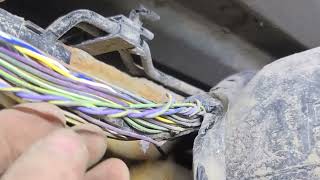

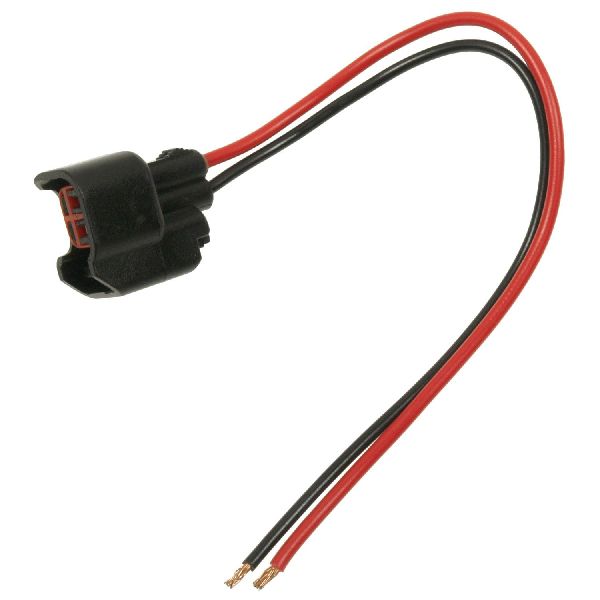
We Have This Part in Stock


The information in this article is provided for general reference and educational purposes only. Vehicle specifications, procedures, and part compatibility can vary by production date, trim level, and region. Always consult your vehicle's factory service manual and verify part numbers before purchasing or performing repairs. Safety-critical components such as airbags, seat belts, and braking systems should be installed by a qualified professional.
- Gmc CANYON:
- 🧭 Diagnostic Flowchart
- 🎬 Helpful Videos
- 🛍️ Shop This Part
- What's Unique About the 2015-2019 Gmc CANYON
- Symptoms You May Notice
- Most Likely Causes
- Rare But Worth Checking
- Diagnosis Steps
- Parts You'll Likely Need
- Related Codes That Often Appear With This One
- Technical Service Bulletins (TSBs) & Recalls
- Platform-Specific Known Issues
- Mechanic-Grade Diagnostic Values
- Hidden / Shadow Codes Worth Checking
- Scan Tool Commands That Help
- Wiring & Ground Locations
- Real Owner Repair Stories
- OEM Part Supersession History
- Model Year Variations Within This Range
- 🎟️ Get 5% Off