

C0050 on 2010-2017 GMC Terrain: Right Rear Wheel Speed Sensor Faults and Fixes
Code C0050 on a 2010-2017 GMC Terrain means there's a fault in the right rear wheel speed sensor circuit. This is most often caused by a damaged or debris-contaminated magnetic encoder ring on the wheel hub, which necessitates replacing the entire hub assembly. It can also be caused by wiring damage, particularly at the X411 connector, or a failed sensor.
- C0050 on your GMC Terrain disables your ABS and StabiliTrak systems, so it should be addressed promptly.
- Before buying any parts, inspect the magnetic ring on the back of the right rear wheel hub for damage or debris, as this is a very common cause.
- Also, carefully check the wiring harness leading to the sensor for any signs of damage, especially near the connector.
- Replacing the wheel speed sensor is a possible fix, but on this vehicle, the issue is more frequently the hub assembly or the wiring.
What's Unique About the 2010-2017 Gmc TERRAIN

On this generation of the GMC Terrain and its sibling, the Chevy Equinox, the wheel speed sensor system is known for two specific vulnerabilities. First, as noted in multiple GM service bulletins (PIC5428G, PIT5171C), ferrous metallic debris can accumulate on the magnetic encoder ring on the wheel hub, causing signal dropouts and setting codes C0035 through C0050. Second, the main rear wiring harness connector, X411 (located under the vehicle, behind and to the left of the fuel tank), is highly susceptible to corrosion, which can cause a host of communication and sensor codes, including C0050. This connector issue is a well-documented pattern failure on these vehicles.
🎬 Watch: Step-by-step diagnosis for Service Stabilitrak warnings.Diagnostic Flowchart

Tap your situation to follow the diagnostic path that matches what you're seeing on this vehicle.
Symptoms You May Notice
- ABS warning light is on
- StabiliTrak or Traction Control warning light is on
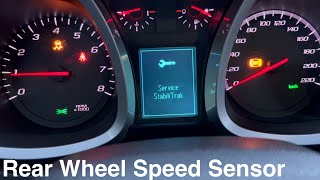
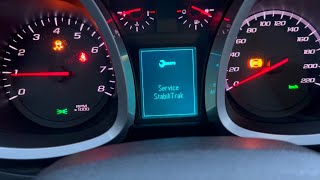
- "Service StabiliTrak" message on the driver information center
- "Service Brake Assist" message on the driver information center
- Hard steering or "Service Power Steering" message at low speeds.
- "AWD Off" message on equipped vehicles.
- Intermittent grinding or ABS pump activation at low speeds.
- Replacing the wheel speed sensor when the actual problem is the magnetic ring on the hub assembly. This is a common mistake because the sensor is cheaper and easier to access, but it won't fix a bad encoder ring. Many owners report replacing the sensor first, only to find the hub was the real issue.
Most Likely Causes

- Damaged or Debris-Contaminated Wheel Hub Magnetic Encoder Ring 🔴 High Probability The magnetic ring (or tone ring) is integrated into the wheel hub assembly and is exposed to the elements. Over time, it can rust, crack, flake apart, or accumulate metallic debris, causing an erratic or missing signal. GM Technical Service Bulletin PIC5428G and its successors specifically call out cleaning debris from this ring as a primary repair step before replacing parts. Many owner forum posts confirm this is the most common failure.
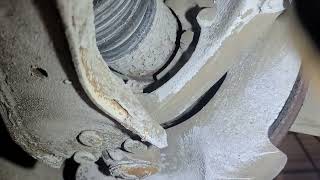
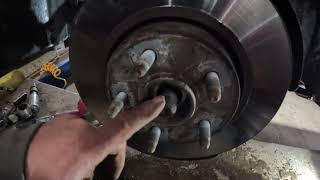
How to confirm: Visually inspect the magnetic ring on the back of the right rear wheel hub. Look for cracks, missing sections (which may look like a silver gap in the brown ring), or a buildup of metallic dust and dirt. This requires removing the wheel and brake rotor for a clear view.
Typical fix: If the ring is physically damaged (cracked, flaking), the entire right rear wheel hub bearing assembly must be replaced. The magnetic ring is not serviced separately. If only debris is present, careful cleaning with a soft nylon brush may resolve the issue without part replacement.
Est. part cost: $70-$150 - Wiring Harness or Connector Damage 🟡 Medium Probability GM TSBs PIT5427B and PIT5171C identify corrosion in the X411 connector as a major source of this and other codes. Wires can also break inside the insulation near the connector or where the harness flexes. Another TSB, PI0934, points to improperly seated terminals in the wheel speed sensor's own pigtail connector on 2013 models.
How to confirm: Visually inspect the wiring harness from the wheel well back to the main vehicle body. Unplug and check the sensor connector and the X411 connector (under the rear of the vehicle near the fuel tank) for green or white corrosion, backed-out pins, or water intrusion. Gently pull on individual wires near the connectors to check for breaks inside the insulation.
Typical fix: Repair the damaged section of wiring, replace the affected connector pigtail, or replace corroded terminals. TSB PI0934 specifically warns not to re-seat a loose terminal, but to replace the connector.
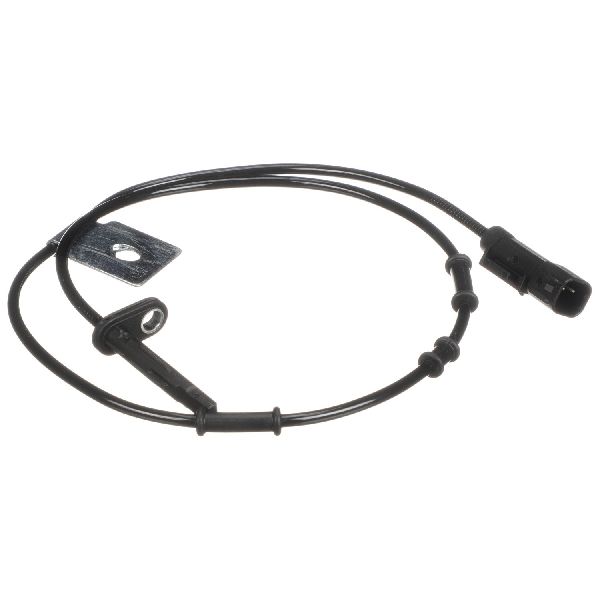
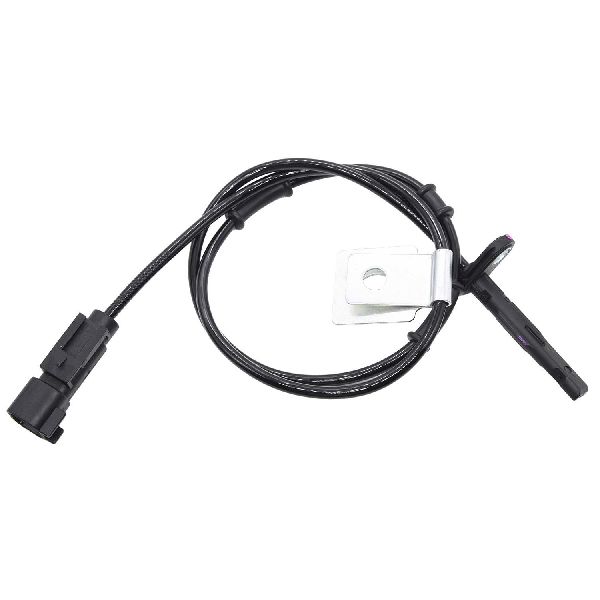
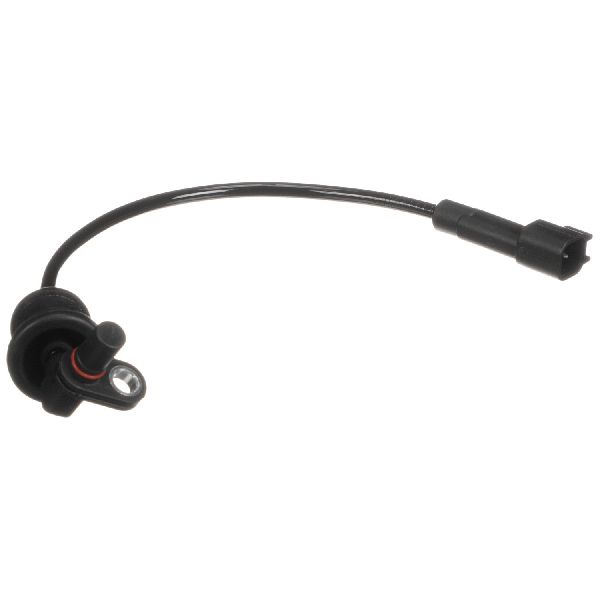
Est. part cost: $20-$60 - Failed Right Rear Wheel Speed Sensor ⚪ Low Probability → Shop ABS Wheel Speed Sensor While the sensor itself can fail, it's often misdiagnosed when the hub or wiring is the true cause. The sensor is a solid-state electronic component that can fail from heat cycles and vibration over time, but on this platform, it is less common than the other primary causes.
How to confirm: Use a scan tool to monitor live data from all four wheel speed sensors while driving. If the right rear sensor reads 0 MPH or has an erratic signal while the others read correctly, and the wiring/hub are confirmed good, the sensor is faulty. The sensor is held in by a single T30 or 10mm bolt.
Typical fix: Replace the right rear wheel speed sensor. This often requires removing the brake caliper and rotor for access.
Est. part cost: $25-$75
Rare But Worth Checking
- Failed Electronic Brake Control Module (EBCM): → Shop ABS Control Module This is rare. An EBCM failure typically sets multiple wheel speed sensor codes or communication codes, not just a single one. This should only be considered after all other possibilities have been exhaustively ruled out.
Diagnosis Steps
- Connect an ABS-capable scan tool to confirm the C0050 code is active and check for any symptom bytes (e.g., 18, 5A, 0F) which can provide more detail. For example, '0F' indicates an erratic signal, while '18' indicates low signal amplitude.
- Use the scan tool to view live data. Drive the vehicle slowly in a straight line and observe the speed readings from all four wheels. Confirm that the Right Rear (RR) sensor reading is erratic, dropping to zero, or not matching the others.
- Raise the vehicle and secure it on jack stands. Remove the right rear wheel.
- Remove the brake caliper (14mm bolts) and caliper bracket (15mm bolts). Remove the T30 rotor set screw and take off the rotor to gain access to the wheel hub assembly.
- Carefully and thoroughly inspect the magnetic encoder ring on the inboard side of the hub. Use a light to look for any cracks, chips, missing segments, or a heavy buildup of metallic debris. A cracked ring is a definitive failure.
- If the ring is just dirty, clean it thoroughly with a dry, soft nylon brush and compressed air. Reassemble and re-test. Do not use harsh chemicals or a wire brush, as this can damage the magnetic surface.
- If the ring is clean and intact, inspect the wiring. Follow the sensor wire from the hub to its connector. Check for chafing, breaks, or corrosion. Locate the larger X411 connector under the vehicle to the left of the fuel tank and inspect it for corrosion.
- If wiring and the hub are good, the wheel speed sensor is the most likely remaining cause. It can be removed with a single T30 or 10mm bolt.
Parts You'll Likely Need
- Right Rear Wheel Hub and Bearing Assembly
(OEM #13543412 (ACDelco GM OE for AWD))— This is the most common fix because the non-serviceable magnetic encoder ring on the hub is a frequent point of failure, causing the C0050 code. The part number can vary between FWD and AWD models.
Trusted brands: ACDelco, Timken, MOOG, TRQ
OEM price range: $150-$220
Aftermarket price range: $70-$150 - Right Rear ABS Wheel Speed Sensor — This is replaced if the sensor itself has failed, which is less common than a hub or wiring issue but still a possibility. Often replaced as a pair (left and right).
Trusted brands: ACDelco, Standard Motor Products (SMP), Delphi
OEM price range: $60-$90
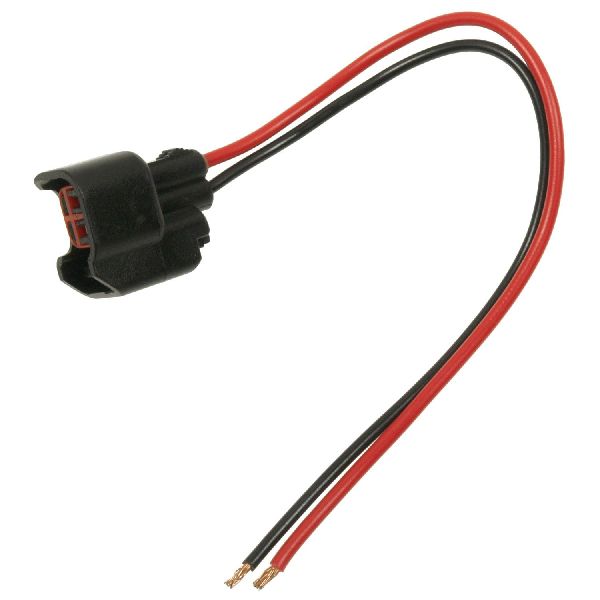
Aftermarket price range: $25-$50 - Wiring Harness Connector Pigtail
(OEM #13586115 (Cited in TSB for rear WSS connector))— Needed if the connector at the sensor or the main X411 harness connector is damaged by corrosion or has unseated terminals.
Trusted brands: ACDelco, Dorman
OEM price range: $30-$50
Aftermarket price range: $15-$30
Related Codes That Often Appear With This One
- C0045 — This is the code for the Left Rear Wheel Speed Sensor. Seeing both C0045 and C0050 strongly points to a systemic issue like corrosion in the X411 connector which affects both rear wheel circuits, or a wiring harness problem common to both rear wheels.
- U0121 — This code means 'Lost Communication With Anti-Lock Brake System (ABS) Control Module'. It can appear alongside C0050 if there is a severe wiring issue, like at the X411 connector, that interrupts communication with the module entirely.
- U0415 — This code means 'Invalid Data Received From Electronic Brake Control Module'. TSB PIC5428G notes this code can be set by the Power Steering Control Module as a normal default action when a wheel speed sensor signal is lost, resulting in the 'Service Steering' message and heavy steering.
Technical Service Bulletins (TSBs) & Recalls
- PIT5427B: Mentions C0050 in a long list of codes that can be caused by a damaged or corroded X411 connector under the rear of the vehicle.
- PIC5428G: Points to ferrous metallic debris on the wheel bearing's magnetic encoder as a primary cause for C0050 and related wheel speed sensor codes. Recommends cleaning before replacement.
- PIT5171C: Also points to the X411 harness area, noting that wires can break internally inside the insulation, causing intermittent C0050 and other communication codes.
- PI0934: Specific to 2013 models, warns of improperly seated terminals in the rear wheel speed sensor connectors causing C0050.
Platform-Specific Known Issues
- Technical Service Bulletin #PIC5428G (and its successors like 17-NA-047) notes that debris on the wheel bearing's magnetic encoder can set codes C0035 through C0050. The fix is to access and clean the debris from the hub, and replacement is only needed if cleaning doesn't work or the ring is damaged.
- Technical Service Bulletin #PIT5427B identifies that damage or corrosion in the X411 connector can cause a host of communication and sensor codes, including C0050, leading to various service lights and hard steering. The connector is located under the rear of the vehicle, left of the fuel tank.
- Technical Service Bulletin #PI0934 notes that on 2013 models, the rear wheel speed sensor harness connector terminals may not be fully seated, causing an intermittent C0045 or C0050. The bulletin advises replacing the connector if terminals are out of position.
Mechanic-Grade Diagnostic Values
- Wheel Speed Sensor Resistance — expected: 1200 - 2700 Ohms (general specification). Failure: A reading outside this range, or an open/infinite reading, indicates a failed sensor.
- Wheel Speed Sensor AC Voltage Output — expected: Greater than 0.2-0.25 Volts AC. Failure: A reading below 0.2V AC while spinning the wheel at approximately one revolution per second indicates a weak or dead sensor or a problem with the tone ring.
- Voltage at Sensor Connector (Key On) — expected: Approximately 12V on the supply pin and 1.0V on the control side bias pin.. Failure: Absence of the 12V supply can point towards a wiring issue or a fault within the EBCM itself.
Hidden / Shadow Codes Worth Checking
- C0050 00: Indicates a general circuit malfunction, such as an open wire, a short to ground, or high resistance in the circuit. (see via Requires an ABS-capable scan tool that can read GM-specific symptom bytes.)
- C0050 0F: Indicates the sensor is producing an erratic signal. This often points to a damaged magnetic encoder ring on the hub or debris contamination. (see via Requires an ABS-capable scan tool that can read GM-specific symptom bytes.)
- C0050 18: Indicates the signal amplitude is too low. This can be caused by a failing sensor, an excessive air gap, or a damaged magnetic ring. (see via Requires an ABS-capable scan tool that can read GM-specific symptom bytes.)
- C0050 5A: Indicates the signal is not plausible, meaning it is inconsistent with the signals from the other wheel speed sensors. (see via Requires an ABS-capable scan tool that can read GM-specific symptom bytes.)
Scan Tool Commands That Help
- GDS2 / Tech2 or equivalent: Live Data Monitoring — This is the primary diagnostic function. Use it to watch the speed signal from all four wheels simultaneously while driving. A reading from the right rear that is erratic, drops to zero, or doesn't match the others confirms the location of the fault.
- GDS2 / Tech2 or equivalent: Clear DTCs — Used after the physical repair (e.g., replacing the hub or sensor) has been completed to clear the C0050 code from the EBCM's memory and turn off the warning lights.
Wiring & Ground Locations

- X411 Connector — Under the rear of the vehicle, located behind and to the left of the fuel tank.. This is a large, multi-wire connector that is a known weak point for corrosion due to its exposed location. TSB #PIT5427B directly links corrosion in this connector to code C0050 and other related faults.
- EBCM Connector — The Electronic Brake Control Module is under the hood, beneath the main fuse box.. This is the termination point for the wheel speed sensor circuit. On similar GM trucks, the right rear wheel speed sensor wires are at pins 3 and 4. Checking for continuity between this connector and the sensor pigtail can definitively rule out a wiring break.
- ABS System Fuses — In the under-hood fuse box.. Fuse #13 (40 Amp) powers the ABS pump and Fuse #16 (20 Amp) powers the ABS module. While a blown fuse is unlikely to cause a single sensor code, it's a fundamental check for any ABS issue.
Real Owner Repair Stories
- Reddit user on r/MechanicAdvice (2013 GMC Terrain) — AWD disabled, Service Stabilitrak, and Service Traction Control messages.
❌ Tried (didn't work) Replacing the wheel speed sensor.
✅ What actually fixed it The user replaced the front wheel speed sensor for a different code, but the principle is identical for the rear. After the sensor didn't fix it, they were advised the tone ring on the hub was the likely cause. Replacing the entire wheel hub assembly finally resolved the issue. - YouTube channel 'DiagnoseDan' (2017 GMC Sierra (similar wiring and components)) — ABS light on with active code C0050.
❌ Tried (didn't work) The previous mechanic had already replaced the right rear wheel speed sensor., Plugging in a known-good new sensor did not clear the code.
✅ What actually fixed it The technician used a graphing ohmmeter on the two wires at the EBCM connector and found an open circuit. Wiggling the harness near the wheel sensor pigtail caused the reading to change, indicating an intermittent break. The final fix was repairing a single corroded wire inside the harness right at the sensor connector.
"I Checked Everything" — The Actual Cause
- In cases where the wheel hub, sensor, and visible wiring all appear to be in good condition, the fault can lie within the Electronic Brake Control Module (EBCM) itself. In one documented case on a similar vehicle, after confirming the sensor and wiring were good, a technician found that the EBCM was not providing the necessary 12-volt supply to the sensor circuit. Replacing and programming the EBCM was the final fix.
OEM Part Supersession History
13507017, 13526967→13543412— Standard part revision and consolidation by the manufacturer.
Heads up: Part 13543412 is the current OEM replacement for the earlier numbers on FWD models. Always verify part number by VIN, as AWD models may differ.
Model Year Variations Within This Range
- 2010-2017: No significant variations have been identified within this generation regarding the causes or diagnosis of code C0050. The primary failure points (hub encoder ring, wiring at connector X411) appear consistent across all model years of the first-generation Terrain.
Helpful Videos
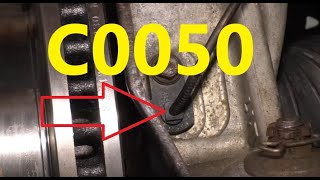
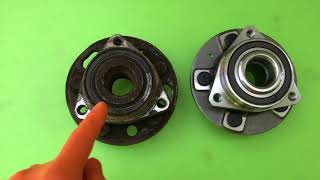
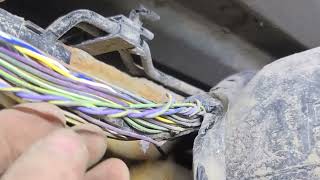

We Have This Part in Stock


The information in this article is provided for general reference and educational purposes only. Vehicle specifications, procedures, and part compatibility can vary by production date, trim level, and region. Always consult your vehicle's factory service manual and verify part numbers before purchasing or performing repairs. Safety-critical components such as airbags, seat belts, and braking systems should be installed by a qualified professional.
- Gmc TERRAIN:
- 🧭 Diagnostic Flowchart
- 🎬 Helpful Videos
- 🛍️ Shop This Part
- What's Unique About the 2010-2017 Gmc TERRAIN
- Symptoms You May Notice
- Most Likely Causes
- Rare But Worth Checking
- Diagnosis Steps
- Parts You'll Likely Need
- Related Codes That Often Appear With This One
- Technical Service Bulletins (TSBs) & Recalls
- Platform-Specific Known Issues
- Mechanic-Grade Diagnostic Values
- Hidden / Shadow Codes Worth Checking
- Scan Tool Commands That Help
- Wiring & Ground Locations
- Real Owner Repair Stories
- "I Checked Everything" — The Actual Cause
- OEM Part Supersession History
- Model Year Variations Within This Range
- 🎟️ Get 5% Off