

C0055 on 2007-2013 Chevrolet Avalanche: Rear Wheel Speed Sensor Circuit Fault Guide
On a 2007-2013 Avalanche, C0055 usually points to a faulty rear wheel speed sensor (VSS), part number ACDelco 20938122, located on the transfer case. Expect to pay $25-$80 for a new sensor, which is a common and easy DIY fix. However, always inspect the wiring harness for damage where it runs over the transmission bellhousing first, as this is a very common chafe point. In some cases, a loose tone ring inside the transfer case is the true cause, a known issue covered in TSB #PIP4966B.
- C0055 on your Avalanche means there's a fault in the rear wheel speed sensor circuit, which will disable your ABS and Stabilitrak systems.
- The most common fix is replacing the sensor on the transfer case, but don't overlook the possibility of a chafed wiring harness or a loose tone ring.
- Before buying parts, visually inspect the wiring harness that runs over the transmission for signs of rubbing or damage.
- If you replace the sensor and the code returns, the next step is to investigate the mechanical tone ring for looseness, as noted in a GM service bulletin.
What's Unique About the 2007-2013 Chevrolet AVALANCHE
The GMT900 platform, which includes the 2007-2013 Avalanche, is well-documented for having issues that set code C0055. While the rear wheel speed sensor itself can fail, a more platform-specific problem is the tone ring it reads. As noted in GM Technical Service Bulletin #PIP4966B, this ring can become loose on the output shaft, causing an erratic signal that the computer interprets as a sensor fault. This often leads to misdiagnosis, where the sensor is replaced, but the problem persists. Forum users have reported that a worn bushing in the transfer case can cause enough play for the output shaft to wobble, allowing the tone ring to physically strike and damage the sensor. This underlying mechanical issue is a key differentiator for this platform.
Diagnostic Flowchart
Tap your situation to follow the diagnostic path that matches what you're seeing on this vehicle.
Symptoms You May Notice
- ABS warning light illuminated on the dashboard.
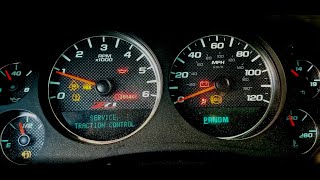
- "Service StabiliTrak" or "Service Traction Control" message displayed in the Driver Information Center.
- Cruise control is disabled.
- Erratic or harsh transmission shifting, particularly in lower gears.
- Speedometer may behave erratically, twitch, or drop to zero intermittently. 🎬 See how an erratic speedometer and shifting issues are diagnosed.
- Replacing the rear wheel speed sensor when the actual fault is a chafed wire further up the harness.
- Replacing the sensor when the underlying issue is a loose or damaged tone ring inside the transfer case.
- Replacing rear wheel hub bearings, mistakenly believing the sensor is located there as on many other vehicles.
Most Likely Causes
- Faulty Rear Wheel Speed Sensor (VSS) 🔴 High Probability → Shop ABS Wheel Speed Sensor The sensor is an electronic component exposed to significant heat and vibration at the back of the transmission/transfer case, leading to eventual failure.
How to confirm: Use a scan tool to monitor the rear wheel speed data PID; if the signal drops out, is erratic, or reads zero while moving, the sensor is the primary suspect. You can also test the sensor's internal resistance with a multimeter; it should be between 1,500 and 2,900 ohms. A third test is to measure AC voltage output while spinning the rear wheels; it should generate a signal above 100mV AC.
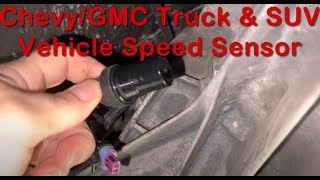
Typical fix: Replace the rear wheel speed sensor on the transfer case (4WD) or transmission housing (2WD). It is held in by a single bolt, often with a 13mm or 19mm head.
Est. part cost: $25-$80 - Damaged Wiring or Connector 🟡 Medium Probability The wiring harness for the sensor is notoriously prone to chafing where it runs over the top of the transmission and bellhousing, pressed against the firewall/body. Engine movement can cause the harness to rub through, creating a short or open circuit.
How to confirm: Visually inspect the wiring harness from the sensor connector up and over the transmission. Look for any signs of rubbing, melting, or breaks in the loom and wires. Check for continuity and shorts from the sensor connector to the EBCM connector using a multimeter.
Typical fix: Repair the damaged section of the wiring harness using solder and heat-shrink tubing, then protect it with a new loom or abrasion-resistant tape. Reroute the harness slightly if possible to prevent future contact. Sometimes a new connector pigtail is needed.
Est. part cost: $15-$40 - Loose or Damaged Tone Ring 🟡 Medium Probability As cited in TSB #PIP4966B, the tone ring (reluctor) that the sensor reads can develop excess movement or crack. This is a known mechanical failure point, sometimes caused by a worn output shaft bushing in the transfer case.
How to confirm: After removing the sensor, use a borescope or small mirror to inspect the tone ring inside the housing. Look for visible cracks, missing teeth, or debris. Try to move the ring with a screwdriver to check for excessive wobble.
Typical fix: This is an involved repair requiring disassembly of the transfer case or rear differential to replace or reseat the tone ring. It is not a simple bolt-on part replacement.
Est. part cost: $50-$150
Rare But Worth Checking
- Faulty Electronic Brake Control Module (EBCM): → Shop ABS Control Module This is rare and should only be considered after all other possibilities (sensor, wiring, tone ring) have been thoroughly ruled out.
- Metal Debris on Sensor Tip: The magnetic tip of the sensor can collect metallic particles from normal wear inside the transfer case. A large accumulation can disrupt the signal. Simply wiping the sensor clean can sometimes resolve the issue, but a large amount of debris may signal a more severe internal mechanical problem.
Diagnosis Steps
- Scan the EBCM for trouble codes. Confirm C0055 is present and note any symptom bytes (e.g., '00' or '5A') if your scan tool supports it.
- Use a scan tool with live data capability to monitor the 'Rear Wheel Speed Sensor' signal while driving. Look for the signal to drop to zero, become erratic, or fail to increase with vehicle speed.
- Perform a thorough visual inspection of the wheel speed sensor connector and its wiring harness. Trace it from the sensor (located on the driver's side of the transfer case, just ahead of the rear driveshaft) up over the transmission bellhousing. This upper area is the most common point of failure due to chafing.
- If the wiring looks good, remove the sensor. It is typically held by a single bolt with a 13mm or 19mm head. Inspect the magnetic tip for metal debris and the sensor body for any signs of physical contact or damage.
- With the sensor removed, use a borescope or small mirror to inspect the tone ring inside the transfer case/transmission for visible cracks, damage, or excessive wobble.
- If no physical damage is seen, test the sensor itself. Using a multimeter set to Ohms, check the resistance between the two pins on the sensor. A good sensor should read between 1,500 and 2,900 Ohms.
- Test the sensor's AC voltage generation. With the multimeter set to AC Volts, connect to the sensor's pins and spin the rear wheels. A good sensor should generate a voltage that increases with speed, typically above 0.1V AC.
- If the sensor tests good and the wiring appears intact, test the circuit's integrity from the sensor connector to the EBCM for opens, shorts to ground, or shorts to power, as described in TSB #PIT4815C.
Parts You'll Likely Need
- Rear Wheel Speed Sensor / Vehicle Speed Sensor (VSS)
(OEM #20938122)— This is the most common failure point for this code. It is an electronic component that fails over time due to heat and vibration.
Trusted brands: ACDelco (GM OE), Delphi, Dorman, Standard Motor Products
OEM price range: $50-$80
Aftermarket price range: $25-$50 - Rear Axle Tone Ring (Reluctor Ring) — The second most likely cause, as identified by a GM TSB, is this ring becoming loose or cracked, which provides an erratic signal to a perfectly good sensor. This part is internal to the transfer case or differential.
Trusted brands: GM Genuine, Dorman, Yukon Gear & Axle (e.g., 33338, 33565)
OEM price range: $70-$150
Aftermarket price range: $50-$140 - Speed Sensor Connector Pigtail — If the wiring is damaged right at the connector, or the connector itself is broken, a replacement pigtail is needed to properly repair the harness.
Trusted brands: Dorman, ACDelco
OEM price range: $25-$45
Aftermarket price range: $15-$30
Related Codes That Often Appear With This One
- P2771 — TSB #PIP4966B explicitly links C0055 with P2771 ('Four Wheel Drive (4WD) Low Switch Circuit'). This can occur because the modules that control the ABS and 4WD systems share data, and an implausible speed signal from the C0055 fault can confuse the transfer case control module, leading it to set a fault code.
Technical Service Bulletins (TSBs) & Recalls
- PIP4966B: Notes that C0055 may be caused by excess movement of the tone wheel and can appear alongside code P2771. This points to a mechanical, not just electrical, potential cause.
- PIT4815C: Provides specific instructions for an electrical test of the sensor circuit (circuit 817) when C0055 is present without other complaints, guiding a technician in advanced electrical diagnosis.
Platform-Specific Known Issues
- TSB #PIP4966B specifically calls out the potential for "excess movement of the tone wheel or output shaft" causing this code, indicating a known mechanical issue on this platform.
- The wiring harness for the rear speed sensor is known to chafe on the top of the transmission/bellhousing area, leading to shorts or open circuits that trigger C0055.
- A worn output shaft bushing in the transfer case can lead to excessive play, causing the tone ring to make physical contact with the speed sensor, damaging it and triggering the code.
Mechanic-Grade Diagnostic Values
- Rear VSS Resistance — expected: 1,500 - 2,900 Ohms. Failure: A reading outside this range, or an open/infinite reading, indicates a failed sensor.
- Rear VSS AC Voltage Generation — expected: > 100 millivolts (0.1V) AC, increasing with wheel speed. Failure: No AC voltage produced when spinning the rear wheels indicates a failed sensor.
- EBCM Voltage Thresholds for Circuit Fault — expected: Signal and return circuit voltages should be between 0.75V and 4.25V.. Failure: If both circuits are > 4.25V, a short to voltage is detected. If both are < 0.75V, a short to ground is detected.
Hidden / Shadow Codes Worth Checking
- C0055 00: Indicates the EBCM has detected a hard electrical fault: an open circuit, a short to ground, or a short to voltage. This strongly points to a wiring or connector issue. (see via A professional scan tool capable of reading GM-specific chassis codes and their symptom bytes (e.g., Tech2, GDS2, high-end Autel/Snap-on).)
- C0055 5A: Indicates the EBCM has detected an erratic or implausible signal. This often points to a failing sensor providing a jumpy signal, a loose/damaged tone wheel, or excessive mechanical play in the output shaft. (see via A professional scan tool capable of reading GM-specific chassis codes and their symptom bytes (e.g., Tech2, GDS2, high-end Autel/Snap-on).)
Scan Tool Commands That Help
- Tech2 / GDS2: Automated Test — After clearing codes, this function can be used to command the EBCM to perform a self-test of its internal circuits and solenoids to verify basic module functionality.
Wiring & Ground Locations
- EBCM — Mounted to the frame rail under the driver's side of the vehicle, near the front door area. It is the electronic module attached to the ABS hydraulic block.. This is the control module that receives the VSS signal and sets code C0055. All circuit testing terminates here.
- G103 — On the front of the passenger side (right) cylinder head, visible as a nut on a stud holding two ground wires.. This is a primary engine ground. A poor connection here can cause electrical noise or faulty signals from engine-mounted sensors and modules, including the ECM which processes the VSS signal.
- G104 — On the left rear corner of the engine, mounted to the driver's side (left) cylinder head.. This is another critical engine ground. A bad ground here can lead to various erratic electronic behaviors and codes.
Real Owner Repair Stories
- DuramaxDiesels.com forum user (2007 GM Truck (LBZ)) — C0055 code, no speed reading from sensor. Intermittent ABS light when hitting bumps.
❌ Tried (didn't work) Visual inspection of the sensor and harness near the transfer case., Checking the harness behind the driver's front wheel well.
✅ What actually fixed it Found about 5 wires chewed by mice underneath the underhood fuse box. Repairing the damaged wires by soldering in new sections resolved the code. - DuramaxDiesels.com forum user (GM Truck with Duramax) — C0055 code, speedometer jumps 3-5 mph specifically when cruising between 50-55 mph.
❌ Tried (didn't work) Replacing the vehicle speed sensor.
✅ What actually fixed it The user identified that the output bushing in the transfer case had come out, creating play in the driveshaft yoke. A forum expert confirmed that a failed output shaft bushing will "cause havoc on the speed sensor" and is the underlying mechanical cause of the erratic signal. - DuramaxDiesels.com forum user (GM Truck) — C0055 code present, but no ABS lights on dashboard. Noticed code during routine data logging.
❌ Tried (didn't work) Testing the sensor resistance (read 1362 ohms, seemed normal)., Checking wiring for shorts/opens (tested good).
✅ What actually fixed it The user noted the transfer case output seal was leaking and there was play in the yoke, indicating a bad bushing. Another user confirmed their identical issue was caused by a trashed rear bearing in the transfer case, which took out the bushing, allowing the output shaft to wobble and the tone ring to physically contact and damage the sensor. The fix was to repair the transfer case internals, not just the sensor.
"I Checked Everything" — The Actual Cause
- In the context of code C0055, the equivalent of a 'smoke test clean' scenario is when the sensor tests good for resistance and AC voltage, and the wiring harness shows no opens or shorts, yet the code persists. In these cases, the root cause is almost always a mechanical issue with the tone ring inside the transfer case, as highlighted in TSB #PIP4966B. The ring may be cracked, have missing teeth, or be wobbling due to a worn output shaft bushing, creating an erratic signal that a perfectly good sensor and circuit cannot read properly.
OEM Part Supersession History
15121067→20763147, then 20938122— Standard part evolution for design improvements or manufacturing changes.
Heads up: The newest part number, 20938122, is the correct service replacement for all 2007-2013 GMT900 Avalanche models and is fully backward compatible.
Helpful Videos
We Have This Part in Stock


The information in this article is provided for general reference and educational purposes only. Vehicle specifications, procedures, and part compatibility can vary by production date, trim level, and region. Always consult your vehicle's factory service manual and verify part numbers before purchasing or performing repairs. Safety-critical components such as airbags, seat belts, and braking systems should be installed by a qualified professional.
- Chevrolet AVALANCHE:
- 🧭 Diagnostic Flowchart
- 🎬 Helpful Videos
- 🛍️ Shop This Part
- What's Unique About the 2007-2013 Chevrolet AVALANCHE
- Symptoms You May Notice
- Most Likely Causes
- Rare But Worth Checking
- Diagnosis Steps
- Parts You'll Likely Need
- Related Codes That Often Appear With This One
- Technical Service Bulletins (TSBs) & Recalls
- Platform-Specific Known Issues
- Mechanic-Grade Diagnostic Values
- Hidden / Shadow Codes Worth Checking
- Scan Tool Commands That Help
- Wiring & Ground Locations
- Real Owner Repair Stories
- "I Checked Everything" — The Actual Cause
- OEM Part Supersession History
- 🎟️ Get 5% Off