

C0055 on 2007-2011 Chevrolet Silverado 1500: Rear Wheel Speed Sensor Fixes
On 2007-2011 Silverados, code C0055 indicates a fault with the rear wheel speed sensor circuit. Before replacing the sensor, check for a loose or damaged tone wheel on the transmission or transfer case output shaft, a common issue cited in GM Technical Service Bulletin #PIP4966B. Also, thoroughly inspect the wiring harness for chafing where it runs over the transmission.
- Code C0055 means there's a problem with the rear wheel speed signal, which will disable your ABS and Stabilitrak.
- The most important diagnostic step on a 2007-2011 Silverado is to check for a loose tone wheel inside the transmission or transfer case, as noted in TSB #PIP4966B.
- Do not assume the sensor is bad. A simple sensor replacement may not fix the issue if the underlying cause is mechanical (the tone wheel) or electrical (wiring).
- This fault can also cause an erratic speedometer and harsh transmission shifting.
- Due to the involvement of safety systems and potentially complex drivetrain work, professional diagnosis is highly recommended.
What's Unique About the 2007-2011 Chevrolet SILVERADO 1500
For this specific generation of Silverado (GMT900), code C0055 is frequently caused by a mechanical failure rather than a simple sensor failure. A General Motors Technical Service Bulletin (TSB #PIP4966B) points directly to the tone wheel (or reluctor ring) that the sensor reads becoming loose on the output shaft of the transmission or transfer case. This changes the air gap between the wheel and the sensor, causing an erratic or lost signal. Owners often mistakenly replace the sensor multiple times without addressing this underlying mechanical problem. Another very common issue is the wiring harness chafing on top of the transmission or against the firewall, causing a short or open circuit.
Diagnostic Flowchart
Tap your situation to follow the diagnostic path that matches what you're seeing on this vehicle.
Generation note: The 2007 model year was a transition. This guide applies to the GMT900 platform (new body style) introduced in 2007, not the GMT800 'Classic' models that were also sold in 2007. The issues described are primarily for the 2007-2011 GMT900 generation, though the VSS sensor and wiring issues are common on other GM trucks as well.
Symptoms You May Notice
- ABS warning light is on
- "Service Stabilitrak" or "Service Brake System" message on the Driver Information Center
- Traction control system is disabled
- Cruise control may not work
- Erratic or inoperative speedometer
- Harsh or delayed transmission shifting
- Unwanted ABS activation at low speeds
- Replacing the wheel speed sensor (VSS) without first checking the tone wheel for looseness. Many owners replace the sensor only to have the code return because the mechanical issue with the tone wheel was the true cause.
- Replacing the VSS without inspecting the wiring harness for chafing over the transmission. A damaged wire will cause the new sensor to report the same fault.
- Replacing the EBCM before thoroughly testing the wiring and sensor circuit.
Most Likely Causes
- Loose or Damaged Tone Wheel 🔴 High Probability As documented in TSB #PIP4966B, the press-fit tone wheel on the output shaft can move, changing the air gap to the sensor. This can be caused by a worn internal snap ring or a worn rear bushing in the transfer case, allowing excessive shaft movement.
How to confirm: Remove the rear driveshaft and the speed sensor. Visually inspect the tone wheel for movement or damage. Per the TSB, the wheel should only have about 1/8th inch of play but must remain centered in the sensor opening. Check for excessive up/down play in the output shaft itself, which may indicate a worn bushing or bearing.
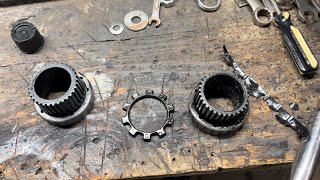
Typical fix: If the tone wheel has simply shifted, it can sometimes be re-centered and staked back in place using a punch. 🎬 Watch: How to inspect and fix a loose tone ring. If the output shaft has excessive play, the transfer case or transmission may need to be disassembled to replace worn bushings, bearings, or snap rings. In severe cases, the mainshaft may require replacement if the snap ring grooves are damaged.
Est. part cost: $50-$500+ - Damaged Wiring or Connector 🔴 High Probability The wiring harness runs along the vehicle's underbody and is known to chafe where it passes over the top of the transmission and near the firewall, leading to shorts or breaks in the wires. The connector at the sensor is also a common spot for moisture and corrosion.
How to confirm: Visually inspect the entire length of the wiring from the sensor to the main harness, paying close attention to the area above the transmission. Check the connector for corrosion, moisture, or pushed-out pins. Perform a continuity test on the wires between the sensor and the EBCM.
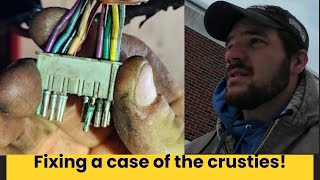
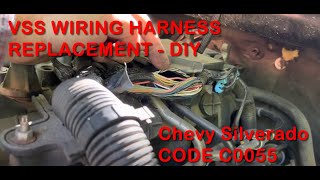
Typical fix: Repair the damaged section of wire or replace the connector pigtail. 🎬 See how to trace and replace the VSS wiring harness. In some cases, the entire VSS wiring harness that runs over the transmission needs to be replaced.
Est. part cost: $15-$75 - Failed Rear Wheel Speed Sensor (VSS) 🟡 Medium Probability → Shop ABS Wheel Speed Sensor The sensor is an electronic component exposed to heat and vibration at the transmission/transfer case, making it a common point of failure over time. It can also be damaged by contact with a loose tone wheel.
How to confirm: Use a scan tool to monitor the rear wheel speed data while driving; look for erratic readings or dropouts, especially during initial acceleration. The sensor's resistance can be tested with a multimeter; it should typically read between 1,500 and 2,900 ohms. An AC voltage test should show voltage rising smoothly from <1V to over 5V as speed increases.
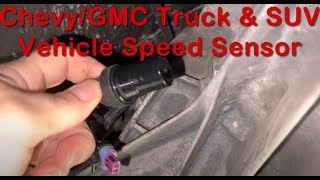
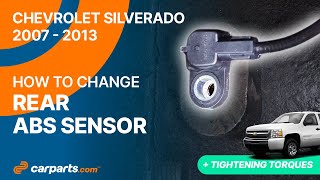
Typical fix: Replace the sensor. It is typically held in by a single bolt (often 19mm). Be sure to apply a thin film of transmission fluid 🎬 Watch: Step-by-step guide to replacing the rear ABS sensor. to the new O-ring upon installation.
Est. part cost: $25-$80 - Faulty Electronic Brake Control Module (EBCM) ⚪ Low Probability → Shop ABS Control Module Corrosion can affect the EBCM connector, especially in regions with heavy road salt use. Internal failure of the module is also possible, though less common.
How to confirm: This is a last resort after all other possibilities (sensor, tone wheel, wiring) have been definitively ruled out. A diagnostic test with a high-end scan tool that can monitor the signal directly at the EBCM is the best way to confirm. A user in a forum thread confirmed a bad EBCM was their issue after extensive testing.
Typical fix: Replace the EBCM. This often requires programming to the vehicle's VIN.
Est. part cost: $200-$700
Diagnosis Steps
- Read all codes from all modules using a capable OBD-II scanner that can access the EBCM.
- Using the scanner's live data function, monitor the Rear Wheel Speed Sensor signal while driving. Compare it to the front wheel speed sensors. Watch for erratic readings, spikes, or dropouts, particularly when accelerating from a stop.
- If the signal is faulty, perform a thorough visual inspection of the VSS wiring harness, especially where it runs over the transmission and near the firewall, looking for chafing, melting, or breaks.
- Inspect the sensor's electrical connector for corrosion, moisture, or loose pins.
- If the wiring appears intact, raise the vehicle and remove the sensor (typically one bolt). Inspect its magnetic tip for metal shavings or signs of physical contact.
- With the sensor removed, look inside the bore to inspect the internal tone wheel (reluctor ring). Use a screwdriver to gently check for looseness, as described in TSB #PIP4966B. Also check the transfer case/transmission output shaft for excessive up-and-down play.
- If the tone wheel is secure, test the sensor's internal resistance with a multimeter. A reading between 1,500 and 2,900 ohms is typical.
- If the sensor tests good, test the wiring circuit for continuity and shorts between the sensor connector and the EBCM connector. Check continuity specifically from the ECM C1 connector pin 46 to the EBCM connector pin B3.
- If the sensor, tone wheel, and wiring all test good, the EBCM is the likely culprit, but this should be the final diagnosis.
Parts You'll Likely Need
- Rear Wheel Speed Sensor / Vehicle Speed Sensor (VSS)
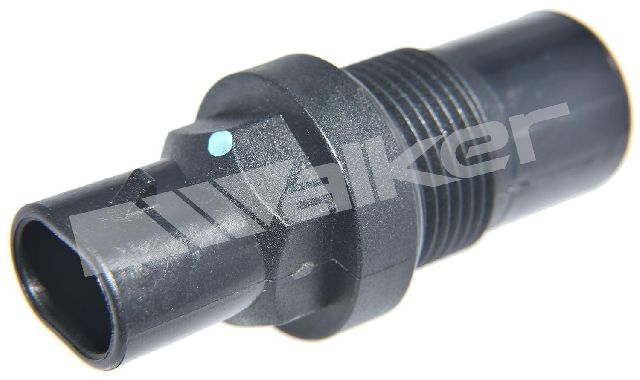
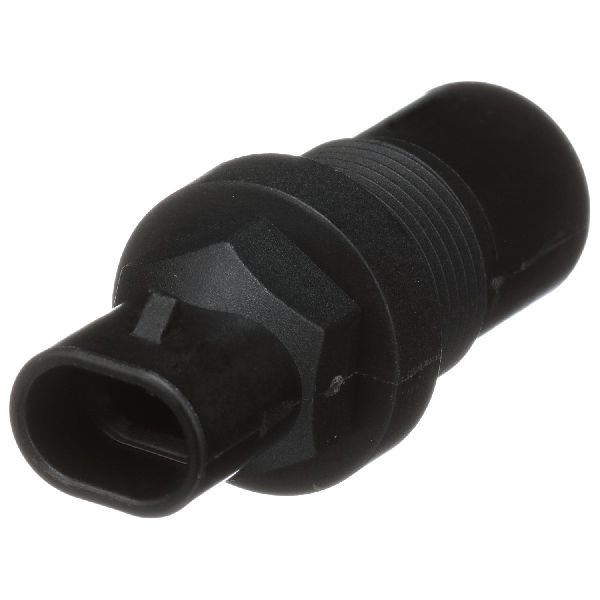
(OEM #ACDelco 213-4533 (GM 25832043) - verify by VIN)— The sensor itself can fail electronically and is a common replacement item, though it may not always be the root cause for this code on this truck.
Trusted brands: ACDelco, Delphi, Standard Motor Products (SMP), NTK
OEM price range: $40-$90
Aftermarket price range: $25-$60 - Speed Sensor Connector Pigtail
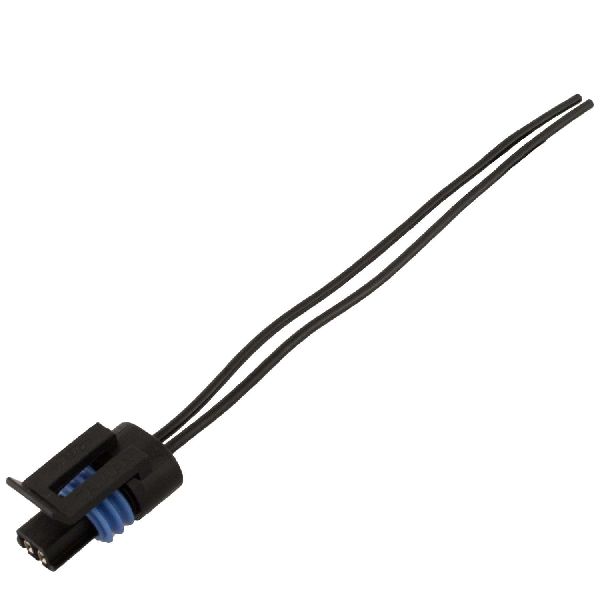
(OEM #ACDelco PT2389 (verify by VIN))— The connector is prone to corrosion or wire fatigue, and replacing the pigtail is often easier than repairing individual pins.
Trusted brands: ACDelco, Dorman
OEM price range: $25-$50
Aftermarket price range: $15-$30
Related Codes That Often Appear With This One
- P2771 — TSB #PIP4966B explicitly links C0055 and P2771 ('Four Wheel Drive Low Switch Circuit'). This is because both systems may rely on speed signals that are compromised by the same underlying wiring or mechanical fault in the transfer case area.
- C0035 — This code for the Left Front Wheel Speed Sensor circuit can appear alongside C0055 if there is a systemic wiring issue, such as corrosion at the main EBCM connector affecting multiple pins.
- C0040 — This code for the Right Front Wheel Speed Sensor circuit can appear with C0055 for the same reasons as C0035, often pointing towards a shared wiring or module problem rather than multiple independent sensor failures.
Technical Service Bulletins (TSBs) & Recalls
- PIP4966B: Addresses a Service MIL or Service ABS message with DTC C0055 or P2771. Points to excess movement of the tone wheel or output shaft as a potential cause, and also mentions symptoms like an erratic speedometer, loss of cruise control, and unwanted ABS activation.
Platform-Specific Known Issues
- A known issue documented in TSB #PIP4966B is the tone wheel for the vehicle speed sensor moving on the transfer case or trans
Mechanic-Grade Diagnostic Values
- Rear VSS AC Voltage Output (at sensor) — expected: Voltage should rise smoothly from <1.0V AC to over 5.0V AC as driveshaft speed increases.. Failure: No AC voltage, or a jumpy/erratic voltage reading while shaft is turning.
- Rear VSS Raw Frequency (at sensor, circuits 821 & 822) — expected: Approximately 25 Hz per 1 MPH of driveshaft speed.. Failure: Signal is erratic, absent, or does not correspond to speed.
- Processed VSS Frequency (at EBCM, circuit 817) — expected: Approximately 1.1 Hz per 1 MPH. This is the converted signal from the ECM.. Failure: Signal is absent or does not match vehicle speed, while the raw signal is good.
Hidden / Shadow Codes Worth Checking
- C0055 00: Indicates the EBCM has detected a circuit fault: an open circuit, short to ground, or short to voltage. This strongly points to a wiring issue or a completely failed sensor. (see via A professional scan tool (e.g., GM Tech2, GDS2, high-end Autel/Snap-on) capable of reading manufacturer-specific ABS symptom bytes.)
- C0055 5A: Indicates the EBCM has detected an erratic or implausible signal. This often points to a failing sensor providing a jumpy signal, a loose/damaged tone wheel, or excessive mechanical play in the output shaft. (see via A professional scan tool capable of reading manufacturer-specific ABS symptom bytes.)
Scan Tool Commands That Help
- GDS2 / Tech2 or equivalent: Live Data Monitoring for Wheel Speed Sensors — This is the primary diagnostic function for C0055. The technician should monitor the 'Rear Wheel Speed' parameter while driving, especially during acceleration from a stop. A reading that drops to zero, freezes, or does not plausibly match the front wheel speed sensors confirms a fault in the rear VSS circuit. This helps differentiate an intermittent fault from a hard failure.
Wiring & Ground Locations
- EBCM Location — On the left side (driver's side) frame rail, toward the front of the vehicle.. This is the module that sets code C0055. The connector here is a critical point for inspection for corrosion or pushed-out pins, especially the pin for the rear VSS signal.
- G300 — Below the driver's door, on a body mount.. This is a major body and chassis ground point. A poor connection here can cause a variety of difficult-to-diagnose electrical issues, including problems with control modules like the EBCM.
- EBCM Connector Pin B3 — In the large electrical connector at the Electronic Brake Control Module (EBCM).. This is the specific pin that receives the processed rear wheel speed signal from the ECM (via circuit 1827). Testing for continuity between this pin and the corresponding pin at the ECM (C1, pin 46) can definitively rule out a wiring break between the modules.
- Harness Chafe Point — The wiring harness section that runs over the top of the transmission, between the back of the engine and the firewall.. This is a very common location for the VSS wires (often purple and green/yellow) to rub through, causing a short or open circuit that directly triggers C0055.
Real Owner Repair Stories
- YouTube channel 'Diagnosing and fixing Chevrolet / GMC truck' via Go-Parts article (2008 Chevy Silverado 2500 (similar GMT900 platform)) — ABS light on, code C0055 stored.
❌ Tried (didn't work) Initial diagnosis focused only on the sensor itself.
✅ What actually fixed it The root cause was a worn-out rear bearing in the transfer case, which allowed the output shaft to move excessively. This movement caused the tone ring to physically contact and destroy the speed sensor. The fix required repairing the transfer case internals (bushing and bearing) before installing a new sensor. - YouTube video by 'FreeAutoMechanic' (1999-2006 Chevy Silverado (similar issue and wiring path to GMT900)) — Erratic speedometer, won't shift correctly, code C0055.
❌ Tried (didn't work) Replacing the Vehicle Speed Sensor (VSS) alone did not solve the problem.
✅ What actually fixed it The wiring harness that runs over the top of the transmission, between the firewall and the back of the engine, had rubbed through. Replacing this section of the harness resolved the issue. - DuramaxDiesels.com forum user (Duramax truck with C0055) — C0055 code present, leaking transfer case output seal, slight play in driveshaft yoke.
❌ Tried (didn't work) Sensor tested good (1362 ohms), wiring checked out with no shorts.
✅ What actually fixed it The user found the snap ring groove on the transfer case output shaft was worn out, allowing about 1/8" of in-and-out play. This mechanical failure was the root cause of the speed signal issue. The fix was to pull the transfer case and replace the rear cover, snap ring, and address the worn groove.
"I Checked Everything" — The Actual Cause
- The electrical equivalent of a 'smoke test clean' scenario is common with code C0055. A technician can test the VSS sensor resistance and find it within spec (1500-2900 ohms), and also test the wiring for continuity from the sensor to the EBCM and find no faults. However, the code (especially C0055 5A) still sets on acceleration. The actual cause is mechanical: a worn bushing in the transfer case allows the entire output shaft and tone ring to move slightly under torque, increasing the air gap with the sensor and causing the signal to drop out. This mechanical play is not detectable with static electrical tests.
When the Usual Fixes Don't Work
- While replacing the rear wheel speed sensor is a common first step, it frequently fails to fix code C0055 on these trucks. Multiple owner accounts confirm that after replacing the sensor, the code returned immediately. The actual fix was often found to be either a chafed wiring harness located on top of the transmission near the firewall, which required a wiring repair, or a significant mechanical failure inside the transfer case, such as a worn output shaft bushing or snap ring, which required a complete transfer case overhaul to correct the tone ring's position relative to the sensor.
OEM Part Supersession History
Various older part numbers→ACDelco 213-4533 (GM 25832043) or ACDelco 20938122— Part consolidation and design updates.
Heads up: Multiple part numbers may be listed for this year range depending on the specific transmission and 2WD/4WD configuration. Always verify the correct part number using the vehicle's VIN before purchasing.
Model Year Variations Within This Range
- 2007-2011: The location of the rear wheel speed sensor (VSS) depends on the drivetrain. On 2WD models, the sensor is located on the tail housing of the automatic transmission. On 4WD models, it is located on the rear of the transfer case.
Helpful Videos
We Have This Part in Stock


The information in this article is provided for general reference and educational purposes only. Vehicle specifications, procedures, and part compatibility can vary by production date, trim level, and region. Always consult your vehicle's factory service manual and verify part numbers before purchasing or performing repairs. Safety-critical components such as airbags, seat belts, and braking systems should be installed by a qualified professional.
- Chevrolet SILVERADO 1500:
- 🧭 Diagnostic Flowchart
- 🎬 Helpful Videos
- 🛍️ Shop This Part
- What's Unique About the 2007-2011 Chevrolet SILVERADO 1500
- Symptoms You May Notice
- Most Likely Causes
- Diagnosis Steps
- Parts You'll Likely Need
- Related Codes That Often Appear With This One
- Technical Service Bulletins (TSBs) & Recalls
- Platform-Specific Known Issues
- Mechanic-Grade Diagnostic Values
- Hidden / Shadow Codes Worth Checking
- Scan Tool Commands That Help
- Wiring & Ground Locations
- Real Owner Repair Stories
- "I Checked Everything" — The Actual Cause
- When the Usual Fixes Don't Work
- OEM Part Supersession History
- Model Year Variations Within This Range
- 🎟️ Get 5% Off