

C0055 on 2007-2011 Chevrolet Silverado: Rear Wheel Speed Sensor Circuit Fault Causes and Fixes
On a 2007-2011 Silverado, code C0055 almost always points to a faulty rear wheel speed sensor (VSS) located on the transmission/transfer case or a damaged wiring harness. The most common failure point for the wiring is on top of the transmission bellhousing. The sensor is a common and relatively inexpensive fix, but the wiring should always be inspected first.
- C0055 means there is a fault in the rear wheel speed sensor circuit, which will disable your ABS and StabiliTrak systems.
- The two most likely causes are a bad sensor (located on the transmission/transfer case) or damaged wiring.
- Before buying parts, carefully inspect the wiring harness for chafing, especially over the top of the transmission.
- Replacing the sensor is a straightforward DIY job for many, but diagnosing a wiring fault can be more complex.
- Do not immediately assume the expensive EBCM is bad; it is the least likely cause.
What's Unique About the 2007-2011 Chevrolet SILVERADO
The GMT900 platform Silverado uses a single sensor, often called the Vehicle Speed Sensor (VSS), for rear wheel speed data, rather than individual sensors at each wheel hub. The signal path is also key: the sensor reports to the Powertrain or Transmission Control Module (TCM/PCM), which then processes and shares the data with the EBCM. This architecture means a wiring fault can occur in several places. Owners and technicians frequently report issues with the harness chafing or corroding, especially in a specific spot on top of the transmission where it can rub against the bellhousing or firewall.
Diagnostic Flowchart
Tap your situation to follow the diagnostic path that matches what you're seeing on this vehicle.
Symptoms You May Notice
- ABS warning light is on
- StabiliTrak or Traction Control warning light is on
- Service StabiliTrak / Service Traction Control message on the driver information center
- Cruise control is disabled
- Erratic or harsh shifting, particularly a hard 1-2 shift
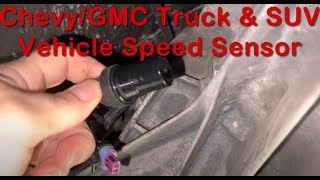
- In some cases, the speedometer may behave erratically or twitch. 🎬 Watch: Diagnosing an erratic speedometer and shifting issues.
- Delayed or failed engagement of 4WD system
- Replacing the EBCM before thoroughly checking the wiring. A wiring fault is much more common and cheaper to fix.
- Looking for speed sensors at the rear wheels. On this platform, the single sensor is on the transmission/transfer case.
- Replacing the VSS without first inspecting the wiring harness on top of the transmission, which is a more frequent point of failure.
Most Likely Causes
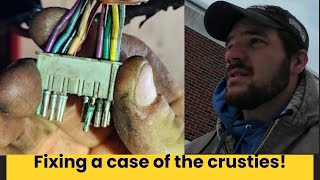
- Damaged Wiring Harness or Connector 🔴 High Probability The wiring harness for the rear speed sensor is notoriously prone to rubbing through its insulation where it passes over the top of the transmission bellhousing, between the engine and firewall. Vibration causes the loom to chafe against the metal case, leading to a short or open circuit. The main EBCM connector is also susceptible to moisture intrusion, causing corrosion ('green crusties') on the terminal pins.
How to confirm: Visually and physically inspect the entire length of the harness from the sensor to the main vehicle harness. The primary inspection point is the top of the transmission. Feel for brittle, exposed, or broken wires. Check the sensor connector and the EBCM connector for corrosion or pushed-out pins. Use a multimeter to check for continuity and shorts in the circuit, as referenced in TSB #PIT4815C.
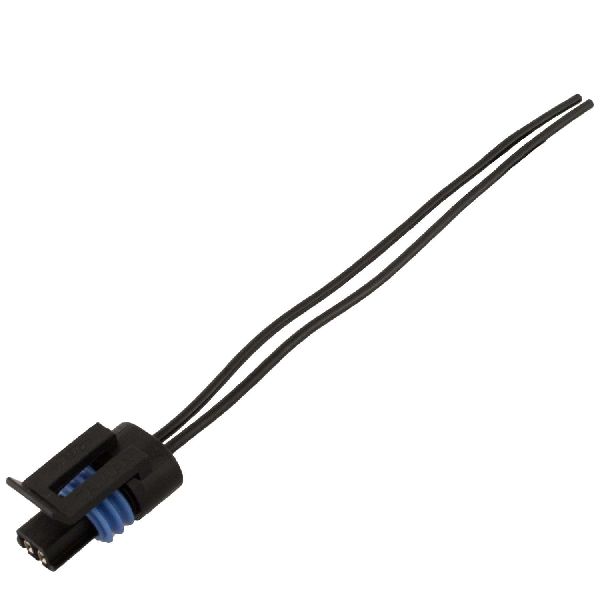
Typical fix: Repair the damaged section of wire using solder and heat shrink. Protect the repaired area with high-quality electrical tape or a new wire loom. If the EBCM connector is corroded, the affected pins must be cut out and new terminals crimped on, or the entire connector pigtail replaced.
Est. part cost: $15-$40 for a pigtail connector - Failed Rear Wheel Speed Sensor (VSS) 🔴 High Probability → Shop ABS Wheel Speed Sensor The sensor is an electronic component exposed to significant heat and vibration at the transmission/transfer case, leading to eventual internal failure.
How to confirm: Use a scan tool to monitor the rear wheel speed data while driving; if the signal is erratic, drops out, or is nonexistent while the front wheel speeds read correctly, the sensor is likely bad. You can also test the sensor's internal resistance with a multimeter; a good sensor should typically read between 1,500 and 2,900 ohms across its two pins. A reading of open (OL) or zero indicates a failed sensor.
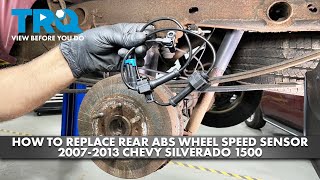
Typical fix: Replace the rear wheel speed sensor. It is typically held in by a single bolt. 🎬 See this walkthrough on replacing the rear speed sensor. The bolt should be tightened to 11 N·m (97 lb in).
Est. part cost: $25-$75 - Contaminated Sensor Tip 🟡 Medium Probability The sensor is a magnetic pickup. Fine metallic particles from normal transmission/transfer case wear can accumulate on its tip, disrupting the magnetic field and causing an erratic signal.
How to confirm: Remove the sensor and inspect the magnetic tip for a buildup of metallic 'fuzz' or debris.
Typical fix: Wipe the sensor tip clean with a rag and reinstall it. If the code returns, the sensor itself is likely failing or there is excessive internal wear in the transfer case/transmission.
Est. part cost: $0 - Failed Electronic Brake Control Module (EBCM) ⚪ Low Probability → Shop ABS Control Module While not as common as sensor or wiring issues, the EBCM can fail internally, causing it to be unable to process a good signal that it receives.
How to confirm: This is typically diagnosed by exclusion. If the sensor, wiring, and all connections have been thoroughly tested and confirmed to be good, the EBCM is the remaining possibility. An advanced diagnostic step is to use a lab scope at the EBCM connector to verify that a clean square wave signal from the VSS is arriving; if the signal is present but the code persists, the EBCM is faulty.
Typical fix: Replace the EBCM. This often requires programming the new module to the vehicle's VIN.
Est. part cost: $200-$500+
Rare But Worth Checking
- Failed Transmission Control Module (TCM):
- Worn Transfer Case Bushing or Bearing: → Shop Transfer Case Motor
Diagnosis Steps
- Read the fault codes from the EBCM using a scan tool capable of reading ABS codes. Check for symptom codes like '5A' which points to an implausible signal.
- Use the scan tool to monitor live data for all wheel speed sensors. Compare the rear speed reading to the front speed readings while driving slowly. An erratic, dropping, or zero-reading on the rear sensor points to the problem area.
- Raise the vehicle and locate the rear wheel speed sensor on the tail housing of the transmission (2WD) or transfer case (4WD).
- Visually inspect the sensor's connector and the wiring harness leading away from it. Pay extremely close attention to the area where the harness goes up and over the transmission bellhousing, checking for chafed or melted wires.
- Disconnect and inspect the main EBCM connector (located on the frame rail under the driver's side) for any signs of corrosion ('green crusties') or backed-out pins.
- If no visual damage is found, remove the sensor (usually one bolt) and inspect the magnetic tip for metallic debris. Clean if necessary.
- Test the sensor's resistance using a multimeter set to ohms. A reading between 1,500 and 2,900 ohms is generally considered good. A reading of open (OL) or zero indicates a failed sensor.
- If the sensor tests good and wiring appears intact, perform a continuity and short-to-ground test on the two wires between the sensor connector and the TCM/PCM.
- For advanced diagnosis, use a lab scope to check for a clean square wave signal on the VSS signal wire at the EBCM connector while spinning the rear wheels. The signal should be a clean square wave with an amplitude around 10 volts. If the signal is present and clean, the EBCM is the likely culprit.
- If a new sensor and verified wiring do not resolve the issue, the fault may lie with the TCM or EBCM, requiring professional diagnosis.
Parts You'll Likely Need
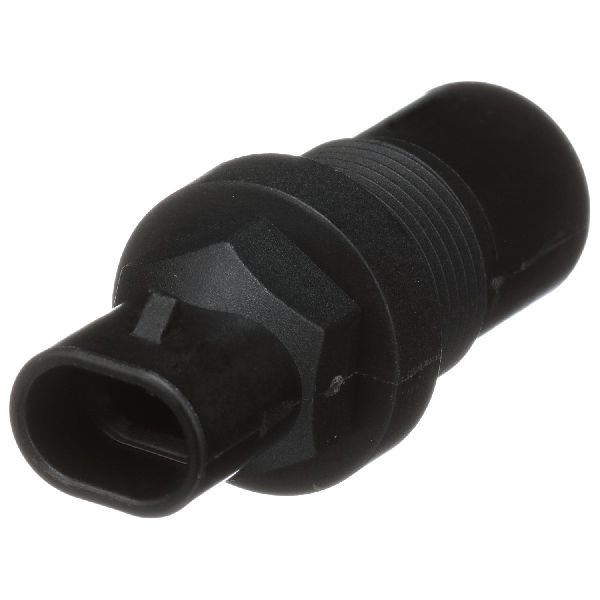
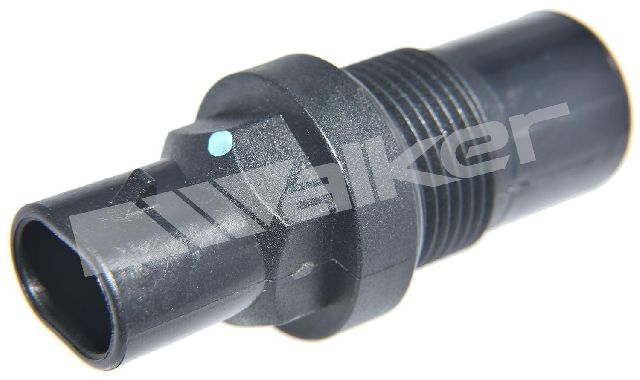
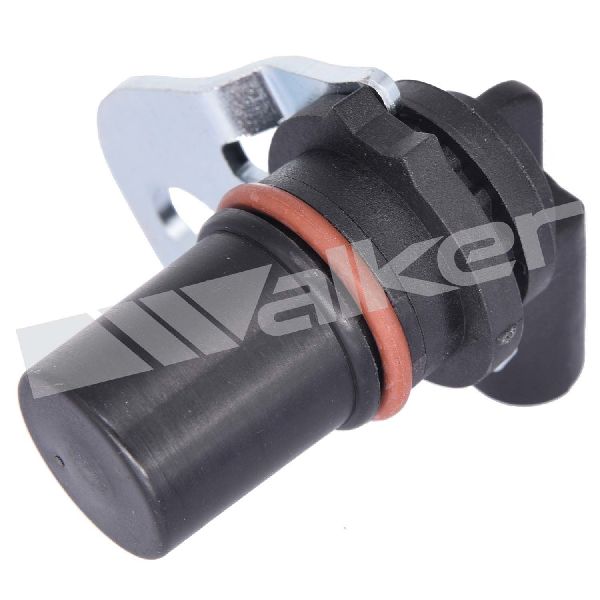
- Rear Wheel Speed Sensor / Vehicle Speed Sensor (VSS)
(OEM #25832012 (Example for some 4WD models, verify by VIN))— This is the most common component to fail, causing a loss of signal to the EBCM.
Trusted brands: ACDelco, Delphi, Standard Motor Products
OEM price range: $50-$90
Aftermarket price range: $25-$60 - Speed Sensor Connector Pigtail
Technical Service Bulletins (TSBs) & Recalls
- Bulletin #PIT4815C: Mentions diagnosing C0055 when the ABS light is on by testing the signal circuit (circuit 817) with a multimeter, pointing to wiring as a key diagnostic area.
Platform-Specific Known Issues
- A widely documented issue is the VSS wiring harness chafing on top of the transmission housing, between the engine and firewall. This leads to an intermittent short or open circuit that triggers C0055.
- On 4WD models, a separate short extension harness is sometimes used between the main harness and the VSS, adding another potential point of failure.
Mechanic-Grade Diagnostic Values
- Rear Wheel Speed Sensor (VSS) internal resistance — expected: 1,500 - 2,900 Ohms. Failure: A reading of OL (open) or near zero ohms indicates a failed sensor.
- VSS Signal at EBCM (Advanced) — expected: A clean digital square wave with an amplitude of approximately 10 volts when the wheels are turning.. Failure: A missing signal, a signal that drops out, or a signal with 'garbage' or noise indicates a problem with the sensor, wiring, or the processing module (TCM/PCM).
- VSS Bolt Torque — expected: 11 N·m (97 lb in). Failure: N/A - This is an installation specification.
Hidden / Shadow Codes Worth Checking
- C0055 00: Indicates the EBCM has detected a general circuit fault, such as an open, a short to ground, or a short to voltage. This often points to a wiring issue or a completely failed sensor. (see via Requires a professional scan tool (like a GM Tech2 or GDS2) capable of reading manufacturer-specific symptom bytes from the EBCM.)
- C0055 5A: Indicates the EBCM has detected an erratic or implausible signal. This strongly points to a mechanical issue like a loose tone wheel, a contaminated sensor tip, or electrical interference, as the signal is present but not rational. (see via Requires a professional scan tool (like a GM Tech2 or GDS2) capable of reading manufacturer-specific symptom bytes from the EBCM.)
Scan Tool Commands That Help
- GM Tech2 / GDS2 or equivalent: Live Data Monitoring (EBCM) — This is the primary first step after reading codes. Use it to watch the 'Rear Wheel Speed' data stream while driving. Compare it to the front wheel speed sensor readings. If the rear speed is zero, erratic, or doesn't match the front wheels' speed, it confirms the fault is in the rear VSS circuit.
Wiring & Ground Locations
- EBCM Ground — The main ground for the EBCM is typically located on the frame rail near the EBCM itself, under the driver's side of the vehicle.. A poor ground connection for the EBCM can cause a host of erratic issues and false codes, including C0055. Verifying this ground is clean and tight is a critical step before replacing the module.
- G103 — On the front of the passenger side cylinder head.. This is a primary engine ground point. Since the VSS signal is processed by the PCM/TCM before going to the EBCM, ensuring the engine-related modules have a solid ground is essential for a clean signal.
- G107 — This is the engine-to-firewall ground strap, typically bolted to the back of the driver's side cylinder head and the firewall.. A broken or corroded firewall ground strap can cause strange electrical issues throughout the cab and chassis systems that rely on it for a ground path.
- Circuit 817 — This is the VSS signal circuit wire running between the PCM/TCM and the EBCM. On some models, this is a yellow with black stripe wire.. TSB #PIT4815C specifically calls out testing this circuit. This is the wire that carries the final processed speed signal to the brake module, making it the most important wire to test for this code.
Real Owner Repair Stories
- YouTube channel AllAmericanAutomotive (GM Truck (Silverado/Sierra) with GMT800/GMT900-era ABS system) — Intermittent ABS light, unwanted brake pedal pulsing, and codes C0035, C0040, and C0055 would appear together.
❌ Tried (didn't work) Initial diagnosis pointed towards replacing the wheel speed sensors or wheel hub bearings.
✅ What actually fixed it The root cause was heavy corrosion ('green crusties') on the terminal pins inside the main EBCM electrical connector. The final fix was to cut the corroded wires, crimp on new terminal pins, and re-insert them into the connector to restore a solid connection.
"I Checked Everything" — The Actual Cause
- In cases where the VSS sensor tests good (correct resistance) and the wiring harness shows no visible damage, the root cause can be hidden corrosion inside the large multi-pin connector at the EBCM. A technician reported fixing persistent C0055 and other ABS codes by disassembling the EBCM connector and finding green corrosion on the pins. The fix was not replacing the sensor or the module, but rather cutting out the affected pins and splicing in new ones to restore a clean connection.
OEM Part Supersession History
15121067→20938122— Standard part revision and update by the manufacturer for the VSS on the related GMT900 platform.
Helpful Videos
We Have This Part in Stock


The information in this article is provided for general reference and educational purposes only. Vehicle specifications, procedures, and part compatibility can vary by production date, trim level, and region. Always consult your vehicle's factory service manual and verify part numbers before purchasing or performing repairs. Safety-critical components such as airbags, seat belts, and braking systems should be installed by a qualified professional.
- Chevrolet SILVERADO:
- 🧭 Diagnostic Flowchart
- 🎬 Helpful Videos
- 🛍️ Shop This Part
- What's Unique About the 2007-2011 Chevrolet SILVERADO
- Symptoms You May Notice
- Most Likely Causes
- Rare But Worth Checking
- Diagnosis Steps
- Parts You'll Likely Need
- Technical Service Bulletins (TSBs) & Recalls
- Platform-Specific Known Issues
- Mechanic-Grade Diagnostic Values
- Hidden / Shadow Codes Worth Checking
- Scan Tool Commands That Help
- Wiring & Ground Locations
- Real Owner Repair Stories
- "I Checked Everything" — The Actual Cause
- OEM Part Supersession History
- 🎟️ Get 5% Off