

C0055 on 2008-2012 GMC Savana: Rear Wheel Speed Sensor Circuit Fault Guide
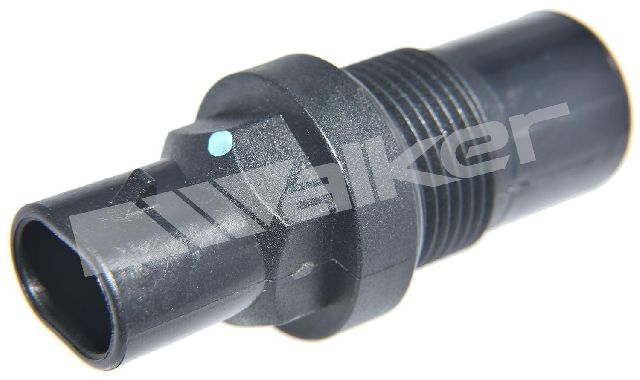
On a 2008-2012 GMC Savana, code C0055 almost always indicates a failed rear wheel speed sensor, also called the Vehicle Speed Sensor (VSS). This sensor is located on the transmission or transfer case, not at the wheels. Expect to pay $25-$80 for a new sensor, which is a common and straightforward DIY repair. Before replacing, inspect the wiring harness where it passes over the transmission for chafing.
- C0055 on your Savana points to the rear speed sensor (VSS) located on the transmission/transfer case.
- The most likely fix is replacing the sensor itself, which is an affordable part and a manageable DIY job for many.
- Before replacing any parts, always inspect the wiring harness that runs over the transmission for any signs of melting or chafing, as this is a very common failure point.
- Driving with this code is possible, but your ABS and StabiliTrak safety systems will not work and you may eventually experience harsh shifting.
What's Unique About the 2008-2012 Gmc SAVANA
Unlike many vehicles that have an ABS sensor at each individual wheel, the GMC Savana (like most GM trucks of this era) uses a single sensor for both rear wheels. This sensor, often called the Vehicle Speed Sensor (VSS), is mounted on the tail housing of the transmission (on 2WD models) or the transfer case (on 4WD models). This design means a single sensor or circuit failure will disable the ABS and stability systems for the entire rear axle.
Diagnostic Flowchart
Tap your situation to follow the diagnostic path that matches what you're seeing on this vehicle.
Symptoms You May Notice
- ABS warning light is on
- StabiliTrak or Traction Control warning light is on
- "Service StabiliTrak" or "Traction Control Off" message on the driver information center
- Cruise control may be inoperative
- In some cases, erratic or harsh transmission shifting 🎬 Watch: See how C0055 causes erratic shifting and speedometer twitching.
- Replacing the EBCM before thoroughly testing the sensor and wiring.
- Looking for ABS sensors on the rear wheel hubs, which do not exist on this vehicle's rear axle.
- Replacing a front wheel speed sensor hub, as a front sensor fault (e.g., C0035, C0040) would not cause a C0055 code.
Most Likely Causes
- Failed Rear Wheel Speed Sensor (VSS) 🔴 High Probability → Shop ABS Wheel Speed Sensor This sensor is exposed to heat from the transmission/transfer case and road debris, leading to eventual failure. It is the most common point of failure for this code.
How to confirm: Using a scan tool, monitor the rear wheel speed data while driving; if it's zero, erratic, or doesn't match the front wheels, the sensor is likely bad. You can also test the sensor's resistance with a multimeter; it should be within a specific range, often cited as 1300-2900 ohms for similar GM trucks.
Typical fix: Replace the sensor. It is typically held by a single bolt on the transmission tail housing or transfer case. The new sensor's O-ring should be coated with a thin film of transmission fluid before installation.
Est. part cost: $25-$80 - Damaged Wiring or Connector 🟡 Medium Probability The wiring harness running from the sensor is commonly found to chafe where it passes over the top of the transmission, between the transmission and the firewall/body. This tight space can cause the loom to rub through, exposing wires and leading to a short or open circuit.
How to confirm: Visually inspect the entire length of the wiring harness from the sensor connector up and over the transmission. Pay close attention to any point where the harness makes contact with a metal bracket or the vehicle body. Perform a continuity test on the signal wire (Circuit 817, as per TSB PIT4815C) between the EBCM and the sensor connector.
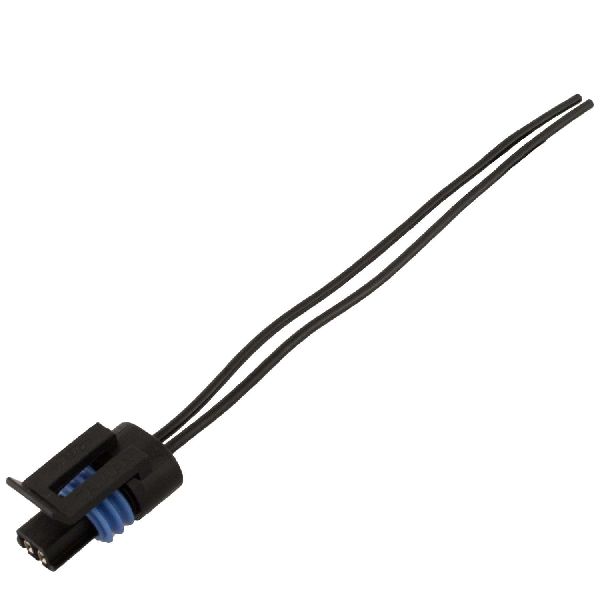
Typical fix: Repair the damaged section of wire or replace the connector pigtail. On 4WD models, there may be an additional extension pigtail that can be replaced.
Est. part cost: $10-$30 - Metal Debris on Sensor Tip ⚪ Low Probability The sensor is magnetic and sits close to the reluctor ring (tone ring) inside the transmission/transfer case. Normal wear can generate fine metal particles that stick to the sensor, disrupting the magnetic field and causing an erratic signal.
How to confirm: Remove the sensor and inspect its magnetic tip. A coating of metallic sludge or shavings indicates a problem.
Typical fix: Wipe the sensor clean and reinstall. If the code returns, or if there are large metal chunks, it may indicate a more serious internal transmission or transfer case issue, such as a failing bearing or damaged reluctor ring.
Est. part cost: $0
Rare But Worth Checking
- Faulty Electronic Brake Control Module (EBCM): → Shop ABS Control Module This is a rare cause. Before condemning the expensive EBCM, all other possibilities must be exhaustively ruled out. A diagnostic video on a similar 2008 Silverado confirmed this failure mode: using a lab scope, a clean square wave signal was observed going into the EBCM, but the module still set code C0055, proving the module itself was faulty. Conversely, another real-world case on a 2008 Express showed that replacing the EBCM did *not* fix the code, which was later traced to a wiring issue.
- Internal Transmission/Transfer Case Issue: → Shop Transfer Case Motor Extremely rare, but possible. If the reluctor ring that the VSS reads from is damaged or has excessive runout due to a failing output shaft bushing or bearing, it can cause an erratic signal and trigger C0055. This would typically be accompanied by other symptoms like transmission noise, leaks, or severe shifting problems.
Diagnosis Steps
- Read the code with an OBD-II scanner capable of accessing the ABS module. Confirm C0055 is present. Note any specific sub-codes (e.g., 5A for erratic signal, 00 for open/short).
- Perform a visual inspection of the rear wheel speed sensor (VSS) on the transmission/transfer case and its wiring harness. Look for obvious signs of damage, melting, or corrosion. Pay special attention to the harness area over the top of the transmission.
- Using a capable scan tool, observe the live data for the rear wheel speed while driving. Compare it to the front wheel speed sensors. The rear speed should read smoothly and accurately. An erratic or zero reading points to a sensor or circuit issue.
- If the signal is faulty, remove the sensor. Inspect the magnetic tip for a buildup of metallic debris. Clean if necessary.
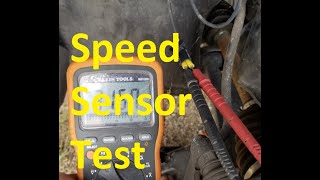
- Test the sensor itself. Disconnect it and measure the resistance across its two pins with a multimeter set to Ohms (Ω). 🎬 Watch: A quick guide on testing speed sensors with a multimeter. Compare the reading to the manufacturer's specification (typically in the 1.3k - 2.9k ohm range).
- If the sensor tests good, test the circuit. Following the guidance from TSB PIT4815C, check for proper voltage and continuity on the signal wire (circuit 817) between the EBCM connector and the sensor connector. Test for shorts to ground and power.
- If a lab scope is available, probe the signal wire at the EBCM connector. A healthy signal will show a clean, digital square wave that increases in frequency with speed. If a good square wave is present but the code persists, the EBCM is likely faulty.
- If the sensor and wiring are confirmed to be good, and there is no signal at the EBCM, the fault may lie within the PCM, but this is extremely uncommon.
Parts You'll Likely Need
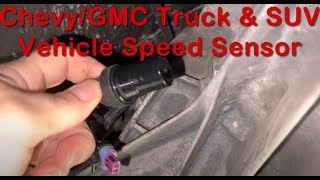
- Rear Wheel Speed Sensor / Vehicle Speed Sensor (VSS)
(OEM #22739481)— This is the most common failure point for code C0055 on this vehicle.
Trusted brands: ACDelco (OEM), Standard Motor Products (SMP), Dorman, NTK
OEM price range: $50-$80
Aftermarket price range: $25-$50
Technical Service Bulletins (TSBs) & Recalls
- PIT4815C: Addresses diagnosis for C0055 when it is the only code present, instructing technicians to test circuit 817. This TSB is crucial because it points directly to a circuit test, acknowledging that the sensor itself may not be the issue.
Platform-Specific Known Issues
- A Technical Service Bulletin, PIT4815C, was issued for cases where the C0055 code appears without any other customer complaints. It provides a specific diagnostic procedure for testing the signal circuit (circuit 817).
- The wiring harness is particularly vulnerable to chafing where it routes over the transmission, making a visual inspection of this area a critical first step after checking for codes.
Mechanic-Grade Diagnostic Values
- Vehicle Speed Sensor (VSS) internal resistance — expected: 1,300 - 2,900 Ohms (Ω). Failure: An Open Loop (OL) reading, 0 ohms (short), or a value significantly outside the expected range.
- VSS Signal (at EBCM, Circuit 817) — expected: Digital square wave that increases in frequency (Hz) as speed increases. The EBCM expects a signal of 128,000 pulses per mile.. Failure: No signal, a noisy/garbage signal, or a signal that drops out, especially on initial acceleration.
Hidden / Shadow Codes Worth Checking
- C0055 00: The EBCM has detected a short to ground, short to voltage, or an open/high resistance in the rear wheel speed sensor signal circuit. (see via A professional-grade scan tool (like a Tech2 or high-end aftermarket scanner) capable of reading ABS module symptom codes.)
- C0055 5A: The EBCM has detected that the rear wheel speed signal is erratic or not plausible when compared to other vehicle data (like front wheel speeds). This often occurs during initial acceleration from a stop. (see via A professional-grade scan tool (like a Tech2 or high-end aftermarket scanner) capable of reading ABS module symptom codes.)
Scan Tool Commands That Help
- Tech2, GDS2, or equivalent professional scanner: Live Data > EBCM > Wheel Speed Sensors — This is the primary diagnostic step. Use it to monitor the 'Rear Wheel Speed' PID while driving. Compare its reading to the 'Front Left' and 'Front Right' wheel speed PIDs. A reading that is zero, erratic, or drops out while the front wheels show speed indicates a fault in the rear VSS circuit.
Wiring & Ground Locations
- VSS Signal Wire (EBCM to ECM) — This is the wire that carries the processed square wave signal from the Engine Control Module (ECM) to the Electronic Brake Control Module (EBCM). On similar GM trucks, this corresponds to Pin B3 on the EBCM connector and Pin 46 on the C1 (Blue) ECM connector.. A break or short in this wire between the modules will set a C0055 even if the VSS sensor and its wiring to the ECM are perfectly fine. This is a commonly overlooked failure point.
- VSS Signal Wire (Sensor to ECM) — This is Circuit 817 mentioned in TSB PIT4815C. It runs from the VSS on the transmission/transfer case up and over the transmission to the ECM.. This harness is notorious for chafing on top of the transmission housing, causing shorts or opens that are the most common wiring-related cause for C0055.
- EBCM Ground — The main ground wire for the EBCM is attached to the vehicle's frame rail, typically near the EBCM itself.. The EBCM is mounted low on the frame rail, exposing its ground connection to moisture and road salt, leading to corrosion. A poor ground can cause a host of erratic ABS codes, including C0055.
Real Owner Repair Stories
- YouTube channel 'FreeAutoMechanic' (1999-2006 GMC Sierra (4WD model with nearly identical VSS system)) — Erratic/twitching speedometer, ABS light on, harsh shifting, code C0055.
❌ Tried (didn't work) Replacing the Vehicle Speed Sensor (VSS) on the transfer case.
✅ What actually fixed it Replacing the VSS wiring harness pigtail. The original harness had chafed through where it ran over the top of the transmission, between the transmission and the firewall.
When the Usual Fixes Don't Work
- While replacing the VSS sensor is the most common fix, it is not guaranteed to solve the problem. In a documented case on a similar GM truck, replacing the sensor had no effect, and the actual cause was a chafed wiring harness pigtail that runs over the transmission. In another professional diagnostic case on a 2008 Express, technicians replaced the sensor, the EBCM, and the ECM, but the code persisted, pointing to a very hard-to-find wiring fault between the control modules themselves. This demonstrates that thoroughly testing the entire circuit, including the sections between modules, is critical before replacing expensive components.
OEM Part Supersession History
22739481→22739481 (current)— No supersession found. This remains the current GM Genuine / ACDelco Original Equipment part number.
Helpful Videos
We Have This Part in Stock


The information in this article is provided for general reference and educational purposes only. Vehicle specifications, procedures, and part compatibility can vary by production date, trim level, and region. Always consult your vehicle's factory service manual and verify part numbers before purchasing or performing repairs. Safety-critical components such as airbags, seat belts, and braking systems should be installed by a qualified professional.
- Gmc SAVANA:
- 🧭 Diagnostic Flowchart
- 🎬 Helpful Videos
- 🛍️ Shop This Part
- What's Unique About the 2008-2012 Gmc SAVANA
- Symptoms You May Notice
- Most Likely Causes
- Rare But Worth Checking
- Diagnosis Steps
- Parts You'll Likely Need
- Technical Service Bulletins (TSBs) & Recalls
- Platform-Specific Known Issues
- Mechanic-Grade Diagnostic Values
- Hidden / Shadow Codes Worth Checking
- Scan Tool Commands That Help
- Wiring & Ground Locations
- Real Owner Repair Stories
- When the Usual Fixes Don't Work
- OEM Part Supersession History
- 🎟️ Get 5% Off