

C0326 on 2014-2015 Chevrolet Silverado 2500: Service 4WD Light Causes & Fixes
On a 2014-2015 Silverado 2500, code C0326 almost always appears with a "Service 4WD" message, especially in cold weather. The most common cause is a software glitch in the Transfer Case Control Module (TCCM). Before replacing parts, check with a dealer about TSB #PIP5250G, which recommends a software update as the primary fix. If the software update doesn't work, the transfer case encoder motor/position sensor is the next likely culprit.
- Code C0326 on a 2014-2015 Silverado 2500 is almost always accompanied by the 'Service 4WD' light.
- Before replacing any parts, investigate the most common cause: a TCCM software glitch, especially if the problem occurs in cold weather.
- Consult a GM dealer about TSB #PIP5250G for a potential software update, which is the cheapest and most likely fix.
- If the software is up-to-date, the next most likely culprit is the transfer case encoder motor assembly or its wiring.
- Do not ignore the warning, as your 4WD system may be unavailable when you need it most.
What's Unique About the 2014-2015 Chevrolet SILVERADO 2500
This generation of Silverado is particularly known for setting a C0326 (often with C0398) due to a software sensitivity issue, especially in cold weather. Multiple Technical Service Bulletins (TSBs) were released by GM acknowledging that the TCCM could falsely trigger the "Service 4WD" light in temperatures below 10°F (-12°C) without any actual mechanical failure. This makes a software check and potential reprogram the most critical first step, distinguishing it from other vehicles where this code might immediately point to a hardware failure. The issue is so prevalent that GM released multiple revisions of TSB #PIP5250 to address it.
Diagnostic Flowchart
Tap your situation to follow the diagnostic path that matches what you're seeing on this vehicle.
Symptoms You May Notice
- "Service 4WD" message on the Driver Information Center (DIC).
- Inability to shift into or out of 4-wheel drive modes.
- The 4WD selector switch light may flash and then return to the previous setting without engaging.
- Vehicle may be stuck in 2HI or 4HI.
- 4WD system becomes inoperative, especially after a cold start in low ambient temperatures.
- Replacing the transfer case encoder motor when only a TCCM software update was needed. This is a common mistake due to the cold-weather software glitch specific to this platform.
- Replacing the encoder motor without performing the 'Range Actuator Learn Procedure' or 'Transfer Case High/Low Clutch Reset' with a scan tool, causing the code to return immediately.
Most Likely Causes
- Transfer Case Control Module (TCCM) Software Glitch 🔴 High Probability → Shop Transfer Case Motor As documented in multiple GM Technical Service Bulletins (TSBs), the original TCCM software was overly sensitive, especially to cold temperatures, causing false codes. Bulletin #PIP5250G specifically recommends reprogramming the TCCM as the first step for C0326/C0398 codes that appear in weather below 10°F (-12°C).
How to confirm: A GM dealer or a well-equipped independent shop can check the current software calibration number in the TCCM and compare it to the latest version available from GM. If it's outdated, a reprogram is needed. This is almost certainly the cause if the issue only occurs in very cold weather.
Typical fix: Reprogramming the TCCM with the updated software calibration using GM's Service Programming System (SPS). A dealer typically charges a one-hour labor fee for this service, ranging from $100-$200.
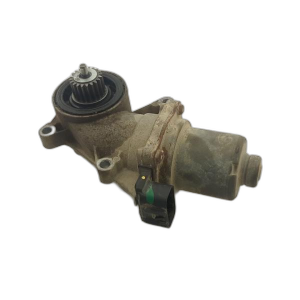
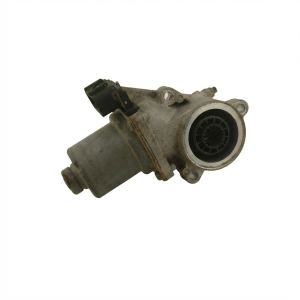
Est. part cost: $0 - Faulty Transfer Case Encoder Motor / Position Sensor 🟡 Medium Probability → Shop Transfer Case Motor The position sensor, which is integrated into the transfer case encoder motor (also called the shift motor or actuator), can fail. TSB #PIP5250F notes that for certain codes, including C0326, replacement of the actuator motor may be necessary to correct the concern. The internal sensor can wear out or the motor itself can fail, leading to an inability to shift or incorrect position readings.
How to confirm: If a TCCM reprogram does not fix the issue, a technician can use a scan tool to monitor the position sensor data while attempting to shift. If the data is erratic or does not change, and the wiring is confirmed to be good, the motor/sensor assembly is faulty. Resistance between terminals A and D on the motor should be between 0.3–40 Ω.
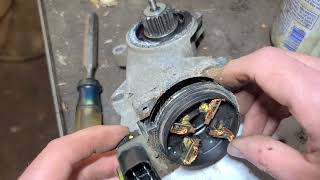
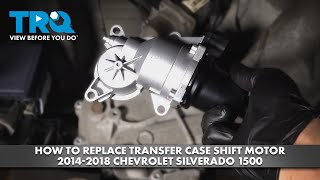
Typical fix: Replace the transfer case encoder motor assembly. 🎬 See this step-by-step guide for replacing the shift motor. This involves removing three bolts and the electrical connector. After replacement, a 'Range Actuator Learn Procedure' may need to be performed with a scan tool.
Est. part cost: $150-$400 - Wiring or Connector Issues ⚪ Low Probability Connectors for the transfer case are exposed to the elements, and corrosion or damaged pins can cause intermittent signals. A GM service bulletin for newer trucks highlights that water intrusion from a torn grommet on the harness-side connector is a known issue that can cause corrosion and codes. The main connector is located on top of the transfer case.
How to confirm: Visually inspect the wiring harness and connectors at both the TCCM (often located inside the cab, to the left of the steering column) and the transfer case encoder motor. Check for corrosion, pushed-out pins, or physical damage. A wiggle test on the harness while monitoring sensor data can also reveal intermittent connections.
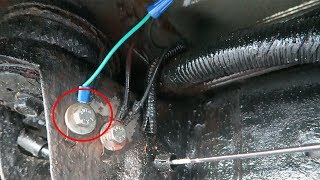
Typical fix: Repair the damaged wire or replace the connector pigtail. Clean any corrosion with electrical contact cleaner and apply dielectric grease to the seal. 🎬 Watch: How to clean and protect your 4WD electrical connectors.
Est. part cost: $20-$100
Rare But Worth Checking
- Failed Transfer Case Control Module (TCCM): → Shop Transfer Case Motor While a software glitch is common, outright hardware failure of the module itself is rare but possible. This is usually the last item to suspect after all other causes have been ruled out. Pre-programmed replacement modules are available online, which can be a cost-effective alternative to a dealer replacement.
Diagnosis Steps
- Scan the Transfer Case Control Module (TCCM) for all stored Diagnostic Trouble Codes (DTCs). Note if C0326 appears alone or with C0398.
- Check for applicable Technical Service Bulletins (TSBs). Specifically, reference TSB #PIP5250G, which directly addresses C0326 and C0398 in cold weather.
- If the symptoms match the TSB (Service 4WD light in temps below 10°F / -12°C), the first and most likely fix is to have a GM dealer reprogram the TCCM with the latest software.
- If the code returns or the TSB does not apply, perform a thorough visual inspection of the wiring and connectors between the TCCM and the transfer case encoder motor. The motor connector is on top of the transfer case. Check for corrosion, damage, or loose pins.
- Using a capable scan tool, monitor the live data from the transfer case position sensor. Command shifts between 2WD and 4WD and observe if the sensor values are erratic, stuck, or out of range.
- Test the encoder motor circuit. Disconnect the motor and measure the resistance between terminals A and D. It should be between 0.3 and 40 ohms. If it is an open circuit or outside this range, the motor is faulty.
- If the wiring is confirmed to be good but the sensor data is incorrect and the motor resistance is out of spec, the transfer case encoder motor/position sensor assembly is the point of failure and should be replaced.
- After replacing the encoder motor, perform the 'Range Actuator Learn Procedure' or 'Transfer Case High/Low Clutch Reset' using a compatible scan tool to ensure proper calibration.
Parts You'll Likely Need
- Transfer Case Encoder Motor
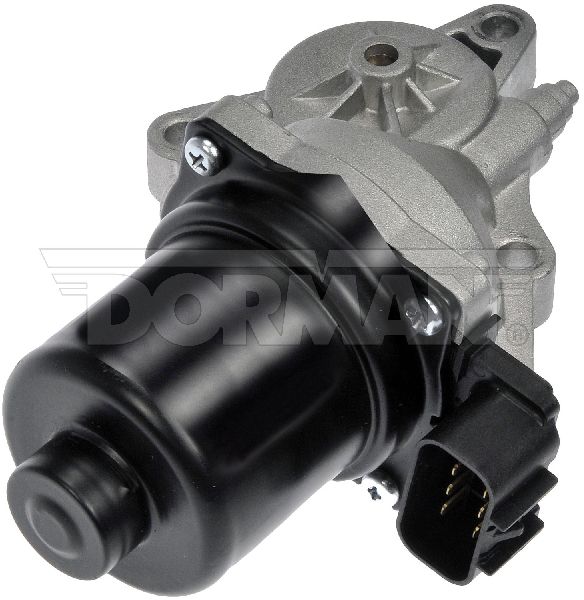
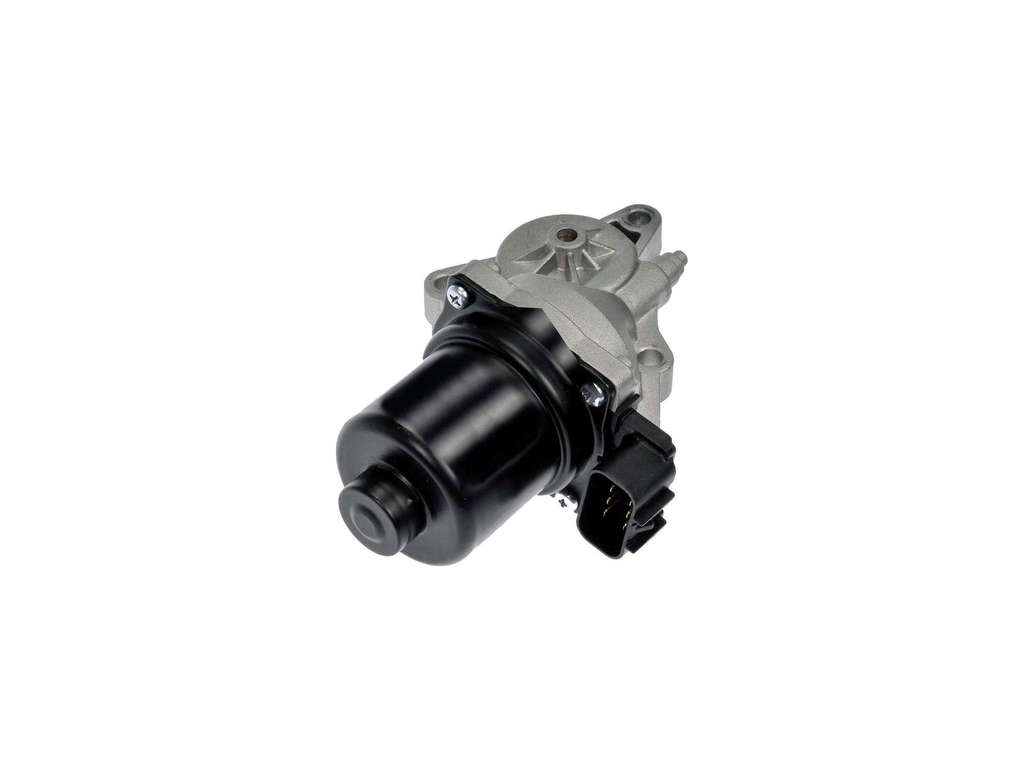
(OEM #84115497)— If a software update doesn't resolve the issue, the internal position sensor within the encoder motor is the next most likely failure point. Part number 84115497 is the current OEM replacement for the original part. The part number 23355888 mentioned in pass 1 appears to be an older, superseded number.
Trusted brands: ACDelco (GM Genuine), Dorman, Cardone, TRQ
OEM price range: $215-$320
Aftermarket price range: $150-$250
Related Codes That Often Appear With This One
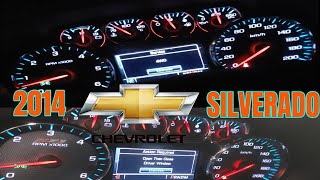
- C0398 — This code, for 'Transfer Case Range Actuator Position Sensor Performance', is frequently stored alongside C0326. The official GM TSBs (#PIP5250G, #PIP5250B, #PIP5250A) mention both codes appearing together 🎬 Watch a technician diagnose C0398 and related 4WD messages. for the same software-related issue.
Technical Service Bulletins (TSBs) & Recalls
- Bulletin #PIP5250G: Addresses 'Service 4WD' message with C0326/C0398 in cold weather, recommending a TCCM reprogram. Supersedes previous versions.
- Bulletin #PIP5250A/B: Earlier versions of the same TSB, recommending a TCCM reprogram.
- Bulletin #PIP5250F: Recommends replacing the actuator motor for C0326/C0398 in some cases.
- Bulletin #21-NA-222: Though for newer models, it details checking for water intrusion and corrosion in the transfer case actuator connector, a relevant check for any truck with these symptoms.
Platform-Specific Known Issues
- A well-documented software issue causes the TCCM to set C0326 and/or C0398 when operated below 10°F (-12°C), triggering a 'Service 4WD' message. This is detailed in GM TSBs #PIP5250G, #PIP5250B, and #PIP5250A.
- GM also issued a recall for some 2014-2015 models (Recall #14192) for a separate software issue where the transfer case could shift to neutral without driver input. This also required a TCCM reprogram.
- A separate customer satisfaction program (#17048) was issued for some 2017 GM trucks for a C0326 code caused by a sticking transfer case actuator motor brake, which required replacing the actuator assembly. While not for the 2014-2015 model year, it shows a history of actuator issues on this platform.
Mechanic-Grade Diagnostic Values
- Range Actuator Control Circuit Voltage (Fault Condition) — expected: Between 1.9V and 5.6V. Failure: Voltage is greater than 5.6V (Short to Battery) or less than 1.9V (Short to Ground).
- Transfer Case Motor Clockwise Control Circuit Voltage Test — expected: 3.0 - 4.5 V. Failure: Voltage less than 3.0V when tested between the control circuit terminal and a good ground indicates an open or high resistance in the circuit.
- Transfer Case Encoder Motor Lock Circuit Resistance — expected: 20 - 80 Ohms. Failure: Resistance outside this range indicates a faulty encoder motor assembly.
Hidden / Shadow Codes Worth Checking
- C0326 58: Indicates the transfer case actuator motor brake is sticking, often due to high temperature. This specific symptom byte points directly to a mechanical/electrical issue within the actuator assembly itself, rather than just a generic circuit fault. (see via A dealer-level scan tool like the GM GDS2 is required to read symptom bytes.)
Scan Tool Commands That Help
- GM GDS2, Autel, Snap-on (or equivalent professional scanner): Range Actuator Learn / Transfer Case High/Low Clutch Reset — This function is mandatory after replacing the transfer case encoder motor or reprogramming the TCCM. It calibrates the new motor's position sensor to the TCCM, ensuring accurate range detection and preventing the code from returning immediately.
- GM GDS2 (or equivalent): Output Control / Active Test for Range Actuator — Used during diagnosis to command the transfer case motor to move (e.g., clockwise/counter-clockwise) while observing live data or testing circuit voltage. This confirms if the TCCM is capable of sending commands and if the motor is responding, helping to isolate the fault between the module, wiring, and motor.
Wiring & Ground Locations
- G110 — Typically located on the engine block, on the lower front left (driver's) side, though some diagrams may show it at the right rear of the engine. It is a primary ground point for multiple modules.. The Transfer Case Control Module (TCCM) and its related circuits are highly sensitive to poor grounding. A loose or corroded G110 ground can cause intermittent voltage drops and communication errors, potentially triggering C0326 and other related codes.
- TCCM Connector (X3) — The Transfer Case Control Module is typically located inside the cab, to the left of the steering column, behind the lower dash panel.. This is the main harness connection to the control module. Checking for backed-out pins, corrosion, or damage at this connector is a critical step before condemning the module itself.
- Encoder Motor Connector — Located directly on the transfer case actuator motor, on the transfer case itself. It is exposed to road spray and debris.. This is the most exposed connection in the circuit. Water intrusion and corrosion are common here, leading to open circuits or high resistance that can set code C0326.
Real Owner Repair Stories
- Reddit user PlasticDiscussion590 (2008 Silverado Z71 5.3L, 150,000 miles) — Check engine light with code U0102 (Lost Communication with TCCM), no lights on the 4WD selector switch.
❌ Tried (didn't work) Initial diagnosis pointed to a bad TCCM, but dealer reprogramming was a concern.
✅ What actually fixed it The user replaced the TCCM with a Dorman unit and successfully performed the reprogramming procedure themselves using instructions provided by Dorman, without needing a scan tool or a trip to the dealer. This resolved the communication code and restored 4WD functionality.
OEM Part Supersession History
23355888→84109212, then 84718571— Revisions to improve reliability and address issues like the cold weather sensitivity and sticking actuator brake noted in TSBs and customer satisfaction programs.
Model Year Variations Within This Range
- 2014-2015: The most probable cause for C0326, especially in cold weather, is a TCCM software glitch. The primary fix is a software reprogram as per TSB #PIP5250G.
- 2017: For this model year, GM issued Customer Satisfaction Program #17048 for code C0326 with symptom byte 58, caused by a sticking transfer case actuator motor brake. The specified fix was a complete replacement of the actuator assembly, indicating a known hardware defect in that year's part.
Helpful Videos

Used OEM Parts in Stock
New Aftermarket Parts Available



The information in this article is provided for general reference and educational purposes only. Vehicle specifications, procedures, and part compatibility can vary by production date, trim level, and region. Always consult your vehicle's factory service manual and verify part numbers before purchasing or performing repairs. Safety-critical components such as airbags, seat belts, and braking systems should be installed by a qualified professional.
- Chevrolet SILVERADO 2500:
- 🧭 Diagnostic Flowchart
- 🎬 Helpful Videos
- 🛍️ Shop This Part
- What's Unique About the 2014-2015 Chevrolet SILVERADO 2500
- Symptoms You May Notice
- Most Likely Causes
- Rare But Worth Checking
- Diagnosis Steps
- Parts You'll Likely Need
- Related Codes That Often Appear With This One
- Technical Service Bulletins (TSBs) & Recalls
- Platform-Specific Known Issues
- Mechanic-Grade Diagnostic Values
- Hidden / Shadow Codes Worth Checking
- Scan Tool Commands That Help
- Wiring & Ground Locations
- Real Owner Repair Stories
- OEM Part Supersession History
- Model Year Variations Within This Range
- 🎟️ Get 5% Off