

C0392 on 2014-2016 GMC Sierra 1500: Service 4WD Causes and Fixes
On 2014-2016 GMC Sierra 1500s, code C0392 is almost always caused by a poor electrical connection at the Transfer Case Control Module (TCCM). A GM Technical Service Bulletin (TSB) points to loose terminal tension as the primary culprit, specifically in pin cavity 9 of the X1 connector. The fix is often a simple wiring or connector repair, which is much cheaper than replacing parts.
- Code C0392 on your Sierra will disable the 4WD system and turn on the 'Service 4WD' light.
- The most probable cause is not a failed part, but a loose pin in the connector at the Transfer Case Control Module (TCCM).
- Always insist that TSB #PIP5304B is followed, and the connector is checked *before* any expensive parts like the encoder motor are replaced.
- This issue is often accompanied by codes C0396 and C0398, which will also be resolved by the same fix.
What's Unique About the 2014-2016 Gmc SIERRA 1500
What's unique to this generation of GMC Sierra and other GM trucks is a well-documented issue with the wiring connector for the Transfer Case Control Module (TCCM). General Motors issued multiple Technical Service Bulletins (TSBs), such as PIP5304B, specifically advising technicians to check for poor terminal tension in the TCCM's X1 connector before performing any other diagnostics. The TSB explicitly notes that for code C0392, while cavities 1, 2, and 9 are involved, cavity 9 is the most common source of the problem. This means that unlike on other vehicles where you might immediately suspect a failed sensor, the problem on these trucks is far more likely to be a simple—and cheap to fix—connector issue.
Diagnostic Flowchart
Tap your situation to follow the diagnostic path that matches what you're seeing on this vehicle.
Symptoms You May Notice
- "Service 4WD" message displayed on the Driver Information Center (DIC)
- Four-wheel-drive system is inoperative and cannot be shifted
- The 4WD selector switch lights may flash or not illuminate when a new mode is selected.
- The system may seem to work intermittently, with the "Service 4WD" light flickering on and off.
- Replacing the transfer case encoder motor without first checking the TCCM connector and wiring. The TSBs specifically instruct technicians to check the connector tension first to avoid unnecessary parts replacement.
- Replacing the Transfer Case Control Module (TCCM) when the fault is in the wiring.
- Replacing the 4WD selector switch on the dashboard. While this can cause other 4WD issues, it is not a typical cause for code C0392.
Most Likely Causes
- Poor Terminal Tension at TCCM Connector 🔴 High Probability This is a known issue documented by GM in multiple Technical Service Bulletins (TSBs), including PIP5304B. The pins within the main X1 connector for the Transfer Case Control Module can become loose over time, causing an intermittent or failed signal.
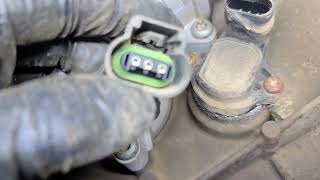
How to confirm: A technician can perform a "wiggle test" on the harness at the TCCM X1 connector to see if the code sets or clears. More definitively, they can use a special tool (J-35616-2A, a grey male probe) to test the tension of the female pins in the connector, specifically cavities 1, 2, and especially 9 🎬 Watch: How to diagnose code C0392 on a GM truck for this code. The probe should be held in place by the terminal's tension and not fall out under its own weight.
Typical fix: Repairing the loose terminal by either re-crimping the wire or replacing the specific terminal pin (e.g., GM part #19300393). In some cases, a new connector pigtail may be installed if the connector housing is damaged.
Est. part cost: $5-$50 - Damaged Wiring or Corroded Connector 🟡 Medium Probability Wiring harnesses can be damaged by road debris, improper servicing, or corrosion. On some GM trucks, a large connector in the driver's side front wheel well has been found to be a source of shorts and corrosion, causing this and other 4WD-related codes. A missing plastic wheel well liner can expose 🎬 See how road debris damages the wheel well wiring harness this harness to damage from the tire.
How to confirm: Visually inspect the wiring harness running to the transfer case and the TCCM. Check for chafed wires, green corrosion, or broken connectors, paying special attention to the large harness connector in the driver's side wheel well and the harness near the transfer case itself. A multimeter can be used to check for continuity and shorts to ground/power on the affected circuits.
Typical fix: Repair the damaged section of wire or clean/replace the corroded connector. A connector pigtail kit may be required.
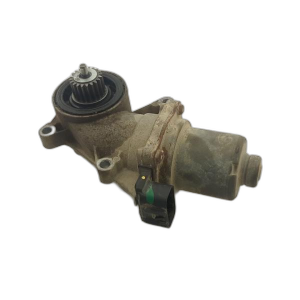
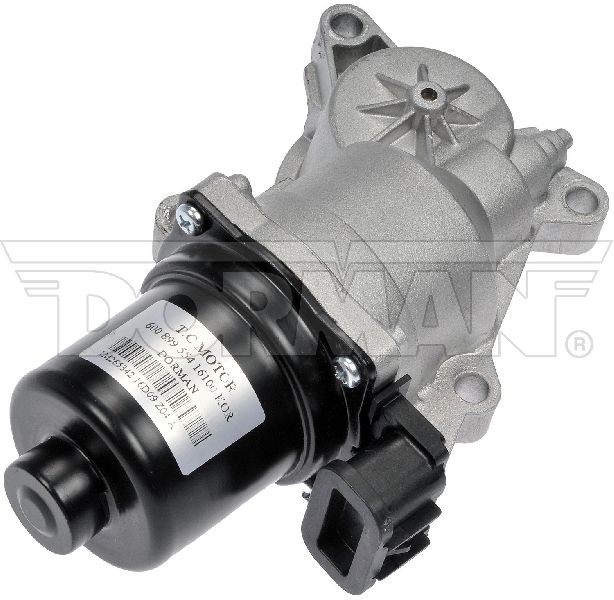
Est. part cost: $10-$100 - Failed Transfer Case Encoder Motor / Position Sensor ⚪ Low Probability → Shop Transfer Case Motor While less common than wiring issues on this platform, the sensor itself can fail. The Rotational Position Sensor is typically integrated into the transfer case encoder motor assembly. Misdiagnosis is common, with owners replacing this part when the true fault is in the wiring.
How to confirm: After confirming that all wiring, connectors, and the TCCM are functioning correctly, the encoder motor/sensor assembly becomes the primary suspect. This is typically diagnosed by exclusion after verifying good power, ground, and signal at the sensor connector.
Typical fix: Replace the transfer case encoder motor assembly. An ACDelco replacement part number for some applications is 23370049.
Est. part cost: $150-$350
Rare But Worth Checking
- Failed Transfer Case Control Module (TCCM): → Shop Transfer Case Motor This should be the last item to consider. The TCCM is a robust computer, and it is far more likely that the issue lies in the wiring or sensor connected to it. Unnecessary TCCM replacement is a common misdiagnosis. TSBs from GM consistently point to wiring and connection issues first.
- Poor Main Body Ground (G218): A poor ground at location G218, located under the driver's side dash near the A-pillar, is a known issue on these trucks that can cause a multitude of strange electrical problems, including communication and module power faults. While not a direct cause of a sensor circuit code, it can create system-wide electrical instability that may manifest as various DTCs. The issue is often caused by sound-deadening insulation getting trapped under the ground terminal.
Diagnosis Steps
- Scan the TCCM for codes. Confirm C0392 is present, and note any other codes like C0396, C0398, 🎬 Watch this walkthrough for troubleshooting related 4WD codes or U-codes. Check for symptom bytes (e.g., 01, 02, 08) using a GM-capable scanner for more specific fault information.
- Reference TSB #PIP5304B. This bulletin is the primary guide for this issue.
- Locate the Transfer Case Control Module (TCCM). On these trucks, it is mounted under the driver's side dashboard, to the left of the steering column and above the pedals.
- Disconnect the X1 connector from the TCCM.
- Carefully inspect the connector and TCCM pins for any signs of corrosion, water intrusion, or physical damage.
- Using the proper terminal testing tool (GM tool J-35616-2A, a grey male probe), check the tension of the female terminals in cavities 1, 2, and especially 9. The probe should not fall out under its own weight.
- If terminal tension is loose, repair the affected terminal(s) by carefully tightening them or replacing the terminal pin.
- If terminal tension is good, inspect the rest of the wiring harness. Pay close attention to the large connector located in the driver's side front wheel well, as this is a known area for corrosion and wire damage.
- If wiring is confirmed to be good, test the Rotational Position Sensor's 5-volt reference, ground, and signal circuits with a multimeter at the sensor connector on the transfer case. The 5V reference should be between 4.8-5.2V. The signal wire should show a changing pulse-width modulated (PWM) signal when viewed with an oscilloscope.
- If the wiring and sensor circuits test good, the transfer case encoder motor/sensor assembly may be faulty.
- Only after all other possibilities have been exhausted should a faulty TCCM be considered.
Parts You'll Likely Need
- Transfer Case Encoder Motor / Position Sensor
(OEM #23370049 (ACDelco, check specific application))— If the wiring and connectors are confirmed to be in good condition, the sensor itself (which is part of the encoder motor assembly) is the next most likely component to have failed.
Trusted brands: ACDelco, Dorman
OEM price range: $250-$400
Aftermarket price range: $150-$250 - TCCM Connector Pigtail
(OEM #88988938 (GM Genuine Parts, check specific application))— If the main connector to the Transfer Case Control Module is corroded or damaged beyond repair, a replacement pigtail will be needed.
Trusted brands: ACDelco, Dorman
OEM price range: $40-$75
Aftermarket price range: $20-$50 - Terminal Test Probe Kit
(OEM #J-35616-2A (specific probe), EL-35616 (full kit))— This special tool is required by GM to properly test terminal tension without damaging the connector. Aftermarket alternatives are available.
Trusted brands: Bosch/SPX (Kent-Moore), Auto Parts Prodigy
OEM price range: $100-$400 (for kit)
Aftermarket price range: $40-$60 (for kit)
Related Codes That Often Appear With This One
- C0396 — This code is also related to the transfer case actuator circuit and is often caused by the same poor terminal tension in the TCCM connector, just in different pin cavities (specifically pin 3).
- C0398 — This code for G-Sensor correlation often sets as a direct result of C0392 or C0396. According to GM, correcting the cause of C0392 will also resolve the C0398 code.
- U0102 — This code indicates a loss of communication with the Transfer Case Control Module. It frequently appears alongside C0392 because the underlying wiring fault that triggers C0392 can also interrupt communication between the TCCM and other modules like the ECM and BCM.
Technical Service Bulletins (TSBs) & Recalls
- PIP5304B: Service 4wd Message With DTC C0392 or C0396 Stored In TCCM.
- PIP5304A: An earlier version of the same TSB.
- PIP5304: The original version of the TSB.
- PIE0342: An engineering bulletin requesting field information on this specific code.
- 22-NA-187: Discusses water intrusion and corrosion at the transfer case actuator connector.
Platform-Specific Known Issues
- TSB #PIP5304B: This is the most critical document for this code. It explicitly states that poor terminal tension in the TCCM X1 connector is a known issue causing C0392 and C0396, with pin 9 being the most common culprit for C0392.
Mechanic-Grade Diagnostic Values
- Rotational Position Sensor (RPS) 5-Volt Reference — expected: 4.8 - 5.2 volts with key on, measured at the sensor connector.. Failure: Voltage below 4.8V or above 5.2V indicates a problem in the TCCM or the wiring.
- Rotational Position Sensor (RPS) Signal Voltage (DTC Trigger) — expected: A constantly changing pulse-width modulated (PWM) signal.. Failure: The code sets if the signal voltage is stuck low (below 0.5V) or stuck high (above 5.0V).
- Rotational Position Sensor (RPS) Signal Waveform — expected: A clean square wave when viewed on an oscilloscope, with the frequency changing as the transfer case motor rotates.. Failure: A flat line (stuck high or low) or a noisy/erratic waveform indicates a wiring or sensor fault.
Hidden / Shadow Codes Worth Checking
- C0392 01: Rotational Position Sensor Circuit Short to Battery (see via GM GDS2 or equivalent professional scan tool that can read manufacturer-specific symptom bytes.)
- C0392 02: Rotational Position Sensor Circuit Short to Ground (see via GM GDS2 or equivalent professional scan tool that can read manufacturer-specific symptom bytes.)
- C0392 08: Rotational Position Sensor Circuit Signal Invalid (see via GM GDS2 or equivalent professional scan tool that can read manufacturer-specific symptom bytes.)
Scan Tool Commands That Help
- GDS2 / Professional Scan Tool: Range Actuator Learn / Transfer Case High/Low Clutch Reset — This function must be performed after replacing the transfer case control module (TCCM) or the transfer case actuator/encoder motor. It allows the module to learn the mechanical end-points of the actuator's travel.
- GDS2 / Professional Scan Tool: Transfer Case Data Display & Bidirectional Commands — To verify a repair, a technician can command the transfer case to shift between 2WD, 4-High, and 4-Low while observing the sensor data to ensure it is responding correctly.
Wiring & Ground Locations
- TCCM X1 Connector — Under the driver's side dashboard, above the pedals, connected to the Transfer Case Control Module.. This is the location of the most common fault. TSB PIP5304B specifically identifies poor terminal tension in cavity 9 of this connector as the primary cause of C0392.
- G218 — Under the driver's side dashboard, near the A-pillar, often behind the dash-end trim panel.. This is a major ground point for the Body Control Module (BCM) and other interior electronics. A poor connection here, often due to trapped insulation, can cause widespread, intermittent electrical faults, including module communication errors (U-codes) that may accompany C0392.
- Frame Ground — On the frame rail under the driver's side door area.. Corrosion at this main chassis ground can cause a variety of issues, including intermittent operation of the 4WD system. Cleaning this ground point has resolved 'Service 4WD' messages for some owners.
- Wheel Well Harness Connector — In the driver's side front wheel well, often near the battery area.. This large, multi-wire connector is exposed to the elements and can become severely corroded, leading to open or shorted circuits for the 4WD system, including the 5-volt reference and signal wires for the position sensor.
Real Owner Repair Stories
- Pine Hollow Auto Diagnostics (YouTube) (2017 GM Truck (similar platform)) — "Service 4WD" message, ABS and Traction Control lights on, DTC C0392-08 (Signal Invalid).
❌ Tried (didn't work) Replacing the transfer case actuator/encoder motor with an aftermarket Dorman unit.
✅ What actually fixed it The 5-volt reference wire for the position sensor was found to be corroded and broken inside the wiring harness near the transfer case. Repairing the broken wire resolved the code. - YouTube channel 'PC LOCO PRODUCTIONS' (GMC Sierra / Chevy Silverado (unspecified year, similar generation)) — "Service 4WD" light on, intermittent and noisy 4WD engagement that eventually stopped working completely.
❌ Tried (didn't work) Replacing the 4WD selector switch., Replacing the Transfer Case Control Module (TCCM).
✅ What actually fixed it Cleaning a corroded frame ground located under the driver's door. The two 10mm bolts and the frame contact point were sanded clean and reassembled. - YouTube channel 'Carlos's Auto Repair' (2018 Chevrolet Colorado (similar 4WD system)) — "Service 4x4" message, DTC C0392-08.
✅ What actually fixed it Found a heavily corroded multi-pin connector in the driver's side wheel well, near the battery. Cleaning the green, corroded terminals with contact cleaner restored proper sensor function and cleared the code.
Helpful Videos

Used OEM Parts in Stock
New Aftermarket Parts Available


The information in this article is provided for general reference and educational purposes only. Vehicle specifications, procedures, and part compatibility can vary by production date, trim level, and region. Always consult your vehicle's factory service manual and verify part numbers before purchasing or performing repairs. Safety-critical components such as airbags, seat belts, and braking systems should be installed by a qualified professional.
- Gmc SIERRA 1500:
- 🧭 Diagnostic Flowchart
- 🎬 Helpful Videos
- 🛍️ Shop This Part
- What's Unique About the 2014-2016 Gmc SIERRA 1500
- Symptoms You May Notice
- Most Likely Causes
- Rare But Worth Checking
- Diagnosis Steps
- Parts You'll Likely Need
- Related Codes That Often Appear With This One
- Technical Service Bulletins (TSBs) & Recalls
- Platform-Specific Known Issues
- Mechanic-Grade Diagnostic Values
- Hidden / Shadow Codes Worth Checking
- Scan Tool Commands That Help
- Wiring & Ground Locations
- Real Owner Repair Stories
- 🎟️ Get 5% Off