

C0397 on 2015 GMC Yukon: Service 4WD Message Causes and Fixes
On a 2015 GMC Yukon, code C0397 almost always indicates a software glitch in the Transfer Case Control Module (TCCM). The most common fix is reprogramming the module at a dealership or qualified shop, which is mandated by a Technical Service Bulletin (TSB). This issue is common across the entire GM K2XX platform, including the Silverado, Sierra, Tahoe, and Escalade.
- Code C0397 on a 2015 Yukon is most likely caused by a software issue, not a failed part, especially on vehicles built before September 2014.
- The first step in diagnosis should always be to check if the TCCM software update from TSB #PIP5220B has been performed.
- This is not a DIY-friendly repair; it requires a trip to a dealer or a well-equipped independent shop for module reprogramming.
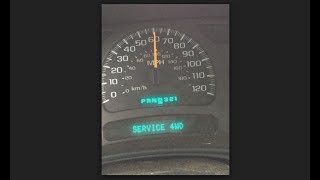
- Symptoms include a 'Service 4WD' light and potentially a binding feeling from the drivetrain during turns, as the system defaults to a locked 4WD state.
- Do not replace any hardware (like the TCCM or encoder motor) until the software has been confirmed to be up-to-date.
What's Unique About the 2015-2015 Gmc YUKON
For the 2015 model year Yukon and its sister platforms (Tahoe, Silverado, Sierra, Escalade), GM identified a specific software logic issue that could cause this code to set erroneously, often accompanied by a 'Service 4WD' message. This led to the issuance of Technical Service Bulletin PIP5220 and its subsequent revisions, which recommend a software update as the primary fix rather than immediate hardware replacement. This is a well-documented issue for this specific generation of GM trucks and SUVs built before September 7, 2014.
Diagnostic Flowchart
Tap your situation to follow the diagnostic path that matches what you're seeing on this vehicle.
Symptoms You May Notice
- "Service 4 Wheel Drive" message on the instrument cluster.
- Four-wheel-drive system is inoperative or stuck in one mode.
- A binding or crow-hopping sensation from the drivetrain, especially during turns.
- ABS and Traction Control lights may also illuminate.
- Inability to shift between 2WD, 4HI, 4LO, or Auto modes.
- Replacing the transfer case encoder motor or position sensor without first checking for the TCCM software update. The TSB clearly indicates a software update is the first and most likely solution.
- Replacing the TCCM without attempting to reprogram it first. A new module will also require programming to the vehicle's VIN.
Most Likely Causes
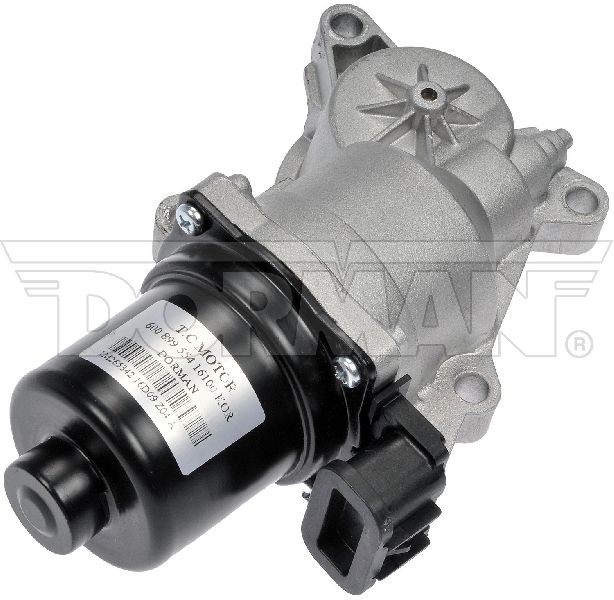
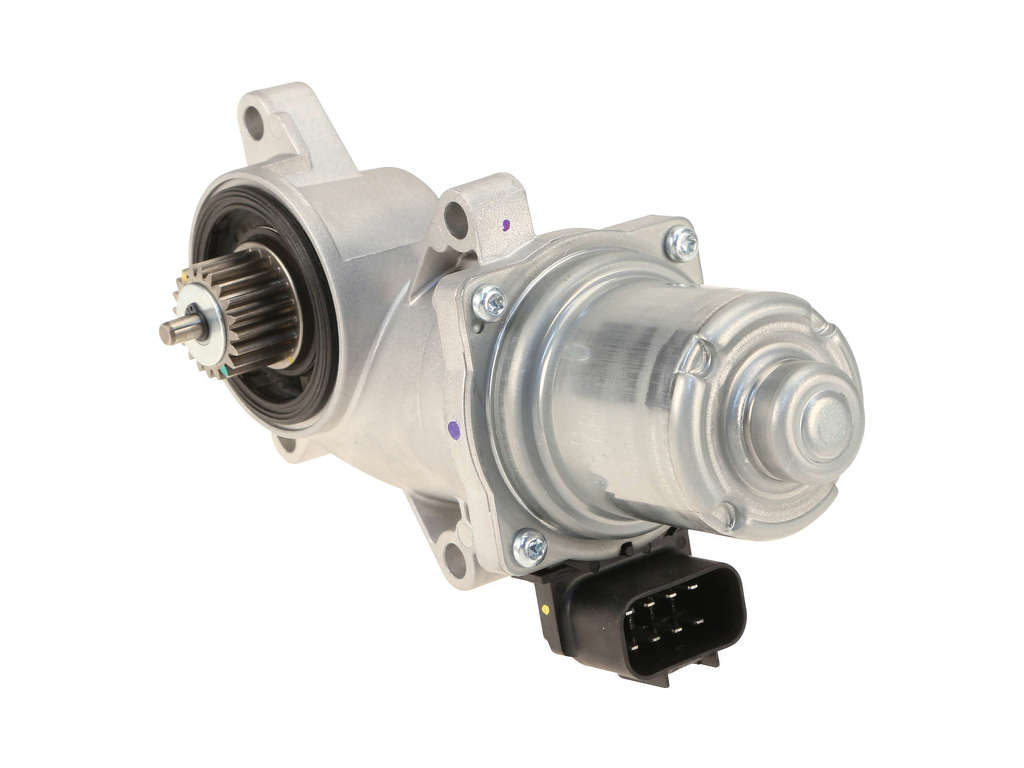
- Transfer Case Control Module (TCCM) Software Requires Update 🔴 High Probability → Shop Transfer Case Motor A specific TSB (#PIP5220B) was issued by GM for this exact problem on 2015 Yukons built before September 7, 2014, indicating a known software bug that sets the code in error.
How to confirm: A GM dealer or a shop with a J2534 pass-thru device can check the current software calibration number on the TCCM and compare it to the latest version available on GM's Tis2Web. If the vehicle was built after 9/7/2014, the TSB states reprogramming will not correct the issue and further diagnosis is needed.
Typical fix: Reprogram the Transfer Case Control Module with the updated software.
Est. part cost: $0
Rare But Worth Checking
- Worn Transfer Case Clutch Pack: → Shop Transfer Case Motor If the TCCM software is up to date, or if reprogramming does not solve the issue, the internal clutch pack of the transfer case may be worn out. This is a more significant mechanical repair that may set a specific suffix code like C0397 F3. 🎬 Watch: How to fix code C0397 with a clutch relearn Diagnosis involves checking for slip between front and rear prop shafts under acceleration with a scan tool.
- Faulty Transfer Case Control Module (TCCM): → Shop Transfer Case Motor In some instances, the module itself can fail electronically. If it cannot be reprogrammed, does not communicate with a scan tool, or if the code returns immediately after a successful reprogram, the module may need replacement. The TCCM is located under the driver's side dashboard, to the left of the steering column. 🎬 Watch: Common 4WD part locations and how to find them
- Wiring or Connection Issues: Damage or corrosion in the wiring harness between the TCCM and the transfer case position sensor or actuator can cause this code. This is less common than the software issue but should be checked before replacing major components, paying special attention to frame grounds behind the front wheels.
- Faulty Transfer Case Range Position Sensor: → Shop Transfer Case Motor A failing position sensor can send erroneous data to the TCCM, triggering a performance code. This may also set code C0398. TSB PIP5220A suggests inspecting the wiring to this sensor if C0398 is present.
Diagnosis Steps
- Verify the presence of code C0397 (and any accompanying codes like C0398 or C038D) with a capable OBD-II scanner.
- Check for applicable Technical Service Bulletins (TSBs). For a 2015 Yukon built before 9/7/2014, TSB #PIP5220B is the primary document.
- Using a professional scan tool (like a GM MDI), verify the current software calibration of the Transfer Case Control Module (TCCM).
- If the software is outdated, perform the TCCM reprogram as per the TSB instructions using GM's Tis2Web or SPS2 software.
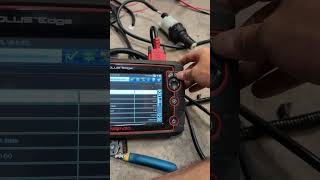
- After reprogramming, perform the 'Range Actuator Learn' procedure (sometimes called 'high low clutch reset'). This is done via the scan tool's special functions menu and requires the transmission to be in Neutral 🎬 See a demonstration of the GM transfer case relearn procedure to complete successfully.
- After the reset, shift the transfer case through all ranges (2HI, 4HI, 4LO, Auto) to ensure the codes do not return and the system operates correctly.
- If the software is already current or the problem persists, inspect the wiring and connectors to the TCCM and transfer case for any visible damage, corrosion, or loose connections. Pay special attention to the main frame grounds located behind the front wheels, as they are prone to corrosion.
- If wiring is intact and the software fix was unsuccessful, further diagnosis of the TCCM module itself or the internal mechanics of the transfer case (clutch pack) is required, potentially by monitoring wheel speeds and clutch command status with a scan tool.
Parts You'll Likely Need
- Transfer Case Control Module (TCCM) Reprogram — This is a software fix, not a physical part. It's the most common solution, mandated by GM's TSB to correct a logic error that triggers code C0397.
Trusted brands: ACDelco Service
OEM price range: $150-$250
Aftermarket price range: N/A - Transfer Case Control Module
(OEM #ACDelco 86522174)— This module is replaced only if it fails to accept a reprogram or is internally faulty. It is the 'brain' of the 4WD system and requires VIN-specific programming upon installation.
Trusted brands: ACDelco, Dorman
OEM price range: $220-$450
Aftermarket price range: $180-$300
Related Codes That Often Appear With This One
- C0398 — This code for Range Position Correlation Fault is often seen with C0397 and is also addressed by the same TCCM software update TSB.
- C038D — Another code mentioned in TSB #PIP5220B that can appear alongside C0397, pointing to the TCCM software issue.
Technical Service Bulletins (TSBs) & Recalls
- PIP5220B: Addresses a repeat 'Service 4 Wheel Drive' message with DTCs C0398, C038D, or C0397, recommending a TCCM reprogram for vehicles built before 9/7/2014.
- PIP5220A: An earlier version of the bulletin which also recommended reprogramming and performing a 'high low clutch reset'.
- GM Bulletin No. 15304: A broader service update bulletin instructing dealers to reprogram the TCCM on affected 2015 models to prevent the 'Service 4WD' message from appearing.
Platform-Specific Known Issues
- TSB #PIP5220B Software Update: GM issued Technical Service Bulletin #PIP5220B specifically to address a 'Service 4 Wheel Drive' message with DTCs C0397, C0398, or C038D on 2015 GMC Yukons (and other K2XX models) built before September 7, 2014. The bulletin explicitly states the fix is to reprogram the TCCM with updated software released to correct the false codes.
- Default to 4WD Lock on Fault: A key characteristic of this issue is the system's default action. When the TCCM sets a code like C0397, it commands the transfer case clutch to engage and then disables all further shift commands. This results in the vehicle being stuck in a 4WD mode, causing binding on turns, even if the driver selects 2WD.
Mechanic-Grade Diagnostic Values
- Transfer Case Motor Amperage (via Scan Tool) — expected: Amperage should increase during a shift and then return to 0 amps within 5 seconds.. Failure: If amperage remains high for more than 5 seconds after a shift command, it indicates the internal motor brake is not holding.
- TCCM Power Supply Voltage — expected: 12V+ with ignition on.. Failure: Low or no voltage indicates a problem with the fuse or power feed circuit.
- TCCM Ground Circuit Voltage Drop — expected: Less than 0.05 VDC.. Failure: A higher voltage drop indicates high resistance in the ground circuit, which can cause module malfunction.
Hidden / Shadow Codes Worth Checking
- C0397 54: Transfer Case Clutch High Temperature. The module calculates that the clutch temperature has exceeded its maximum limit. (see via A professional scan tool (like GM GDS2, Autel, Launch) that can read manufacturer-specific symptom bytes.)
- C0397 58: Transfer Case Clutch Performance. The module detected that the clutch failed to achieve the commanded torque after multiple attempts. (see via A professional scan tool (like GM GDS2, Autel, Launch) that can read manufacturer-specific symptom bytes.)
- C0397 4B: Transfer Case Clutch Calibration Not Learned. The module failed to learn the clutch 'kiss point' after 20 consecutive power-down attempts. (see via A professional scan tool (like GM GDS2, Autel, Launch) that can read manufacturer-specific symptom bytes.)
- C0397 F3: Transfer Case Clutch Worn Out Clutch. The module has determined that the maximum clutch wear limit has been exceeded. (see via A professional scan tool (like GM GDS2, Autel, Launch) that can read manufacturer-specific symptom bytes.)
- C0397 F4: Transfer Case Range Position Sensor Over Travel. The sensor has reported a position outside of its expected range. (see via A professional scan tool (like GM GDS2, Autel, Launch) that can read manufacturer-specific symptom bytes.)
Scan Tool Commands That Help
- GM GDS2, Autel, Snap-on, or other professional scanner: Range Actuator Learn / Transfer Case High/Low Clutch Reset — This is a mandatory procedure after reprogramming or replacing the TCCM or transfer case actuator/motor. It calibrates the module to the mechanical endpoints of the transfer case. Failure to perform this will often leave the 'Service 4WD' light on and may set other codes.
- GM GDS2 or equivalent: Transfer Case Motor Control — This is a bidirectional test that allows a technician to directly command the transfer case motor to shift. It is used to verify the integrity of the motor and its power/ground circuits independently from the TCCM's automated logic.
Wiring & Ground Locations
- Frame Grounds (Driver & Passenger Side) — On the frame rail, located directly behind both the driver and passenger side front wheels.. These grounds are in a 'terrible location' exposed to road spray, making them highly susceptible to corrosion. A poor ground here can cause a wide range of electrical issues for chassis-related modules like the TCCM.
- G103 — Located at the left rear of the engine compartment on the cowl, often above the brake booster.. This is a major ground point for multiple interior modules, including the Body Control Module (BCM) and Data Link Connector (DLC), which communicate with the TCCM. A fault here can cause communication errors.
- G104 — On the rear of the left cylinder head in the engine bay.. This is a primary engine-to-chassis ground. High resistance here can affect the operation of all vehicle electronics, including sensitive control modules.
- Ground Bolt Torque — Applies to all chassis and body ground bolts.. GM specifies a torque of 9 Nm (80 lb-in) for ground bolts. An improperly torqued bolt, even if clean, can lead to a poor connection and intermittent electrical faults.
Real Owner Repair Stories
- Abdullah auto electrician YouTube Channel (2015 GMC Yukon) — Service 4WD light was on and would not clear with code C0397. The 4WD system was not working properly.
❌ Tried (didn't work) Replacing the transfer case actuator., Attempting to clear the DTC with a scan tool., Running the 'Range Actuator Learn' procedure while the transmission was in Park (P).
✅ What actually fixed it The 'Range Actuator Learn' procedure was successful only after the transmission was shifted into Neutral (N) as instructed by the scan tool prompts. Once the learn procedure completed in Neutral, the C0397 code cleared automatically and 4WD operation was restored.
OEM Part Supersession History
GM 23247709 / 84953426→N/A (Incorrect Part)— Correction
Heads up: These part numbers, cited in the previous pass, are for the entire Power Transfer Unit Case (transfer case assembly), not the electronic Transfer Case Control Module (TCCM). They are incorrect for this repair.ACDelco 86522174→— This is a valid OEM part number for the TCCM for a 2015 GMC Yukon.
Heads up: A new TCCM must be programmed with the vehicle's VIN using GM's Service Programming System (SPS) and then have the 'Range Actuator Learn' procedure performed.
Model Year Variations Within This Range
- 2015 (built before 9/7/2014): Vehicles built before this date are subject to TSB #PIP5220B, which calls for a TCCM software update as the primary fix for code C0397. For vehicles built after this date, the TSB states that reprogramming will not correct the issue and standard diagnostics should be performed.
Helpful Videos

Used OEM Parts in Stock
New Aftermarket Parts Available


The information in this article is provided for general reference and educational purposes only. Vehicle specifications, procedures, and part compatibility can vary by production date, trim level, and region. Always consult your vehicle's factory service manual and verify part numbers before purchasing or performing repairs. Safety-critical components such as airbags, seat belts, and braking systems should be installed by a qualified professional.
- Gmc YUKON:
- 🧭 Diagnostic Flowchart
- 🎬 Helpful Videos
- 🛍️ Shop This Part
- What's Unique About the 2015-2015 Gmc YUKON
- Symptoms You May Notice
- Most Likely Causes
- Rare But Worth Checking
- Diagnosis Steps
- Parts You'll Likely Need
- Related Codes That Often Appear With This One
- Technical Service Bulletins (TSBs) & Recalls
- Platform-Specific Known Issues
- Mechanic-Grade Diagnostic Values
- Hidden / Shadow Codes Worth Checking
- Scan Tool Commands That Help
- Wiring & Ground Locations
- Real Owner Repair Stories
- OEM Part Supersession History
- Model Year Variations Within This Range
- 🎟️ Get 5% Off