

C0455 on 2012-2013 Chevrolet Silverado: Steering Angle Sensor Circuit Fault Guide
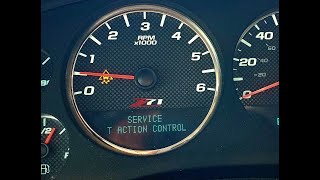
On a 2012-2013 Silverado, code C0455 almost always means a problem with the Steering Angle Sensor circuit, triggering 'Service StabiliTrak' and 'Traction Control Off' messages. The most common cause is a poor electrical connection at the sensor due to fretting corrosion, a known issue addressed by GM Technical Service Bulletin #PI0639D. Before replacing the sensor, the TSB-directed fix of cleaning the connector, applying dielectric grease, and adding a shim should be performed.
- C0455 disables the StabiliTrak and Traction Control systems due to a fault in the steering angle sensor circuit.
- The most common cause on a 2012-2013 Silverado is a loose electrical connector at the sensor, NOT a failed sensor.
- Always attempt the TSB-recommended fix first: clean the connector, apply dielectric grease, and add a shim to ensure a tight fit.
- Only replace the steering angle sensor if the connector fix fails and live data from a scan tool confirms the sensor is faulty.
- This is a safety-related repair. If you are not comfortable working near the steering column airbag, seek professional service.
What's Unique About the 2012-2013 Chevrolet SILVERADO
The GMT900 platform (2007-2014), which includes the 2012-2013 Silverado and its platform mates like the Sierra, Tahoe, and Suburban, is known for this specific issue. A GM Technical Service Bulletin (PI0639D, which supersedes PI0639C) was issued because the electrical connector for the steering angle sensor can develop a poor connection. This is often due to fretting corrosion and excessive clearance in the connector housing, causing signal loss from normal vehicle vibrations. This means the most common and manufacturer-recommended first fix is not sensor replacement, but a simple and inexpensive connector repair.
Diagnostic Flowchart
Tap your situation to follow the diagnostic path that matches what you're seeing on this vehicle.
Symptoms You May Notice
- "Service StabiliTrak" message on the Driver Information Center (DIC)
- "Traction Control Off" message on the DIC
- StabiliTrak/Traction Control indicator light is illuminated
- In rare, severe cases, the ABS can trigger unexpectedly or the steering may feel like it jerks, making the vehicle unsafe to drive.
- Replacing the Electronic Brake Control Module (EBCM) without first diagnosing the sensor circuit.
- Replacing the steering angle sensor before performing the TSB-recommended connector fix.
Most Likely Causes
- Poor Connection at Steering Angle Sensor Connector 🔴 High Probability → Shop Steering Angle Sensor A known issue documented in GM TSB #PI0639D describes how fretting corrosion (dark smudges on terminals) and excessive clearance in the connector cause signal loss. The bulletin explicitly advises against replacing the sensor for this condition and instead prescribes a connector reinforcement.
How to confirm: Visually inspect the sensor's electrical connector terminals under the dash for dark smudges (fretting corrosion). Wiggle the connector to see if it feels loose or has vertical play. Often, simply unplugging and reconnecting it can temporarily restore function, confirming a connection issue.
Typical fix: Follow the TSB procedure: disconnect the connector, clean the terminals with a nylon brush, apply a small amount of dielectric grease (GM P/N 12377900), and add an adhesive shim (Kent P/N P40100) to the connector to tighten the fit. Reconnect and clear codes.
Est. part cost: $5-$20 - Failed Steering Angle Sensor 🟡 Medium Probability → Shop Steering Angle Sensor If the connector fix does not resolve the issue, the sensor itself may have failed internally. This is the next logical step after the TSB procedure has been exhausted. Some owners on forums report needing a sensor replacement after the connector fix did not work.
How to confirm: After confirming the connector is secure and clean, use a scan tool to monitor the steering angle sensor's live data. The degree reading should change smoothly and logically as you turn the wheel. If the data is erratic, jumps, freezes, or has dead spots, the sensor has failed.
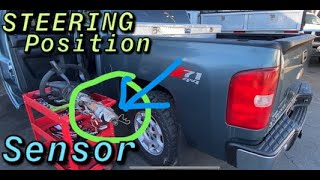
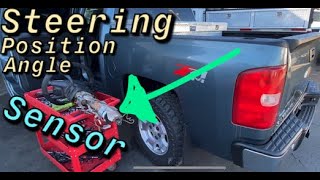
Typical fix: Replace the steering angle sensor (GM P/N 20910871, superseded by 19418403). This requires removing lower dash panels and the 🎬 See this fast replacement guide for the sensor steering column shroud. A calibration procedure with a capable scan tool is required after replacement to set the new sensor's zero-point.
Est. part cost: $60-$120 - Improper Steering Wheel Installation or Alignment ⚪ Low Probability If the code appeared after a repair that involved removing the steering wheel or intermediate shaft, it may have been reinstalled without being properly centered, or spun 360 degrees while disconnected.
How to confirm: This is addressed in TSB #PIT4225F, which states that technicians should ensure the alignment mark on the steering wheel lines up with the mark on the steering shaft. If the code appeared immediately after steering column work, this is the likely cause.
Typical fix: Remove the steering wheel and reinstall it correctly, ensuring the alignment marks are perfectly lined up. An alignment shop may need to electronically reset the sensor's center position using a scan tool.
Est. part cost: $0-$100
Diagnosis Steps
- Read codes with a scanner capable of reading Chassis 'C' codes to confirm C0455 is present. 🎬 Watch: Diagnostic walkthrough for C0455 and StabiliTrak messages Note if C0710 is also stored.
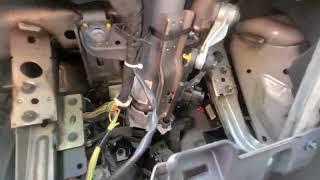
- Access the steering angle sensor on the steering column under the driver's side dash.
- Disconnect the sensor's electrical connector. Inspect the male and female terminals for dark smudges indicating fretting corrosion.
- If corrosion or looseness is found, perform the TSB fix: clean the terminals with a dedicated nylon brush, apply a small amount of dielectric grease, and add a shim (Kent P/N P40100) to the flat surface of the male connector to tighten the connection.
- Reconnect the sensor, clear the codes, and test drive by turning the wheel lock-to-lock.
- If the code returns, use a scan tool to monitor the steering angle sensor's live data while turning the wheel. The readings should be smooth and logical, without jumps or freezes.
- If live data is erratic or frozen, the sensor has likely failed and requires replacement.
- If the sensor is replaced, a steering angle sensor calibration must be performed with a compatible scan tool. 🎬 Watch: How to calibrate the sensor after installation
- If the code appeared after a recent repair, verify the steering wheel is installed correctly per TSB PIT4225F and that the sensor wasn't damaged or spun.
Parts You'll Likely Need
- Steering Angle Sensor
(OEM #20910871)— This is the part to replace if the connector fix fails and the sensor's live data proves it is faulty.
Trusted brands: ACDelco, Dorman (601-175)
OEM price range: $90-$150
Aftermarket price range: $60-$100 - Dielectric Grease and Adhesive Shim
(OEM #12377900 (Grease), P40100 (Shim))— These are the specific materials required by TSB PI0639D to perform the most common fix: reinforcing the poor connector fit to prevent fretting corrosion.
Trusted brands: ACDelco (Grease), Kent Automotive (Shim)
OEM price range: $5-$20
Aftermarket price range: $5-$15 - Steering Angle Sensor Lead Clip
(OEM #19179794)— This is a small OEM clip designed to retain the wiring lead for the steering angle sensor. While not part of the TSB fix for the connector terminals, it can help secure the harness and prevent movement or chafing that could contribute to the problem.
Trusted brands: ACDelco / GM Genuine
OEM price range: $5-$10
Aftermarket price range: $5-$10
Related Codes That Often Appear With This One
- C0710 — This code is also related to the steering angle sensor and is frequently mentioned alongside C0455 in the same GM Technical Service Bulletins (PI0639D and PIT4225F) for the same root causes.
Technical Service Bulletins (TSBs) & Recalls
- PI0639D: 'Service Stabilitrak Message Displayed in DIC...DTC C0455 or C0710 Set' - Details the common cause of a loose/corroded steering angle sensor connector due to fretting corrosion and excessive clearance, and provides the specific procedure to fix it with a shim and dielectric grease.
- PIT4225F: 'Service Brakes... C0710... C0455' - Notes that these codes can be set by an improperly installed steering wheel that is not mechanically centered.
Platform-Specific Known Issues
- TSB #PI0639D (supersedes PI0639C) directly addresses C0455 on this vehicle, recommending a connector repair with a shim and dielectric grease instead of sensor replacement to combat fretting corrosion.
- TSB #PIT4225F warns that improper installation of the steering wheel can cause code C0455, requiring technicians to verify alignment marks.
Mechanic-Grade Diagnostic Values
- Steering Angle Sensor Analog Signal Voltage — expected: Approximately 2.5V with steering wheel centered. Ranges from 0.25V (full left turn) to 4.75V (full right turn).. Failure: Voltage that is stuck, erratic, or does not correspond to the steering wheel's physical position.
- Steering Angle Sensor Digital Signal Voltage at Harness Connector — expected: 6.8V to 11V between the signal circuit terminals (Phase A, B, C) and a known good ground.. Failure: Voltage below 6.8V may indicate a short to ground or open/high resistance in the circuit. Voltage above 11V may indicate a short to power.
Scan Tool Commands That Help
- GDS2, Autel, Snap-on, or other professional scan tool: Steering Angle Sensor Calibration (or Relearn/Centering) — This procedure is mandatory after replacing the steering angle sensor, performing a wheel alignment, or any repair that involves disconnecting the steering column or shaft. It sets the sensor's 'zero point' when the wheels are straight ahead. Failure to calibrate will cause the C0455 code to persist and the StabiliTrak system to function incorrectly.
Wiring & Ground Locations
- EBCM Ground (G300) — On the frame, below the driver's door, near the body mount.. This is the primary ground for the Electronic Brake Control Module (EBCM), which receives and interprets the steering angle sensor data. A poor connection here due to rust or looseness can cause a 'lost communication with EBCM' fault, leading to various ABS and StabiliTrak codes, including C0455.
- BCM Ground (G218) — On the driver's side A-pillar, behind the side dash panel.. The Body Control Module (BCM) processes the sensor's analog signal before sending it to the EBCM. A poor ground at G218, often caused by sound-deadening insulation getting trapped under the terminal, can cause numerous seemingly unrelated electrical issues, including StabiliTrak faults and communication codes that may accompany C0455.
Real Owner Repair Stories
- GMTNation Forum user 'jmonica' (GMT900 Platform Truck) — Persistent 'Service StabiliTrak' light with code C0455.
❌ Tried (didn't work) Replaced the steering wheel position sensor with a Dorman part., Replaced the steering wheel position sensor again with an OEM part.
✅ What actually fixed it The user did not post a final resolution, but their experience is a critical cautionary tale. After replacing the sensor twice with no success, the community advised them to stop replacing parts and to start diagnosing the wiring and ground connections, reinforcing that the sensor itself is often not the root cause. - ChevroletForum.com user 'slyder941' (2007 Chevrolet Suburban (GMT900 Platform)) — C0455 code with 'StabiliTrak Off' message, and a severe symptom where the ABS triggered and locked the brakes, making the truck undriveable.
❌ Tried (didn't work) Replaced the steering wheel position sensor.
✅ What actually fixed it The user did not post the final fix, but the story is valuable as it confirms the rare but severe symptom of unexpected ABS activation mentioned in the Pass 2 analysis, highlighting the safety-critical nature of the fault.
OEM Part Supersession History
20910871→19418403— Standard part number update by the manufacturer.
Helpful Videos
We Have This Part in Stock


The information in this article is provided for general reference and educational purposes only. Vehicle specifications, procedures, and part compatibility can vary by production date, trim level, and region. Always consult your vehicle's factory service manual and verify part numbers before purchasing or performing repairs. Safety-critical components such as airbags, seat belts, and braking systems should be installed by a qualified professional.
- Chevrolet SILVERADO:
- 🧭 Diagnostic Flowchart
- 🎬 Helpful Videos
- 🛍️ Shop This Part
- What's Unique About the 2012-2013 Chevrolet SILVERADO
- Symptoms You May Notice
- Most Likely Causes
- Diagnosis Steps
- Parts You'll Likely Need
- Related Codes That Often Appear With This One
- Technical Service Bulletins (TSBs) & Recalls
- Platform-Specific Known Issues
- Mechanic-Grade Diagnostic Values
- Scan Tool Commands That Help
- Wiring & Ground Locations
- Real Owner Repair Stories
- OEM Part Supersession History
- 🎟️ Get 5% Off