

C0750 on 2010-2016 Cadillac SRX: Causes for Left Front TPMS Code and Fixes
Code C0750 on a 2010-2016 Cadillac SRX means there's a problem with the left front tire pressure sensor. If it's the only code, the sensor's battery is likely dead. If your key fob also stopped working and you have other TPMS codes, the Remote Control Door Lock Receiver (RCDLR) module has probably failed.
- C0750 points specifically to the left front TPMS sensor.
- If C0750 appears alone and key fobs work, the sensor is the likely problem.
- If C0750 appears with other TPMS codes AND the key fobs fail, the RCDLR module is the most probable cause.
- Replacing the RCDLR requires professional programming.
- Always check for RF interference from aftermarket devices before replacing parts.
What's Unique About the 2010-2016 Cadillac SRX
On the second-generation Cadillac SRX and similar GM vehicles, the TPMS is not a standalone system. It is integrated with the keyless entry functions into a single module called the Remote Control Door Lock Receiver (RCDLR). This module is typically located inside the rear liftgate, behind the upper trim panel. This design means that a failure of the RCDLR can cause both the TPMS system and the key fobs to stop working at the same time, a common point of confusion for owners and a key diagnostic clue.
Diagnostic Flowchart
Tap your situation to follow the diagnostic path that matches what you're seeing on this vehicle.
Symptoms You May Notice
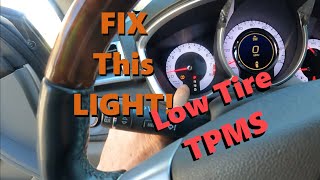
- TPMS warning light is illuminated on the instrument cluster.
- TPMS light flashes for about a minute at startup, then stays on solid.
- Message on the Driver Information Center (DIC) such as "Service Tire Monitor System".
- The pressure reading for the left front tire shows dashes (--) instead of a number.
- Key fobs intermittently or completely stop working (no response to lock, unlock, or remote start).
- "No Remote Detected" message on the DIC.
- Intermittent no-crank or no-start condition with the security light on, which may be bypassed by placing the fob in the console's transmitter pocket.
- Replacing the TPMS sensor in the tire when the RCDLR module is the actual cause. This is a common mistake when technicians don't check for the associated key fob failure.
Most Likely Causes
- Dead Battery in Left Front TPMS Sensor 🔴 High Probability → Shop Tire Pressure Monitoring System (TPMS) Sensor TPMS sensor batteries have a finite lifespan, typically 7-10 years. Vehicles in this year range are at or beyond the end of that life cycle.
How to confirm: If C0750 is the only TPMS code present and the key fobs work correctly, the sensor is the most likely culprit. A tire shop can use a TPMS tool to check if the sensor is transmitting. A scan tool can also read the sensor's battery status directly.
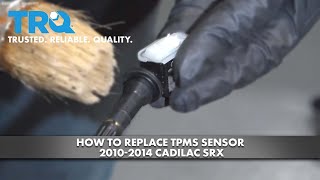
Typical fix: Replace the left front TPMS sensor and perform the TPMS relearn procedure. 🎬 Watch: Step-by-step guide to replacing the TPMS sensor.
Est. part cost: $30-$80 - Failed Remote Control Door Lock Receiver (RCDLR) 🔴 High Probability → Shop Keyless Entry Receiver This module is known to fail internally on many GM platforms from this era, causing a loss of all RF functions it controls. TSB 16-NA-396 specifically addresses this failure pattern.
How to confirm: This is the most likely cause if you have C0750 along with other TPMS codes (C0755, C0760, C0765) AND your key fobs have stopped working. A professional scan tool can confirm a loss of communication with the RCDLR.
Typical fix: Replace the RCDLR module located in the liftgate. This new module must be programmed to the vehicle by a dealer or a properly equipped independent shop.
Est. part cost: $40-$120
Rare But Worth Checking
- Radio Frequency (RF) Interference: Aftermarket devices like cell phone chargers, dash cams, power inverters, or even low-quality LED replacement bulbs can emit RF noise that interferes with the TPMS and key fob signals. TSB PIC5650K details this issue. Before replacing parts, unplug all aftermarket accessories and see if the problem resolves.
- Wiring or Connector Issue: Damage to the wiring or connectors leading to the RCDLR module could cause this code, but it is far less common than module or sensor failure.
- Disconnected RCDLR Antenna: TSB 16-NA-061 notes that the coaxial cable for the RCDLR antenna can become disconnected at the module, at the antenna amplifier, or at the antenna itself (in the rear quarter glass). This can cause intermittent or complete loss of TPMS and key fob signals, often affecting the sensors farthest from the receiver first.
Diagnosis Steps
- Check for other DTCs. Note if C0750 is alone or present with codes for other wheels (C0755, C0760, C0765).
- Test all functions of the key fob(s). Do they lock, unlock, and remote start the vehicle consistently?
- If C0750 is the only code and the key fobs work perfectly, the left front TPMS sensor is the primary suspect.
- If multiple TPMS codes are present AND the key fobs are inoperative, the RCDLR module is the primary suspect.
- Unplug all aftermarket accessories (phone chargers, dash cams, LED bulbs) to eliminate potential RF interference as described in TSB PIC5650K.
- Use a TPMS diagnostic tool to attempt to read the signal from the left front sensor directly. If it fails to read, the sensor is bad.
- If suspecting the RCDLR, inspect its wiring and antenna connectors. The module is located behind the upper trim panel of the rear liftgate. Check for disconnected coaxial cables as per TSB 16-NA-061.
- If a new RCDLR is installed, it must be programmed to the vehicle using GM's service programming system (SPS).
Parts You'll Likely Need
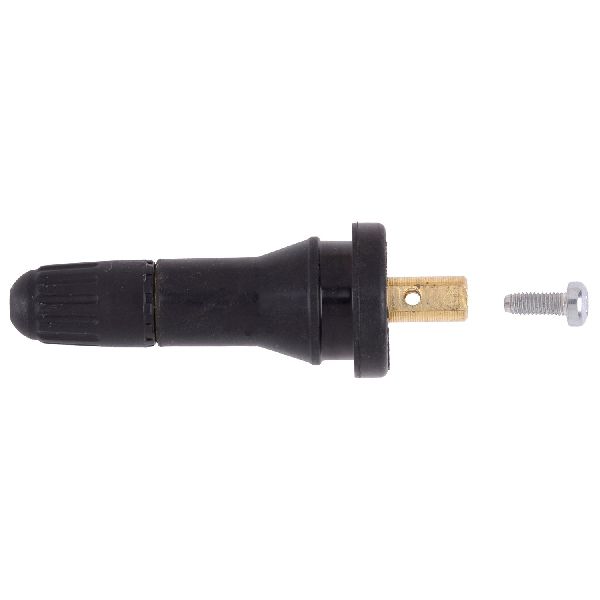
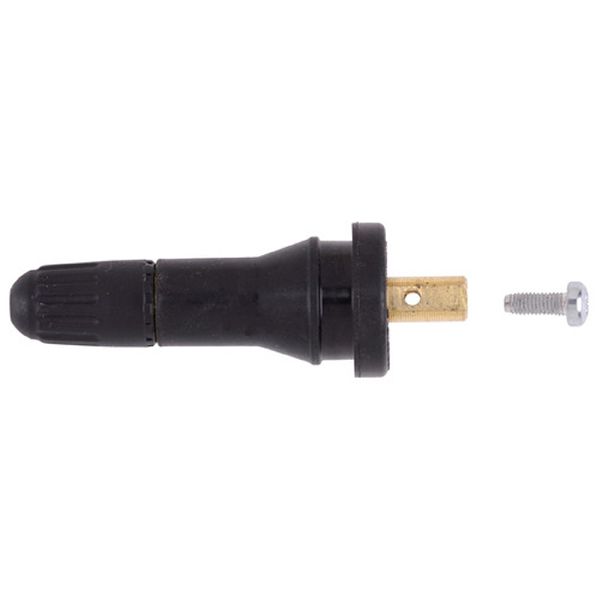
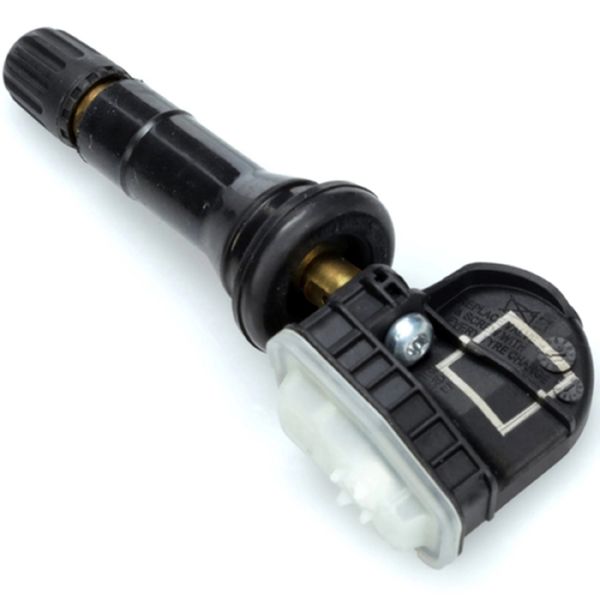
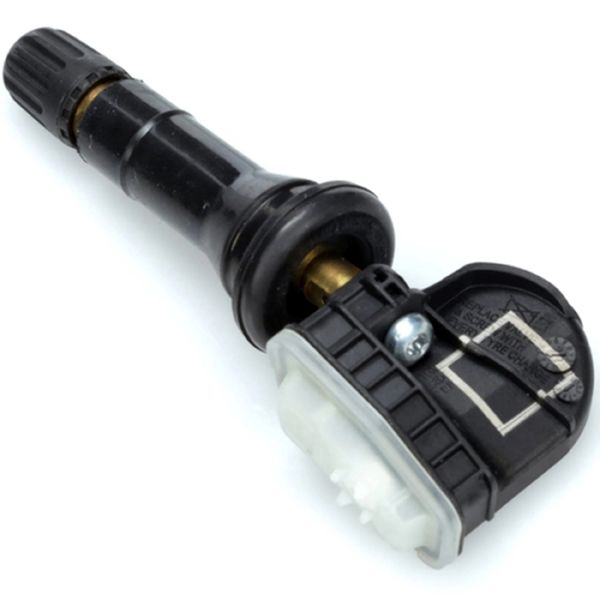
- Tire Pressure Monitoring System (TPMS) Sensor
(OEM #13586335)— This is the most common fix when C0750 appears alone. The internal battery dies, causing a loss of signal. This part operates at 315 MHz.
Trusted brands: ACDelco, Schrader, Standard Motor Products
OEM price range: $50-$90
Aftermarket price range: $30-$60 - Remote Control Door Lock Receiver (RCDLR)
(OEM #20803735)— This module is the likely culprit if all TPMS sensors report errors and key fobs fail simultaneously. Part number 20803735 supersedes several previous numbers and fits the 2010-2016 SRX. It requires programming after installation.
Trusted brands: ACDelco (GM Genuine)
OEM price range: $60-$120
Aftermarket price range: $40-$80
Related Codes That Often Appear With This One
- C0755, C0760, C0765 — These are the codes for the other three tire pressure sensors (Right Front, Left Rear, Right Rear). When all four appear together, it strongly points to a central receiver problem (the RCDLR) rather than four sensors failing simultaneously.
- B3055, B3060, B3935 — These codes are related to the vehicle's immobilizer and key security systems. Their presence alongside C0750, as noted in TSB PIC5650M, suggests a deeper electrical issue, potentially involving the Body Control Module (BCM) or RCDLR, leading to a no-start condition.
Technical Service Bulletins (TSBs) & Recalls
- PIC5650M: Mentions C0750 in a group of codes related to intermittent no crank, no start, or start/stall issues with the security light on. It strongly points to RF interference from aftermarket accessories as a potential cause.
- 16-NA-396: Details the exact failure pattern of intermittent key fob operation and multiple TPMS codes (including C0750) caused by a faulty RCDLR on many contemporary GM models.
- 16-NA-061: Describes how a disconnected RCDLR antenna can cause identical symptoms (TPMS and RKE failure) and provides diagnostic locations to check before replacing the module.
Platform-Specific Known Issues
- A known issue on GM platforms of this era is the internal failure of the RCDLR, which simultaneously disables the TPMS and keyless entry systems. This is documented in TSB 16-NA-396 for many contemporary GM models.
- TSB PIC5650M links C0750 and other related codes to intermittent no-start or stalling conditions, indicating the fault can sometimes escalate beyond the TPMS system.
- TSB PI1283 was released for 2013 Middle East models for a similar issue, providing a redesigned RCDLR (P/N 13583333) to better resist RF interference, suggesting that interference is a known factor for these symptoms.
Hidden / Shadow Codes Worth Checking
- C0750 with symptom :03: Voltage Below Threshold. This indicates the control module has detected that the TPMS sensor's internal battery voltage is too low for reliable operation. This strongly confirms a dead sensor battery. (see via A GM-specific scan tool like a Tech2 or GDS2 is required to view BCM/RCDLR symptom bytes.)
- C0750 with symptom :08: Bus Signal/Message Failure. This indicates a communication breakdown on the data bus between modules, which could point to a wiring or module issue rather than just the sensor itself. (see via A GM-specific scan tool like a Tech2 or GDS2 is required to view BCM/RCDLR symptom bytes.)
- C0750 with symptom :29: Too Few Pulses. This means the RCDLR is not receiving the complete data transmission from the sensor. This sub-code is specifically mentioned in TSB 16-NA-396 as being associated with RCDLR failure, pointing towards a receiver issue rather than a sensor fault. (see via A GM-specific scan tool like a Tech2 or GDS2 is required to view BCM/RCDLR symptom bytes.)
Scan Tool Commands That Help
- GDS2 (GM Diagnostic Software): RCDLR Data List — Use this function to view the live data from the Remote Control Door Lock Receiver. You can check the reported battery status of each individual TPMS sensor (e.g., 'OK' or 'Low Battery') without needing a separate TPMS trigger tool. This helps confirm a bad sensor battery.
- GDS2 (GM Diagnostic Software): Configure/Reset Functions > Add/Replace Key Fobs — After replacing a faulty RCDLR, this command is used to program the existing (or new) key fobs to the new module. The vehicle will not recognize the fobs until this is done.
- GDS2 (GM Diagnostic Software) / SPS (Service Programming System): Replace and Program ECU — This is the mandatory procedure after installing a new RCDLR. The SPS software downloads the correct firmware and vehicle-specific configuration into the new module, linking it to the BCM and immobilizer system.
- Vehicle DIC (Driver Information Center): Tire Pressure Relearn Procedure (Manual) — After replacing a TPMS sensor or rotating tires, this procedure tells the vehicle the new position of each sensor. It can be initiated through the DIC menu and completed by letting air out of each tire in sequence until the horn chirps, no special tool needed.
Wiring & Ground Locations
- RCDLR Module — Located behind the upper trim panel of the rear liftgate on the 2010-2016 SRX.. This is the central receiver for both TPMS and key fob signals. Its location in the liftgate makes its wiring susceptible to flexing and damage over time. A poor connection here can cause C0750 and other related codes.
- G403 — Located in the left rear corner of the luggage compartment, behind the trim panels.. This is a primary body ground point for components in the rear of the vehicle. A loose or corroded G403 ground can cause intermittent and difficult-to-diagnose issues with modules located in the rear, including the RCDLR.
Real Owner Repair Stories
- Reddit r/MechanicAdvice user comment (Subaru (similar system architecture to SRX)) — TPMS light came on at the same time both key fobs stopped working. The car would only start if the key was in the specific immobilizer slot. Replacing fob batteries did not help.
❌ Tried (didn't work) Replacing key fob batteries, Having a locksmith test the key fob signal output (they were transmitting fine), Checking vehicle battery health
✅ What actually fixed it A dealership technician identified a failed body control module that handles both TPMS and remote entry functions, located in the rear of the vehicle. The cause of failure was suspected to be water intrusion from a leaking roof rail or sunroof. Replacing and reprogramming the module resolved all symptoms.
OEM Part Supersession History
Multiple (e.g., 15857831, 25855007, 25896497)→20803735— GM consolidates part numbers over time to cover more models with a single, improved component. The older numbers are discontinued.
Heads up: Part number 20803735 is the correct final replacement RCDLR for the 2010-2016 SRX. Using an older, used part number may re-introduce the original failure mode. Always verify the latest part number with a dealer.
Helpful Videos
We Have This Part in Stock



The information in this article is provided for general reference and educational purposes only. Vehicle specifications, procedures, and part compatibility can vary by production date, trim level, and region. Always consult your vehicle's factory service manual and verify part numbers before purchasing or performing repairs. Safety-critical components such as airbags, seat belts, and braking systems should be installed by a qualified professional.
- Cadillac SRX:
- 🧭 Diagnostic Flowchart
- 🎬 Helpful Videos
- 🛍️ Shop This Part
- What's Unique About the 2010-2016 Cadillac SRX
- Symptoms You May Notice
- Most Likely Causes
- Rare But Worth Checking
- Diagnosis Steps
- Parts You'll Likely Need
- Related Codes That Often Appear With This One
- Technical Service Bulletins (TSBs) & Recalls
- Platform-Specific Known Issues
- Hidden / Shadow Codes Worth Checking
- Scan Tool Commands That Help
- Wiring & Ground Locations
- Real Owner Repair Stories
- OEM Part Supersession History
- 🎟️ Get 5% Off