

C0750 on 2007-2014 Chevrolet Express 3500: Left Front TPMS Fault Guide
Code C0750 on a 2007-2014 Chevy Express 3500 almost always means the battery in the left front tire pressure (TPMS) sensor is dead. Replacing the sensor is the fix, which is best done at a tire shop due to the special tools required. In rare cases, especially if key fob problems are also present, the issue could be the Remote Control Door Lock Receiver (RCDLR) module, its wiring, or its antenna connection.
- C0750 points directly to a problem with the left front tire pressure sensor.
- The most likely cause on a 2007-2014 Express is a dead battery in the original sensor due to age.
- Replacing the sensor is not a typical DIY job as it requires breaking down the tire. A tire shop is recommended.
- After replacing the sensor, a 'relearn' procedure is required. A simple TPMS activation tool is highly recommended for this, as the air-out method often fails.
- If key fob and starting issues accompany the TPMS light, the problem might be the RCDLR module or radio frequency interference, not just the sensor.
What's Unique About the 2007-2014 Chevrolet EXPRESS 3500
For the Express van and its platform-mate, the GMC Savana, the Tire Pressure Monitoring System (TPMS) is integrated with the Remote Control Door Lock Receiver (RCDLR). This single module handles signals from both your key fobs and the tire pressure sensors. A failure indicated by code C0750 can sometimes be linked to broader electrical issues. Multiple GM Technical Service Bulletins (TSBs), including PIC5650M and 16-NA-396, connect this code to intermittent no-crank or start-stall problems, key fob failures, and security light illumination. This occurs because the RCDLR is a critical node on the vehicle's data network, and its malfunction can be caused by internal failure, external radio frequency interference (RFI) from aftermarket electronics like LED lights or phone chargers, or a break in its power supply wire.
Diagnostic Flowchart
Tap your situation to follow the diagnostic path that matches what you're seeing on this vehicle.
Symptoms You May Notice
- Flashing TPMS warning light on the instrument panel for about one minute at startup, which then stays on solid.
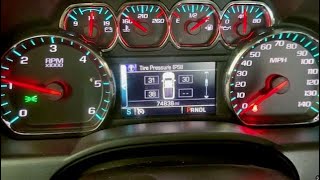
- "SERVICE TIRE MONITOR" message on the Driver Information Center (DIC).
- The DIC may show dashes (--) for the left front tire pressure reading.
- In rare cases, may be associated with intermittent no-start, key fob inoperability, or a "No Remote Detected" message, as per TSBs #PIC5650M and #16-NA-396.
- Replacing the wrong sensor. Tire rotations can mislocate sensors in the system's memory if the relearn procedure wasn't performed. Always use a TPMS tool to confirm which physical tire corresponds to the 'Left Front' position in the vehicle's computer before replacing any parts.
Most Likely Causes
- Dead TPMS Sensor Battery 🔴 High Probability → Shop Tire Pressure Monitoring System (TPMS) Sensor The batteries inside the original equipment TPMS sensors have a finite lifespan, typically 5-10 years. For the 2007-2014 model years, these original sensors are now at or beyond their expected service life, making battery failure the most common cause.
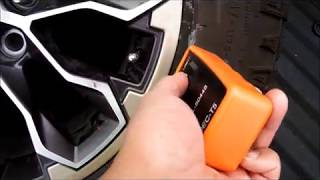
How to confirm: Use a TPMS diagnostic tool (like an Autel or VXDAS EL-50448) to attempt 🎬 See how to use the EL-50448 TPMS activation tool to activate the sensor. If the tool cannot get a reading or explicitly shows 'Low Battery' status, the sensor has failed. A professional scan tool may also show a sub-code like 'sensor low battery condition' or 'voltage below threshold'.
Typical fix: Replace the left front TPMS sensor and perform the TPMS relearn procedure. It is often recommended to replace all four sensors at once if they are original, as the others are likely to fail soon.
Est. part cost: $30-$80 - Faulty Remote Control Door Lock Receiver (RCDLR) ⚪ Low Probability → Shop Keyless Entry Receiver The RCDLR acts as the central receiver for all TPMS signals. Internal failures in this module, as documented in TSB 16-NA-396, can cause it to stop receiving signals from one or more sensors. This is more likely if all four TPMS codes (C0750, C0755, C0760, C0765) appear simultaneously along with key fob issues.
How to confirm: This is diagnosed after confirming the TPMS sensor is good. If a new, known-good sensor cannot be learned by the system, and especially if key fob functions are also intermittent or failed, the RCDLR is the primary suspect. A professional scan tool will show 'No Communication' with the RCDLR module.
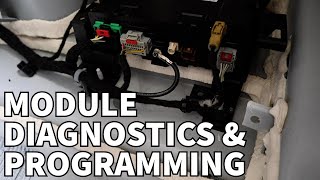
Typical fix: Replace and program the Remote Control Door Lock Receiver. This requires special programming tools (like a GM Tech 2) and a subscription to GM's service software.
Est. part cost: $70-$150 - Physical Sensor Damage ⚪ Low Probability Sensors are plastic and can be damaged during clumsy tire changes or by severe pothole impacts. Corrosion of the valve stem can also compromise the sensor.
How to confirm: Visual inspection after dismounting the tire. The sensor's plastic housing may be cracked, the valve stem broken, or it may be missing entirely.
Typical fix: Replace the damaged TPMS sensor and perform the relearn procedure.
Est. part cost: $30-$80
Rare But Worth Checking
- Radio Frequency Interference (RFI):
- RCDLR Antenna Connection Issue:
Diagnosis Steps
- Verify the TPMS warning light is flashing upon startup for one minute, then stays solid. This confirms a system fault.
- Use a TPMS diagnostic tool at the left front wheel to try and read the sensor's data (ID, pressure, temperature, battery status).
- If the tool shows 'No Signal' or 'Low Battery', the sensor has failed and needs replacement. This is the most likely outcome.
- If the tool can read the sensor, the issue may be with the vehicle's receiver. Before proceeding, check for sources of Radio Frequency Interference (RFI) by unplugging all aftermarket chargers and electronics.
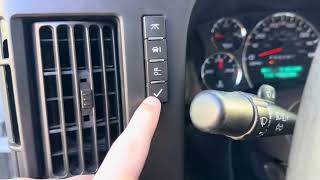
- Attempt a TPMS relearn procedure. On the Express, this is done by using the DIC buttons to enter 'RELEARN TIRE POSITIONS' mode, which prompts a double horn chirp. Then, you must activate each sensor in sequence (LF, RF, RR, LR). A simple TPMS activation tool (like an EL-50448) is required to get the horn to chirp for each tire.
- If the relearn procedure fails for the left front position even with a new sensor, and especially if key fob issues are present, the wiring to the Remote Control Door Lock Receiver (RCDLR) or the RCDLR module itself is suspect.
- A professional diagnosis would involve using a scan tool to check for communication with the RCDLR. If there is no communication, check for 12V power on the red/white wire and for good ground at the RCDLR connector before condemning the module. Also inspect the RCDLR's antenna connections.
Parts You'll Likely Need
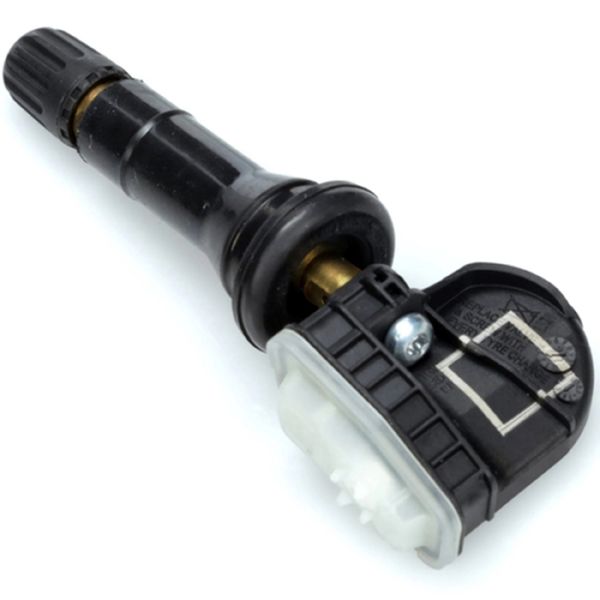
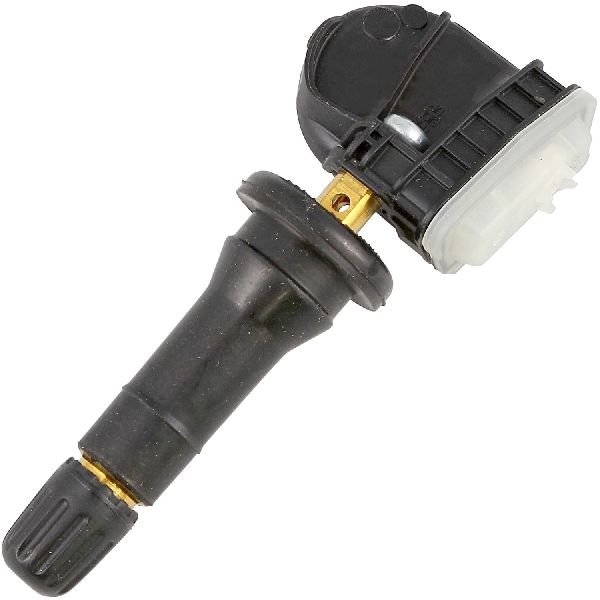
- Tire Pressure Monitoring System (TPMS) Sensor
(OEM #13598771)— This is the most common failure point. The internal battery dies after 5-10 years, requiring the entire sensor unit to be replaced. The part number 13598771 is a widely used GM sensor for this era and is often superseded by or interchangeable with 20923680.
Trusted brands: ACDelco (GM Original Equipment), Schrader (Often the OEM supplier), Continental/VDO, Dorman, Autel
OEM price range: $50-$90
Aftermarket price range: $30-$60
Related Codes That Often Appear With This One
- C0755 — Fault with the Right Front TPMS sensor. Often appears with C0750 when multiple sensor batteries fail around the same time due to age.
- C0760 — Fault with the Right Rear TPMS sensor. Often appears with C0750 when multiple sensor batteries fail around the same time due to age.
- C0765 — Fault with the Left Rear TPMS sensor. Often appears with C0750 when multiple sensor batteries fail around the same time due to age.
- B3055 — As noted in TSB #PIC5650M, this key-related security code can appear alongside TPMS codes if the RCDLR module is malfunctioning or experiencing radio frequency interference.
Technical Service Bulletins (TSBs) & Recalls
- PIC5650M: Mentions C0750 in a group of DTCs related to intermittent no-crank, start-stall, and key fob issues.
- 16-NA-396: Links simultaneous TPMS codes (C0750, C0755, C0760, C0765) and key fob issues to internal failure of the RCDLR module.
- 16-NA-061: Details how a disconnected RCDLR antenna or coax cable can cause codes for sensors farthest from the receiver, like C0750 for the left front.
- PIC3225J: Provides the official scan tool procedure for setting up a new RCDLR module after replacement.
Platform-Specific Known Issues
- A recall was issued for some 2014-2016 Express vans that were shipped without a TPMS system installed. While this doesn't cause C0750, it's a related issue for the platform.
- A recall for some 2018 models involved incorrect calibration of the RCDLR, causing the TPMS light to come on at the wrong pressure, though this is outside the 2007-2014 range.
- The manual relearn procedure of letting air out of the tires often fails on these vans. Forum users confirm that after failing with the air-out method, a cheap TPMS activation tool worked immediately.
Mechanic-Grade Diagnostic Values
- TPMS Sensor Transmission Frequency — expected: 315 MHz. Failure: N/A. This is a fixed value for the part.
- TPMS Activation Tool Frequency — expected: 125 kHz. Failure: N/A. This is the frequency of the tool used to wake the sensor.
- DTC Set Condition (Time) — expected: Sensor does not transmit for 18 minutes.. Failure: The BCM logs code C0750 (or other sensor codes).
- DTC Set Condition (Speed) — expected: Vehicle speed must be greater than 40 km/h (25 mph).. Failure: The BCM logs the code when this speed is maintained and no signal is received.
- RCDLR Power Supply Voltage — expected: 12V at the Red/White wire on the module connector.. Failure: 0V indicates a blown fuse (DSM 10A in IP fuse block) or a break in the power wire.
Hidden / Shadow Codes Worth Checking
- C0750:29: Symptom byte :29 indicates 'Too Few Pulses'. This is often associated with an internal RCDLR failure or a sensor that has completely stopped transmitting. (see via GM-specific scan tool like a Tech 2 or high-end professional scanner.)
- C0750:03: Symptom byte :03 indicates 'Voltage Below Threshold'. This more specifically points to a low battery condition within the TPMS sensor itself. (see via Professional scan tool with manufacturer-specific data capabilities.)
Scan Tool Commands That Help
- GM Tech 2 / GDS2: Setup New RCDLR — This function is required after physically replacing the RCDLR module to integrate it with the vehicle's other systems, like theft deterrent and BCM.
- GM Tech 2 / GDS2: Menu Path: Suspension > Tire Pressure Monitoring > Module Setup > RCDLR — This is one of the specific menu paths within the scan tool to access the RCDLR setup function.
- TIS2WEB (with Tech 2 Pass-thru): Replace and Reprogram ECU — When programming a new RCDLR, this specific option must be selected in the TIS2WEB software to load the correct software and vehicle configuration into the new module.
Wiring & Ground Locations
- RCDLR Module — Under the top dash pad, near the windshield, located behind and above the instrument gauge cluster.. This is the receiver for the TPMS signal. Physical access is required to test its power/ground connections or to replace it.
- RCDLR Power Wire — Red/White wire at the RCDLR connector. Powered by the 'DSM' 10A fuse in the instrument panel fuse block.. A break in this wire, often found in the driver's door sill area from chafing, will cause the RCDLR to lose power and set codes for all sensors.
- RCDLR Antenna System — Consists of a coax cable from the RCDLR, an antenna amplifier module, and an antenna located in the right rear glass of the van.. A loose connection anywhere in this antenna system can cause weak signal reception, particularly from the farthest sensor (Left Front), triggering code C0750 even if the sensor and RCDLR are good.
Real Owner Repair Stories
- YouTube channel 'Dezzy's Automotive & Diesel Repair' (2011 Chevrolet Silverado (similar electrical architecture)) — No communication with RCDLR, key fobs not working.
❌ Tried (didn't work) Initially assumed the RCDLR module itself was bad and ordered a replacement.
✅ What actually fixed it Diagnosis revealed no 12V power at the RCDLR's red/white wire. The root cause was a break in this power wire located in the driver's side door sill harness. Repairing the wire restored power and communication. - Tahoe Yukon Forum user 'Joseph Garcia' (2007 Yukon XL Denali (similar platform/era)) — TPMS learn mode would fail immediately; could not get past the first step of learning the left front sensor.
❌ Tried (didn't work) Attempting the relearn procedure multiple times. Scanners did not point to a specific faulty sensor.
✅ What actually fixed it The actual cause was a faulty Right Rear wheel sensor. Replacing the RR sensor allowed the entire relearn procedure, starting with the LF wheel, to complete successfully.
When the Usual Fixes Don't Work
- While C0750 points directly to the left front sensor, diagnosis can be misleading. In one documented case on a similar GM platform, the relearn procedure would consistently fail at the left front tire, but the root cause was a different faulty sensor (right rear). The system's sequential learn process was being halted by an unexpected failure elsewhere. Additionally, a complete loss of communication with the RCDLR module, which can cause all TPMS codes to appear, has been traced to a simple broken power wire in the door sill harness, not a failed module.
OEM Part Supersession History
13598771→20923680— Standard part evolution and consolidation by GM.
Heads up: Generally compatible. Note that some early applications used metal valve stems, while later service parts like 13598771 often use a rubber stem.20923680→13540600— Standard part evolution and consolidation by GM.20922900→13598771— Standard part evolution and consolidation by GM.
Model Year Variations Within This Range
- 2007-2014: Early models may have been equipped with TPMS sensors featuring metal valve stems, while later original and service replacement parts (like 13598771) for non-high-performance applications transitioned to rubber valve stems.
Helpful Videos
We Have This Part in Stock


The information in this article is provided for general reference and educational purposes only. Vehicle specifications, procedures, and part compatibility can vary by production date, trim level, and region. Always consult your vehicle's factory service manual and verify part numbers before purchasing or performing repairs. Safety-critical components such as airbags, seat belts, and braking systems should be installed by a qualified professional.
- Chevrolet EXPRESS 3500:
- 🧭 Diagnostic Flowchart
- 🎬 Helpful Videos
- 🛍️ Shop This Part
- What's Unique About the 2007-2014 Chevrolet EXPRESS 3500
- Symptoms You May Notice
- Most Likely Causes
- Rare But Worth Checking
- Diagnosis Steps
- Parts You'll Likely Need
- Related Codes That Often Appear With This One
- Technical Service Bulletins (TSBs) & Recalls
- Platform-Specific Known Issues
- Mechanic-Grade Diagnostic Values
- Hidden / Shadow Codes Worth Checking
- Scan Tool Commands That Help
- Wiring & Ground Locations
- Real Owner Repair Stories
- When the Usual Fixes Don't Work
- OEM Part Supersession History
- Model Year Variations Within This Range
- 🎟️ Get 5% Off