

C0750 on 2015-2022 Chevrolet Express 3500: TPMS Fault Causes and Fixes
On a 2015-2022 Chevy Express 3500, code C0750 almost always means the left front tire pressure (TPMS) sensor has failed, usually due to a dead battery. The fix involves replacing the sensor and performing a TPMS relearn procedure, which is a common job for any tire shop or a DIYer with a specific TPMS tool.
- C0750 means your Chevy Express has a problem with the left front TPMS sensor, not just low tire pressure.
- The most likely cause is the sensor's internal battery has died due to age. The fix is to replace the sensor.
- A TPMS relearn procedure is required after replacing the sensor, and this usually requires a specific, inexpensive activation tool.
- If you also have problems with your key fob, the issue could be the Remote Control Door Lock Receiver (RCDLR) or RF interference from an aftermarket device.
What's Unique About the 2015-2022 Chevrolet EXPRESS 3500
For the Express van, C0750 is typically a straightforward TPMS sensor failure. However, it's important to know that the module that receives the TPMS signal (the RCDLR) also handles key fob and vehicle security functions. In some cases, as noted in GM technical service bulletins, a failing RCDLR can cause TPMS codes like C0750 to appear alongside key fob problems or even no-start conditions. This link isn't immediately obvious but is a known issue on this platform and many other GM vehicles from the era. On the Express/Savana platform, the RCDLR is typically located under the top dashboard panel, behind and above the instrument cluster.
Diagnostic Flowchart
Tap your situation to follow the diagnostic path that matches what you're seeing on this vehicle.
Symptoms You May Notice
- TPMS warning light illuminated on the dashboard (often flashing for a minute at startup, then staying solid).
- "Service Tire Monitor System" message on the Driver Information Center (DIC)
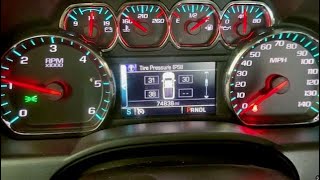
- The pressure reading for the left front tire shows as dashes ("--") on the DIC.
- In rare cases, intermittent key fob failure or "No Remote Detected" messages if the RCDLR is the root cause.
- Reduced or no range for remote lock/unlock functions.
- Replacing the Body Control Module (BCM). While the BCM is involved in the system, the sensor or RCDLR are far more common failure points. BCM replacement is a costly and unlikely fix for a single TPMS sensor code.
- Assuming the relearn procedure can be done without a tool. While some older GM vehicles allowed relearning by changing tire pressure, most modern vehicles, including the Express, require a dedicated TPMS activation tool (like an EL-50448) to complete the process.
Most Likely Causes
- Failed TPMS Sensor (Dead Battery) 🔴 High Probability → Shop Tire Pressure Monitoring System (TPMS) Sensor TPMS sensors use a sealed, non-rechargeable battery with a finite lifespan, typically 7-10 years. Vehicles in the 2015-2022 range are now old enough to experience age-related battery failures, with 2015-2017 models being especially susceptible.
How to confirm: Use a TPMS diagnostic tool (like an Autel TS508 or similar) to attempt to read the sensor. If the tool shows a low battery status or cannot get a reading from the left front sensor while others respond, the sensor has failed. A professional scan tool can also check the sensor's battery condition in the RCDLR data list.
Typical fix: Replace the left front TPMS sensor. The tire must be unseated from the wheel to access the sensor. 🎬 Watch: How to replace a TPMS sensor without removing the wheel. After replacement, a TPMS relearn procedure must be performed using a TPMS activation tool.
Est. part cost: $30-$70 - Faulty Remote Control Door Lock Receiver (RCDLR) ⚪ Low Probability → Shop Keyless Entry Receiver The RCDLR is the shared receiver for both TPMS signals and key fob commands. Internal failures in this module can disrupt communication with one or all TPMS sensors, a condition documented in GM TSB 16-NA-396.
How to confirm: This is a likely cause if you experience TPMS codes along with intermittent failure of the key fob, passive entry, or push-to-start systems. A GM-specific scan tool can check for communication errors with the RCDLR. If the module is not communicating, check for power and ground at the connector 🎬 See how to diagnose an RCDLR module with no communication. before condemning the module.
Typical fix: Replace the Remote Control Door Lock Receiver module. On the Express/Savana, this part is typically located under the top of the dashboard, above the instrument cluster. The new module requires programming by a dealer or a shop with advanced scan tools.
Est. part cost: $50-$100
Rare But Worth Checking
- Radio Frequency (RF) Interference: Occasionally, aftermarket electronic devices like phone chargers, dash cams, LED lights, or CB radios can emit RF noise that interferes with the TPMS signal. GM TSB PIC5650 specifically calls out this issue. Before replacing parts, try unplugging all non-factory electronics to see if the problem disappears.
- Damaged Sensor from Tire Service: The sensor can be physically broken during a tire change if the technician is not careful. This is usually discovered immediately after a tire service.
Diagnosis Steps
- Verify the TPMS warning light is on and the Driver Information Center (DIC) shows dashes for the left front tire pressure.
- Use a TPMS diagnostic tool to test each of the four sensors. Start with the left front. Note that proper tool placement on the tire sidewall near the valve stem is critical for an accurate reading.
- If the tool cannot read the left front sensor or reports a low battery, the sensor is bad and needs replacement.
- If all sensors test good but the code remains, check for any aftermarket electronics that could cause RF interference as outlined in TSB PIC5650. Unplug all chargers, dash cams, and non-factory lighting.
- If you also have intermittent key fob or starting issues, suspect the RCDLR per TSB 16-NA-396. A professional diagnosis with a dealer-level scan tool is recommended to confirm RCDLR communication failure before replacement.
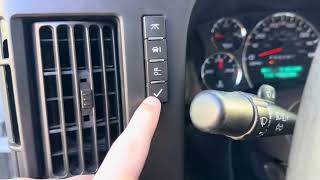
- After any repair (sensor or RCDLR replacement), perform the TPMS relearn procedure as specified for the vehicle. This usually requires a TPMS activation tool to trigger each sensor in sequence. 🎬 Watch: A step-by-step guide to the GM TPMS relearn procedure.
Parts You'll Likely Need
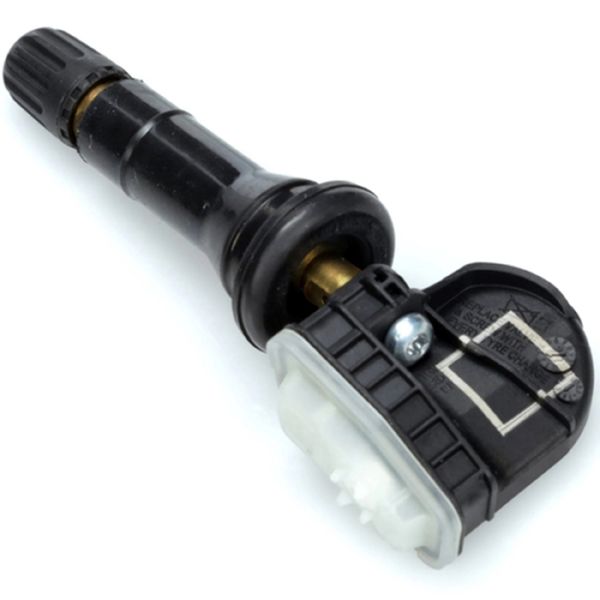
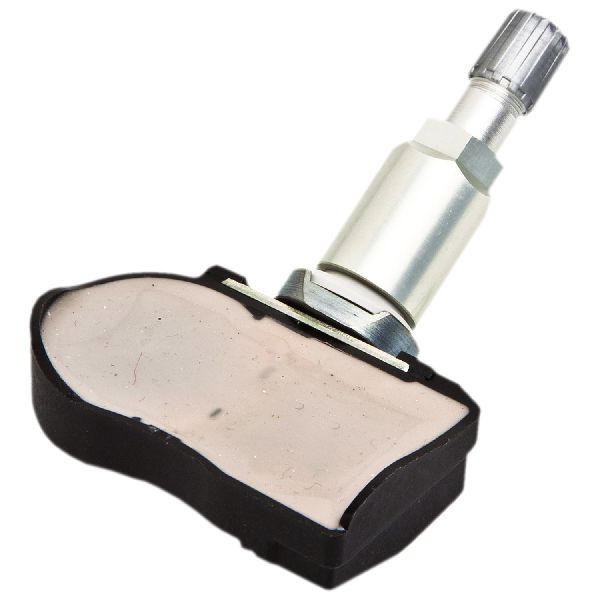
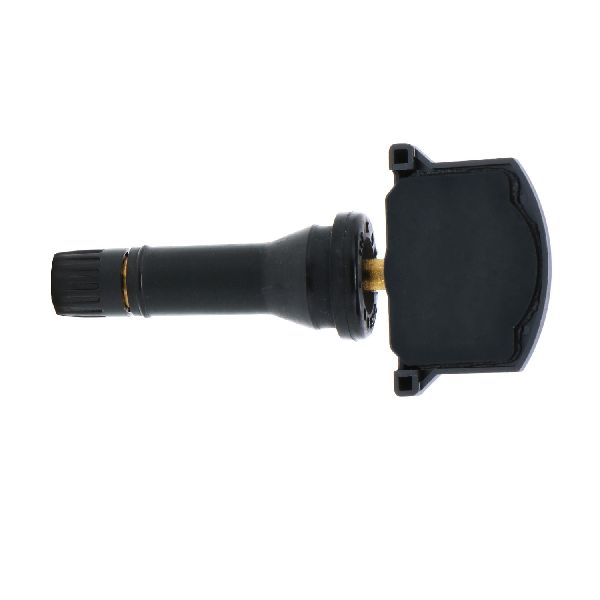
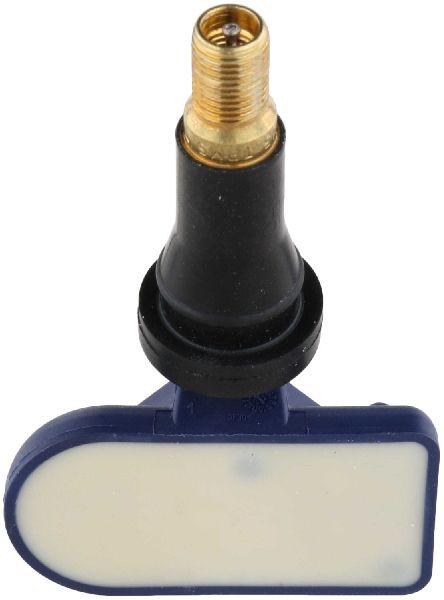
- Tire Pressure Monitoring System (TPMS) Sensor
(OEM #13598771, supersedes 13516164)— This is the direct cause of the code in the vast majority of cases, typically failing due to an exhausted internal battery. Part number 13598771 is a common replacement for 13516164.
Trusted brands: ACDelco, Schrader, Autel, VDO
OEM price range: $50-$70
Aftermarket price range: $30-$50 - Remote Control Door Lock Receiver (RCDLR)
(OEM #13595511)— Needed only when diagnosis confirms the RCDLR is faulty, usually accompanied by key fob issues. TSB 16-NA-396 specifies this part for replacement.
Trusted brands: ACDelco
OEM price range: $50-$100
Aftermarket price range: $40-$80
Related Codes That Often Appear With This One
- C0755 — Right Front TPMS Sensor fault. Often seen with C0750 if sensors are failing from old age around the same time.
- C0760 — Left Rear TPMS Sensor fault. Often seen with C0750 if sensors are failing from old age around the same time.
- C0765 — Right Rear TPMS Sensor fault. Often seen with C0750 if sensors are failing from old age around the same time.
- B3055, B3060, B3935 — These are vehicle security and key-related codes. Their presence with C0750 strongly points towards a faulty Remote Control Door Lock Receiver (RCDLR) or significant RF interference as the common cause. [Bulletin #PIC5650M]
Technical Service Bulletins (TSBs) & Recalls
- PIC5650M: Notes the association of C0750 with no-start conditions and security DTCs, pointing to RF interference as a primary diagnostic step.
- 16-NA-396: Identifies a faulty Remote Control Door Lock Receiver (RCDLR) as a cause for TPMS codes appearing with key fob and passive entry/start issues.
Platform-Specific Known Issues
- TSB PIC5650M (and later revisions like G) documents that C0750 can be found alongside various security/start-related DTCs (B3055, B3060, etc.) in cases of intermittent no-crank or start-stall conditions, pointing to Radio Frequency Interference (RFI) from aftermarket devices or, less commonly, a faulty RCDLR.
- TSB 16-NA-396 further clarifies that a faulty RCDLR can cause both TPMS codes and intermittent loss of key fob functions, and recommends replacing the RCDLR module as the fix, providing part number 13595511.
- Owner experiences confirm that while the owner's manual might suggest a relearn procedure by letting air out of the tires, this often fails on newer models, making a TPMS activation tool a practical necessity.
Mechanic-Grade Diagnostic Values
- Scan Tool RCDLR Data List: Sensor Battery Condition — expected: OK. Failure: A 'Low' or 'Fail' status indicates the sensor needs replacement.
- Scan Tool RCDLR Data List: Tire Pressure Sensor Rolling Count — expected: Greater than 50%. Failure: A low percentage or 'Hit Rate' suggests RF interference is preventing the signal from being received reliably.
- Time Until Code Sets — expected: N/A. Failure: The RCDLR will set the DTC if a sensor does not transmit for approximately 18 minutes while the vehicle speed is above 25 mph (40 km/h).
Hidden / Shadow Codes Worth Checking
- C0750 00: Left Front Low Tire Pressure Sensor. This is a general fault code for the sensor. (see via GM-specific scan tool (Tech 2, GDS2) or high-end aftermarket scanner.)
- C0750 08: Left Front Low Tire Pressure Sensor Signal Invalid. This indicates the signal being received is corrupt or doesn't make sense. (see via GM-specific scan tool (Tech 2, GDS2) or high-end aftermarket scanner.)
- C0750 29: Left Front Tire Pressure Sensor Too Few Pulses. This symptom code is specifically called out in TSB 16-NA-396 and strongly points to a faulty RCDLR module as the root cause, especially if key fob issues are also present. (see via GM-specific scan tool (Tech 2, GDS2) or high-end aftermarket scanner.)
Scan Tool Commands That Help
- GDS2 / Tech 2 / High-End Aftermarket: TPMS Relearn Procedure / Tire Learning ACTIVE — Required after replacing any TPMS sensor or rotating tires to make the vehicle learn the new sensor IDs and their positions. This is initiated through the DIC and completed with a TPMS activation tool.
- GDS2 / Tech 2 with SPS: Replace and Program ECU (for RCDLR) — When replacing the RCDLR module. This function flashes the module with the correct vehicle software and VIN. It is a necessary step to make the new module communicate with the vehicle.
- GDS2 / Tech 2: Theft Deterrent System Learn — May be required after replacing and programming a new RCDLR, as the RCDLR is tied into the vehicle's security system.
Wiring & Ground Locations
- RCDLR Module — Located behind the center of the dashboard, typically above and behind the instrument panel cluster.. This is the receiver for the TPMS signal. Knowing its location is critical for replacement or for checking its connector for power, ground, and signs of damage.
- G302 — Behind the left kick panel.. This is a common ground point for several instrument panel components, including the data line network the RCDLR communicates on. A poor ground here can cause various difficult-to-diagnose electrical issues, including communication codes.
Real Owner Repair Stories
- CorvetteForum user (2005 Chevrolet Corvette (uses a similar RCDLR system)) — "No fob detected" message, required tapping the dashboard to get the car to start.
❌ Tried (didn't work) Repinning the connector plugs.
✅ What actually fixed it The user removed the RCDLR, opened the case, and re-soldered the header pins on the circuit board. The problem was a cold solder joint, which was making intermittent contact. This board-level repair fixed the issue without needing to program a new module. - Chevrolet Forum user (2012 Chevrolet Express 2500) — Service tire monitor light after replacing a sensor.
❌ Tried (didn't work) Using the DIC buttons to find the relearn option., Cycling parking lights., Disconnecting the battery.
✅ What actually fixed it The user noted their van, which did not have a remote key fob, would not display the 'RELEARN TIRE POSITIONS' message in the DIC, preventing them from starting the procedure. This highlights a potential roadblock for base model vans where the standard procedure is inaccessible.
OEM Part Supersession History
13516164→13598771— Standard part evolution and update.13598771→13540600— Standard part evolution and update.
Heads up: Verify compatibility before purchase, but this is the latest number in the chain.13509518→13595511— Updated part specified in TSB 16-NA-396 for fixing TPMS/Key Fob issues.
Heads up: 13595511 is the specified service part for many vehicles originally equipped with 13509518.13595511→13540045— Standard part evolution and update.
Heads up: This appears to be the latest supersession for the RCDLR module.
Model Year Variations Within This Range
- 2016-2022: TPMS relearn mode is typically entered via the 'INFO' menu using the keypad on the steering wheel.
- 2015 (and earlier): TPMS relearn mode is often entered by pressing the trip odometer reset stem until 'RELEARN TIRE POSITIONS' appears on the DIC.
Helpful Videos
We Have This Part in Stock



The information in this article is provided for general reference and educational purposes only. Vehicle specifications, procedures, and part compatibility can vary by production date, trim level, and region. Always consult your vehicle's factory service manual and verify part numbers before purchasing or performing repairs. Safety-critical components such as airbags, seat belts, and braking systems should be installed by a qualified professional.
- Chevrolet EXPRESS 3500:
- 🧭 Diagnostic Flowchart
- 🎬 Helpful Videos
- 🛍️ Shop This Part
- What's Unique About the 2015-2022 Chevrolet EXPRESS 3500
- Symptoms You May Notice
- Most Likely Causes
- Rare But Worth Checking
- Diagnosis Steps
- Parts You'll Likely Need
- Related Codes That Often Appear With This One
- Technical Service Bulletins (TSBs) & Recalls
- Platform-Specific Known Issues
- Mechanic-Grade Diagnostic Values
- Hidden / Shadow Codes Worth Checking
- Scan Tool Commands That Help
- Wiring & Ground Locations
- Real Owner Repair Stories
- OEM Part Supersession History
- Model Year Variations Within This Range
- 🎟️ Get 5% Off