

C0750 on 2015-2022 GMC Acadia: TPMS Fault, Key Fob, and RCDLR Fixes
On a 2015-2022 Acadia, C0750 usually points to a failed Remote Control Door Lock Receiver (RCDLR), not the tire sensor itself. If your key fob also stopped working, the RCDLR is the almost certain cause. This is a well-documented issue covered by GM TSB #16-NA-396. Replacement requires professional programming and costs between $250-$500.
- Before buying any parts, check if your key fob is working. If it's not, the problem is almost certainly the Remote Control Door Lock Receiver (RCDLR), not the tire sensor.
- C0750 specifically points to the Left Front tire position.
- Replacing the RCDLR is not a DIY job because it requires expensive, specialized tools to program the new module to your vehicle.
- If the key fob works fine and only C0750 is present, the TPMS sensor in the left front tire is the likely culprit, usually due to a dead battery.
- This issue can sometimes lead to the vehicle not starting, so it should be addressed promptly.
What's Unique About the 2015-2022 Gmc ACADIA
On this generation of GMC Acadia and its platform mates (like the Chevrolet Traverse and Buick Enclave), the Tire Pressure Monitoring System (TPMS) and the keyless entry system are controlled by the same module: the Remote Control Door Lock Receiver (RCDLR). A common internal failure in the RCDLR causes it to stop receiving radio frequency (RF) signals from both the TPMS sensors and the key fobs simultaneously. This design quirk is why a tire pressure code is frequently the first sign of a keyless entry system failure, a unique and often confusing situation for owners.
Diagnostic Flowchart
Tap your situation to follow the diagnostic path that matches what you're seeing on this vehicle.
Generation note: This vehicle range covers two generations of the Acadia: the first generation (Lambda platform, 2015-2016) and the second generation (C1XX platform, 2017-2022). The primary cause, a failing RCDLR module, is a known issue affecting numerous GM vehicles from this era, including both Acadia generations, and is documented in GM Technical Service Bulletin #16-NA-396.
Symptoms You May Notice
- "Service Tire Monitor System" message appears in the driver information center.
- TPMS warning light illuminates, sometimes flashing for 60 seconds at startup before staying solid.
- Key fob functions (lock, unlock, remote start, panic button) stop working intermittently or completely.
- "No Remote Detected" message when trying to start the vehicle.
- Intermittent no-crank or no-start condition with the security light illuminated. [TSB PIC5650M]
- Tire pressures display as dashes in the driver information center.
- Replacing the left front TPMS sensor when the key fob is also inoperative. This wastes money on a sensor when the actual problem is the RCDLR module, as the simultaneous failure of both systems is the key diagnostic clue.
- Replacing key fob batteries when all fobs and the TPMS system fail at once. While a good first step for a single fob issue, it won't solve a systemic RCDLR failure.
Most Likely Causes
- Faulty Remote Control Door Lock Receiver (RCDLR) 🔴 High Probability → Shop Keyless Entry Receiver This is a well-documented failure point on many GM vehicles from this period, as confirmed by TSB #16-NA-396. The module suffers from internal electronic issues that disrupt its ability to receive radio frequency signals from both the key fobs and TPMS sensors.
How to confirm: The easiest way to confirm is to check your key fob. If the C0750 code appeared around the same time your key fob stopped working, the RCDLR is almost certainly the culprit. A professional scan tool can also read the specific symptom code ':29 – Too Few Pulses' which points directly to this failure. Often, codes for all four sensors (C0750, C0755, C0760, C0765) will be present simultaneously.
Typical fix: Replace the RCDLR module and have it professionally programmed to the vehicle.
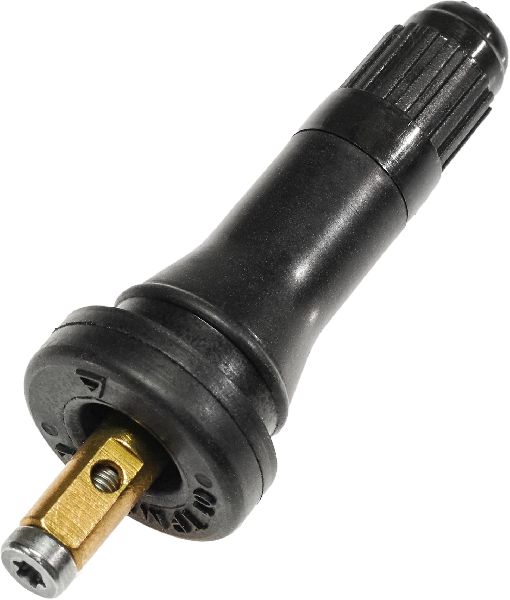
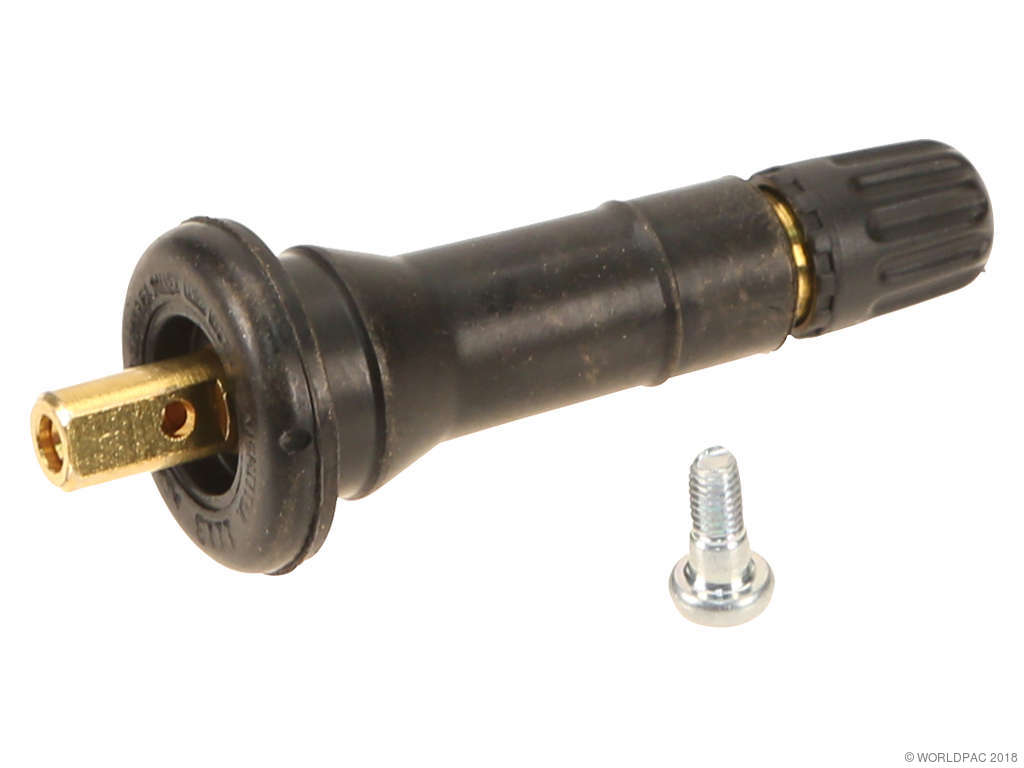
Est. part cost: $50-$100 - Dead or Faulty Left Front TPMS Sensor 🟡 Medium Probability → Shop Tire Pressure Monitoring System (TPMS) Sensor TPMS sensors have a finite battery life, typically 5-10 years. Vehicles in this year range are reaching the age where sensor battery failure is common. A flashing TPMS light upon startup that then stays solid is a key indicator of a sensor or system fault.
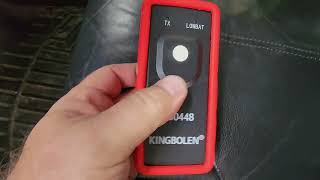
How to confirm: This is the likely cause if C0750 is the ONLY code present and your key fob works perfectly. A tire shop can use a TPMS tool to attempt to activate the sensor. If it doesn't respond, its internal battery has likely expired.
Typical fix: Replace the TPMS sensor in the left front wheel and perform a TPMS relearn procedure.
Est. part cost: $30-$80 - TPMS Relearn Procedure Not Performed ⚪ Low Probability This occurs if the tires were recently rotated or replaced and the shop did not reset the sensor positions in the vehicle's computer. The system is looking for the sensor in a location where it no longer is.
How to confirm: If the light appeared immediately after a tire service, this is a strong possibility. The fix is to perform the TPMS relearn procedure.
Typical fix: Perform the TPMS relearn procedure using the vehicle's DIC menu and a TPMS activation tool, or by following the owner's manual instructions. A shop may charge between $49 and $72 for this service.
Est. part cost: $0-$72
Rare But Worth Checking
- Disconnected RCDLR Antenna:
Diagnosis Steps
- Check Key Fob Function: Press the lock and unlock buttons on ALL your key fobs. If none of them work, the RCDLR is the most likely cause. Proceed to step 4.
- Check for Other TPMS Codes: Use an OBD-II scanner to see if codes C0755, C0760, or C0765 are also present. Multiple TPMS codes, especially with symptom code :29, strongly suggest a central receiver (RCDLR) issue rather than multiple dead sensors.
- Test the TPMS Sensor: If the key fob works and only C0750 is present, the issue is likely the sensor itself. Visit a tire shop to have them test the left front sensor with a TPMS tool. If it's dead, replace it.
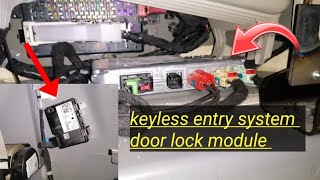
- Inspect RCDLR and Antenna Connections: If the RCDLR is suspected, a professional technician will locate the module. 🎬 Watch: See the RCDLR module location and wiring diagram. They will inspect its wiring and, per TSB 16-NA-061, check the coax antenna connections for looseness before condemning the module itself.
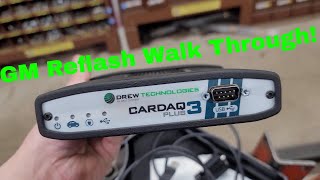
- Replace and Program: If the RCDLR is confirmed faulty, replace the module. This new module MUST be programmed by a dealer or a qualified shop with GM's GDS2 software to recognize your vehicle's key fobs and TPMS sensors.
Parts You'll Likely Need
- Remote Control Door Lock Receiver (RCDLR)
(OEM #13595511 (Note: This part may be superseded by 13540045. Always verify with VIN.))— This module is the most common point of failure for this set of symptoms, as documented in TSB #16-NA-396. It is responsible for receiving both TPMS and key fob signals.
Trusted brands: ACDelco, GM Genuine
OEM price range: $50-$110
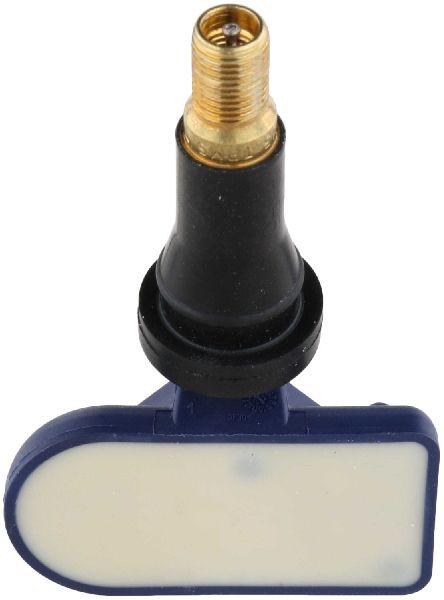
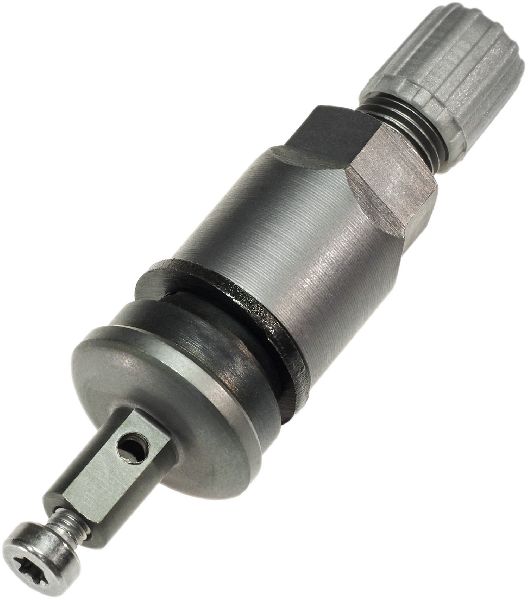
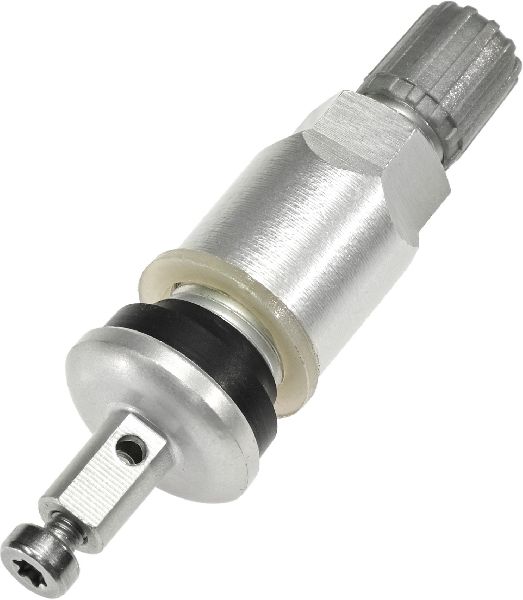
Aftermarket price range: $40-$80 - Tire Pressure Monitoring System (TPMS) Sensor — This is the part to replace if C0750 appears alone and the key fob functions normally, typically due to an expired internal battery (5-10 year lifespan).
Trusted brands: ACDelco, Schrader, Continental, Huf
OEM price range: $50-$90
Aftermarket price range: $30-$60
Related Codes That Often Appear With This One
- C0755, C0760, C0765 — These are the codes for the other three tire pressure sensors (Right Front, Left Rear, Right Rear). When the RCDLR fails, it often loses communication with all sensors, causing all four codes to appear together with symptom code :29.
- B3055, B3060, B3935 — These are security and key-related codes. TSB #PIC5650M notes that they can appear with C0750 during intermittent no-start conditions, pointing to a broader security module communication issue, often involving the RCDLR.
Technical Service Bulletins (TSBs) & Recalls
- 16-NA-396: Documents the simultaneous failure of key fobs and TPMS, setting codes C0750, C0755, C0760, C0765 with symptom :29. It identifies the cause as an internal failure of the Remote Control Door Lock Receiver and advises replacement.
- PIC5650M: Links C0750 and other TPMS codes to intermittent no-start/stall conditions and security light illumination, suggesting a broader electrical or security module issue.
- 16-NA-061: Suggests that before replacing the RCDLR, technicians should inspect the antenna coax cable connections at the module and at the antenna amplifier, as a simple disconnect can cause identical symptoms.
Platform-Specific Known Issues
- A widespread issue with the RCDLR module across many GM platforms of this era causes simultaneous failure of the keyless entry and tire pressure monitoring systems, as documented in TSB #16-NA-396.
- Intermittent no-start conditions tied to security system faults, which can include the RCDLR and set chassis codes like C0750, are noted in TSB #PIC5650M.
- A video for a 2022 Acadia shows the RCDLR located in the right rear quarter panel area, underneath the A/C evaporator box and blower motor assembly for the rear climate control.
Hidden / Shadow Codes Worth Checking
- C0750 :29: Too Few Pulses. This is the most common symptom byte, indicating the RCDLR is not receiving the expected number of signal pulses from the TPMS sensor. It is explicitly mentioned in TSB 16-NA-396 as the key indicator of an internal RCDLR failure. (see via A professional scan tool like the GM GDS2 or a high-end aftermarket scanner capable of reading body module symptom data.)
- C0750 :03: Low Voltage. This indicates the RCDLR has detected that the voltage from the TPMS sensor is below the required threshold, which can point to a failing sensor battery. (see via A professional scan tool like the GM GDS2 or a high-end aftermarket scanner.)
- C0750 :08: Signal Invalid. This suggests the RCDLR is receiving a signal, but the data is corrupt or not in the expected format. (see via A professional scan tool like the GM GDS2 or a high-end aftermarket scanner.)
Scan Tool Commands That Help
- GDS2 (GM Global Diagnostic System 2): Module Diagnostics > Remote Control Door Lock Receiver > Configuration/Reset Functions > Add/Replace Key Fobs — This function is required after replacing the RCDLR to program the existing (or new) key fobs to the new module. The vehicle will not recognize the fobs until this is done.
- GDS2 (GM Global Diagnostic System 2): Module Setup / RCDLR Setup — After physically installing a new RCDLR, this setup procedure must be performed to initialize the module and integrate it with the vehicle's other systems, such as the Body Control Module (BCM) and Theft Deterrent Module (TDM).
- GDS2 (GM Global Diagnostic System 2): Theft Deterrent System Learn — This is a mandatory step after RCDLR replacement. The RCDLR is part of the vehicle's immobilizer system, and this procedure (which can take 10-30 minutes) synchronizes the new module with the vehicle's security credentials, preventing a no-start condition.
Wiring & Ground Locations
- RCDLR Location (2017-2022) — In the second generation Acadia, the RCDLR is typically located in the right rear quarter panel, often beneath the rear climate control evaporator and blower assembly if so equipped.. Physical access is required to replace the module or to check its electrical connector and antenna connection, which are common diagnostic steps.
- RCDLR Location (2015-2016) — In the first generation Acadia, the RCDLR is located above the headliner, near the rear of the vehicle, often accessible by lowering the rear of the headliner.. Knowing the location is critical for replacement. Water leaks from the sunroof or roof rack mounting points can drip onto the module in this location, causing failure.
- G303 / G304 — These are major body ground points located near the base of the B-pillars (G303 on the left, G304 on the right) or below the floor console.. The RCDLR and BCM rely on clean ground connections. While not a primary cause, a corroded or loose ground at these locations can cause a wide range of difficult-to-diagnose electrical issues, including communication codes.
- RCDLR Antenna — The antenna is integrated into the right rear quarter glass, connected to an amplifier module, which then connects to the RCDLR via a coaxial cable.. A disconnected coax cable at the RCDLR, the amplifier, or the glass connection itself can mimic a complete RCDLR failure, setting TPMS codes and disabling key fobs. TSB 16-NA-061 advises checking these connections before replacing the module.
OEM Part Supersession History
13509518→13595511— Updated part revision from the manufacturer to address internal failures.
Heads up: TSB 16-NA-396 explicitly lists this supersession. Using the old part number is not advised.13595511→13540045— Standard part number consolidation and revision by the manufacturer.
Heads up: Parts suppliers confirm 13540045 is the service replacement for 13595511. Always verify the correct part number for the vehicle's specific VIN and frequency (315 MHz vs 433 MHz) before ordering.
Model Year Variations Within This Range
- 2015-2016 (First Generation): The RCDLR module is located in the headliner towards the rear of the vehicle. These models are susceptible to water leaks from sunroof drains or roof seams that can damage the module.
- 2017-2022 (Second Generation): The RCDLR module is located in the right rear quarter panel area. These models are more susceptible to issues from a clogged HVAC drain causing water damage to the BCM, which can create similar communication-related symptoms.
Helpful Videos
We Have This Part in Stock


The information in this article is provided for general reference and educational purposes only. Vehicle specifications, procedures, and part compatibility can vary by production date, trim level, and region. Always consult your vehicle's factory service manual and verify part numbers before purchasing or performing repairs. Safety-critical components such as airbags, seat belts, and braking systems should be installed by a qualified professional.
- Gmc ACADIA:
- 🧭 Diagnostic Flowchart
- 🎬 Helpful Videos
- 🛍️ Shop This Part
- What's Unique About the 2015-2022 Gmc ACADIA
- Symptoms You May Notice
- Most Likely Causes
- Rare But Worth Checking
- Diagnosis Steps
- Parts You'll Likely Need
- Related Codes That Often Appear With This One
- Technical Service Bulletins (TSBs) & Recalls
- Platform-Specific Known Issues
- Hidden / Shadow Codes Worth Checking
- Scan Tool Commands That Help
- Wiring & Ground Locations
- OEM Part Supersession History
- Model Year Variations Within This Range
- 🎟️ Get 5% Off