

C0755 on 2007-2014 Cadillac Escalade: Right Front TPMS Fault Causes and Fixes
Code C0755 on a 2007-2014 Escalade almost always means the right front tire pressure sensor has failed, usually due to a dead battery. The sensors use a 315 MHz frequency. Replacing the sensor costs about $35-$75 for the part and requires dismounting the tire. A relearn procedure, which does not require a special tool, must be performed afterward.
- C0755 means the right front tire pressure sensor is not communicating with the vehicle.
- The most common cause is a dead battery inside the sensor, which is expected for a vehicle of this age.
- While you can drive with this code, your vehicle will not warn you of a dangerously low tire, so manual pressure checks are essential.
- Replacement requires a tire shop to dismount the tire, but the subsequent relearn procedure can be done at home without special tools.
- Consider replacing all four TPMS sensors at once, especially if they are original, to save on future labor costs.
What's Unique About the 2007-2014 Cadillac ESCALADE
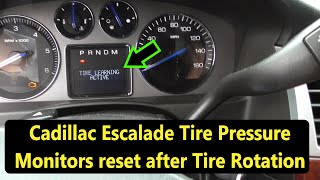
For this generation of Escalade (GMT900), the Tire Pressure Monitoring System (TPMS) is straightforward. The sensors have a finite battery life of 5-10 years, and given the vehicle's age, failure is expected. Unlike many newer vehicles, this system does not typically require an expensive proprietary scan tool for relearning. A simple, tool-free procedure involving the key fob and letting air out of the tires will sync a new sensor to the vehicle. 🎬 Watch: How to relearn your TPMS sensors without using any tools. The vehicle's turn signals will illuminate to guide the user to the correct tire during the process.
Diagnostic Flowchart
Tap your situation to follow the diagnostic path that matches what you're seeing on this vehicle.
Symptoms You May Notice
- Flashing TPMS warning light on the instrument cluster, which may stay on solid after flashing for about a minute.
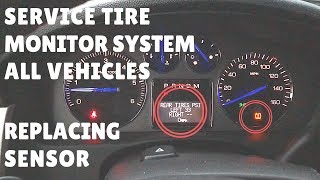
- "Service Tire Monitor System" message on the Driver Information Center (DIC).
- The pressure reading for the right front tire shows as dashes (--) on the DIC.
- In some cases, as noted by GM TSB PIC5650M, this code may appear alongside other codes in a no-start, stalling, or "No Fob Detected" scenario, pointing to a broader Radio Frequency Interference issue.
- Replacing the Body Control Module (BCM) when the issue is a simple sensor failure or an RCDLR fault.
- Assuming the sensor at the right front is bad when the real issue is that the sensor positions were not relearned after a tire rotation, and the bad sensor is actually on another wheel.
- Replacing a single sensor, only to have another one fail a few months later due to similar age and battery life.
Most Likely Causes
- Dead TPMS Sensor Battery 🔴 High Probability → Shop Tire Pressure Monitoring System (TPMS) Sensor The original sensors contain a non-replaceable lithium battery with a typical lifespan of 5-10 years. For 2007-2014 models, many original sensors are now well beyond their expected service life and failing.
How to confirm: Use a TPMS diagnostic tool to attempt to activate the sensor. If the tool cannot get a reading (ID, pressure, temperature), the sensor is not transmitting, which is most commonly due to a dead battery. A professional scan tool can also directly read the battery status from the RCDLR data.
Typical fix: Replace the right front TPMS sensor. It is highly recommended to replace all four sensors at the same time, as the others are likely the same age and will probably fail soon.
Est. part cost: $35-$75 per sensor - Failed TPMS Sensor 🟡 Medium Probability → Shop Tire Pressure Monitoring System (TPMS) Sensor Sensors can be damaged during tire changes or by road impacts. The electronics can also fail internally from age, vibration, and thermal cycles.
How to confirm: Diagnosis is the same as for a dead battery. If the sensor fails to activate with a TPMS tool, it is considered faulty. Visually inspect the sensor for physical damage when the tire is dismounted.
Typical fix: Replace the faulty TPMS sensor located in the right front wheel. Use an OEM or reputable aftermarket brand like ACDelco, Schrader, or Continental.
Est. part cost: $35-$75 per sensor - Tire Positions Not Relearned After Rotation ⚪ Low Probability If tires were rotated but the TPMS relearn procedure was not performed, the vehicle will report the C0755 code because it thinks the sensor from the right front is malfunctioning, but the actual faulty sensor may now be at a different corner of the vehicle.
How to confirm: Perform the TPMS relearn procedure. If the fault follows the tire that was originally on the right front, the sensor is bad. If the code changes (e.g., to C0750 for Left Front) after relearning, it confirms the positions were mixed up and the sensor in that tire is the one that has failed.
Typical fix: Perform the TPMS relearn procedure to correctly assign sensor locations to the vehicle's computer.
Est. part cost: $0
Rare But Worth Checking
- Remote Control Door Lock Receiver (RCDLR) Fault: → Shop Keyless Entry Receiver The RCDLR is the module that receives the signals from all TPMS sensors and key fobs. While rare, if a new sensor cannot be learned or if multiple sensors report issues intermittently, the RCDLR itself could be the problem. Symptoms can include an inability to retain sensor IDs after a key cycle. In one documented case on a Tahoe, rewriting the tire type and pressure settings to the RCDLR with a bidirectional scanner resolved the issue.
- Radio Frequency (RF) Interference: Aftermarket electronic devices like dash cams, phone chargers, LED lighting, or even toll passes can emit RF interference that blocks the 315 MHz signal from the TPMS sensor. TSB PIC5650M specifically addresses this, noting that such interference can also cause no-start conditions and key fob issues.
Diagnosis Steps
- Verify the TPMS warning light is flashing on startup and then staying solid, and check for a "Service Tire Monitor System" message.
- Use a scan tool to confirm C0755 is the active or stored code.
- Use a TPMS activation tool to attempt to read the sensor at the right front wheel. Note if it transmits its ID, pressure, and temperature. If it does not respond but the other three do, the sensor has failed.
- If you suspect a tire rotation was performed without a relearn, initiate the vehicle's relearn mode first to confirm the fault is truly at the right front wheel location.
- To initiate relearn mode: Turn the key to 'ON' (engine off). Press and hold the lock and unlock buttons on the key fob simultaneously until the horn chirps twice and the DIC displays 'Tire Learning Active'.
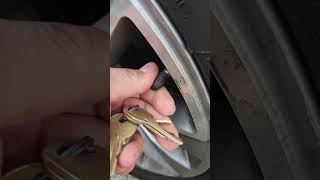
- The vehicle will indicate which tire to learn first (usually left front) by illuminating that corner's turn signal. Let air out of the tire until the horn chirps once. Proceed in the order the vehicle indicates (LF, RF, RR, LR).
- If a new sensor is installed and still won't program, investigate for RF interference from aftermarket electronics or a potential issue with the RCDLR module.
- After replacing the sensor, perform the full TPMS relearn procedure to sync the new sensor ID to the vehicle.
Parts You'll Likely Need
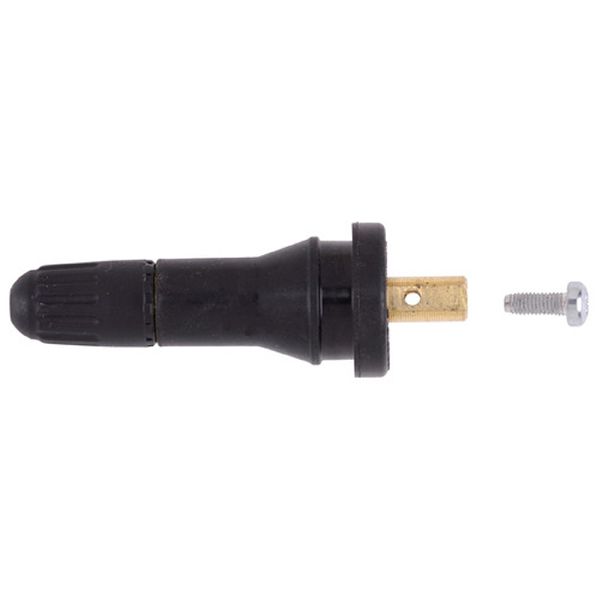
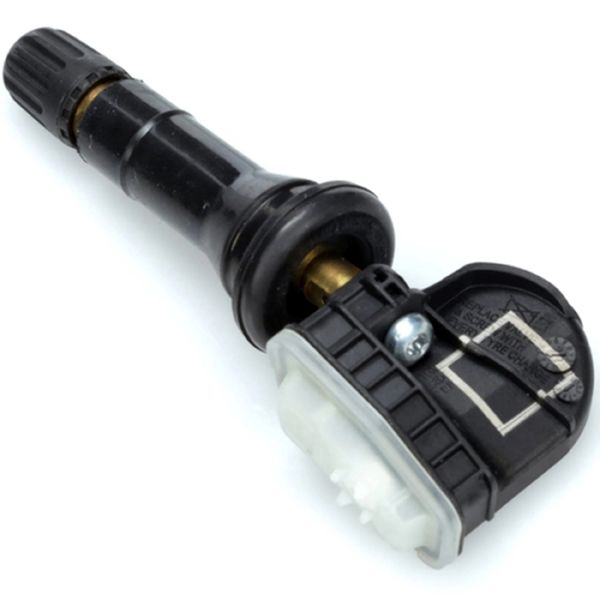
- Tire Pressure Monitoring System (TPMS) Sensor
(OEM #13598771)— This is the direct cause of the fault, typically due to an expired internal battery. This part number is a common ACDelco replacement. It supersedes older numbers and is cross-compatible with numbers like 13586335 and 20923680. The system uses a 315 MHz frequency.
Trusted brands: ACDelco, Schrader, Continental, Dorman
OEM price range: $50-$80
Aftermarket price range: $35-$60
Related Codes That Often Appear With This One
- C0750 — Indicates a fault with the Left Front TPMS sensor. Often seen if multiple sensors are failing due to age.
- C0760 — Indicates a fault with the Left Rear TPMS sensor. Often seen if multiple sensors are failing due to age.
- C0765 — Indicates a fault with the Right Rear TPMS sensor. Often seen if multiple sensors are failing due to age.
- B3055 — Relates to the vehicle immobilizer or key recognition system. GM TSB PIC5650M links this code with TPMS codes (C0750, C0755, etc.) in complex no-start electrical scenarios caused by RF interference.
Technical Service Bulletins (TSBs) & Recalls
- PIC5650M (and revisions F, G, K): Details how C0755 can be a symptom of a larger RF interference problem affecting the RCDLR, leading to no-start, stalling, and key fob issues. It advises technicians to check for aftermarket electronics before replacing any modules.
Platform-Specific Known Issues
- A known Technical Service Bulletin (PIC5650M and its revisions) links C0755 and other TPMS codes with more severe electrical issues, including no-crank, stalling, and key fob problems. The root cause is often Radio Frequency Interference (RFI) from aftermarket accessories like phone chargers or LED lights jamming the RCDLR module. Diagnosis in these cases requires checking for RFI, not just replacing the TPMS sensor.
Mechanic-Grade Diagnostic Values
- RCDLR Module Power Supply Voltage — expected: 12-14 Volts at the RD/WH wire (Pin 1) with key-on.. Failure: Low or no voltage indicates a wiring or fuse issue upstream of the module.
- TPMS Sensor Battery Status (Scan Tool) — expected: OK. Failure: A 'Low' or 'Fail' status indicates the sensor's internal battery is depleted and the sensor must be replaced.
Scan Tool Commands That Help
- Tech2/GDS2: RCDLR - Special Functions - Tire Type/Pressure Selection — This function is used after replacing the RCDLR or if the module loses its memory. It allows the technician to set the correct tire type and placard pressure values, which is necessary for the system to operate correctly. Failure to do this can cause the system to not learn sensors.
- Tech2/GDS2: RCDLR - Module Setup / SPS Reprogramming — When a new RCDLR module is installed, it must be programmed using the Service Programming System (SPS) via TIS2Web. This loads the correct software and vehicle options into the new module.
- Tech2: Copy and Paste TPM Information — This specific function in the Tech2 should be used before reprogramming an existing RCDLR. It copies the stored sensor IDs, so they can be pasted back into the module after the software update, avoiding the need to perform a full relearn procedure.
- GDS2: Module Diagnostics > RCDLR > Configure/Reset Functions > Add/Replace Key Fobs — While primarily for key fobs, issues with this function can indicate a faulty RCDLR that is also responsible for TPMS functions, as they share the same receiver.
Wiring & Ground Locations
- RCDLR Module — Located in the driver's side rear D-pillar. Access requires opening the rear hatch and removing the upper and side interior trim panels.. This is the central receiver for all TPMS signals. A loose connection, especially the coax antenna cable, can cause intermittent or total loss of signal from one or more sensors, setting codes like C0755.
- G302 / G303 — Common interior ground points for the GMT900 platform. G302 is reportedly on the passenger side front door sill area, while other critical grounds (G300 series) are located along the base of the B-pillars and rear seating area.. The RCDLR relies on a clean ground connection (typically a BK/WH wire) to function. A corroded or loose ground at G302 or a related point can cause the module to malfunction, leading to TPMS and keyless entry faults.
- RCDLR Coax Antenna Cable — Runs from the RCDLR module in the D-pillar to an antenna amplifier, which then connects to the antenna grid in the right rear quarter glass.. A disconnected coax cable at either the RCDLR module or the antenna amplifier is a known cause of TPMS codes. If the disconnect is at the module, all sensors may drop out. If at the amplifier, the sensors farthest away (like the right front) are most likely to lose signal first.
Real Owner Repair Stories
- NHTSA Service Bulletin PIT5446A (2015-2016 Cadillac Escalade (Note: Applies to K2XX platform, but the diagnostic principle is identical for GMT900)) — Service Tire Monitor System message, tire pressures showing as dashes, poor key fob range.
❌ Tried (didn't work) Not specified, but implies that replacing sensors or the RCDLR would not have fixed the issue.
✅ What actually fixed it The root cause was identified as a disconnected coax antenna cable at the RCDLR module. Reconnecting the cable and clearing the codes resolved all symptoms. The bulletin notes that the farther the sensor is from the RCDLR (e.g., front tires), the more likely it is to drop out from a poor antenna connection.
OEM Part Supersession History
13586335, 20923680, 15922396, 25920615, 15268606→13598771— Standard part consolidation and minor design updates over the vehicle's production run.
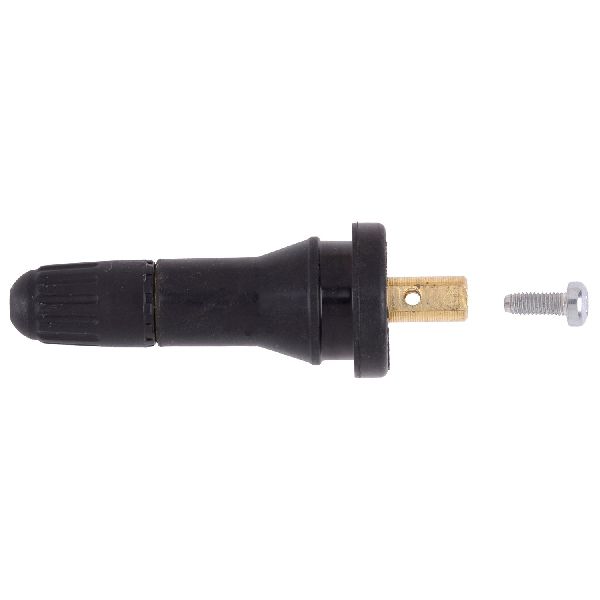
Heads up: These part numbers are generally interchangeable for the 2007-2014 Escalade as they all operate on the 315 MHz frequency. However, always verify fitment for the specific year, as some early models used metal clamp-in style sensors while later ones may have used rubber snap-in types.20923680→13540600— Part number update from GM.
Heads up: GM Parts Giant lists 13540600 as the replacement for 20923680. Compatibility should be verified, as this appears to be a newer supersession.
Model Year Variations Within This Range
- 2007-2014: Throughout the generation, both metal 'clamp-in' style and rubber 'snap-in' style TPMS sensors were used. While electronically compatible (both 315 MHz), they mount to the wheel differently. A user on a forum noted their 2007 Tahoe had metal stems, while wheels from a 2015 model had rubber stems that were not physically interchangeable without swapping the sensor body itself.
Helpful Videos
We Have This Part in Stock



The information in this article is provided for general reference and educational purposes only. Vehicle specifications, procedures, and part compatibility can vary by production date, trim level, and region. Always consult your vehicle's factory service manual and verify part numbers before purchasing or performing repairs. Safety-critical components such as airbags, seat belts, and braking systems should be installed by a qualified professional.
- Cadillac ESCALADE:
- 🧭 Diagnostic Flowchart
- 🎬 Helpful Videos
- 🛍️ Shop This Part
- What's Unique About the 2007-2014 Cadillac ESCALADE
- Symptoms You May Notice
- Most Likely Causes
- Rare But Worth Checking
- Diagnosis Steps
- Parts You'll Likely Need
- Related Codes That Often Appear With This One
- Technical Service Bulletins (TSBs) & Recalls
- Platform-Specific Known Issues
- Mechanic-Grade Diagnostic Values
- Scan Tool Commands That Help
- Wiring & Ground Locations
- Real Owner Repair Stories
- OEM Part Supersession History
- Model Year Variations Within This Range
- 🎟️ Get 5% Off