

C0755 on 2007-2014 Chevrolet Express 3500: TPMS Sensor Fault Causes and Fixes
Code C0755 on a 2007-2014 Express 3500 means the Right Front Tire Pressure Monitoring System (TPMS) sensor has failed. This is almost always due to a dead internal battery, as the original sensors are past their 5-10 year lifespan. Expect to pay a tire shop to replace the sensor and program it to the van. If key fobs are also malfunctioning, the issue is likely the Remote Control Door Lock Receiver (RCDLR) module.
- C0755 means the right front TPMS sensor needs to be replaced, most likely due to an expired battery.
- A special TPMS relearn tool (like the EL-50448) is required to program the new sensor; the old method of deflating the tire is unreliable.
- If your key fob also stops working or has poor range, the problem is more likely the Remote Control Door Lock Receiver (RCDLR) module, not the sensor.
- Before replacing any parts, unplug all aftermarket phone chargers and accessories to rule out Radio Frequency Interference (RFI), a common cause of this issue per GM TSBs.
What's Unique About the 2007-2014 Chevrolet EXPRESS 3500
For the Express 3500 and its platform mates (GMC Savana, Chevrolet Silverado, GMC Sierra), a C0755 code is usually a straightforward TPMS sensor failure. However, a notable Technical Service Bulletin (TSB #PIC5650M) links this and other TPMS codes to severe no-crank or start-and-stall conditions accompanied by a security light. This is unusual, suggesting that on this platform, a TPMS fault code can sometimes be a symptom of a larger electrical or module communication problem, rather than just a bad sensor. This is often caused by radio frequency interference (RFI) from aftermarket devices like phone chargers or LED lights, which can jam the RCDLR's reception.
Diagnostic Flowchart
Tap your situation to follow the diagnostic path that matches what you're seeing on this vehicle.
Symptoms You May Notice
- Flashing, then solid Tire Pressure Monitoring System (TPMS) warning light on the instrument cluster.
- "Service Tire Monitor System" message on the Driver Information Center (DIC).
- The DIC shows dashes (--) instead of a pressure reading for the right front tire.
- In rare cases, as noted by TSB #PIC5650M, may be present alongside a no-crank, no-start, or start-and-stall condition with the security light on.
- Simultaneous poor range or failure of keyless entry (RKE) fobs.
- Replacing the tire when the issue is the sensor inside.
- Assuming the BCM is bad without first testing the TPMS sensor with a proper tool.
- Replacing only the TPMS sensor when key fob issues are also present, indicating a likely RCDLR fault.
Most Likely Causes
- Dead TPMS Sensor Battery 🔴 High Probability → Shop Tire Pressure Monitoring System (TPMS) Sensor TPMS sensor batteries are not rechargeable and have a finite lifespan, typically 5-10 years. Vehicles in the 2007-2014 range are at or beyond the expected life of the original sensors.
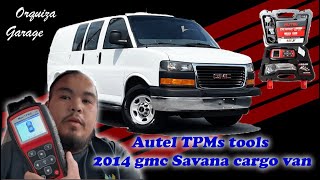
How to confirm: A professional TPMS diagnostic tool 🎬 See how to use a professional tool for TPMS relearning can attempt to activate the sensor. If it fails to respond or shows a low battery status, the sensor is dead. A code C0755 with symptom code 03 (Low Voltage) confirms this.
Typical fix: Replace the right front TPMS sensor. It is often recommended to replace all four sensors at the same time, as the others are likely near the end of their service life. This is especially true if you are getting new tires.
Est. part cost: $35-$70 - Failed TPMS Sensor 🟡 Medium Probability → Shop Tire Pressure Monitoring System (TPMS) Sensor Sensors can fail from physical damage (potholes, tire changes) or internal electronic faults over time. A code C0755 with symptom code 39 (Internal Malfunction) or 29 (Too Few Pulses) points to this.
How to confirm: The sensor will not respond to a TPMS activation tool, even if the battery voltage is theoretically good. The code will not clear after a relearn procedure.
Typical fix: Replace the faulty TPMS sensor located in the right front wheel.
Est. part cost: $35-$70 - Faulty Remote Control Door Lock Receiver (RCDLR) ⚪ Low Probability → Shop Keyless Entry Receiver The RCDLR is the module that receives the signals from all TPMS sensors and key fobs. If it fails, it may not be able to 'hear' one or more sensors. This is a known issue on many GM platforms of this era.
How to confirm: This is typically diagnosed when a new, known-good sensor cannot be programmed to the vehicle. Often, codes for multiple TPMS sensors will be present (C0750, C0760, C0765) and key fob range will be poor or non-functional.
Typical fix: Replace and program the Remote Control Door Lock Receiver. This requires dealer-level scan tools (Tech 2 or MDI) to program the new module to the BCM and keys.
Est. part cost: $80-$150
Rare But Worth Checking
- Body Control Module (BCM) or Wiring Issue: → Shop Body Control Module As suggested by TSB #PIC5650M, a broader electrical issue can manifest with TPMS codes. If you have a no-start condition along with C0755, the problem is likely not the sensor itself but a fault in the BCM or related wiring that affects both the security and TPMS systems. Another TSB, #16-NA-061, points to a disconnected antenna coax cable at the RCDLR as a cause for multiple TPMS codes.
- Radio Frequency Interference (RFI): TSB #PIC5650K explicitly warns that aftermarket electronics, especially cheap phone chargers, USB power banks, and LED lighting, can emit radio frequencies that 'jam' the 315MHz signal used by the TPMS sensors and key fobs. Before replacing parts, unplug all aftermarket devices from the 12V outlets and see if the problem resolves.
Diagnosis Steps
- Verify the TPMS warning light is flashing upon startup and then staying solid, which indicates a system fault rather than low pressure.
- Unplug ALL aftermarket devices (phone chargers, dash cams, LED lights, etc.) from 12V outlets to eliminate Radio Frequency Interference (RFI) as a cause. This is a key step mentioned in GM TSBs.
- Use a TPMS diagnostic tool to attempt to read the signal from the right front tire sensor. This tool can confirm if the sensor is transmitting and check its battery status.
- If the tool cannot get a reading, the sensor has failed (most likely a dead battery). Proceed with replacement.
- If the tool *can* read the sensor, but the code persists on the vehicle, the issue may be with the vehicle's receiver (RCDLR) or BCM. Check key fob functionality; if the fobs also have poor range or don't work, the RCDLR is highly suspect.
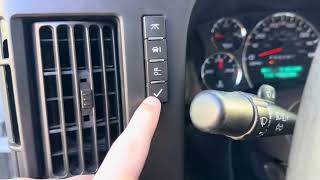
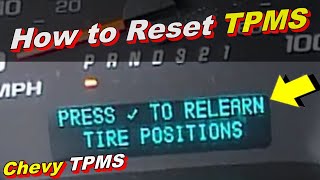
- Attempt a TPMS relearn procedure. On these vans, this is done via the DIC menu. 🎬 Watch: Step-by-step TPMS and tire position relearn procedure tutorial The van's horn will chirp twice to enter learn mode. Then, use a TPMS activation tool (like the EL-50448) to trigger each sensor in sequence, starting with the driver's front.
- If the relearn procedure fails specifically at the right front wheel with a new sensor, inspect the wiring and connectors for the RCDLR and its antenna.
- If experiencing no-start issues, follow the diagnostic path outlined in TSB #PIC5650M, which involves checking for RFI and investigating the security and ignition systems, as the C0755 code may be a secondary fault.
Parts You'll Likely Need
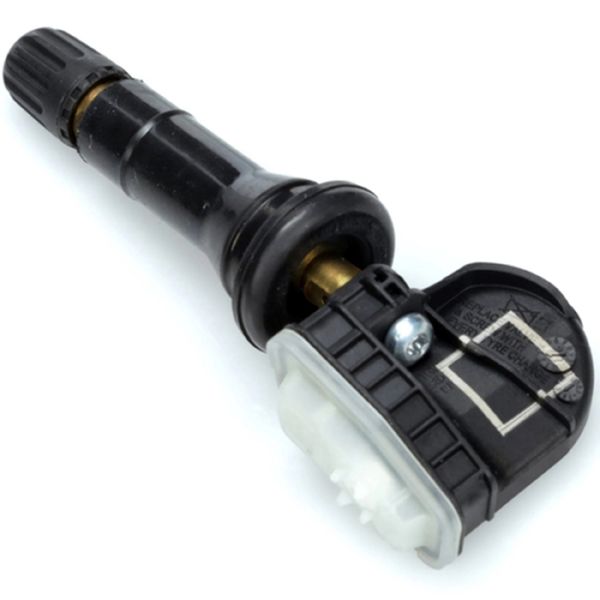
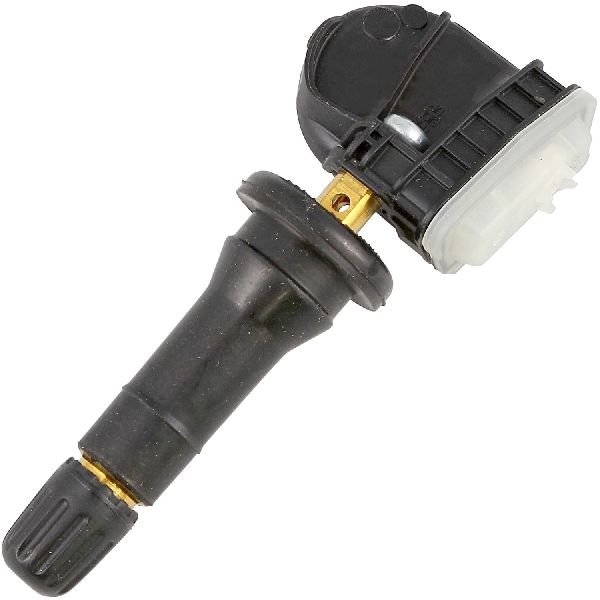
- Tire Pressure Monitoring System (TPMS) Sensor
(OEM #13598771 (supersedes 13586335, 15922396, 20923680, 22854866, 25920615))— This is the direct cause of the code in the vast majority of cases, due to the internal battery expiring after 5-10 years of service. The part number 13598771 is a common GM sensor for this era.
Trusted brands: ACDelco (OEM), Schrader (often the OE supplier), Dorman, Standard Motor Products
OEM price range: $50-$80
Aftermarket price range: $35-$60 - TPMS Relearn Tool
(OEM #EL-50448)— Required to program the new sensor's ID to the vehicle's computer after installation. This is an essential tool for completing the job, 🎬 Watch: How to use the EL-50448 tool to reset sensors as the manual method of letting air out of the tires often fails on these vans.
Trusted brands: VXDAS, JDIAG, ATEQ
OEM price range: $15-$25
Aftermarket price range: $10-$20
Related Codes That Often Appear With This One
- C0750 — Indicates a fault with the Left Front TPMS sensor. Seeing multiple TPMS codes together can point towards a systemic issue like a faulty RCDLR module or RFI.
- C0760 — Indicates a fault with the Left Rear TPMS sensor. Seeing multiple TPMS codes together can point towards a systemic issue like a faulty RCDLR module.
- C0765 — Indicates a fault with the Right Rear TPMS sensor. Seeing multiple TPMS codes together can point towards a systemic issue like a faulty RCDLR module.
- B3055 — Relates to the vehicle immobilizer system ('Key Not Present'). Its presence with C0755, as noted in TSB #PIC5650M, points to a complex electrical issue (often RFI or a bad RCDLR) causing a no-start condition.
Technical Service Bulletins (TSBs) & Recalls
- PIC5650M: Addresses a no crank, no start, or start/stall concern that may be accompanied by various DTCs, including C0755. It strongly points to RFI from aftermarket devices.
- PI1085: Notes that poor RKE transmitter range accompanied by TPMS codes (including C0755) on 2012-2013 models often req
Platform-Specific Known Issues
- TSB #PIC5650M documents instances where C0755 appears with other security-related DTCs (B3055, B3060, etc.) during a no-crank or start-stall condition. This indicates a potential for a wider electrical fault that should be investigated if starting problems are present.
- A fleet owner on ChevroletForum.com noted that TPMS issues are a constant problem across their 10 Express 3500 vans, confirming the high failure rate of the sensors.
- Radio Frequency Interference from aftermarket accessories is a major cause of intermittent TPMS and key fob issues. TSBs strongly advise removing all non-factory chargers and devices before beginning diagnosis.
Mechanic-Grade Diagnostic Values
- RCDLR Power and Ground at Connector — expected: Battery voltage (approx. 12.6V) on the Red/White wire and less than 0.1V on the Black/White wire (ground).. Failure: No voltage on the power wire indicates a blown fuse (check 'DSM' 10A fuse in IP fuse block) or a wiring break. High voltage on the ground wire indicates a bad ground connection.
- RCDLR Voltage via Scan Tool (Tech 2/GDS2) — expected: Should be close to battery voltage (e.g., 12.4V or higher).. Failure: A reading significantly lower than battery voltage (e.g., 11.89V when battery is 12.6V) can indicate an internal fault in the RCDLR module itself.
Hidden / Shadow Codes Worth Checking
- C0755 03: Right Front Tire Pressure Sensor Low Voltage. This confirms the sensor's internal battery is dead or failing. (see via GM Tech 2, GDS2, or high-end professional scan tool capable of reading GM-specific symptom bytes.)
- C0755 29: Right Front Tire Pressure Sensor Too Few Pulses. The RCDLR is not receiving the expected number of data packets. TSBs link this symptom directly to an internal RCDLR module failure, especially if present for multiple wheels. (see via GM Tech 2, GDS2, or high-end professional scan tool capable of reading GM-specific symptom bytes.)
- C0755 39: Right Front Tire Pressure Sensor Internal Malfunction. The sensor has failed its own internal self-test and needs to be replaced. (see via GM Tech 2, GDS2, or high-end professional scan tool capable of reading GM-specific symptom bytes.)
Scan Tool Commands That Help
- GDS2 / Tech 2: RCDLR Module Setup / Copy and Paste TPM Information — When replacing a faulty RCDLR module. This function copies the unique IDs of the existing TPMS sensors from the old module and writes them to the new one. This avoids having to perform the manual, wheel-by-wheel TPMS relearn procedure, saving significant time.
- GDS2 / Tech 2: RCDLR Data Display — During initial diagnosis to see if the RCDLR is receiving any signals from the TPMS sensors or key fobs. This helps differentiate between a sensor not transmitting versus a receiver not hearing.
Wiring & Ground Locations
- RCDLR Module — Under the top dash pad, near the windshield, located behind and above the instrument gauge cluster.. This is the central receiver for the right front TPMS sensor. A loose connector, especially the coax antenna cable, or internal failure of this module will cause code C0755.
- RCDLR Antenna Coax Cable — Runs from the RCDLR module to an antenna amplifier, which is often located near the right rear window glass.. A disconnected coax cable at the RCDLR module is a known cause for all TPMS sensors to stop reporting, mimicking a mass sensor failure. TSB 16-NA-061 specifically calls out checking this connection before replacing any parts.
- G103 / G104 — G103 is at the rear of the left engine cylinder head. G104 is a primary underhood ground point.. While not exclusively for the RCDLR, these are major electrical grounds. Poor connections here can cause widespread, intermittent electrical issues, including module malfunctions that could trigger TPMS codes as a secondary symptom.
- RCDLR Ground Wire — Black/White wire at the RCDLR module's main electrical connector.. This is the direct ground path for the module. A corroded or broken ground here will cause the RCDLR to fail, resulting in C0755 and other related codes.
Real Owner Repair Stories
- Reddit user on r/ChevyTrucks (2013 Silverado (similar platform)) — TPMS error code appeared after attempting a relearn with a cheap Amazon tool, which failed. The manual relearn method (letting air out) also failed to trigger the horn.
❌ Tried (didn't work) Using the orange relearn tool pointed directly at the valve stem., Letting air out of the tire to trigger the relearn., Disconnecting the battery for 30 minutes.
✅ What actually fixed it The relearn tool finally worked, but it required moving the tool around different spots on the tire sidewall near the valve stem and pressing the button multiple times before it would connect with the sensor. - ChevroletForum.com user (fleet owner) (Fleet of 10 Chevrolet Express 3500 vans) — Constant, recurring 'Service Tire Pressure Sensor' messages across multiple vans.
❌ Tried (didn't work) Attempting the manual relearn process., Having a tire shop install cheap TPMS sensors purchased from Amazon; the shop's scanner could not program them.
✅ What actually fixed it The user confirmed the high failure rate and issues with non-OEM compatible sensors. The resolution path pointed towards using known-compatible sensors (like Schrader or ACDelco) and a capable programming tool (like Autel) to successfully complete the job.
"I Checked Everything" — The Actual Cause
- A common scenario is when a new TPMS sensor is installed and a relearn is attempted, but it fails to fix the C0755 code. The root cause is often not the sensor but a disconnected antenna coax cable at the RCDLR module, as highlighted in GM TSB 16-NA-061. The symptoms perfectly mimic a dead sensor, but the problem is that the receiver simply cannot 'hear' the new sensor's signal due to the disconnected antenna.
OEM Part Supersession History
13586335, 15922396, 20923680, etc.→13598771, which is now superseded by 13540600— Part consolidation and minor design revisions over time.
Heads up: While many aftermarket sensors are sold as compatible, some tire shops report their programming tools can only communicate with specific brands they sell. Using a major OE-supplier brand like ACDelco or Schrader is the safest bet to avoid programming issues.
Model Year Variations Within This Range
- 2007-2014: The RCDLR module location on Express/Savana vans is consistently reported as being under the top of the dashboard. This differs from some other GM trucks and SUVs of the same era where the module may be located in a rear D-pillar, which can affect diagnostic and replacement procedures.
Helpful Videos
We Have This Part in Stock


The information in this article is provided for general reference and educational purposes only. Vehicle specifications, procedures, and part compatibility can vary by production date, trim level, and region. Always consult your vehicle's factory service manual and verify part numbers before purchasing or performing repairs. Safety-critical components such as airbags, seat belts, and braking systems should be installed by a qualified professional.
- Chevrolet EXPRESS 3500:
- 🧭 Diagnostic Flowchart
- 🎬 Helpful Videos
- 🛍️ Shop This Part
- What's Unique About the 2007-2014 Chevrolet EXPRESS 3500
- Symptoms You May Notice
- Most Likely Causes
- Rare But Worth Checking
- Diagnosis Steps
- Parts You'll Likely Need
- Related Codes That Often Appear With This One
- Technical Service Bulletins (TSBs) & Recalls
- Platform-Specific Known Issues
- Mechanic-Grade Diagnostic Values
- Hidden / Shadow Codes Worth Checking
- Scan Tool Commands That Help
- Wiring & Ground Locations
- Real Owner Repair Stories
- "I Checked Everything" — The Actual Cause
- OEM Part Supersession History
- Model Year Variations Within This Range
- 🎟️ Get 5% Off