

C0755 on 2007-2014 Chevrolet Silverado 3500: TPMS Fault Causes and Fixes
Code C0755 on a 2007-2014 Silverado 3500 indicates a fault with the Right Front Tire Pressure Monitoring System (TPMS) sensor. The most common cause is a dead battery inside the sensor, requiring sensor replacement. Expect to pay $40-$80 for the part and another $50-$100 for installation and programming.
- C0755 points directly to a problem with the right front tire pressure sensor.
- The most likely cause on a 2007-2014 Silverado is a dead battery in the original sensor.
- While you can drive with this code, your TPMS is inactive, which is a safety risk.
- Replacement requires tire dismounting, but the relearn procedure can often be done without special tools.
- Be aware of the rare but possible link to no-start issues, which is often caused by RF interference from aftermarket electronics.
What's Unique About the 2007-2014 Chevrolet SILVERADO 3500
For this generation of Silverado (GMT900), the TPMS is a straightforward system, but it has a unique and critical link to the vehicle's security system. A TSB from Chevrolet, #PIC5650M, notes that faults in the TPMS system, including C0755, can sometimes lead to a no-crank, no-start, or a start-and-stall condition, accompanied by the security light. This suggests a communication error on the vehicle's data network where a TPMS fault can be misinterpreted by the anti-theft module, preventing the truck from starting. The TSB clarifies this is often caused by Radio Frequency Interference (RFI) from aftermarket devices like phone chargers or non-OEM LED lights, which can jam the signals from both the TPMS sensors and the key fob.
Diagnostic Flowchart
Tap your situation to follow the diagnostic path that matches what you're seeing on this vehicle.
Symptoms You May Notice
- "Service Tire Monitor System" message on the Driver Information Center (DIC).
- TPMS warning light on the instrument cluster will flash for about a minute and then stay on solid.
- The pressure reading for the right front tire will show as dashes (--) on the DIC.
- In rare cases, a no-start or stalling condition with the security light illuminated, as noted in TSB #PIC5650M.
- Poor keyless entry (RKE) transmitter range, as the RCDLR module receives signals for both systems.
- Replacing the Body Control Module (BCM) when the RCDLR is the actual receiving module for TPMS signals on this platform.
- Assuming the tire is low when the "Service Tire Monitor System" message is displayed. This message indicates a system fault, not necessarily low pressure.
- Replacing a TPMS sensor when the actual fault is a disconnected RCDLR antenna coax cable, as described in TSB 16-NA-061.
Most Likely Causes
- Dead TPMS Sensor Battery 🔴 High Probability → Shop Tire Pressure Monitoring System (TPMS) Sensor TPMS sensors use small, non-replaceable batteries that have a finite lifespan, typically 7-10 years. For vehicles in this 2007-2014 year range, many original sensors are now at the end of their service life.
How to confirm: A professional TPMS tool can attempt to activate the sensor. If the tool cannot get a reading or shows a low battery status, the sensor is almost certainly dead. If a relearn procedure fails consistently on that one wheel, it also points to a bad sensor.
Typical fix: Replace the right front TPMS sensor. It is often recommended to replace all four sensors at the same time, especially if they are original, as the others are likely to fail soon.
Est. part cost: $30-$80 per sensor - Damaged TPMS Sensor 🟡 Medium Probability → Shop Tire Pressure Monitoring System (TPMS) Sensor Sensors can be easily damaged during tire changes, from hitting a large pothole, or by using unapproved tire sealants that clog the sensor's pressure port. Aftermarket wheels with different valve stem locations can also cause poor signal transmission.
How to confirm: Visual inspection of the sensor after dismounting the tire. If tire sealant was used, this is a strong possibility.
Typical fix: Replace the damaged TPMS sensor.
Est. part cost: $30-$80 - Faulty Remote Control Door Lock Receiver (RCDLR) ⚪ Low Probability → Shop Keyless Entry Receiver The RCDLR acts as the receiver for both the TPMS and key fob signals. While not a frequent failure point, electronic modules can fail. GM issued a preliminary bulletin (PI1085) for 2012-2013 models specifically, noting that a faulty RCDLR could cause TPMS codes and poor key fob range, recommending module replacement. Water intrusion from a leaking third brake light is a known cause of RCDLR failure on these trucks. A poor or blown fuse for the RCDLR can also cause it to become inoperative.
How to confirm: If a new, known-good sensor cannot be programmed to the vehicle, and there are no signs of RF interference, the RCDLR should be tested. This is especially true if key fob range is also poor. Diagnosis requires advanced scan tools to check for communication with the module. Another TSB (16-NA-061) suggests checking the RCDLR's coax antenna connections behind the rear trim panels before replacing the module itself.
Typical fix: Replace the RCDLR module. This part is typically located behind the rear cab trim panel on the driver's side and requires programming by a dealer or a well-equipped independent shop to recognize the vehicle's key fobs and sensors.
Est. part cost: $70-$150
Rare But Worth Checking
- Radio Frequency (RF) Interference: TSB #PIC5650K provides an extensive list of potential RFI sources, including aftermarket LED lighting, cell phone chargers, USB power banks, and even toll passes. These devices can 'jam' the 315 MHz frequency used by the TPMS sensors and key fobs, leading to intermittent codes and no-start conditions. Before replacing parts, unplug all aftermarket electronics to see if the code clears.
Diagnosis Steps
- Verify the code with an OBD-II scanner capable of reading C-codes (Chassis codes).
- Check the tire pressure display on the Driver Information Center (DIC). Confirm that the Right Front reading is blank or shows dashes.
- Unplug ALL aftermarket electronic devices (phone chargers, dash cams, LED lights) to eliminate Radio Frequency Interference (RFI) as a cause.
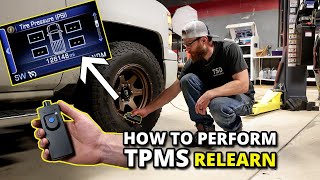
- Attempt a TPMS relearn procedure. For many GMT900 trucks, this can be done without a tool by entering the relearn mode via the DIC or key fob, and then increasing/decreasing the tire pressure at each wheel in sequence (LF, RF, RR, LR) until the horn chirps for each one. 🎬 See this walkthrough on relearning TPMS sensors with no tools. If the procedure fails to get a horn chirp at the right front wheel, the sensor is the primary suspect.
- Use a TPMS activation tool to trigger the Right Front sensor. If the tool gets no response or indicates a low battery, the sensor is bad.
- If the sensor activates with the tool but the truck doesn't recognize it, and RFI has been ruled out, investigate the RCDLR. Check for power and ground at the RCDLR connector. Also inspect the coax antenna connections for the RCDLR, which are located behind the rear interior trim panels, before condemning the module itself. 🎬 Watch: Troubleshooting a Silverado no-start caused by RCDLR module issues.
- If experiencing a no-start condition, refer to TSB #PIC5650M/K and focus on identifying the source of RFI before replacing any security or TPMS components.
Parts You'll Likely Need
- Tire Pressure Monitoring System (TPMS) Sensor
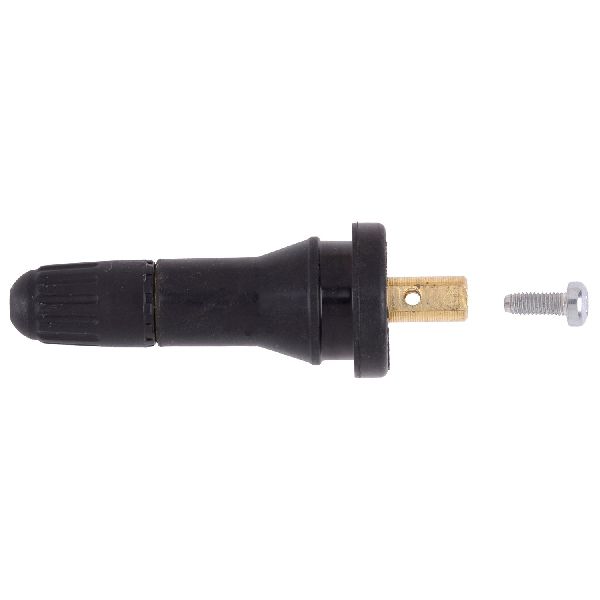
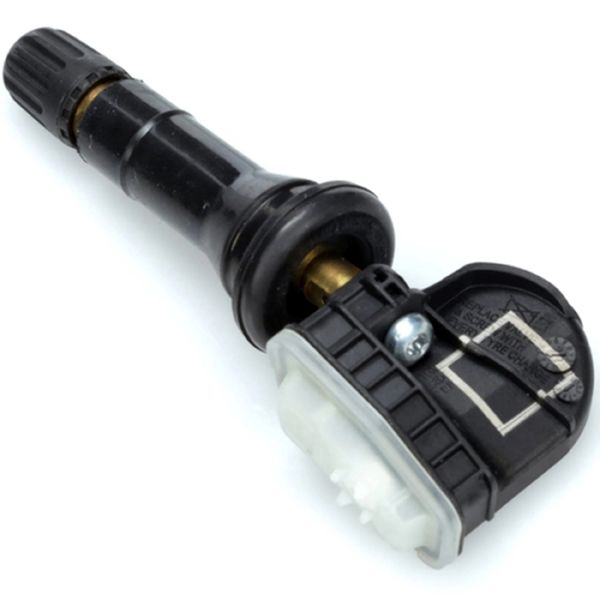
(OEM #13598771 (Replaces 13586335, 20923680))— This is the most common failure point, usually due to the internal battery dying after 7-10 years of service. The sensor operates on a 315 MHz frequency.
Trusted brands: ACDelco (GM Original Equipment), Schrader, Huf, Dorman
OEM price range: $60-$100
Aftermarket price range: $30-$60 - Remote Control Door Lock Receiver (RCDLR)
(OEM #20863945 (per TSB PI1085 for 2012-13 models))— A less common but notable failure, especially if accompanied by poor key fob range or multiple TPMS codes. Requires dealer programming after installation.
Trusted brands: ACDelco (GM Original Equipment)
OEM price range: $70-$150
Related Codes That Often Appear With This One
- C0750 — Relates to the Left Front TPMS sensor. Seeing multiple TPMS codes (C0750, C0760, C0765) can point towards a systemic issue like a failing RCDLR, its antenna, or widespread sensor age.
- C0760 — Relates to the Left Rear TPMS sensor.
- C0765 — Relates to the Right Rear TPMS sensor.
- B3055 — As mentioned in TSB #PIC5650M, this key-related code can appear alongside TPMS codes during a no-start condition, pointing to a complex security/TPMS communication issue caused by RF interference.
Technical Service Bulletins (TSBs) & Recalls
- PIC5650M (and later revisions like K): Addresses a potential link between TPMS codes (including C0755) and no-start or stalling conditions related to the vehicle security system, emphasizing Radio Frequency Interference (RFI) as a primary cause.
- PI1085: Recommends replacing the RCDLR on 2012-2013 models if TPMS codes are present along with poor key fob range.
- 16-NA-061: Details how a disconnected RCDLR antenna coax cable can cause TPMS codes and poor RKE performance, advising to check connections before replacing parts.
Platform-Specific Known Issues
- As per TSB #PIC5650M, a fault in the TPMS system can cause a no-crank, no-start, or start/stall condition with the security light on. This is a known, though uncommon, issue on this platform, often linked to RF interference.
- TSB PI1085 points to a potentially faulty batch of RCDLR modules in 2012-2013 models that can cause TPMS codes and poor key fob performance.
- Water leaking from the third brake light seal can drip onto and destroy the RCDLR module, which is located in the rear of the cab.
Mechanic-Grade Diagnostic Values
- TPMS Sensor Battery Status — expected: OK. Failure: A 'Low' or 'N/A' status on a scan tool data list for the right front sensor indicates the sensor needs replacement.
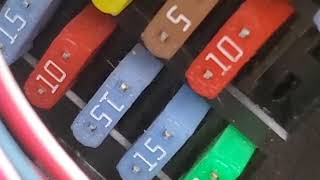
- RCDLR Module Power Supply — expected: Battery Voltage (Approx. 12.6V with key on, engine off). Failure: Low voltage (e.g., 11V) or no voltage at the RCDLR power feed pin points to a wiring or fuse issue, not a bad module. A voltage drop test is recommended for accuracy.
- RCDLR Module Ground — expected: Less than 0.1V (100mV) on a voltage drop test between the ground pin and chassis ground.. Failure: Higher voltage indicates a poor ground connection, which can cause intermittent module operation.
Hidden / Shadow Codes Worth Checking
- C0755 03: Right Front Tire Pressure Sensor Low Voltage. This often indicates a failing internal battery. (see via GM Tech2, GDS2, or other advanced bidirectional scan tools that can read manufacturer-specific codes and symptom bytes.)
- C0755 29: Right Front Tire Pressure Sensor Too Few Pulses. The sensor is not transmitting signals as expected when the vehicle is in motion. (see via GM Tech2, GDS2, or other advanced bidirectional scan tools.)
- C0755 39: Right Front Tire Pressure Sensor Internal Malfunction. This points to an internal failure of the sensor itself, separate from battery life. (see via GM Tech2, GDS2, or other advanced bidirectional scan tools.)
Scan Tool Commands That Help
- GM Tech2 / GDS2: TPMS Data Display — Use this to view live data for each TPMS sensor, including its unique ID, pressure, temperature, and battery status. This is the fastest way to confirm if the RF sensor is transmitting and if its battery is low.
- GM Tech2 / GDS2: Special Functions > TPMS Learn — This function initiates the vehicle's relearn mode directly from the scan tool, which is a more reliable method than the manual procedure. It's used after replacing a sensor or rotating tires to program the sensor IDs and positions to the BCM/RCDLR.
- GM Tech2 / GDS2: Module Information > RCDLR — To verify if the RCDLR module is communicating with the scan tool. If the module shows 'No Communication', it indicates a problem with the module's power, ground, or an internal failure, and is a critical step before ordering a replacement module.
Wiring & Ground Locations
- RCDLR Module — Located in the rear of the cab, behind the driver's side rear trim panel (C-pillar or D-pillar on SUVs).. This is the receiver for all TPMS signals. Access is required to test its power, ground, and antenna connections if a sensor issue is ruled out.
- RCDLR Antenna — The coaxial antenna cable runs from the RCDLR module to an antenna, which on trucks is often a dedicated unit, while on SUVs it can be integrated into the rear quarter glass.. A disconnected or damaged antenna coax cable is a known cause for multiple or all TPMS sensors failing to report, as noted in TSB 16-NA-061.
- G303 — Located on the left side B-pillar, behind the trim panel.. This is a common ground point for components in the rear of the cab. While not exclusively for the RCDLR, a corroded or loose G303 can cause various difficult-to-diagnose electrical issues in this area, potentially affecting the RCDLR's operation.
- OBD-II Port — Under the driver's side dashboard, to the left of the steering column, near the driver's left shin.. This port is used to connect a scan tool to read the trouble code, view live TPMS data, and perform relearn procedures.
OEM Part Supersession History
13586335, 20923680, 25920615, and others→13598771— Part consolidation and design updates by GM.
Heads up: The latest part number, 13598771, has itself been superseded by 13540600 according to some parts suppliers. When purchasing, it is critical to verify fitment with the vehicle's VIN. While most are interchangeable, using a mix of old and new sensor revisions on the same vehicle can sometimes cause relearn issues.
Model Year Variations Within This Range
- 2007-2014: While the TPMS system operates on 315 MHz for this entire generation, some 3500 HD models with a Gross Vehicle Weight Rating (GVWR) over 10,000 lbs were exempt from the federal TPMS mandate. It is crucial to verify the truck was factory-equipped with TPMS before diagnosing or ordering parts.
- 2012-2013: GM issued a Preliminary Information bulletin (PI1085) specifically for these model years, noting a higher-than-normal failure rate for the RCDLR module (P/N 20863945), causing TPMS codes and poor key fob range.
Helpful Videos
We Have This Part in Stock



The information in this article is provided for general reference and educational purposes only. Vehicle specifications, procedures, and part compatibility can vary by production date, trim level, and region. Always consult your vehicle's factory service manual and verify part numbers before purchasing or performing repairs. Safety-critical components such as airbags, seat belts, and braking systems should be installed by a qualified professional.
- Chevrolet SILVERADO 3500:
- 🧭 Diagnostic Flowchart
- 🎬 Helpful Videos
- 🛍️ Shop This Part
- What's Unique About the 2007-2014 Chevrolet SILVERADO 3500
- Symptoms You May Notice
- Most Likely Causes
- Rare But Worth Checking
- Diagnosis Steps
- Parts You'll Likely Need
- Related Codes That Often Appear With This One
- Technical Service Bulletins (TSBs) & Recalls
- Platform-Specific Known Issues
- Mechanic-Grade Diagnostic Values
- Hidden / Shadow Codes Worth Checking
- Scan Tool Commands That Help
- Wiring & Ground Locations
- OEM Part Supersession History
- Model Year Variations Within This Range
- 🎟️ Get 5% Off