

C0760 on 2015-2022 GMC Sierra 1500: Left Rear TPMS Fault Causes and Fixes
Code C0760 on a 2015-2022 GMC Sierra points to a fault with the Left Rear Tire Pressure Monitoring System (TPMS) sensor. The most common cause is a dead battery inside the sensor, which requires replacing the entire sensor unit. Expect to pay a tire shop $50-$100 for the part and labor. Before replacing the sensor, check for other symptoms like poor key fob range, as this could indicate a broader issue with the receiver module.
- C0760 means the left rear TPMS sensor is not communicating with the truck.
- The most likely cause is a dead battery in the sensor, especially on 2015-2018 models.
- You MUST get the correct frequency sensor for your model year: 315 MHz for 2015-2018, 433 MHz for 2020-2022, and either for 2019.
- If you also have poor key fob range or multiple TPMS codes, check the RCDLR antenna connection before buying a sensor.
- After replacing a sensor, a TPMS relearn procedure is required to make it work with your truck.
What's Unique About the 2015-2022 Gmc SIERRA 1500
The 2015-2022 Sierra spans two generations, and the key difference for this code is the TPMS sensor frequency. 2015-2018 models (K2XX platform) use 315 MHz sensors. 2020-2022 models (T1XX platform) use 433 MHz sensors. The 2019 model year is a transition period and could have either frequency, making it critical to verify before buying parts. Additionally, these trucks can suffer from poor RCDLR antenna connections, which can mimic a single sensor failure but may actually cause multiple TPMS codes and poor key fob range. The RCDLR module itself is often located behind the rear interior trim panels, making access for diagnosis a bit involved.
Diagnostic Flowchart
Tap your situation to follow the diagnostic path that matches what you're seeing on this vehicle.
Generation note: This range covers the third generation (K2XX; 2014-2018, some 2019 'Limited' models) and fourth generation (T1XX; 2019-2022) Sierra 1500. The primary difference is the TPMS sensor frequency. K2XX models use 315 MHz sensors (OEM Part #13598772). T1XX models from 2019 onward predominantly use 433 MHz sensors (OEM Part #13528563). The 2019 model year is a split and could use either 315 MHz or 433 MHz, so you must verify by checking the existing part or using a TPMS tool before purchasing a replacement.
Symptoms You May Notice
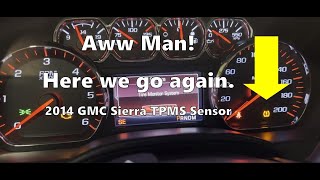
- TPMS warning light flashes for approximately 60 seconds at startup, then stays on solid.
- "Service Tire Monitor System" message appears in the Driver Information Center (DIC).
- The pressure reading for the left rear tire shows dashes (---) on the DIC.
- Inability to complete the TPMS relearn procedure, especially if the truck doesn't honk when trying to learn the left rear sensor.
- Simultaneously poor or inoperative key fob (RKE) range.
- Replacing a single TPMS sensor when the actual problem is a faulty RCDLR or a loose antenna connection. If key fob range is also poor or multiple TPMS codes are present, investigate the RCDLR system first. 🎬 Watch: Diagnosing keyless entry and TPMS issues together.
- Assuming the sensor is bad when the relearn procedure was simply not performed or failed after a tire rotation. The system may have the sensor locations mixed up.
Most Likely Causes
- Dead TPMS Sensor Battery 🔴 High Probability → Shop Tire Pressure Monitoring System (TPMS) Sensor TPMS sensor batteries are not rechargeable and have a finite lifespan, typically 5-10 years. Vehicles from the 2015-2018 model years are now at an age where battery failure is the most common cause for a single sensor fault.
How to confirm: Use a TPMS diagnostic tool to try and activate the sensor. If the tool cannot get a response (no ID, pressure, or temperature reading), the sensor is dead or its battery is depleted. If the other three sensors respond correctly, this confirms the fault is isolated to the left rear sensor.
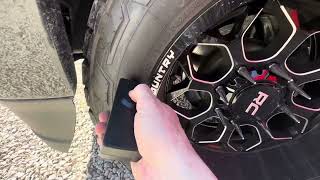
Typical fix: Replace the left rear TPMS sensor. The tire must be dismounted from the wheel to access it. A relearn procedure must be performed after installation to register the new sensor ID 🎬 See this walkthrough for replacing and reprogramming your sensors. with the vehicle's computer.
Est. part cost: $25-$75 - Faulty Remote Control Door Lock Receiver (RCDLR) or Antenna Connection 🟡 Medium Probability → Shop Keyless Entry Receiver A GM technical document highlights that the coaxial antenna cable for the RCDLR can become disconnected or damaged. The RCDLR module, which processes signals from both TPMS sensors and key fobs, is often located behind the rear cab trim panels (e.g., C-pillar or D-pillar area). A loose connection here can cause intermittent or total signal loss.
How to confirm: This is a likely cause if you have multiple TPMS codes (C0750, C0755, C0760, C0765) and/or experience poor key fob range. A visual inspection of the antenna connections behind the interior trim panels is required. A scan tool may also show 'No Communication' with the RCDLR module.
Typical fix: Securely reconnect the loose coaxial antenna cable. In some cases, the RCDLR module itself may have failed and requires replacement and programming by a dealer or qualified shop.
Est. part cost: $0-$200 - Damaged TPMS Sensor ⚪ Low Probability → Shop Tire Pressure Monitoring System (TPMS) Sensor Sensors can be physically broken during tire installation or by a significant road hazard. Using unapproved tire sealant (like Fix-a-Flat) can also clog the sensor's pressure port and cause it to fail.
How to confirm: This is usually discovered during a visual inspection after dismounting the tire. If the code appeared immediately after new tires were installed, damage during service is the most likely cause.
Typical fix: Replace the damaged TPMS sensor and perform the relearn procedure.
Est. part cost: $25-$75
Rare But Worth Checking
- Radio Frequency Interference (RFI): Aftermarket electronic devices plugged into the truck's power outlets (phone chargers, dash cams, LED lighting, etc.) can sometimes emit RFI that blocks the 315 MHz or 433 MHz signal from the TPMS sensor to the receiver. The provided TSB #PIC5650M specifically mentions this as a possibility to check before replacing parts. Unplugging all aftermarket accessories is a simple first diagnostic step.
Diagnosis Steps
- Verify the symptom: Confirm the TPMS light flashes on startup and then stays on, and the DIC shows 'Service Tire Monitor System'.
- Use a TPMS diagnostic tool to scan the left rear sensor. Attempt to read its ID, pressure, temperature, and battery status.
- If the tool gets no reading from the left rear sensor but reads the other three, the sensor has almost certainly failed and needs replacement.
- If the tool gets intermittent readings or cannot read multiple sensors, and/or the key fob range is poor, suspect an issue with the RCDLR or its antenna.
- Inspect the RCDLR antenna connections. This requires removing interior trim panels in the rear of the cab to access the receiver, coax cable, and antenna. The exact location can vary but is often in the right rear C-pillar or D-pillar.
- If all sensors and the RCDLR system seem okay, temporarily unplug all aftermarket 12V accessories (chargers, dash cams, LED lights) to rule out Radio Frequency Interference (RFI) as noted in TSB PIC5650.
- Perform the TPMS relearn procedure. On these trucks, you can enter learn mode via the DIC menu. Then, you can either use a TPMS activation tool or the manual method of letting air out of each tire (starting LF, then RF, RR, LR) until the horn honks for each one. If it fails on the LR tire, it further points to a bad sensor.
Parts You'll Likely Need
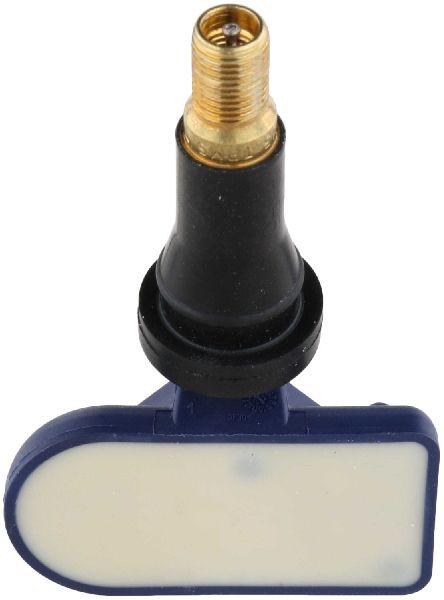
- TPMS Sensor (315 MHz)
(OEM #13598772)— This is the correct frequency for 2015-2018 models and some 2019 models. The internal battery dies, requiring replacement of the whole unit. This part number is widely used across many GM vehicles from this era.
Trusted brands: ACDelco (OEM), Schrader (often the OEM manufacturer), Standard Motor Products, Huf, Denso
OEM price range: $40-$80
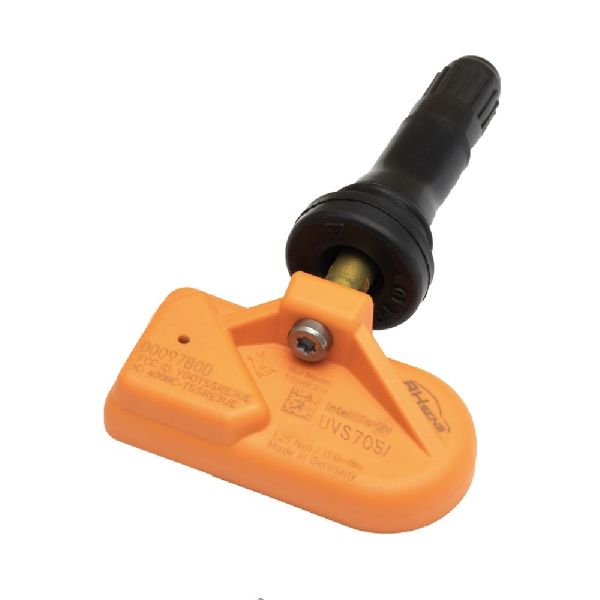
Aftermarket price range: $25-$50 - TPMS Sensor (433 MHz)
(OEM #13528563)— This is the correct frequency for 2019 (new body style) through 2022 models. It is critical to verify the frequency for 2019 trucks before purchase. This part may be superseded by 13540603.
Trusted brands: ACDelco (OEM), Schrader (often the OEM manufacturer), Standard Motor Products, Huf, VDO
OEM price range: $45-$90
Aftermarket price range: $30-$55
Related Codes That Often Appear With This One
- C0750, C0755, C0765 — If all four TPMS codes are present, it strongly suggests a central system failure, such as the RCDLR module or its antenna, rather than four individual sensors failing simultaneously.
- B3055, B3060, B3935 — TSB #PIC5650K (and its revisions) notes that TPMS codes can be found alongside these security and key-related codes during a no-start or start/stall investigation, often due to widespread Radio Frequency Interference from aftermarket devices. They are not typically caused by the same component but share a root cause like RFI.
Technical Service Bulletins (TSBs) & Recalls
- PIC5650M (and newer revisions like K): Notes that TPMS codes like C0760 can appear alongside security codes (B3055, etc.) and key fob issues during no-start conditions. It strongly advises checking for Radio Frequency Interference (RFI) from aftermarket accessories before replacing any parts.
Platform-Specific Known Issues
- RCDLR Antenna Connection Failure: A known issue on GM trucks is a loose coaxial antenna connection at the Remote Control Door Lock Receiver (RCDLR), which handles both key fob and TPMS signals. This can cause intermittent loss of TPMS signal (often for multiple tires) and poor key fob performance simultaneously. Technicians are advised to check these connections behind the rear cab trim before replacing any modules.
- 2019 Model Year TPMS Frequency Split: The 2019 model year was a changeover from the K2XX to the T1XX platform. As a result, a 2019 Sierra could have either the
Mechanic-Grade Diagnostic Values
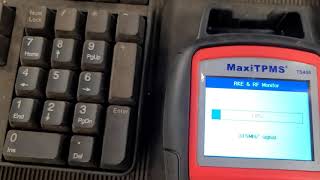
- TPMS Sensor Signal Strength — expected: 1/4 graph or greater displayed on a TPMS activation tool (e.g., J-46079).. Failure: A signal strength below 1/4 graph, or no signal at all, indicates a weak/dead sensor or significant RF interference.
- Scan Tool 'Tire Pressure Sensor Rolling Count' Parameter — expected: Above 50%.. Failure: A value below 50% suggests a communication issue with that sensor.
- Scan Tool 'Pressure Sensor Mode' Parameter — expected: Should change from 'Wake' or 'Park' to 'Drive' when vehicle speed exceeds 25 mph (40 km/h).. Failure: If the mode does not change for the suspect sensor while the others do, it points to a faulty sensor.
Hidden / Shadow Codes Worth Checking
- C0760 00: Indicates a general failure where the sensor has not transmitted for a set period (e.g., 18 minutes) or has a low battery condition. This is the most common variant. (see via Professional scan tool capable of reading GM-specific symptom bytes, such as a GM GDS2 or Tech 2.)
- C0760 08: Indicates the Remote Control Door Lock Receiver (RCDLR) is receiving an invalid or malformed signal from the left rear sensor. This points more toward a faulty sensor transmission than a complete lack of signal. (see via Professional scan tool capable of reading GM-specific symptom bytes.)
- C0760 29: Indicates 'Too Few Pulses.' The RCDLR is receiving a signal, but the data packet is incomplete. This strongly suggests a weak sensor battery on the verge of failure or significant Radio Frequency Interference (RFI), rather than a completely dead sensor. (see via Professional scan tool capable of reading GM-specific symptom bytes.)
Scan Tool Commands That Help
- GM GDS2 / Professional Scan Tool: RCDLR Data List -> Sensor Battery Condition — Use this to proactively check if the sensor's battery is reported as 'Low' by the RCDLR. A low battery condition can set a DTC but may not illuminate the warning light initially, making it a valuable early diagnostic check.
- GM GDS2 / Professional Scan Tool: TPMS Learn Mode — To initiate the sensor relearn procedure from the scan tool. This is an alternative to using the DIC or key fob method and is required after replacing a sensor or the RCDLR module.
- GM GDS2 / Professional Scan Tool: Module Replacement and Programming — This function is required if the Remote Control Door Lock Receiver (RCDLR) module itself is diagnosed as faulty and needs to be replaced. The new module must be programmed to the vehicle.
Wiring & Ground Locations
- RCDLR Antenna Coax Cable — On 2015-2018 (K2XX) models, this cable runs from the RCDLR module, often behind the right rear C-pillar trim, to an antenna amplifier module, which then connects to the antenna in the right rear window glass.. Per TSB 16-NA-061, this cable can become disconnected at the RCDLR, at the amplifier, or at the window antenna, causing loss of signal from one or more TPMS sensors and poor key fob range. Checking these three connection points is a critical step before replacing the RCDLR module.
OEM Part Supersession History
13528563→13540603— Standard part lifecycle update by the manufacturer.
Heads up: Part number 13540603 is the current direct replacement for several older 433 MHz sensors, including 13528563, 13522955, 13522631, and 13516165. No known incompatibilities when used on the correct model year vehicle.
Model Year Variations Within This Range
- 2015-2018 (K2XX Platform): The TPMS/RKE antenna system is a multi-component design consisting of the RCDLR module, a separate coaxial cable, a separate antenna amplifier module, and the antenna in the rear glass. This design has three distinct connection points that can become loose, as detailed in TSB 16-NA-061.
- 2019-2022 (T1XX Platform): The vehicle architecture is significantly different. While the RCDLR still performs the same function, its location and the design of its antenna system may be simplified compared to the previous generation. For example, other control modules like the ECM/TCM were relocated to the front wheel well area, indicating a potential redesign of all electronic module locations and wiring.
Helpful Videos
We Have This Part in Stock


The information in this article is provided for general reference and educational purposes only. Vehicle specifications, procedures, and part compatibility can vary by production date, trim level, and region. Always consult your vehicle's factory service manual and verify part numbers before purchasing or performing repairs. Safety-critical components such as airbags, seat belts, and braking systems should be installed by a qualified professional.
- Gmc SIERRA 1500:
- 🧭 Diagnostic Flowchart
- 🎬 Helpful Videos
- 🛍️ Shop This Part
- What's Unique About the 2015-2022 Gmc SIERRA 1500
- Symptoms You May Notice
- Most Likely Causes
- Rare But Worth Checking
- Diagnosis Steps
- Parts You'll Likely Need
- Related Codes That Often Appear With This One
- Technical Service Bulletins (TSBs) & Recalls
- Platform-Specific Known Issues
- Mechanic-Grade Diagnostic Values
- Hidden / Shadow Codes Worth Checking
- Scan Tool Commands That Help
- Wiring & Ground Locations
- OEM Part Supersession History
- Model Year Variations Within This Range
- 🎟️ Get 5% Off