

C0765 on 2007-2014 Chevrolet Silverado 3500: Right Rear TPMS Fault Causes and Fixes
Code C0765 on a 2007-2014 Silverado 3500 indicates a fault with the right rear Tire Pressure Monitoring System (TPMS) sensor. The most common cause is a dead battery inside the sensor, which has a 5-10 year lifespan. The fix is to replace the sensor, which costs about $25-$75 per sensor plus labor for tire dismounting and programming.
- C0765 points directly to a fault with the right rear TPMS sensor.
- The most frequent cause is a dead sensor battery, as original sensors are now past their expected 5-10 year lifespan.
- Replacement requires dismounting the tire and performing a TPMS relearn procedure, which may require a special tool for 2011+ models.
- If multiple TPMS codes or key fob issues are also present, the problem is more likely the shared RCDLR module, its wiring, or its antenna connection.
What's Unique About the 2007-2014 Chevrolet SILVERADO 3500
On the GMT900 platform, which includes the 2007-2014 Silverado, the Remote Control Door Lock Receiver (RCDLR) manages signals for both the Tire Pressure Monitoring System (TPMS) and the key fobs. This is why a TSB for a no-start or security light issue might also list TPMS codes like C0765. A fault within the RCDLR module, its wiring, or even a loose antenna connection can disrupt communication with both systems, leading to a combination of seemingly unrelated trouble codes.
Diagnostic Flowchart
Tap your situation to follow the diagnostic path that matches what you're seeing on this vehicle.
Symptoms You May Notice
- "Service Tire Monitor System" message on the Driver Information Center (DIC).
- TPMS warning light on the instrument cluster (often flashes for one minute, then stays on).
- The right rear tire pressure reading on the DIC shows dashes (--) instead of a number.
- Inability to complete the TPMS relearn procedure, sometimes getting stuck on the first step (left front tire).
- Key fobs may have poor range or stop working entirely if the RCDLR module is the root cause.
- Replacing the Body Control Module (BCM) when the fault lies with a single TPMS sensor or the RCDLR.
- Replacing a working sensor when the issue is RF interference or a faulty RCDLR.
- Assuming the sensor is bad when the relearn procedure fails, when the actual cause could be a faulty RCDLR or a problem with another sensor preventing the sequence from completing.
Most Likely Causes
- Dead TPMS Sensor Battery 🔴 High Probability → Shop Tire Pressure Monitoring System (TPMS) Sensor The non-replaceable batteries inside TPMS sensors have a finite lifespan, typically 5-10 years. Vehicles in the 2007-2014 year range are at or beyond the expected life of the original sensors.
How to confirm: Use a TPMS activation tool to try and read the sensor. If the tool gets no response, the sensor's battery is dead or the sensor has failed. A professional scan tool can also read the 'Tire Pressure Sensor Battery' status data from the RCDLR data list.
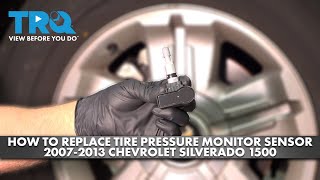
Typical fix: Replace the right rear TPMS sensor. The tire must be dismounted from the wheel to access it. 🎬 See this walkthrough on replacing the TPMS sensor. After installation, a TPMS relearn procedure must be performed.
Est. part cost: $25-$75 - Damaged TPMS Sensor 🟡 Medium Probability → Shop Tire Pressure Monitoring System (TPMS) Sensor Sensors can be easily damaged during tire mounting, dismounting, or from a flat tire event. A user on ChevroletForum.com noted their issue started after having new tires installed with 'rebuild kits', which reuse the old electronics.
How to confirm: Visual inspection after dismounting the tire. If the sensor is physically broken, it must be replaced. Like a dead battery, it will also fail to respond to a TPMS activation tool.
Typical fix: Replace the damaged TPMS sensor and perform the relearn procedure.
Est. part cost: $25-$75 - Faulty Remote Control Door Lock Receiver (RCDLR) ⚪ Low Probability → Shop Keyless Entry Receiver The RCDLR is the central receiver for all TPMS and key fob signals. While less common than a sensor failure, the module itself can fail, causing a loss of communication. A YouTube video shows a 2011 Silverado with no communication to the RCDLR due to a wiring issue near the module, not the module itself. 🎬 Watch: How to diagnose RCDLR communication and wiring issues.
How to confirm: This is a likely cause if multiple TPMS codes (C0750, C0755, C0760, C0765) are present simultaneously, and/or if the key fobs also stop working. A scan tool can be used to check for communication with the RCDLR. The RCDLR is located behind the rear interior trim panel.
Typical fix: Inspect wiring and connectors to the RCDLR first. If the module is faulty, it must be replaced. The new module must be programmed to the vehicle by a dealer or a properly equipped independent shop.
Est. part cost: $40-$100
Rare But Worth Checking
- Radio Frequency (RF) Interference: Aftermarket electronic devices, such as cell phone chargers, dash cams, LED lighting, or metallic window tint, can sometimes emit RF interference that blocks the 315 MHz signal from the TPMS sensor to the RCDLR. TSB PIC5650M provides an extensive list of potential sources, including USB power banks and even building access cards.
- RCDLR Antenna Connection Issue: TSB 16-NA-061 highlights that a poor or disconnected antenna connection for the RCDLR can cause TPMS codes, including C0765. The antenna system has several connection points (at the RCDLR, at the coax cable, and at the antenna amplifier module in the right rear glass) that can become loose. A disconnect closer to the RCDLR will cause more severe symptoms, like all sensors dropping out.
Diagnosis Steps
- Read the DTCs with a scan tool capable of reading Chassis (C) codes to confirm C0765 is present.
- Use a TPMS activation tool held near the right rear tire's valve stem to attempt to trigger the sensor.
- If the tool fails to get a response, the sensor has failed (likely a dead battery) and needs replacement.
- If the tool successfully reads the sensor, the issue may be with the RCDLR, its antenna, or RF interference.
- Unplug all aftermarket 12V accessories (chargers, dash cams, LED lights) and remove toll passes or access cards to rule out RF interference.
- If multiple TPMS codes are present and/or key fobs are inoperative, inspect the RCDLR and its antenna connections per TSB 16-NA-061. The RCDLR is often located behind the rear seat or in a pillar.
- Check for power (Red/White wire) and ground (Black wire) at the RCDLR connector if communication is lost.
- If a new sensor is installed and still cannot be learned by the vehicle, the RCDLR is the primary suspect, assuming all other sensors are functioning.
Parts You'll Likely Need
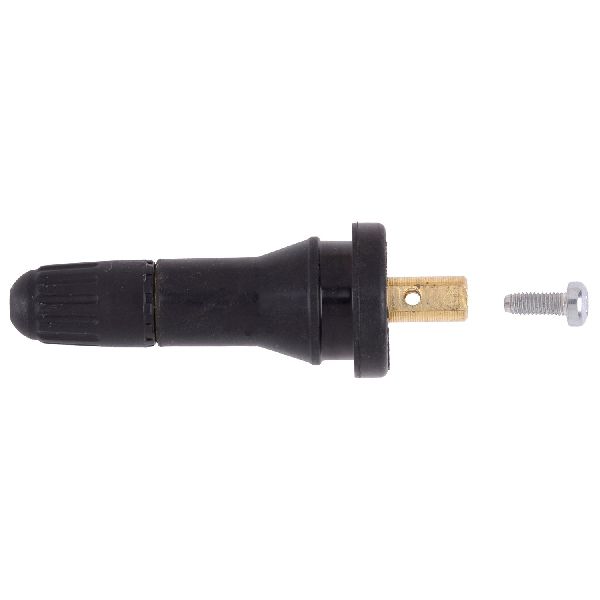
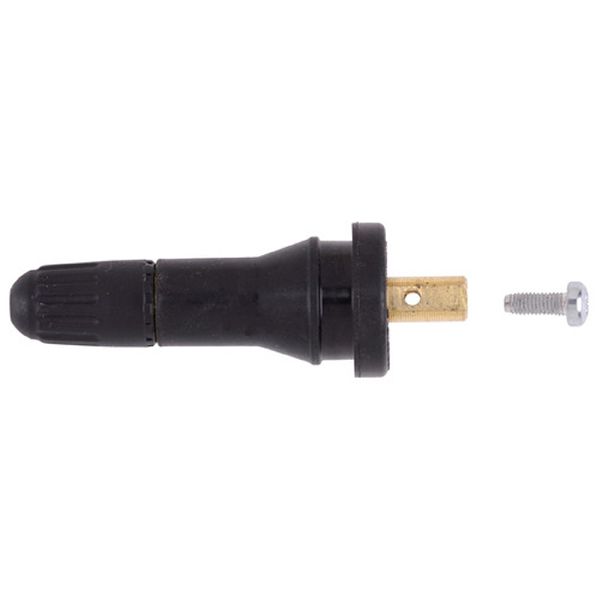
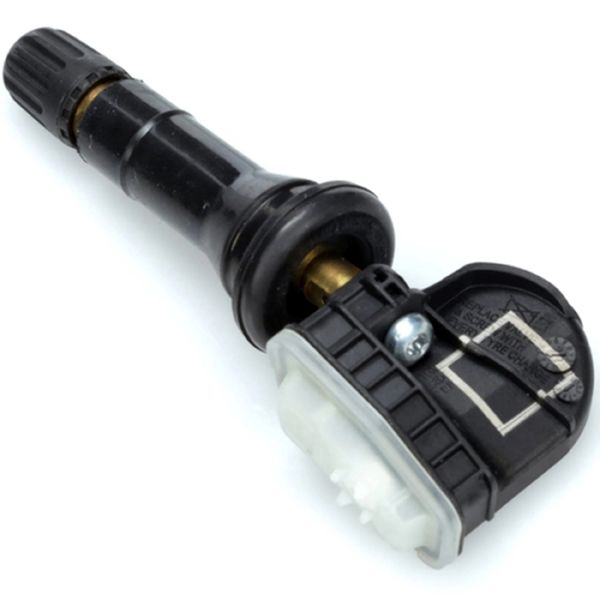
- Tire Pressure Monitoring System (TPMS) Sensor
(OEM #13598773 (may be superseded by 13516164 or 13506358))— This is the most common failure point for code C0765, typically due to the internal battery reaching the end of its 5-10 year service life.
Trusted brands: ACDelco, Schrader, Bosch, Denso
OEM price range: $40-$75
Aftermarket price range: $25-$50 - Remote Control Door Lock Receiver (RCDLR)
(OEM #20803735 (replaces 15287331, 15807816, 25852909, and others))— Needed if multiple TPMS sensors and key fobs fail simultaneously, pointing to a module failure rather than individual sensor failure. Requires programming after installation.
Trusted brands: ACDelco (GM Genuine)
OEM price range: $40-$100
Aftermarket price range: N/A
Related Codes That Often Appear With This One
- C0750, C0755, C0760 — These are the codes for the other three tire pressure sensors (Left Front, Right Front, Left Rear). If sensor batteries are failing due to age, it's common for multiple sensors to fail around the same time. If all four codes appear at once, it strongly points to a failed RCDLR module or a loose RCDLR antenna connection.
- B3055, B3060, B3935 — As noted in TSB #PIC5650M, these security and key-related codes can appear alongside TPMS codes if there is a fault with the shared RCDLR module or a broader vehicle communication issue caused by RF interference.
Technical Service Bulletins (TSBs) & Recalls
- PIC5650M: Notes that C0765 can be found with security-related codes during a no-start or start-stall condition, pointing to a potential communication issue involving the RCDLR module, often caused by RF interference.
- 16-NA-061: Details how a poor or disconnected RCDLR antenna can cause TPMS codes (including C0765) and key fob issues. It provides diagnostic examples based on which antenna connection is loose.
Platform-Specific Known Issues
- The 2007-2014 Silverado generation uses a 315 MHz frequency for its TPMS sensors. Ensure any replacement sensor is compatible.
- The TPMS relearn procedure changed mid-generation. Models up to ~2010 may allow the 'air deflation' method. 2011 and newer models typically require a TPMS activation tool (like the EL-50448) to complete the relearn process.
Mechanic-Grade Diagnostic Values
- RCDLR Power Supply Voltage — expected: Battery Positive Voltage (12V+). Failure: 0V indicates a broken wire or blown fuse, as the module will not communicate.
- Scan Tool RCDLR Data List — expected: The scan tool should show a 'Tire Pressure Sensor Battery' status as 'OK'.. Failure: A status of 'Low' or 'Fail' indicates the sensor needs replacement, even if it's still transmitting intermittently.
Hidden / Shadow Codes Worth Checking
- C0765 00: Indicates the RCDLR has not received a transmission from the sensor for 18 minutes. (see via GM Tech2 or GDS2 Scan Tool.)
- C0765 08: Indicates the sensor is transmitting an invalid signal. (see via GM Tech2 or GDS2 Scan Tool.)
- C0765 with symptom codes 03, 29, or 39: On some GM platforms, these indicate Low Voltage (dead battery), Too Few Pulses (transmission error), or Internal Malfunction, respectively. (see via GM Tech2 or GDS2 Scan Tool.)
Scan Tool Commands That Help
- GDS2 / Tech2: TPMS Learn Mode Enable — This command is used to put the vehicle into the TPMS relearn state without using the key fob or DIC menu. It is the first step after installing a new sensor or rotating tires.
- GDS2: Module Diagnostics > RCDLR > Data Display — To check the live status of each TPMS sensor, including pressure, ID, and battery status, to confirm if the RCDLR is receiving signals before condemning a sensor.
Wiring & Ground Locations
- RCDLR Module — Behind the rear cab trim panel, often on the driver's side near the C-pillar. On a 2011 Silverado, it was located behind the panel directly behind the rear driver-side seat.. This is the receiver for the TPMS signal. Physical access is required to test its power, ground, and antenna connections.
- RCDLR Power Wire — Red/White wire in the harness leading to the RCDLR connector. The harness often runs along the driver's side floor sill plate.. This wire is the main power supply from the instrument panel fuse block ('DSM' 10A fuse). A break in this wire will cause a total loss of communication with the RCDLR, mimicking a failed module.
- G303 / G304 — G303 is on the left side B-pillar behind the trim panel. G304 is on the right side B-pillar behind the trim panel.. These are the primary interior body ground points in the rear of the cab. A loose or corroded ground here could cause intermittent issues with the RCDLR, which is grounded in this vicinity.
Real Owner Repair Stories
- YouTube channel 'Raymond Beachy' (2011 Chevrolet Silverado) — Key fobs do not work. Scan tool shows 'Loss of Communications with the Remote Function Actuator' (RCDLR).
❌ Tried (didn't work) Initially ordering a new RCDLR module, assuming the original had failed.
✅ What actually fixed it The technician found there was no power at the RCDLR connector. Tracing the Red/White power wire back, they discovered a break with green corrosion in the wiring harness under the driver's side sill plate trim. A piece of aluminum foil had fallen into the channel, trapping moisture and causing the wire to corrode and break. Repairing the wire restored power and fixed the issue without needing to replace the RCDLR. - ChevroletForum.com user (Unknown year Silverado/GM) — TPMS and key fobs stopped working.
❌ Tried (didn't work) Manually trying to reprogram the key fobs using various methods after replacing the RCDLR.
✅ What actually fixed it The user replaced the RCDLR, which immediately made the TPMS system start working again. However, the key fobs remained inoperative. The fix required a trip to a properly equipped shop or dealer to have the new RCDLR module programmed to recognize the existing key fobs.
When the Usual Fixes Don't Work
- In one documented case for a 2011 Silverado, the root cause for an inoperative RCDLR was not the module itself, but a broken power wire leading to it. A technician who had initially ordered a replacement module discovered the true cause by testing for power at the connector, saving the cost of an unnecessary part. This highlights the importance of verifying power and ground before condemning any electronic module.
OEM Part Supersession History
15287331, 15807816, 25852909, and others→20803735— Part consolidation and design updates by GM over the vehicle's lifespan.
Heads up: The replacement part requires programming by a dealer or a shop with GM diagnostic software (Tech2/GDS2) to learn the vehicle's key fobs. The TPMS function may work immediately, but keyless entry will not until programmed.
Model Year Variations Within This Range
- 2007-~2010: These earlier models often allow the TPMS relearn procedure to be performed without a special tool by entering learn mode and then letting air out of each tire in sequence until the horn chirps.
- ~2011-2014: These later models typically require a dedicated TPMS activation tool (e.g., EL-50448) to trigger each sensor during the relearn procedure. The air deflation method is often ineffective.
Helpful Videos
We Have This Part in Stock



The information in this article is provided for general reference and educational purposes only. Vehicle specifications, procedures, and part compatibility can vary by production date, trim level, and region. Always consult your vehicle's factory service manual and verify part numbers before purchasing or performing repairs. Safety-critical components such as airbags, seat belts, and braking systems should be installed by a qualified professional.
- Chevrolet SILVERADO 3500:
- 🧭 Diagnostic Flowchart
- 🎬 Helpful Videos
- 🛍️ Shop This Part
- What's Unique About the 2007-2014 Chevrolet SILVERADO 3500
- Symptoms You May Notice
- Most Likely Causes
- Rare But Worth Checking
- Diagnosis Steps
- Parts You'll Likely Need
- Related Codes That Often Appear With This One
- Technical Service Bulletins (TSBs) & Recalls
- Platform-Specific Known Issues
- Mechanic-Grade Diagnostic Values
- Hidden / Shadow Codes Worth Checking
- Scan Tool Commands That Help
- Wiring & Ground Locations
- Real Owner Repair Stories
- When the Usual Fixes Don't Work
- OEM Part Supersession History
- Model Year Variations Within This Range
- 🎟️ Get 5% Off