

C0775 on 2007-2014 Chevrolet Express 1500: TPMS Faults, Causes, and Fixes
Code C0775 on a 2007-2014 Chevy Express 1500 means there is a fault within the Tire Pressure Monitoring System (TPMS), often that the sensors have not been learned by the vehicle's computer. The most common fix is to perform a TPMS relearn procedure, but it can also indicate failed sensors or a faulty TPMS module (RCDLR), which in rare cases can lead to a vehicle stall.
- C0775 means your van's TPMS has a fault, most likely because it needs to relearn the sensor positions.
- A flashing TPMS light indicates a system fault (like a dead sensor), not low tire pressure.
- The easiest first step is to try the TPMS relearn procedure found in your owner's manual.
- Given the vehicle's age, if one sensor battery has died, the others are likely to fail soon. It's cost-effective to replace all four at once.
- Be aware of the rare but serious link to vehicle stalling. If you experience stalling with this code, professional diagnosis is essential.
What's Unique About the 2007-2014 Chevrolet EXPRESS 1500
What's unusual for the Express van and its platform mates is that a TPMS fault, including C0775, can be linked to more severe, seemingly unrelated issues. A GM Technical Service Bulletin (TSB #PIC5650 series) documents cases where TPMS and security system codes appear together, leading to a no-start or vehicle stall. This occurs because the module responsible for TPMS, the Remote Control Door Lock Receiver (RCDLR), also handles key fob and immobilizer signals. A fault in this module or significant Radio Frequency Interference (RFI) can disrupt the vehicle's data bus communication, affecting critical systems like the engine immobilizer.
Diagnostic Flowchart
Tap your situation to follow the diagnostic path that matches what you're seeing on this vehicle.
Symptoms You May Notice
- "Service Tire Monitor System" message on the Driver Information Center (DIC).
- Flashing TPMS warning light for about a minute upon startup, which then stays on solid.
- Tire pressure readings showing as dashes (--) on the DIC.
- Inability to complete the TPMS relearn procedure; the horn does not chirp when activating a sensor.
- In rare cases, as documented by TSB #PIC5650, may be present alongside a vehicle stall, no-start condition, and the security light.
- Replacing a single TPMS sensor when the relearn procedure hasn't been attempted or has failed due to a faulty RCDLR.
- Assuming the tires are low on air when the TPMS light is flashing, which indicates a system fault, not low pressure.
- Replacing the BCM when the actual fault lies with the much cheaper RCDLR module or RFI.
Most Likely Causes
- TPMS Relearn Procedure Not Performed or Failed 🔴 High Probability The system requires a specific relearn procedure after tire rotation, sensor replacement, or sometimes even after a battery disconnect. This is a common maintenance oversight, and the procedure can sometimes fail without a dedicated TPMS tool.
How to confirm: Attempt the TPMS relearn procedure. If the vehicle fails to enter learn mode (no double horn chirp) or does not recognize the sensors (no single horn chirp per tire), this points to a deeper issue with the sensors or the receiver.
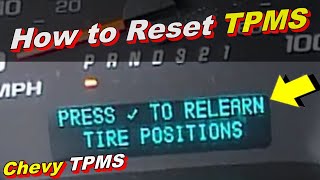
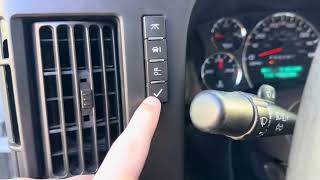
Typical fix: Perform the TPMS relearn procedure. 🎬 Watch this step-by-step tutorial on the Express van relearn procedure. This can be initiated via the DIC buttons or by holding the lock/unlock buttons on the key fob. Then, activate each sensor in sequence (starting LF, then RF, RR, LR) using either a TPMS activation tool or by letting air out of each tire for 5-30 seconds until the horn chirps. A dedicated tool is often more reliable. 🎬 See how to perform a DIY relearn without using a tool.
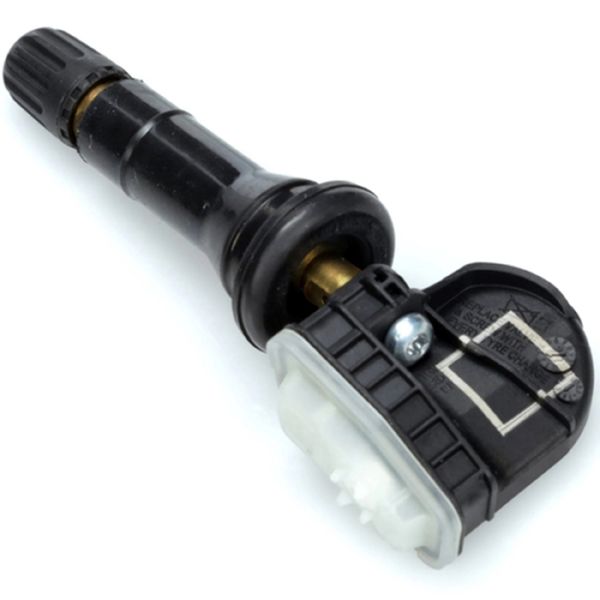
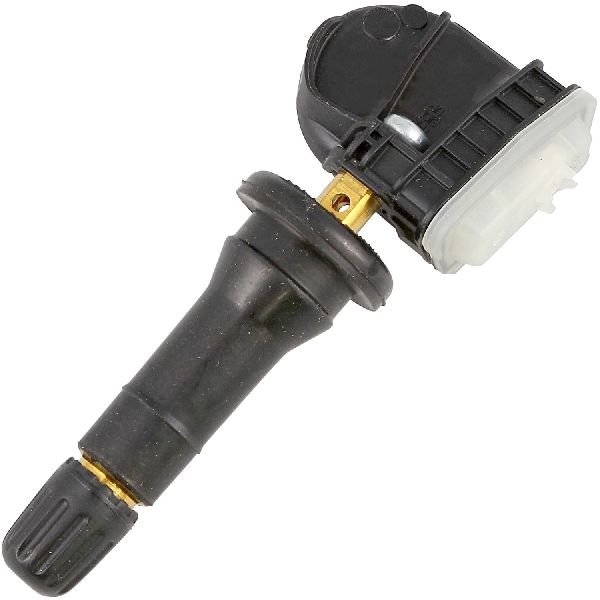
Est. part cost: $0-$25 (for a basic relearn tool) - Dead or Failing TPMS Sensor Battery 🔴 High Probability → Shop Tire Pressure Monitoring System (TPMS) Sensor TPMS sensors use sealed, non-replaceable batteries with a finite lifespan of 5-10 years. Vehicles in this 2007-2014 range are now at an age where battery failure is very common.
How to confirm: A professional TPMS scan tool can read the battery status of each sensor. If a sensor fails to respond during the relearn process (no horn chirp), its battery is the most likely culprit.
Typical fix: Replace the faulty TPMS sensor and perform the relearn procedure. It is highly recommended to replace all four sensors at once, as their batteries fail around the same time.
Est. part cost: $25-$75 per sensor - Faulty Remote Control Door Lock Receiver (RCDLR) 🟡 Medium Probability → Shop Keyless Entry Receiver On the Express and other GMT900 vehicles, the RCDLR module is responsible for receiving signals from both the key fobs and the 315 MHz TPMS sensors. A fault in this module can disrupt both systems. Its location under the dash pad or headliner can make it susceptible to damage or water intrusion.
How to confirm: A professional scan tool (like a Tech2) can check for communication with the RCDLR. If the module is unresponsive or shows internal fault codes, it's likely the cause. This is also suspected when key fob issues occur simultaneously or when all sensors are known to be good but the relearn procedure fails.
Typical fix: Replace the RCDLR module. On the Express, it is typically located under the top dash pad near the windshield. This replacement requires programming by a dealer or a well-equipped independent shop to learn the vehicle's key fobs and sensor IDs.
Est. part cost: $50-$150
Rare But Worth Checking
- Radio Frequency Interference (RFI): As detailed in TSB PIC5650K, aftermarket electronics like LED lights, cell phone chargers, dash cams, or even toll passes can emit RFI that 'jams' the 315 MHz frequency used by the TPMS and key fob systems, causing intermittent C0775 and other codes. Diagnosis involves removing all aftermarket devices and re-testing.
- Wiring Harness Damage: Damage to the wiring for the RCDLR/TPMS module, often under the dash or headliner, can cause intermittent communication loss and is difficult to diagnose without tracing circuits.
- Faulty Body Control Module (BCM): The BCM is the central hub for many of the vehicle's electronics. While a rare cause, a failing BCM can create a host of communication codes, including C0775, by disrupting the GMLAN data bus.
Diagnosis Steps
- Verify the complaint: Check if the TPMS light is flashing upon startup and then staying solid. Note if the DIC shows 'Service Tire Monitor System'.
- Check for RFI: Unplug all aftermarket 12V accessories (chargers, dash cams, etc.) and turn off any aftermarket LED lighting. These are a known cause of interference.
- Check Tire Pressures: Manually check all four tires with a quality gauge to rule out an actual low-pressure situation.
- Attempt Relearn Procedure: Follow the owner's manual procedure to put the van in 'Tire Learning Active' mode using either the DIC buttons or key fob. 🎬 Watch this quick video to see the reset process in action.
- Activate Sensors: Starting with the driver's front tire, use a TPMS activation tool (or the deflation method) to trigger each sensor in a clockwise pattern. Listen for the horn chirp to confirm each sensor is recognized. If one or more sensors do not trigger a chirp, they are suspect.
- Scan for Codes: If the relearn fails, use an advanced scan tool to read codes from the RCDLR and BCM. This will identify if a specific sensor has failed (e.g., C0760) or if the module itself is not communicating.
- Check Sensor Batteries: Use the scan tool to check the battery status of each TPMS sensor. Replace any sensors that show a low battery or fail to respond.
- Inspect RCDLR: If no sensors are bad but communication is still an issue, the diagnosis shifts to the receiver module (RCDLR). Inspect its location under the dash for wiring damage or signs of water intrusion. Professional diagnosis is needed to confirm if the module itself has failed.
Parts You'll Likely Need
- TPMS Sensor
(OEM #13598771 (superseded by 13540600, also see 13586335, 20923680, 22853741))— The internal batteries have a 5-10 year lifespan. For the 2007-2014 models, they are at the end of their service life and are the most common point of failure.
Trusted brands: ACDelco, Schrader, Continental, Dorman
OEM price range: $50-$80
Aftermarket price range: $25-$50 - TPMS Relearn/Activation Tool
(OEM #EL-50448 (GM Tool))— While not always mandatory (the deflation method can work), a relearn tool makes the process faster, more reliable, and is often necessary as the deflation method can be unreliable.
Trusted brands: ATEQ, Autel, VXDAS
Aftermarket price range: $15-$100 - Remote Control Door Lock Receiver (RCDLR)
(OEM #25876414 or 22739937 (Verify by VIN))— This module processes TPMS signals. Its failure is a common cause for C0775 when all sensors are good but the system still won't learn their positions. Requires programming after installation.
Trusted brands: ACDelco, Dorman
OEM price range: $70-$150
Aftermarket price range: $50-$100
Related Codes That Often Appear With This One
- C0750, C0755, C0760, C0765 — These codes indicate a fault with a specific tire pressure sensor (Left Front, Right Front, Left Rear, Right Rear), often due to a dead battery, and frequently accompany the general system code C0775.
- B3055, B3060, B3935 — As cited in TSB #PIC5650, these security/key-related codes can appear with C0775, pointing to a communication failure in a shared module (the RCDLR) or due to RFI that is causing wider network issues, potentially leading to a stall or no-start.
Technical Service Bulletins (TSBs) & Recalls
- PIC5650M (and later revisions like K): Addresses a stall or no-start concern with the security light on, where C0775 may be found alongside other body and chassis codes. It points to Radio Frequency Interference (RFI) from aftermarket devices as a primary cause to investigate before replacing modules.
Platform-Specific Known Issues
- TSB #PIC5650 series documents a potential link between this TPMS code, various security codes, and a vehicle stall or no-start condition, indicating a possible network communication failure originating from the RCDLR or RFI.
Scan Tool Commands That Help
- Tech2/GDS2: RCDLR Setup / Module Setup — This function is required after physically replacing the RCDLR to integrate the new module with the vehicle's other systems.
- Tech2/GDS2: Theft Deterrent System Learn — Must be performed after RCDLR replacement, as the RCDLR is part of the vehicle's security and immobilizer system.
- Tech2/GDS2: Copy and Paste TPM Information — On some models, this procedure should be used *before* removing the old RCDLR. It copies the existing sensor IDs from the old module to the scan tool, which can then be 'pasted' to the new module, avoiding the need for a manual relearn.
- TIS2WEB: Pass Through Programming — This is the official method for loading the correct software and vehicle configuration onto a new RCDLR module using a scan tool as an interface.
Wiring & Ground Locations
- RCDLR Module — Typically located high in the dashboard, near the center and close to the windshield.. This is the receiver for the TPMS sensor signals. Physical access is needed to check its connector for power, ground, and data lines, or to replace the module.
- G103, G104, G105, G106 — Various locations on the engine and front of the engine compartment. G103 is on the rear of the left engine head; G104/G105/G106 are on the front of the engine or frame rail.. A GM service bulletin identifies these as critical ground points. Improper grounding, especially on vans with relocated batteries, can cause erratic module behavior and communication codes like C0775. The battery must be grounded directly to the engine, not just the frame.
- G303 / G304 — Located on the left (G303) and right (G304) side B-pillars, behind the trim panels.. These are major chassis ground points for interior components. While not directly tied to the RCDLR in documentation, a poor ground here could cause a range of difficult-to-diagnose electrical issues on the data bus.
- RCDLR Connector — The multi-pin connector on the RCDLR module itself.. Testing at this connector is necessary to confirm the module is receiving battery voltage and has a solid ground before condemning the unit. A pinout diagram shows which pins are for power, ground, and the GMLAN serial data line.
Real Owner Repair Stories
- Chevrolet Forum user (2013 Express 2500) — Intermittent 'Service Tire Pressure Monitor System' light. Could not get the horn to chirp to confirm sensor learning.
❌ Tried (didn't work) Replacing the suspected bad sensor., Attempting the relearn procedure by letting air out of the tires; the van would not recognize any sensor.
✅ What actually fixed it Using a cheap, dedicated TPMS relearn tool purchased from Amazon successfully activated the sensors and completed the relearn procedure. - Chevrolet Forum user (2011 Express 2500 panel van (base model)) — Could not get the van to recognize new aftermarket TPMS sensors after installation.
❌ Tried (didn't work) The tire shop that installed the sensors did not know how to register them without a key fob, which the van did not have.
✅ What actually fixed it The owner's manual confirmed that for vans without RKE or DIC buttons, the trip odometer reset stem should be used to enter relearn mode. Another user suggested a method of cycling the headlamp switch 4-5 times to enter learn mode, which then requires a TPMS tool to complete. - Chevrolet Forum user (fleet owner) (Fleet of Chevrolet Express 3500 vans) — Constant TPMS errors across multiple vans. Inability to complete relearn procedure.
❌ Tried (didn't work) Installing cheap TPMS sensors from Amazon., Taking the van to a tire shop (Big O), which was unable to program the owner-supplied sensors because their scanner was only compatible with the 'Max Sensor' brand they sold.
✅ What actually fixed it The thread confirms that tool and sensor compatibility is a major issue. The resolution for the owner was to invest in a more capable scanner (like an Autel TS508WF) that can program a wider variety of sensors, or to use pre-programmed, direct-fit sensors from a reputable brand.
OEM Part Supersession History
25876414, 22739937, 15287331, 25852909, and others→20803735— Module hardware and software revisions by the manufacturer over time.
Heads up: While later parts are generally backward compatible, it is always critical to verify the correct part number by VIN before ordering. Using an incorrect RCDLR may result in programming failure or inoperative systems.
Model Year Variations Within This Range
- 2007-2014 (Base Models): Base model vans without Remote Keyless Entry (RKE) or the full Driver Information Center (DIC) cannot initiate the TPMS relearn mode using the key fob or DIC buttons. They require using the trip odometer reset stem or, in some cases, a specific sequence like cycling the headlamp switch to enter learn mode.
- 2014: A recall (GM #15819) was issued for some 2014-2016 incomplete vehicles (chassis cabs) that were shipped to upfitters without a TPMS. Dealers had to retrofit the entire system. This is a potential source of issues on 2014 models that were part of this batch.
Helpful Videos

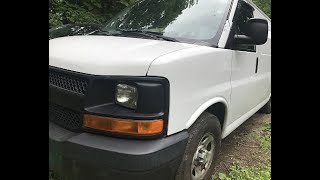
We Have This Part in Stock


The information in this article is provided for general reference and educational purposes only. Vehicle specifications, procedures, and part compatibility can vary by production date, trim level, and region. Always consult your vehicle's factory service manual and verify part numbers before purchasing or performing repairs. Safety-critical components such as airbags, seat belts, and braking systems should be installed by a qualified professional.
- Chevrolet EXPRESS 1500:
- 🧭 Diagnostic Flowchart
- 🎬 Helpful Videos
- 🛍️ Shop This Part
- What's Unique About the 2007-2014 Chevrolet EXPRESS 1500
- Symptoms You May Notice
- Most Likely Causes
- Rare But Worth Checking
- Diagnosis Steps
- Parts You'll Likely Need
- Related Codes That Often Appear With This One
- Technical Service Bulletins (TSBs) & Recalls
- Platform-Specific Known Issues
- Scan Tool Commands That Help
- Wiring & Ground Locations
- Real Owner Repair Stories
- OEM Part Supersession History
- Model Year Variations Within This Range
- 🎟️ Get 5% Off