

C0775 on 2015-2022 GMC Acadia: TPMS Fault Causes and Fixes
Code C0775 on a GMC Acadia means the Tire Pressure Monitoring System (TPMS) has a fault because the main computer (BCM) has not learned the ID codes from the tire sensors. This almost always happens after a tire rotation, sensor replacement, or BCM replacement if the TPMS relearn procedure is not completed successfully. Performing the relearn procedure is the fix.
- C0775 is a system fault, not a low tire pressure warning. It means the vehicle's computer has lost the IDs of the tire sensors.
- The most common trigger for this code is an incomplete or failed TPMS relearn procedure, often after a tire rotation.
- The fix is to correctly perform the TPMS relearn procedure, which may require a simple, inexpensive activation tool.
- If the relearn procedure repeatedly fails, one of the TPMS sensors likely has a dead battery and needs to be replaced.
What's Unique About the 2015-2022 Gmc ACADIA
The 2015-2022 GMC Acadia spans two distinct generations, which can affect TPMS service. The first generation ended in 2016 (with a 'Limited' model in 2017), while the second generation began in 2017. The key difference is the TPMS sensor frequency: first-generation models (2015-2016) use a 315 MHz sensor, while second-generation models (2017-2022) use a 433 MHz sensor. Using the wrong frequency sensor will guarantee a failed relearn and trigger code C0775. The C0775 code is a direct result of the GM-specific relearn protocol; if this procedure fails, is interrupted, or takes too long, the system invalidates all sensor IDs and sets this code, requiring the process to be restarted from scratch.
Diagnostic Flowchart
Tap your situation to follow the diagnostic path that matches what you're seeing on this vehicle.
Generation note: This range covers two Acadia generations. The first generation runs from 2015-2016 (and a 2017 'Limited' model). The second generation began in 2017. While the C0775 code's meaning is consistent, the relearn procedures and TPMS sensor part numbers differ between generations. First-gen models often use a key fob method (holding lock/unlock) to enter learn mode, while second-gen models typically use the Driver Information Center (DIC) menu. First-gen sensors operate at 315 MHz, and second-gen sensors operate at 433 MHz.
Symptoms You May Notice
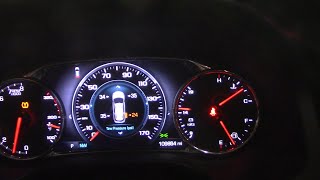
- "Service Tire Monitor System" message on the Driver Information Center (DIC).
- TPMS warning light flashes for 60-90 seconds after startup, then remains solid.
- Tire pressure readings on the DIC show as dashes (--) instead of numbers.
- In rare cases, as noted in TSB #PIC5650M, this code may appear alongside others in vehicles experiencing stalling and security light issues.
- Replacing all four TPMS sensors when only one is bad or the relearn procedure failed.
- Replacing the Body Control Module (BCM) when the issue is simply a failed relearn procedure or RF interference.
- Assuming the sensors are bad when the issue is a forgotten relearn after a tire rotation.
Most Likely Causes
- Failed or Incomplete TPMS Relearn Procedure 🔴 High Probability The GM relearn procedure is timed and must be done in a specific sequence (Left Front, Right Front, Right Rear, Left Rear). If the process is interrupted, takes too long (more than 2 minutes to start, 5 minutes total), or the ignition is turned off, the BCM will invalidate all sensor IDs and set C0775. This is very common after a tire rotation if the relearn is forgotten or fails.
How to confirm: This is the default assumption if the light appeared immediately after a tire rotation, new tire installation, or sensor replacement. The fix is to simply try the procedure again.
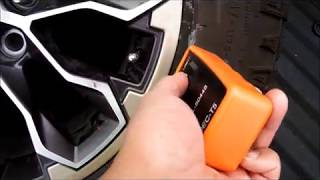
Typical fix: Perform the TPMS relearn procedure again from the beginning. This is most reliably done using a TPMS activation tool 🎬 Watch: How to use the EL-50448 relearn tool on GM vehicles (like the GM-specific EL-50448). On some models, you can also increase/decrease tire pressure at each wheel while in learn mode, but this method is less reliable and can be time-consuming.
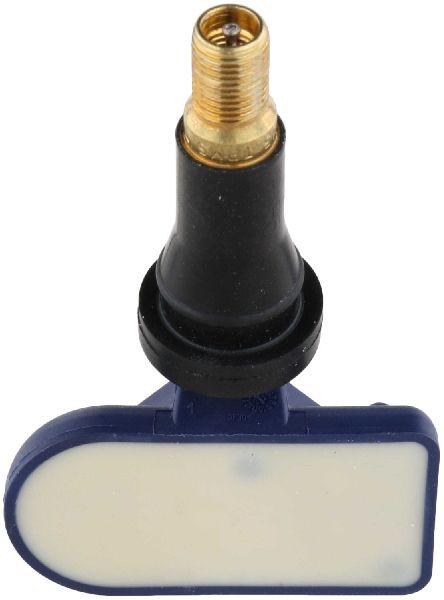
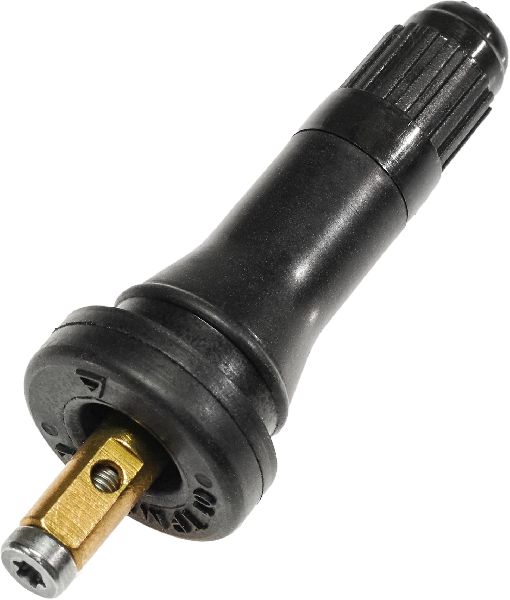
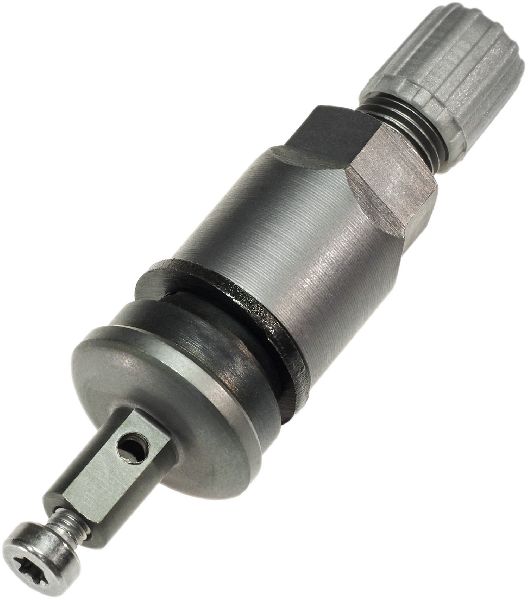
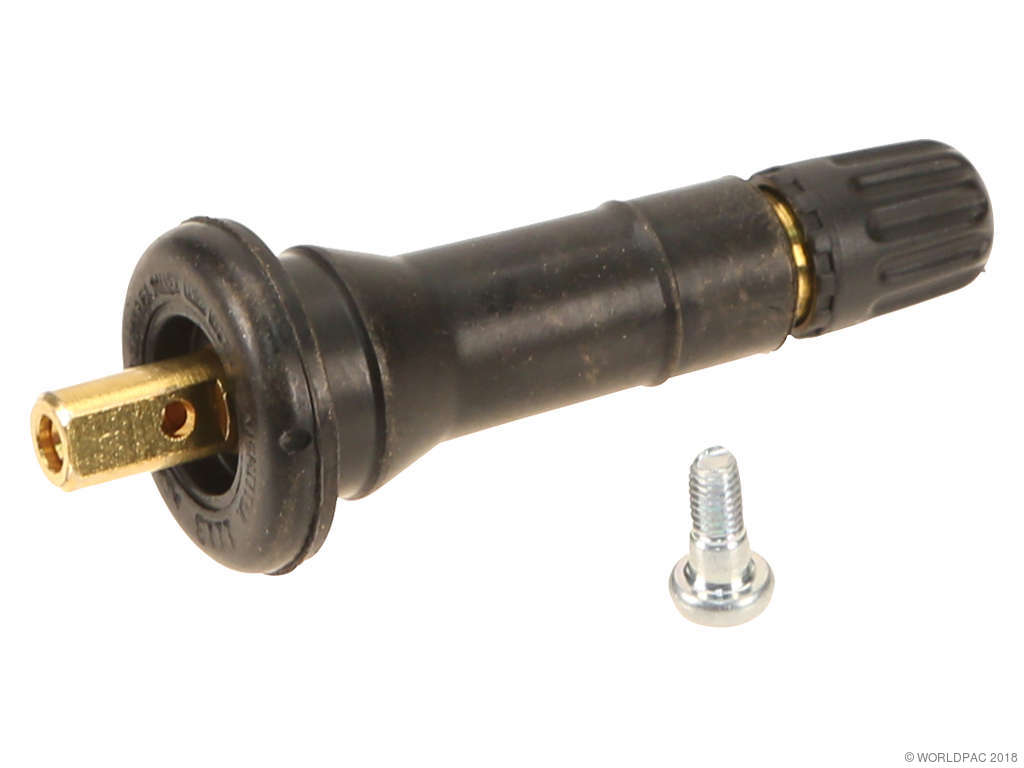
Est. part cost: $0-$25 (if a basic relearn tool is purchased) - Dead or Faulty TPMS Sensor 🟡 Medium Probability → Shop Tire Pressure Monitoring System (TPMS) Sensor TPMS sensor batteries are sealed and have a finite lifespan, typically 5-10 years. A dead battery prevents the sensor from transmitting its ID during the relearn process, causing the entire procedure to fail and trigger C0775.
How to confirm: A professional TPMS diagnostic tool can attempt to activate each sensor individually. If a sensor does not respond, its battery is likely dead. If the relearn procedure consistently fails at the same wheel, that sensor is the primary suspect.
Typical fix: Replace the faulty TPMS sensor. The tire must be dismounted to access the sensor. After replacement, the TPMS relearn procedure must be performed.
Est. part cost: $30-$80 per sensor - Replaced Body Control Module (BCM) Not Programmed ⚪ Low Probability The BCM stores the TPMS sensor IDs. If the BCM is replaced, it will have no sensor information stored, automatically setting code C0775 until the relearn procedure is completed.
How to confirm: This cause is only relevant if the BCM was recently replaced.
Typical fix: Perform the TPMS relearn procedure to teach the new BCM the sensor IDs.
Est. part cost: $0
Rare But Worth Checking
- Radio Frequency (RF) Interference: Strong radio signals from aftermarket electronics (like LED lights, cell phone chargers, dash cams) or being near powerful transmitters can interfere with the 315 MHz or 433 MHz signals during the relearn process, causing it to fail and set C0775. TSB PIC5650K specifically calls out this issue. Try performing the relearn in a different location away from other electronics.
- Incorrect TPMS Sensor Installed: → Shop Tire Pressure Monitoring System (TPMS) Sensor A shop may have installed a sensor of the wrong frequency (315 MHz vs. 433 MHz) or a universal sensor that was not programmed correctly for the vehicle. This will prevent the relearn from ever completing successfully.
Diagnosis Steps
- Verify that C0775 is the active code using an OBD-II scanner capable of reading Chassis (C) codes.
- Attempt the TPMS relearn procedure. For 1st Gen (2015-2016), turn the key to 'ON' and hold the lock/unlock buttons on the key fob until the horn chirps. For 2nd Gen (2017-2022), navigate to the tire pressure screen in the DIC 🎬 See this walkthrough for resetting the TPMS dash display and hold the set/reset button until the horn chirps.
- Follow the vehicle's prompts (usually horn chirps and turn signal indicators) to activate sensors in the correct order: LF, RF, RR, LR.
- Use a TPMS activation tool (like an EL-50448) for best results. Hold the tool against the tire sidewall near the valve stem and press the button until the horn chirps. This is much more reliable than the alternative method.
- If you don't have a tool, you can try rapidly decreasing tire pressure at each wheel until the horn chirps. This method is known to be finicky and may not work on all models.
- If the relearn procedure fails (often indicated by two horn chirps before completion), the BCM has timed out and code C0775 is set. Use a professional TPMS diagnostic tool to check the battery status and signal strength of each individual sensor. This will identify a dead or faulty sensor.
- Replace any sensor that fails to respond or shows a dead battery. Ensure the replacement sensor is the correct frequency (315 MHz for Gen 1, 433 MHz for Gen 2).
- After replacing a sensor, perform the entire relearn procedure again from the beginning.
Parts You'll Likely Need
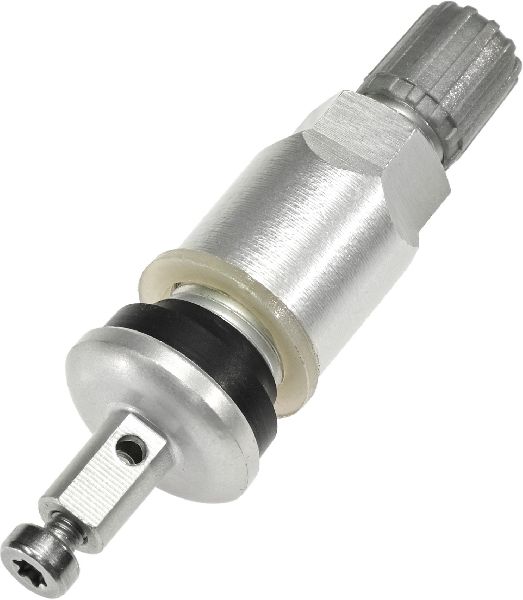
- Tire Pressure Monitoring System (TPMS) Sensor
(OEM #ACDelco 13540600 (315 MHz, Gen 1) 🎬 Watch: 2016 GMC Acadia TPMS reset using a handheld tool / ACDelco 13540603 (433 MHz, Gen 2))— This is the most common point of failure. The internal battery dies, or the sensor is damaged, preventing the relearn procedure from completing and triggering C0775. Be sure to use the correct frequency for your vehicle's generation.
Trusted brands: ACDelco, Schrader, VDO, Dorman
OEM price range: $50-$90
Aftermarket price range: $30-$60 - TPMS Relearn Tool
(OEM #EL-50448)— A simple activation tool is often required to trigger the sensors during the manual relearn procedure. It is a low-cost tool that makes the process much faster and more reliable than the air-out method. It works for both 315 MHz and 433 MHz systems.
Trusted brands: VXDAS, JDIAG, Augocom
OEM price range: $15-$25
Aftermarket price range: $10-$20
Related Codes That Often Appear With This One
- C0750 — Relates to the Left Front Tire Pressure Sensor. If this sensor is faulty, it can prevent the relearn procedure from completing, triggering C0775.
- C0755 — Relates to the Right Front Tire Pressure Sensor.
- C0760 — Relates to the Left Rear Tire Pressure Sensor.
- C0765 — Relates to the Right Rear Tire Pressure Sensor.
- B3055 — As per TSB #PIC5650M, this key-related security code can appear with TPMS codes in vehicles with complex electrical issues that may lead to stalling, often caused by RF interference.
Technical Service Bulletins (TSBs) & Recalls
- PIC5650M (and subsequent revisions like J, K): Notes that C0775 may be present in an investigation of a stall, no-start, or security light concern, alongside codes B3055, B3060, B3935, C0750, C0755, C0760, and C0765. It strongly points towards Radio Frequency Interference (RFI) from aftermarket accessories like phone chargers or LED lights as the root cause.
Platform-Specific Known Issues
- cause: TSB #PIC5650M | note: A technical service bulletin mentions that on some 2015 models, code C0775 can be found along with other security and TPMS codes in vehicles presenting with a stall concern and the security light illuminating. The cause is often RF interference from aftermarket devices.
Hidden / Shadow Codes Worth Checking
- C0775 00: This is the most common symptom byte for this code, directly translating to 'Tire Pressure Monitor Sensor Not Learned'. It confirms the BCM has failed to register the sensor IDs. (see via A professional scan tool capable of reading GM-specific symptom bytes, such as a GM GDS2/Tech2 or high-end aftermarket scanner.)
Scan Tool Commands That Help
- GM GDS2 / Tech2: Module Diagnostics > Body Control Module (BCM) > Configuration/Reset Functions > Tire Type/Pressure Selection — This function is used to initiate the TPMS relearn procedure via the diagnostic tool. It can also be used to set the vehicle's placard pressure, which is necessary if tire types are changed. This provides a more controlled alternative to the manual DIC or key fob methods.
- High-End TPMS Tool (e.g., ATEQ, XTOOL): OBD Relearn Function — For vehicles that support it, this function allows the tool to read the IDs from all four sensors and then write them directly to the BCM via the OBD-II port. This can bypass a finicky stationary relearn process and is often the fastest method.
Wiring & Ground Locations
- Remote Control Door Lock Receiver (RCDLR) — On second-generation Acadias (2017-2022), the RCDLR, which receives both key fob and TPMS signals, is typically located in the rear of the vehicle, behind the right side cargo area trim panel, often near the rear fuse box. On first-generation models, it is often found behind the instrument panel or glove box.. The RCDLR is the direct receiver for the TPMS sensor signals. A loose connector, damaged antenna wire, or poor ground at this module will prevent it from 'hearing' the sensors, making a successful relearn impossible and causing C0775.
- G303 / G304 — These are ground points located on the left (G303) and right (G304) side B-pillars, behind the trim panels.. Various interior modules rely on these grounds. While not a direct cause, poor grounding in this area can introduce electrical noise that may interfere with BCM or RCDLR operation, contributing to intermittent communication failures during a relearn.
- G103 — Located on the cowl in the engine compartment, typically above the brake booster.. This is a critical ground point that serves the Body Control Module (BCM), Instrument Panel Cluster (IPC), and the RCDLR. Corrosion or a loose connection at G103 can directly cause a host of communication issues, including the failure of the TPMS relearn process.
Real Owner Repair Stories
- Reddit user Topglock26 (2016 GMC Acadia) — The rear left wheel stopped reporting pressure. After attempting a relearn with a tool, all four wheels showed no pressure readings (--), and code C0775 was presumably set.
❌ Tried (didn't work) Attempting to re-awaken the dead sensor with a relearn tool.
✅ What actually fixed it The user confirmed that if one sensor is dead and cannot be programmed, the entire relearn sequence will fail, and no wheels will report pressure. The final fix was to replace the single dead TPMS sensor. After replacing it, all four sensors programmed perfectly and the system began working again.
OEM Part Supersession History
GM 13598771 (315 MHz)→ACDelco 13540600— Part number consolidation and manufacturer change (from GM to ACDelco branding).
Heads up: This 315 MHz sensor is for first-generation (2015-2016) Acadias. It is incompatible with 2017-2022 models which require a 433 MHz sensor. Multiple older GM part numbers like 13586335, 20923680, and 22853741 are also replaced by 13540600.GM 13516164 (433 MHz)→GM 13529703 / ACDelco 13540603— Part number updates and revisions.
Heads up: This 433 MHz sensor is for second-generation (2017-2022) Acadias. It is incompatible with 2015-2016 models. Installing a 315 MHz sensor on a second-gen vehicle will always result in a failed relearn and C0775.
Model Year Variations Within This Range
- 2015-2016 (First Generation): Uses 315 MHz TPMS sensors (e.g., GM 13598771, now ACDelco 13540600). Relearn mode is typically initiated by holding the Lock and Unlock buttons on the key fob.
- 2017-2022 (Second Generation): Uses 433 MHz TPMS sensors (e.g., ACDelco 13540603). Relearn mode is typically initiated through the Driver Information Center (DIC) menu. The RCDLR module is located in the rear cargo area.
Helpful Videos

We Have This Part in Stock


The information in this article is provided for general reference and educational purposes only. Vehicle specifications, procedures, and part compatibility can vary by production date, trim level, and region. Always consult your vehicle's factory service manual and verify part numbers before purchasing or performing repairs. Safety-critical components such as airbags, seat belts, and braking systems should be installed by a qualified professional.
- Gmc ACADIA:
- 🧭 Diagnostic Flowchart
- 🎬 Helpful Videos
- 🛍️ Shop This Part
- What's Unique About the 2015-2022 Gmc ACADIA
- Symptoms You May Notice
- Most Likely Causes
- Rare But Worth Checking
- Diagnosis Steps
- Parts You'll Likely Need
- Related Codes That Often Appear With This One
- Technical Service Bulletins (TSBs) & Recalls
- Platform-Specific Known Issues
- Hidden / Shadow Codes Worth Checking
- Scan Tool Commands That Help
- Wiring & Ground Locations
- Real Owner Repair Stories
- OEM Part Supersession History
- Model Year Variations Within This Range
- 🎟️ Get 5% Off