

C1173 on 2024-2025 GMC Acadia: TPMS Relearn Failure Causes and Fixes
On a 2024-2025 GMC Acadia, code C1173 almost always indicates a communication problem preventing the tire pressure monitoring system (TPMS) from relearning a sensor. The fix is typically not the sensor itself, but a dealer-installed wiring harness overlay as specified in GM Technical Service Bulletin #24-NA-166.
- Code C1173 on a 2024-2025 Acadia is most likely caused by a known wiring communication issue, not a bad tire sensor.
- The correct repair is detailed in GM Technical Service Bulletin #24-NA-166 and involves installing a special wiring harness.
- This is not a DIY-friendly repair and should be performed by a qualified technician at a GM dealership or certified repair facility.
- Do not replace TPMS sensors hoping to fix this issue until the possibility of the TSB has been ruled out.
- Always check your tire pressures manually with a gauge if you see a TPMS warning light.
What's Unique About the 2024-2025 Gmc ACADIA
For the 2024-2025 Acadia and its platform mates (like the Chevrolet Traverse and Buick Enclave), this code is uniquely tied to a known issue documented by General Motors. Unlike on other vehicles where a similar code would likely mean a bad TPMS sensor, on this specific platform, the root cause is often electrical interference from the OnStar module affecting the TPMS communication network. This requires a specific, non-standard repair involving a special wiring harness overlay.
Diagnostic Flowchart
Tap your situation to follow the diagnostic path that matches what you're seeing on this vehicle.
Symptoms You May Notice
- TPMS warning light is illuminated on the dashboard
- "Service Tire Monitor System" message displayed in the driver information center
- Inability to view the pressure of one or more tires
- Failure of the TPMS relearn procedure when attempted by a technician or owner, particularly for the front tires.
- The TPMS light may flash for about a minute after starting the vehicle before staying on solid, indicating a system fault.
- Replacing the TPMS sensor(s) before checking for TSB #24-NA-166. On these specific vehicles, the wiring issue is a much more probable cause than a failed sensor, especially if the relearn procedure fails for the front tires.
Most Likely Causes
- Communication Interference from OnStar Module 🔴 High Probability A known issue documented in TSB #24-NA-166 points to interference from the OnStar module (Telematic Control Module) due to a grounding issue with the Ethernet cable's X7 connector. This issue can be intermittent.
How to confirm: A technician can confirm by attempting a TPMS relearn procedure. If it fails, they may gain access to the rear headliner, disconnect the X7 connector at the Telematic Control Module, and re-attempt the learn procedure. If the sensors can be learned with the connector unplugged, the TSB applies.
Typical fix: Install the specified Ethernet cable overlay harness (GM Part #26501515). This involves routing a new cable through the vehicle's interior trim on the right side, from the X205 connector in the passenger compartment to the X7 connector at the OnStar module.
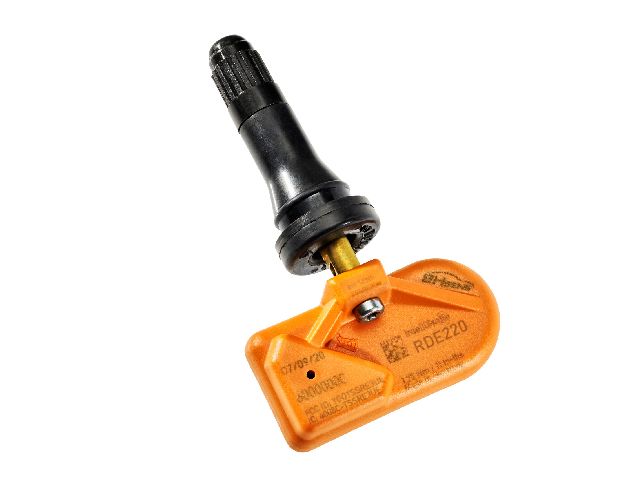
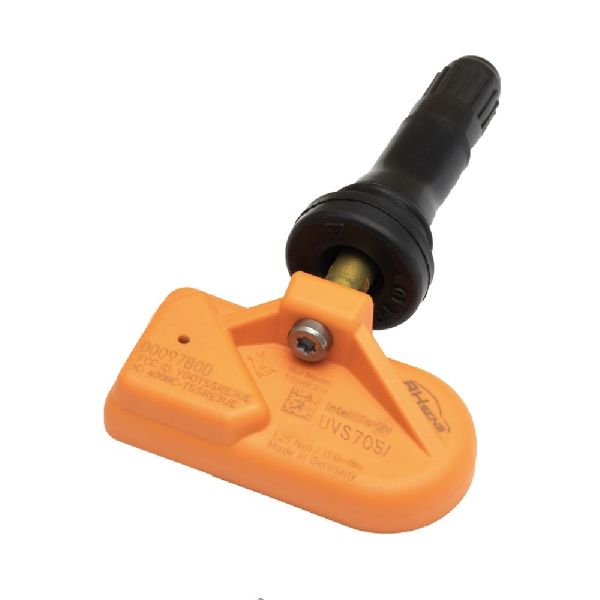
Est. part cost: $160-$260 for the overlay harness kit. - Faulty TPMS Sensor ⚪ Low Probability → Shop Tire Pressure Monitoring System (TPMS) Sensor
How to confirm: If the TSB procedure does not apply or has already been performed, a technician can use a TPMS diagnostic tool to test the individual sensor's battery and signal output. A flashing TPMS light that turns solid after a minute is a strong indicator of a sensor or system fault rather than just low pressure.
Typical fix: Replace the faulty TPMS sensor and perform the relearn procedure. It is best practice to also replace the TPMS service kit (valve stem, core, cap, grommet, nut).
Est. part cost: $40-$80 per sensor.
Diagnosis Steps
- Verify the code C1173 (and any accompanying codes like C1171, C1172, C1174) with a professional OBD-II scan tool.
- Check for the applicability of GM Technical Service Bulletin #24-NA-166 for the vehicle's VIN.
- Attempt a standard TPMS relearn procedure. Note if it fails, particularly for the front tires.
- If the relearn fails, follow the diagnostic procedure in TSB #24-NA-166. This involves gaining access to the Telematic Control Module under the rear headliner, disconnecting the X7 Ethernet connector, and attempting the relearn again.
- If the relearn succeeds with the connector disconnected, the TSB applies. Proceed with installing the Ethernet cable overlay harness.
- If the relearn still fails or the TSB does not apply, proceed with standard diagnostics for the TPMS system, including testing individual sensors with a dedicated TPMS tool.
Parts You'll Likely Need
- Body Wiring Harness Modular Pair Cable
(OEM #26501515)— This is the specific overlay harness kit required to fix the communication issue as per TSB #24-NA-166.
Trusted brands: ACDelco, Genuine GM
OEM price range: $160-$260. - Tire Pressure Monitoring System (TPMS) Sensor — This would only be needed if the sensor itself is diagnosed as faulty, which is a less common cause for this code on this vehicle.
Trusted brands: ACDelco, Schrader
OEM price range: $60-$90
Aftermarket price range: $40-$80
Related Codes That Often Appear With This One
- C1171 — This code, along with C1172 and C1174, is part of the same family of TPMS relearn failure codes covered by TSB #24-NA-166.
- C1172 — This code, along with C1171 and C1174, is part of the same family of TPMS relearn failure codes covered by TSB #24-NA-166.
- C1174 — This code, along with C1171 and C1172, is part of the same family of TPMS relearn failure codes covered by TSB #24-NA-166.
Technical Service Bulletins (TSBs) & Recalls
- Bulletin #24-NA-166: Addresses DTCs C1171, C1172, C1173, and C1174 where the Tire Pressure Monitor Sensor is unable to relearn. It provides the procedure to install an Ethernet Cable Overlay for the TCP OnStar Module.
Platform-Specific Known Issues
- A known issue documented in TSB #24-NA-166 describes a communication fault that prevents TPMS sensors from relearning. The cause is identified as interference from the OnStar module due to a grounding issue. The official fix is the installation of an Ethernet cable overlay.
Scan Tool Commands That Help
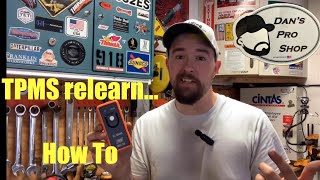
- Vehicle Infotainment System: Sensor Relearn — To initiate the TPMS relearn procedure on a 3rd Generation (2024+) Acadia, navigate to 'Vehicle Settings' > 'Tire Pressure' > 'Sensor Relearn' and follow the on-screen prompts with a TPMS activation tool. 🎬 Watch: How to perform a TPMS relearn on GM vehicles
- GDS2 / Professional Scan Tool: TPMS Learn Mode — A professional scan tool can also command the vehicle to enter learn mode. This is the first step in diagnosis to confirm if the relearn process is failing, which points towards the TSB issue rather than a simple sensor fault.
Wiring & Ground Locations
- K73 Telematic Control Module (TCP OnStar Module) — Located under the rear portion of the headlining trim panel, accessible by lowering the headliner near the liftgate opening.. This module is the source of the electrical interference that causes the C1173 code. The TSB repair involves running a new overlay harness to this module.
- Connector X7 — An Ethernet cable connector at the K73 Telematic Control Module.. This is the specific connector identified in TSB #24-NA-166 as having a potential grounding issue. The diagnostic procedure involves disconnecting it to see if the TPMS relearn then succeeds. The overlay harness provides a new connection at this point.
- Connector X205 — An Ethernet cable connector located in the right-hand front passenger compartment.. This is the starting point for the overlay harness. The new harness runs from this connector, along the right side of the vehicle, to connector X7 at the OnStar module.
Helpful Videos

We Have This Part in Stock

The information in this article is provided for general reference and educational purposes only. Vehicle specifications, procedures, and part compatibility can vary by production date, trim level, and region. Always consult your vehicle's factory service manual and verify part numbers before purchasing or performing repairs. Safety-critical components such as airbags, seat belts, and braking systems should be installed by a qualified professional.
- Gmc ACADIA:
- 🧭 Diagnostic Flowchart
- 🎬 Helpful Videos
- 🛍️ Shop This Part
- What's Unique About the 2024-2025 Gmc ACADIA
- Symptoms You May Notice
- Most Likely Causes
- Diagnosis Steps
- Parts You'll Likely Need
- Related Codes That Often Appear With This One
- Technical Service Bulletins (TSBs) & Recalls
- Platform-Specific Known Issues
- Scan Tool Commands That Help
- Wiring & Ground Locations
- 🎟️ Get 5% Off