

C1708 on 2012-2015 Nissan Altima: TPMS 'No Data' from Front Left Sensor Explained
On a 2012-2015 Nissan Altima, code C1708 almost always means the TPMS sensor in the front left tire has failed, usually due to a dead battery. The fix is to replace the sensor and register it to the vehicle. Before replacement, unplug all aftermarket 12V accessories to rule out RF interference, a known Nissan issue. The total repair cost is typically $150-$350 at a tire shop or independent mechanic.
- C1708 on your Altima means the front left tire pressure sensor is not communicating with the car.
- The most likely cause is a dead battery inside the sensor, which requires replacing the entire sensor unit.
- Before replacing parts, unplug any phone chargers or other aftermarket electronics from your car's power outlets to rule out radio frequency interference, a known Nissan issue.
- Replacement requires tire removal and a special tool to register the new sensor, making it a job best left to a tire shop or mechanic.
- Ensure the correct part number is used, as it differs between the 2012 (4th gen) and 2013-2015 (5th gen) models.
What's Unique About the 2012-2015 Nissan ALTIMA
The 2012-2015 Altima spans two generations (4th and 5th), which use different TPMS sensors and part numbers. A notable issue for Nissans of this era is susceptibility to Radio Frequency (RF) interference from aftermarket devices like phone chargers, dash cams, and even wireless charging docks plugged into the 12V power outlet. This interference can block the sensor signal and trigger a C1708 code even if the sensor is good. Nissan issued a technical service bulletin (NTB13-088A) specifically highlighting this as a potential cause for 'No Data' conditions and advising technicians to unplug all such devices before beginning diagnostics.
Diagnostic Flowchart
Tap your situation to follow the diagnostic path that matches what you're seeing on this vehicle.
Generation note: This range covers the end of the 4th generation (2012) and the beginning of the 5th generation (2013-2015). The TPMS sensors and part numbers are different between these generations. The 2013 and newer models feature an 'auto-relearn' system that registers new sensors by driving over 16 mph for about 10 minutes. 🎬 See how the 2015 Altima TPMS and Easy Fill system works. The 2012 model may require a scan tool or a manual 'paperclip' relearn procedure for registration.
Symptoms You May Notice
- Solid or flashing TPMS warning light on the instrument cluster. A flashing light for ~60 seconds upon startup that then turns solid is the primary indicator of a TPMS system fault.
- Message on the driver information display indicating a TPMS error or to check the TPMS system.
- Inability to view the pressure reading for the front left tire on the information display (if equipped).
- Replacing the wrong sensor. A tire rotation may have been performed without relearning sensor positions. A technician might replace the sensor on the wheel physically at the front left, but the car's BCM still thinks that sensor ID belongs to another corner. Always use a TPMS tool to trigger and confirm which corner is not transmitting before replacement.
Most Likely Causes
- Dead TPMS Sensor Battery 🔴 High Probability → Shop Tire Pressure Monitoring System (TPMS) Sensor TPMS sensor batteries have a finite lifespan of 5-10 years. Vehicles in this 2012-2015 range are now at an age where battery failure is the most common reason for sensor failure. The battery is sealed inside the sensor and cannot be replaced separately.
How to confirm: Use a TPMS diagnostic tool to attempt to 'wake' or read the sensor. If the tool gets no response, the battery is almost certainly dead. This is the definitive test before removing the tire.
Typical fix: Replace the front left TPMS sensor. It is often recommended to replace all four sensors at once if they are original, as the others are likely to fail soon.
Est. part cost: $40-$90 per sensor (aftermarket) - Faulty TPMS Sensor 🟡 Medium Probability → Shop Tire Pressure Monitoring System (TPMS) Sensor Sensors can fail from internal electronic faults or physical damage from potholes or careless tire service. Corrosion of the valve stem can also damage the sensor.
How to confirm: As with a dead battery, a TPMS tool will fail to get a response from the sensor. Physical inspection during replacement may show cracks, corrosion, or other damage.
Typical fix: Replace the front left TPMS sensor and register the new sensor ID.
Est. part cost: $40-$90 - Radio Frequency (RF) Interference ⚪ Low Probability Nissan TSB NTB13-088A specifically calls out this issue. Aftermarket electronics, especially cheap phone chargers, dash cams, and wireless phone docks plugged into the 12V outlet, can transmit on a frequency that jams the 315MHz signal from the TPMS sensors.
How to confirm: Unplug all aftermarket electronic devices (phone chargers, dash cams, DVD players) from the vehicle's power outlets. Clear the codes and drive the vehicle for over 10 minutes at speeds above 25 MPH to see if communication is restored. If the light goes out, one of the unplugged devices was the cause.
Typical fix: Remove or replace the interfering electronic device. Using high-quality, well-shielded chargers can prevent the issue.
Est. part cost: $0-$50
Rare But Worth Checking
- Faulty Body Control Module (BCM) or TPMS Receiver: → Shop Body Control Module This is very rare. Before suspecting the BCM, all other possibilities, especially the sensor itself and RF interference, should be thoroughly ruled out. This is usually indicated if the vehicle cannot communicate with multiple sensors, not just one, and the issue persists after sensor replacement.
- Aftermarket Wheels: Some aftermarket alloy wheels can have a design or material composition that blocks or detunes the TPMS sensor's signal, preventing it from reaching the receiver. Nissan mentions this in TSB NTB13-088A.
Diagnosis Steps
- Verify tire pressures are set to the specification on the driver's door jamb sticker.
- Scan the BCM for codes using an OBD-II scanner. Confirm C1708 is present. Note if it is 'current' or 'history'.
- To eliminate RF interference, unplug ALL aftermarket accessories from 12V power outlets (phone chargers, dash cams, etc.).
- Clear the codes and drive the vehicle for at least 10 minutes at speeds over 25 mph to see if the code returns. If it does not, the issue was RF interference.
- If the code returns, use a TPMS diagnostic tool to attempt to read the sensor data directly from each wheel. Start with the front left.
- If the tool receives no signal from the front left sensor, the sensor is bad (dead battery or faulty). Proceed to replace the front left TPMS sensor.
- If the tool *does* receive a signal from the sensor but the car does not (and RF interference is ruled out), the problem may lie with the vehicle's TPMS receiver or BCM, which is a rare failure.
- After replacing the sensor, use the TPMS tool to perform the relearn procedure to register the new sensor ID with the BCM. For 2013+ models, driving above 16 mph for 10-15 minutes should automatically complete the relearn.
Parts You'll Likely Need
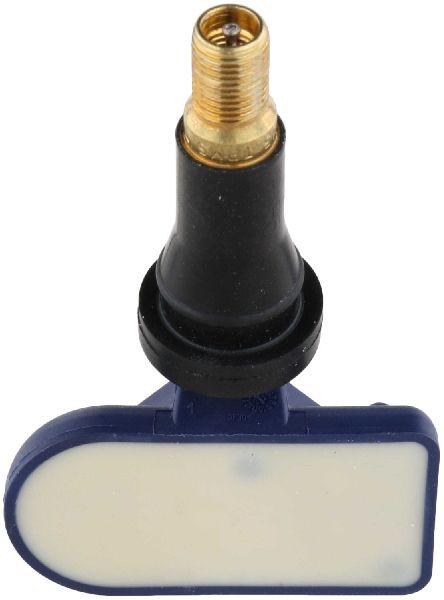
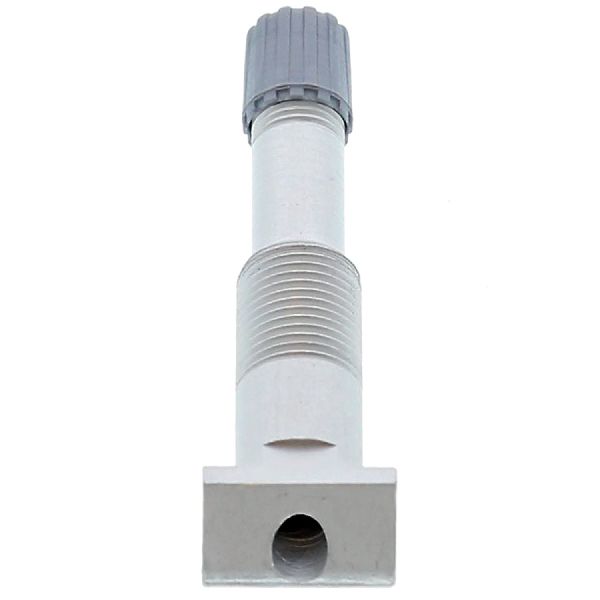
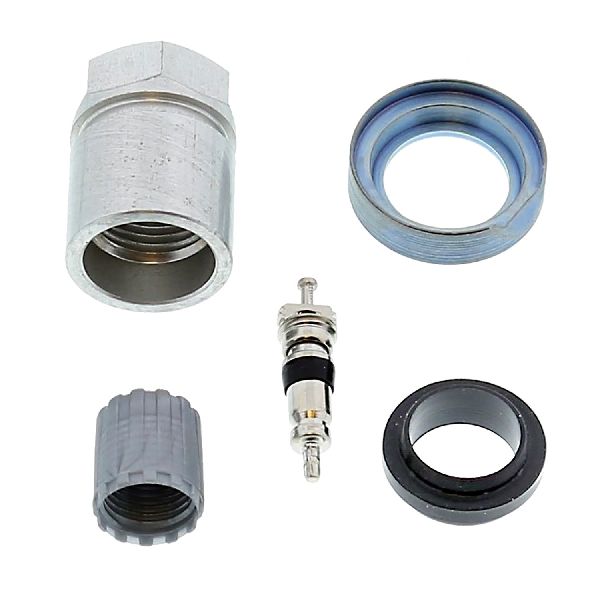
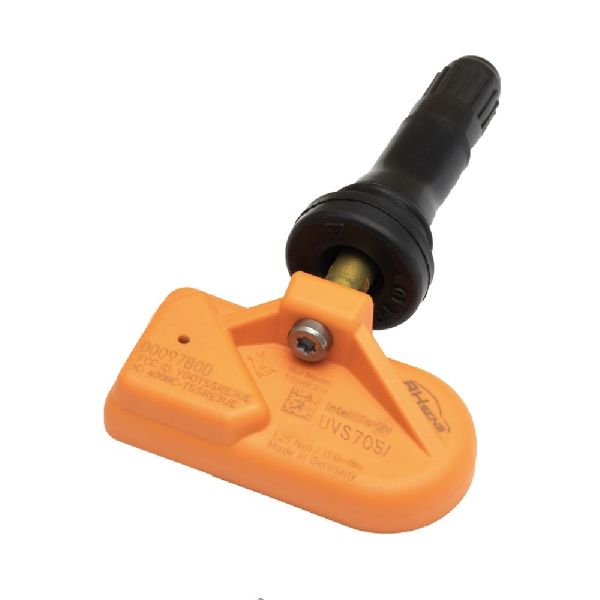
- Tire Pressure Monitoring System (TPMS) Sensor
(OEM #40700-3AN1B (fits 2012 models), 40700-3JA0B (fits 2013-2015 models))— This is the component that fails, typically due to its integrated battery reaching the end of its 5-10 year service life.
Trusted brands: Schrader, Continental/VDO, Autel, Dorman, Denso
OEM price range: $80-$200
Aftermarket price range: $40-$90
Related Codes That Often Appear With This One
- C1709 — This code indicates 'No Data' from the Front Right sensor. It's common to see multiple TPMS codes appear around the same time as the sensor batteries have a similar lifespan and tend to fail within a similar timeframe.
- C1710 — This code indicates 'No Data' from the Rear Right sensor. Seeing it with C1708 suggests multiple sensors are failing due to age.
- C1711 — This code indicates 'No Data' from the Rear Left sensor, pointing to a widespread failure of the TPMS sensors due to age.
Technical Service Bulletins (TSBs) & Recalls
- NTB13-088A: A comprehensive bulletin on Nissan TPMS diagnostics. It explicitly states that Radio Frequency (RF) interference from devices like 'Smart cell phone chargers' can cause a 'No Data' condition (C1708-C1711) and that this should be checked before other diagnostics are performed. It also notes that damage from aftermarket tire sealants or issues from aftermarket wheels are not covered by warranty.
Platform-Specific Known Issues
- Real-World RF Interference: A Nissan Leaf owner on the 'My Nissan Leaf Forum' detailed a mystifying TPMS issue where the warning light would come on after 15 minutes of driving. The problem was traced to a wireless phone charging dock plugged into the 12V socket. As soon as the phone started charging, the TPMS readings froze. Unplugging the charger immediately restored sensor communication. This provides a concrete example of the TSB warning in action.
- Misdiagnosis from Tire Rotation: A YouTube video from 'Online Auto Repair Videos' diagnosing C1708, C1709, and C1711 on a Nissan highlights the critical importance of not trusting the on-board computer's reported wheel location. The mechanic stresses that if tires were rotated without a relearn, the C1708 'Front Left' code could actually be coming from a sensor that is now on a different corner of the car. He demonstrates using a handheld TPMS tool at each wheel to find the true source of the 'No Data' signal before performing any repairs.
Scan Tool Commands That Help
- Nissan CONSULT-III plus: Work Support > ID Read — To be used before replacing any sensors. This function reads the sensor IDs currently stored in the BCM for each wheel position. This is critical for confirming if a tire rotation without a relearn is the cause of the fault, as the BCM may be looking for the wrong sensor ID at the front-left position.
- Nissan CONSULT-III plus: Work Support > ID Register — This function is used to manually write the new sensor's unique ID into the BCM after replacement. This is required on the 2012 model and can be used as an alternative to the auto-relearn drive cycle on 2013-2015 models to confirm a successful repair immediately.
- Nissan CONSULT-III plus: Re/programming, Configuration > Air Pressure Monitor — This configuration must be performed whenever the BCM is replaced. If this step is skipped, the BCM will not be able to register any TPMS sensor IDs, new or old.
Wiring & Ground Locations
- Body Control Module (BCM) — On 2013-2015 models, the BCM which contains the TPMS receiver is located directly behind the instrument cluster. Access requires removing the cluster and surrounding trim panels.. This is the central computer that receives the signal from the TPMS sensor. In the rare event of a receiver failure, or if checking wiring is necessary, knowing its physical location is essential. Misinformation often places it near the junction box, but for this generation, it is behind the cluster.
- BCM Connector M21 — This is one of the main multi-pin connectors on the BCM located behind the instrument cluster.. Terminals 131 and 139 are the main power inputs to the BCM, while terminals 134 and 143 are the primary grounds. A loss of power or a bad ground at these specific pins could cause a variety of issues, including the inability to receive TPMS signals, mimicking a sensor fault.
- Ground Point M79 — Located behind the left (driver's side) of the dashboard.. This is a shared ground point for several components controlled by the BCM. According to wiring diagrams, the BCM itself relies on this ground. Corrosion or a loose connection at this point can cause intermittent and hard-to-diagnose electrical issues, including TPMS malfunctions.
Real Owner Repair Stories
- NissanForums user (2013 Nissan Altima) — TPMS light would come on with code C1708 after driving for a short period.
❌ Tried (didn't work) Replacing the front-left TPMS sensor (the light came back)., Replacing the sensor a second time with a different brand (the light still came back).
✅ What actually fixed it The owner realized the problem started after installing a new dash cam. Unplugging the dash cam from the 12V power outlet immediately solved the problem. The dash cam's power adapter was generating RF interference that blocked the TPMS signal, perfectly illustrating the issue described in Nissan's TSB NTB13-088A.
OEM Part Supersession History
40700-3AN1A→40700-3AN1B— Standard part revision by the manufacturer.
Heads up: These parts are for the 4th generation Altima and are not compatible with 2013-2015 models.40700-3JA0A→40700-3JA0B, subsequently 40700-3JA0C and 40700-3JA0E— Standard part revision by the manufacturer.
Heads up: These parts are for the 5th generation Altima and are not compatible with the 2012 model.
Model Year Variations Within This Range
- 2012: This model year uses TPMS sensor part number 40700-3AN1B. Registering a new sensor typically requires a TPMS scan tool or a manual relearn procedure.
- 2013-2015: These models use TPMS sensor part number 40700-3JA0B (and its successors). They feature an 'auto-relearn' capability where the BCM will automatically register new sensor IDs after driving for several minutes at speeds above 16 MPH. They also have the 'Easy-Fill Tire Alert' feature, which honks the horn when the correct pressure is reached during inflation.
Helpful Videos





We Have This Part in Stock



The information in this article is provided for general reference and educational purposes only. Vehicle specifications, procedures, and part compatibility can vary by production date, trim level, and region. Always consult your vehicle's factory service manual and verify part numbers before purchasing or performing repairs. Safety-critical components such as airbags, seat belts, and braking systems should be installed by a qualified professional.
- Nissan ALTIMA:
- 🧭 Diagnostic Flowchart
- 🎬 Helpful Videos
- 🛍️ Shop This Part
- What's Unique About the 2012-2015 Nissan ALTIMA
- Symptoms You May Notice
- Most Likely Causes
- Rare But Worth Checking
- Diagnosis Steps
- Parts You'll Likely Need
- Related Codes That Often Appear With This One
- Technical Service Bulletins (TSBs) & Recalls
- Platform-Specific Known Issues
- Scan Tool Commands That Help
- Wiring & Ground Locations
- Real Owner Repair Stories
- OEM Part Supersession History
- Model Year Variations Within This Range
- 🎟️ Get 5% Off