

C1708 on 2012-2015 Nissan Armada: TPMS 'No Data' Causes and Fixes
On a 2012-2015 Nissan Armada, code C1708 means the TPMS system isn't receiving data from the front-left wheel sensor. The most common cause is a dead sensor battery, requiring sensor replacement and registration. Before replacing parts, unplug all aftermarket phone chargers and dash cams to rule out RF interference. Expect to pay $50-$110 for an aftermarket sensor or $70-$110 for an OEM one, plus $50-$100 in labor.
- C1708 on your Armada means the front-left TPMS sensor is not communicating with the car.
- The most likely cause is a dead battery in the original sensor, as these vehicles are now old enough for this to be common.
- Before replacing parts, remove any aftermarket phone chargers or dash cams to rule out radio interference, a known issue mentioned by Nissan in TSB NTB13088A.
- This is not a DIY-friendly fix for most people, as it requires tire dismounting and specialized tools to register the new sensor.
- When one sensor fails, the others may not be far behind. Consider replacing all four sensors if they are original to the vehicle to save on future labor costs, especially if you are already buying new tires.
What's Unique About the 2012-2015 Nissan ARMADA
For the first-generation (TA60) Armada, which shares its F-Alpha platform with the Nissan Titan and Infiniti QX56, the TPMS system is a common point of failure as the vehicles age. The original sensor batteries have a finite lifespan of about 7-10 years, placing the 2012-2015 models squarely in the window for widespread failures. Nissan also issued a Technical Service Bulletin (NTB13088A) that specifically mentions C1708 and highlights radio frequency interference from aftermarket accessories as a potential cause, which can complicate diagnosis. Unlike some vehicles that can auto-relearn sensors, this platform requires a TPMS tool for reliable registration, though a manual procedure does exist.
🎬 Watch: How to reset the TPMS light on Nissan and Infiniti models.Diagnostic Flowchart
Tap your situation to follow the diagnostic path that matches what you're seeing on this vehicle.
Symptoms You May Notice
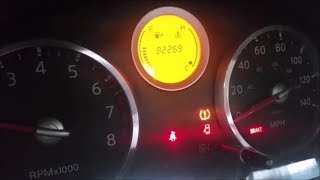
- Flashing TPMS warning light on the dashboard for about one minute after starting the vehicle, which then stays on solid. 🎬 Watch: A quick guide to resetting the Armada TPMS light.
- Inability to see the front-left tire pressure reading on the vehicle's information display (if equipped).
- The TPMS light will not go away even if the tire pressure is correct.
- Replacing the tire when the issue is the sensor inside.
- Assuming the TPMS warning light means low pressure, when a flashing light indicates a system fault.
- Replacing the BCM when only one sensor is failing.
- Replacing the front-left sensor without first using a TPMS tool to confirm it's the one that has failed, as tires may have been rotated previously.
Most Likely Causes
- Dead TPMS Sensor Battery 🔴 High Probability → Shop Tire Pressure Monitoring System (TPMS) Sensor The sealed, non-replaceable batteries inside the sensors have a lifespan of 7-10 years. Vehicles from 2012-2015 are now at an age where battery failure is the most common issue.
How to confirm: A professional TPMS diagnostic tool can attempt to 'wake' or 'trigger' the sensor. If the tool receives no response (no ID, pressure, or temperature reading), the sensor is almost certainly dead.
Typical fix: Replace the front-left TPMS sensor and perform the TPMS sensor ID registration procedure. It is often recommended to replace all four sensors if they are original to avoid repeat repairs, as the others are likely to fail soon.
Est. part cost: $50-$110 - Faulty TPMS Sensor 🟡 Medium Probability → Shop Tire Pressure Monitoring System (TPMS) Sensor Sensors can fail from internal corrosion, physical damage during tire service, or electronic failure. The aluminum retaining nuts can also corrode and crack, particularly in 'Salt Belt' states.
How to confirm: Similar to a dead battery, a TPMS tool will fail to get a response from the sensor. Physical inspection during tire dismounting may reveal cracks, corrosion, or damage.
Typical fix: Replace the front-left TPMS sensor and register the new sensor ID with the vehicle.
Est. part cost: $50-$110 - Radio Frequency (RF) Interference ⚪ Low Probability Nissan TSB NTB13088A specifically calls out RF interference as a cause for C1708. Aftermarket electronics like low-quality phone chargers, dash cams, Nintendo Switch chargers, or power inverters can broadcast signals that block the weak 315MHz TPMS sensor signal. This is a well-documented issue on this platform.
How to confirm: Unplug all aftermarket electronic devices from the vehicle's 12V power outlets. Clear the codes (if possible) and drive the vehicle for 10-15 minutes to see if the fault clears. If the code does not return, one of the devices was the cause.
Typical fix: Remove or replace the interfering electronic device with a higher-quality, better-shielded alternative.
Est. part cost: $0
Rare But Worth Checking
- Faulty TPMS Receiver or BCM: This is rare for a single wheel code. It's more likely if you have codes for multiple wheels (e.g., C1708, C1709, C1710, C1711) appearing simultaneously and RF interference has been ruled out.
- Incorrectly Registered Sensor: This can happen if wheels were rotated or a new sensor was installed without the proper registration (re-learn) procedure. The code C1708 points to a location (Front-Left), not a specific sensor ID, so a bad sensor that was rotated from another position could still trigger this code.
Diagnosis Steps
- Verify the TPMS warning light behavior: Confirm it flashes for about a minute then goes solid, which indicates a system fault.
- Check and adjust the pressure in all four tires to the specification on the driver's door jamb sticker. This rules out an actual low-pressure condition.
- CRITICAL FIRST STEP: Unplug all aftermarket 12V accessories (phone chargers, dash cams, GPS, etc.) to eliminate potential RF interference as per TSB NTB13088A.
- Drive the vehicle for several minutes to see if the light extinguishes. If it does, one of the unplugged accessories was the cause.
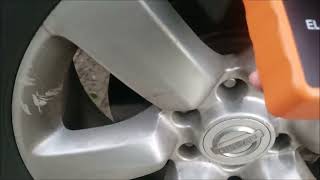
- Use a TPMS diagnostic tool to scan the front-left wheel sensor. Attempt to trigger it and read its ID, battery status, temperature, and pressure data.
- If the tool cannot get a reading from the front-left sensor, the sensor is the primary suspect and should be replaced.
- If the tool CAN read the sensor, but the car cannot, the issue may be with the BCM or a past rotation. Attempt a TPMS re-learn procedure to re-register all sensor IDs with the BCM.
- If the re-learn fails for the front-left wheel, replace the TPMS sensor.
- After replacing the sensor, perform the TPMS ID registration procedure and confirm the code does not return.
Parts You'll Likely Need
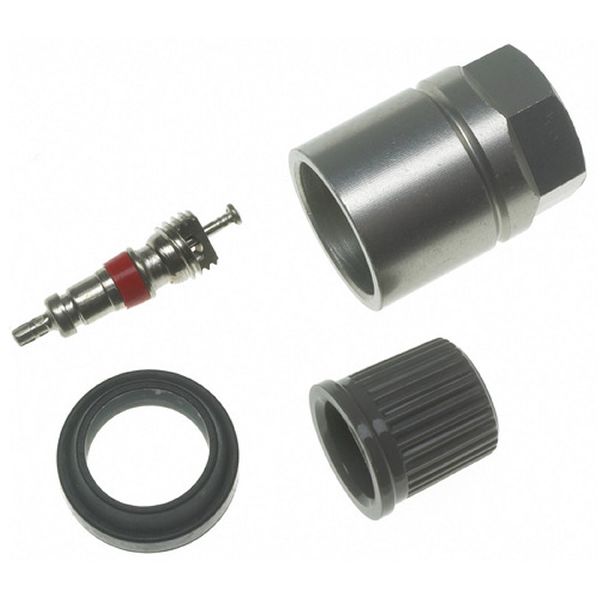
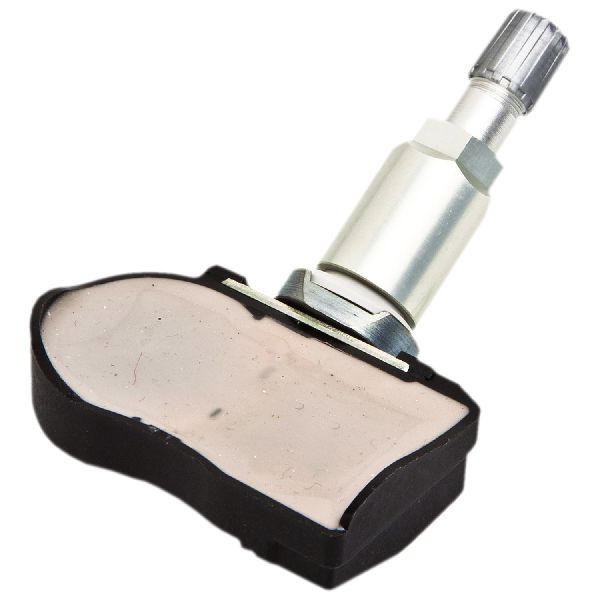
- TPMS Sensor
(OEM #40700-1AA0D)— This is the component that fails most often, usually due to its internal battery dying. It contains the sensor and transmitter in one 315MHz unit. Note that this part number may be superseded by others like 40700-JK01C.
Trusted brands: Schrader (OEM Supplier), Huf/BH Sens, Continental/VDO, Denso, Autel (Programmable), Nissan OE
OEM price range: $70-$110
Aftermarket price range: $40-$85
Related Codes That Often Appear With This One
- C1709 — Relates to the Front-Right TPMS sensor. Seeing both may indicate a common issue like RF interference or multiple aging sensors.
- C1710 — Relates to the Rear-Right TPMS sensor. Multiple codes suggest a systemic issue or that all sensor batteries are failing around the same time.
- C1711 — Relates to the Rear-Left TPMS sensor. It is common for all four original sensors to fail within a similar timeframe due to battery age.
Technical Service Bulletins (TSBs) & Recalls
- NTB13088A: SERVICE INFORMATION for Tire Pressure Monitor System (TPMS) and Low Tire Pressure Warning System (LTPWS), which discusses radio frequency interference causing a "No Data" condition for codes C1708, C1709, C1710, C1711. It explicitly advises removing aftermarket accessories like phone chargers before diagnostics.
Platform-Specific Known Issues
- DIY Relearn Procedure Exists: For this platform, a manual relearn procedure may be possible without a scan tool. It involves grounding a single-wire connector (often white, near the OBD-II port) to the chassis multiple times in a specific sequence to put the BCM into learning mode. A YouTube video for the Armada/Titan platform demonstrates this process, though success may vary. 🎬 See this walkthrough of the manual TPMS programming procedure.
Mechanic-Grade Diagnostic Values
- BCM Ground Continuity Check — expected: Continuity should exist. Failure: No continuity (open circuit) indicates a bad ground for the BCM.
- BCM Power Supply Voltage (Pin 57 & 70) — expected: Battery Voltage. Failure: 0V indicates a loss of constant power to the BCM.
- BCM Ignition Power Supply (Pin 38) — expected: Battery Voltage. Failure: 0V when the ignition switch is ON or in START indicates a loss of ignition power.
Scan Tool Commands That Help
- Nissan CONSULT III Plus: ID Registration — This function is required after replacing a TPMS sensor to write the new sensor's unique ID into the BCM's memory.
- Nissan Signal Tech 2: Sensor Wake-Up / Test — This is a handheld tool used by dealers to individually trigger each TPMS sensor at the wheel, confirming its operation and reading its ID before attempting registration with the BCM. It helps quickly identify the non-responsive sensor.
Wiring & Ground Locations
- BCM (Body Control Module) — Located in the passenger footwell area, typically behind the kick panel.. The BCM is the control unit for the TPMS. All sensor signals are sent to the BCM (via the TPMS receiver), and it is responsible for interpreting the data and triggering the warning light. A fault with the BCM or its connections can mimic a sensor failure.
- BCM Ground (M20, Pin 67) — On the main BCM connector (M20), terminal 67 is the ground wire. The physical ground point is on the chassis nearby.. A poor ground connection at the BCM can cause a wide range of unpredictable electrical issues, including the inability to receive or process signals from the TPMS sensors, potentially triggering a C1708 code.
- TPMS Relearn Connector — A single-wire connector, usually white, located near the OBD-II port. It is often taped to a larger wiring harness and may be tucked away, requiring some searching.. This connector is used for the manual (tool-free) TPMS relearn procedure. Grounding this wire in a specific sequence puts the BCM into learning mode, allowing it to register the sensor IDs without a scan tool.
Real Owner Repair Stories
- YouTube user 'Fast Eddie' (2008 Nissan Armada) — Flashing TPMS light that went solid. No pressure readings on the dash display.
❌ Tried (didn't work) Replaced one suspected bad TPMS sensor and performed a reset drive. The light remained on and no pressures registered.
✅ What actually fixed it A second TPMS sensor had also failed. After replacing the second sensor and driving for about 15 minutes, the system automatically relearned the new IDs and the pressure readings appeared on the dash, extinguishing the light. This highlights that multiple sensors can fail simultaneously. - Reddit user 'lumbermane' on r/Nissan (General Nissan vehicles) — Persistent flashing TPMS light even after sensor replacement.
❌ Tried (didn't work) Installing a 3rd party (non-OEM) TPMS sensor from a local auto parts store. The light would go off initially but return after a short period of driving.
✅ What actually fixed it Replacing the faulty sensor with a genuine OEM sensor directly from Nissan was the only sure-fire method that permanently resolved the issue. The user noted that Nissan systems seem to be particularly 'picky' about the sensors they communicate with.
"I Checked Everything" — The Actual Cause
- The TPMS equivalent of a 'smoke test clean' scenario is when a technician uses a TPMS tool to verify that all four wheel sensors are transmitting a signal, yet the C1708 code (or other 'No Data' codes) persists. The most common cause for this, as cited in Nissan's TSB NTB13088A, is Radio Frequency (RF) interference. Low-quality aftermarket devices, especially phone chargers plugged into the 12V outlets, can emit RF noise that jams the 315MHz signal from the TPMS sensor, preventing it from reaching the vehicle's receiver. The fix is to unplug all such devices and re-test.
OEM Part Supersession History
40700-1AA0D→40700-JK01C— Part consolidation and revision.
Heads up: 40700-JK01C replaces a long list of previous part numbers, including 40700-1AA0A, 40700-1AA0B, 40700-1AA0C, and 40700-1AA0D. While directly compatible, some technicians report that Nissan TPMS systems can be sensitive, and using genuine OEM sensors (like this one) often yields better results than aftermarket alternatives.
Helpful Videos


We Have This Part in Stock



The information in this article is provided for general reference and educational purposes only. Vehicle specifications, procedures, and part compatibility can vary by production date, trim level, and region. Always consult your vehicle's factory service manual and verify part numbers before purchasing or performing repairs. Safety-critical components such as airbags, seat belts, and braking systems should be installed by a qualified professional.
- Nissan ARMADA:
- 🧭 Diagnostic Flowchart
- 🎬 Helpful Videos
- 🛍️ Shop This Part
- What's Unique About the 2012-2015 Nissan ARMADA
- Symptoms You May Notice
- Most Likely Causes
- Rare But Worth Checking
- Diagnosis Steps
- Parts You'll Likely Need
- Related Codes That Often Appear With This One
- Technical Service Bulletins (TSBs) & Recalls
- Platform-Specific Known Issues
- Mechanic-Grade Diagnostic Values
- Scan Tool Commands That Help
- Wiring & Ground Locations
- Real Owner Repair Stories
- "I Checked Everything" — The Actual Cause
- OEM Part Supersession History
- 🎟️ Get 5% Off